MAN00000772_SI-G200BB_SVCPDFA.pdf - 第183页
HLGB-10204-01 PWB Camera Setup Loosen cap screws (2-CP4x8 ) fixing the PWB camera. Put thick ness gauge of 1.0mm between the PWB camera and the camera support bracket and t emporarily fix them. Adjust inclination of the …
HLGB-10204-01
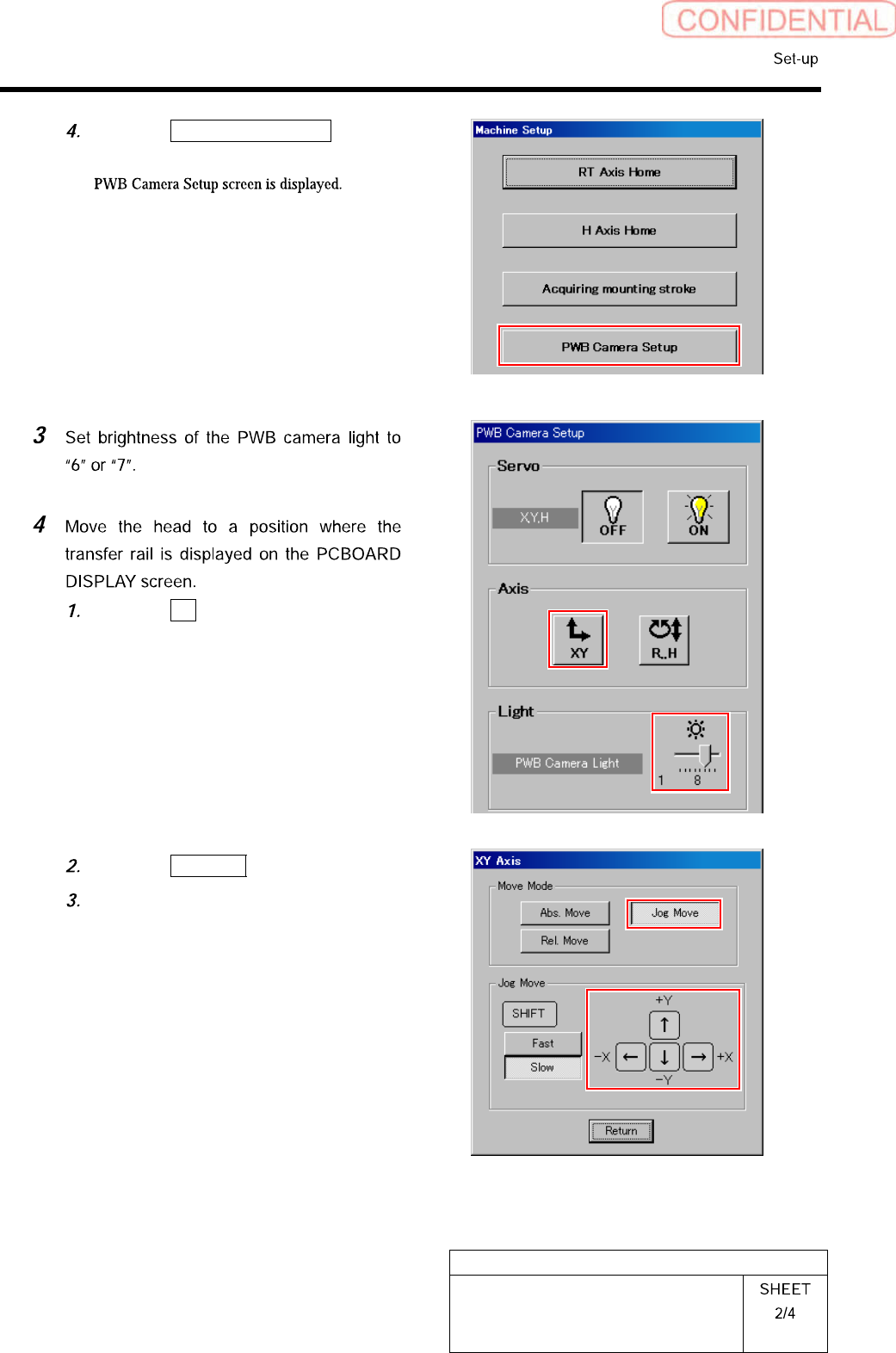
PWB Camera Setup
Click the PWB Camera Setup button
on the Machine Setup screen.
Click the XY button on the PWB
Camera Setup screen.
XY Axis screen is displayed.
Click the Jog Move button.
Press the cursor key to jog-move the
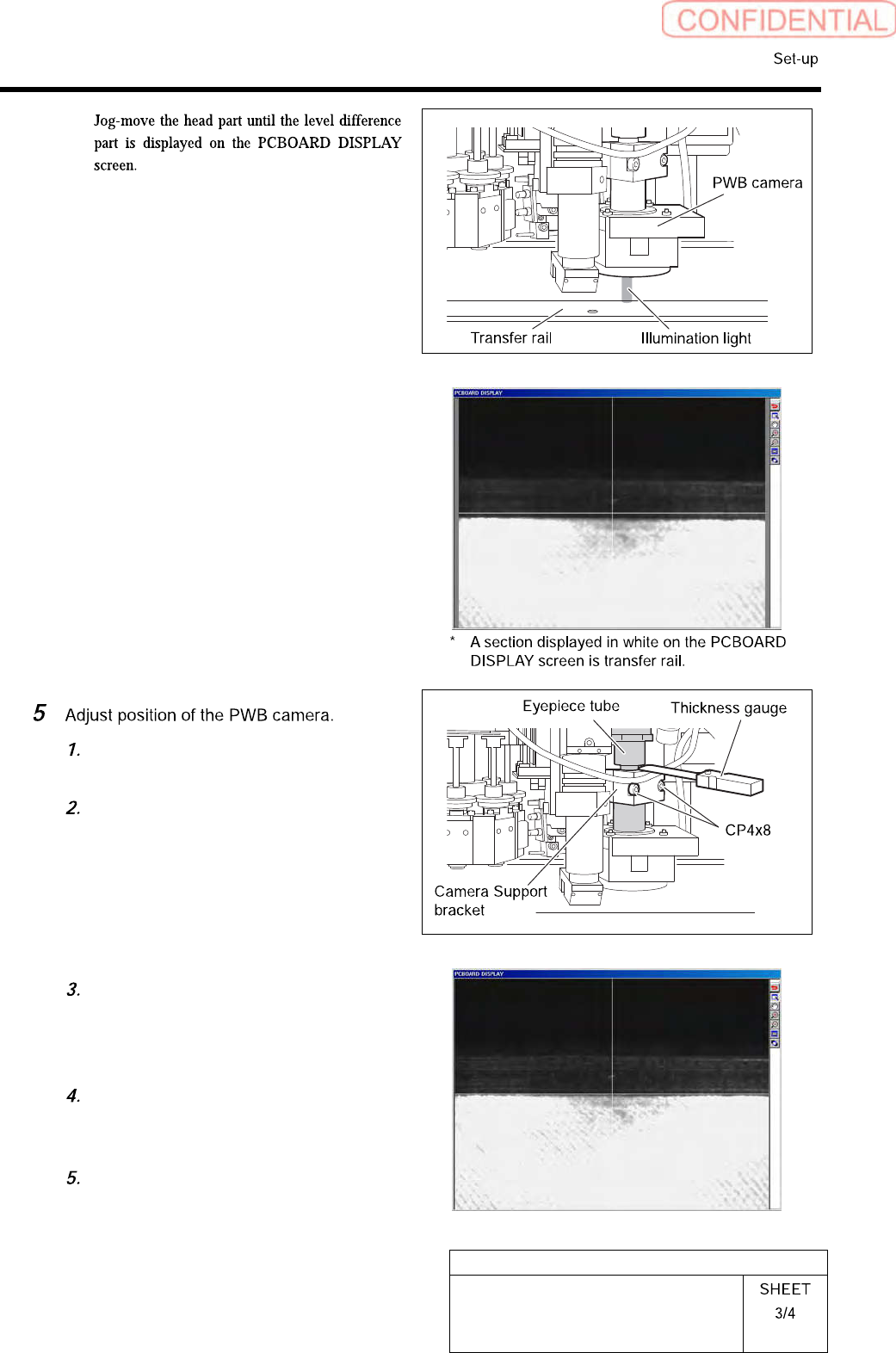
head part onto the transfer rail.
HLGB-10204-01
PWB Camera Setup
Loosen cap screws (2-CP4x8) fixing
the PWB camera.
Put thickness gauge of 1.0mm between
the PWB camera and the camera
support bracket and temporarily fix
them.
Adjust inclination of the transfer rail
displayed on the PCBOARD DISPLAY
screen so as to align it with the
cross-hair line.
After adjusting inclination, tighten the
cap screws (2-CP4x8) to fix the PWB
camera.
Remove the thickness gauge.
HLGB-10204-01
PWB Camera Setup