MAN00000772_SI-G200BB_SVCPDFA.pdf - 第202页
HLGB-10301-01 PWB Camera Light Calibration Perform this working on b o th he ads on t he front side and rear side. [Necessary jigs] • C al i bration plate jig • J i g positioning pin • Light Calibration jig [Procedure] C…
HLGB-10208-01
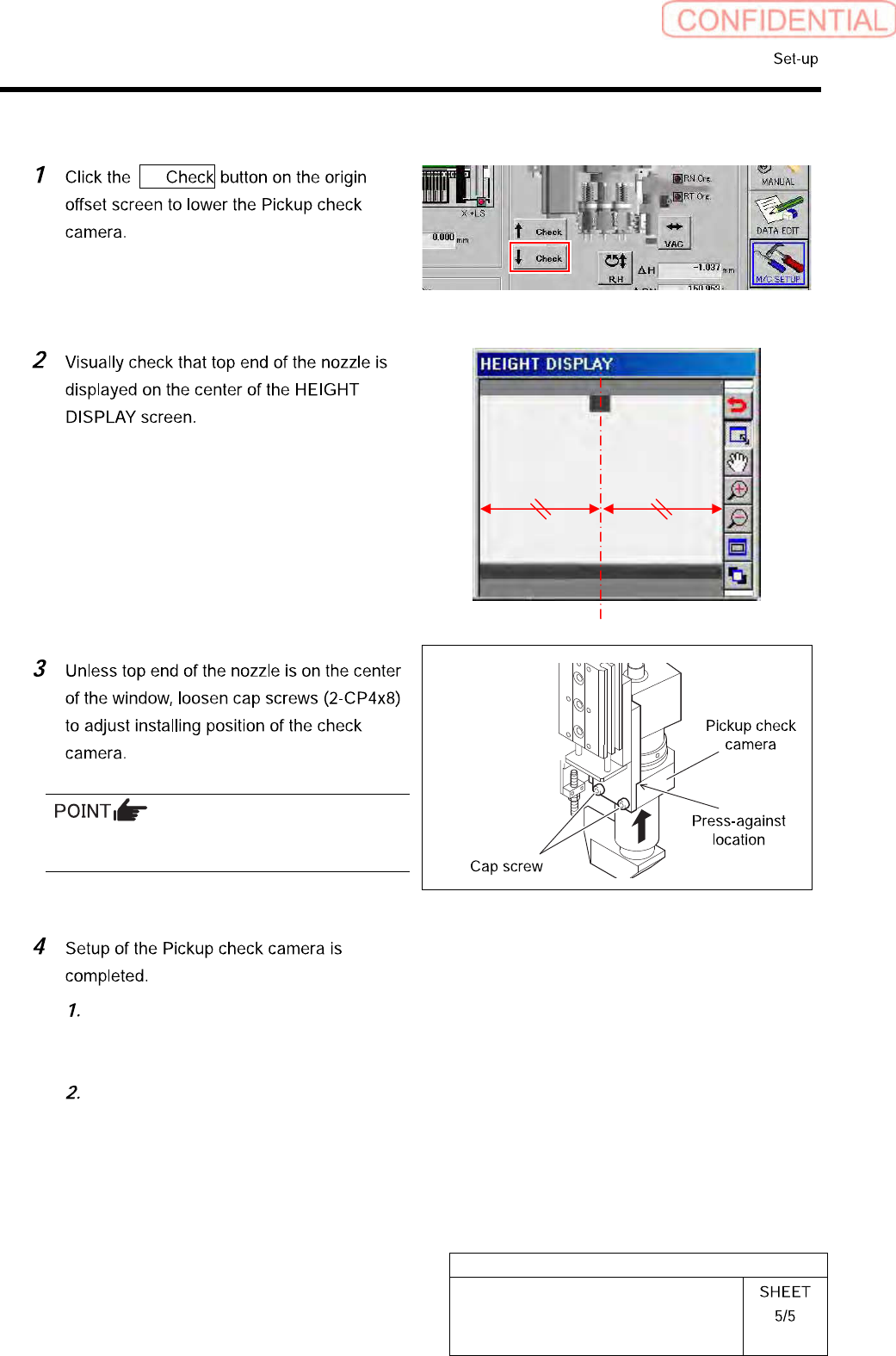
Pickup Check Camera Setup
[Lateral alignment]
↓
Fix the Pickup check camera with pressing it
against upward.
Press the [ORG] button on the
operation panel to perform origin
position return.
Remove the length reference nozzle jig
from the turret No.1.
HLGB-10301-01
PWB Camera Light Calibration
Perform this working on both heads on the front side and rear side.
[Necessary jigs]
• Calibration plate jig
• Jig positioning pin
• Light Calibration jig
[Procedure]
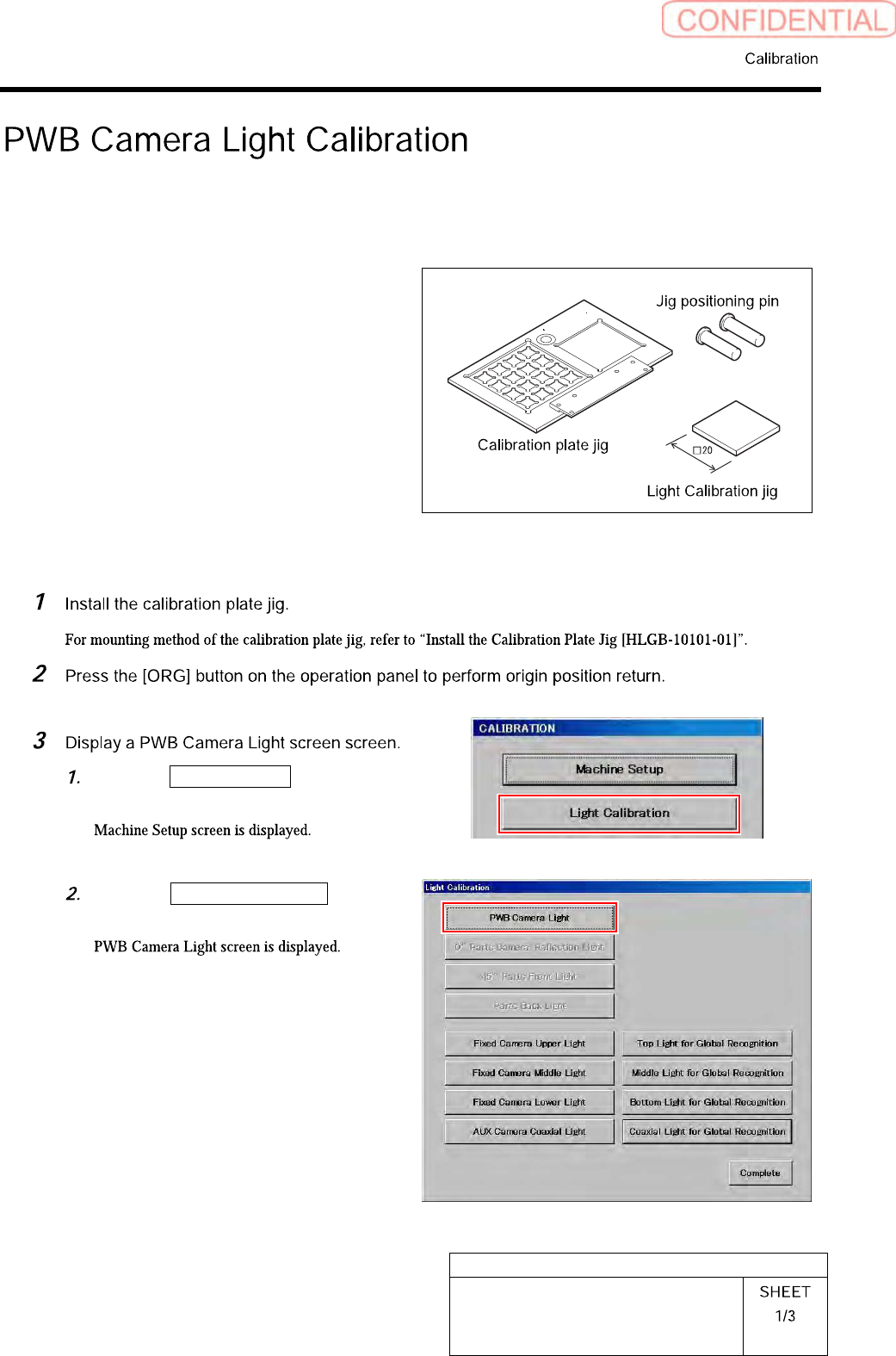
Click the Machine Setup button on the
CALIBRATION screen.
Click the PWB Camera Light button
on the Light Calibration screen.
HLGB-10301-01
PWB Camera Light Calibration
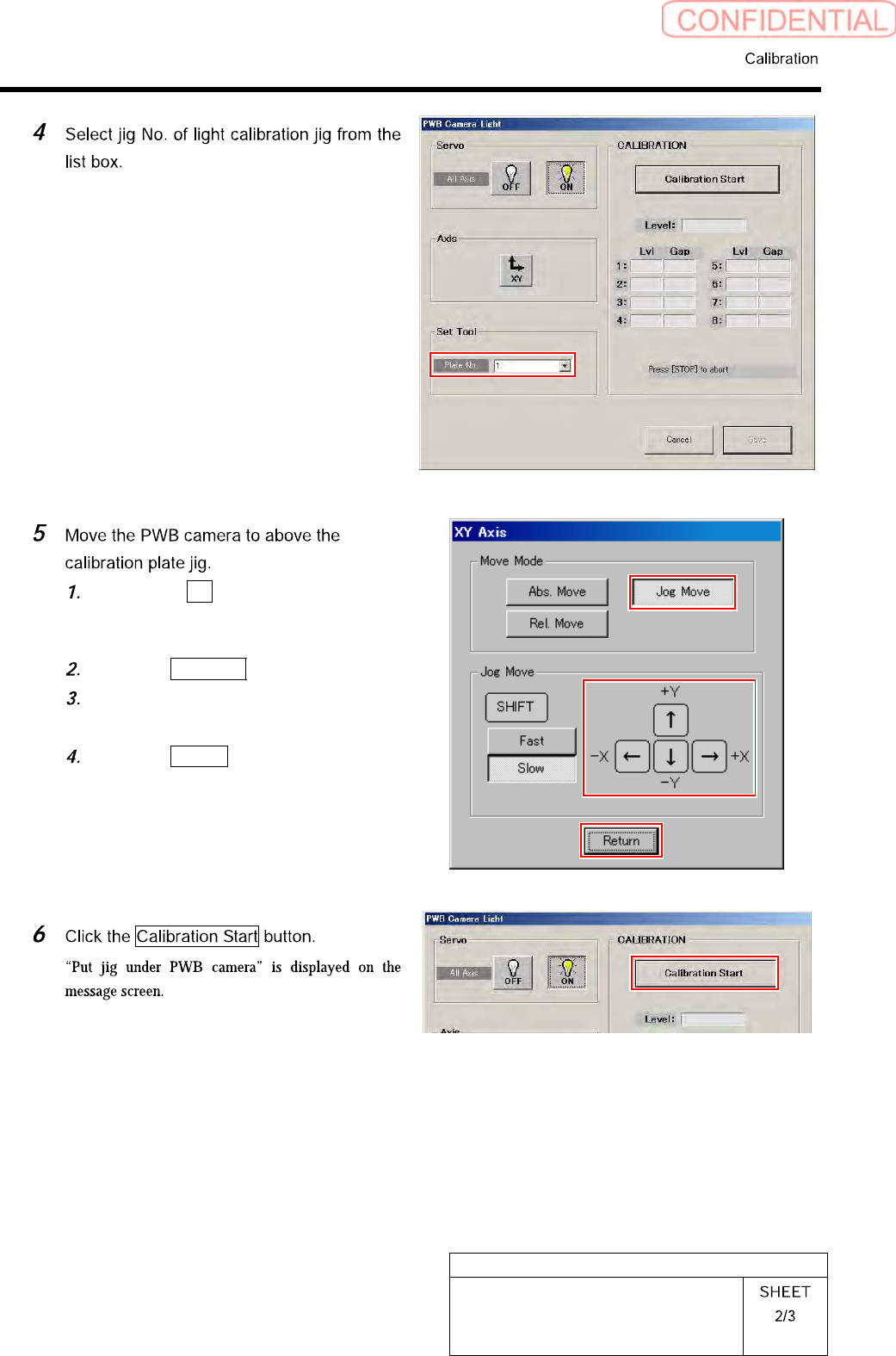
Click the XY button on the PWB
Camera Light screen.
XY Axis screen is displayed.
Click the Jog Move button.
Jog move the PWB camera to above
the calibration plate jig.
Click the Return button to return to
the PWB Camera Light screen.