MAN00000772_SI-G200BB_SVCPDFA.pdf - 第172页
HLGB-10202-01 H A xis Origin Position Setup Perform this working on b o th he ads on t he front side and rear side. [Necessary jigs] Click in an order of M/C SETUP menu M/C MAINTENANCE tab Calibration button. Cli…
HLGB-10201-01
RT Axis Origin Position Setup
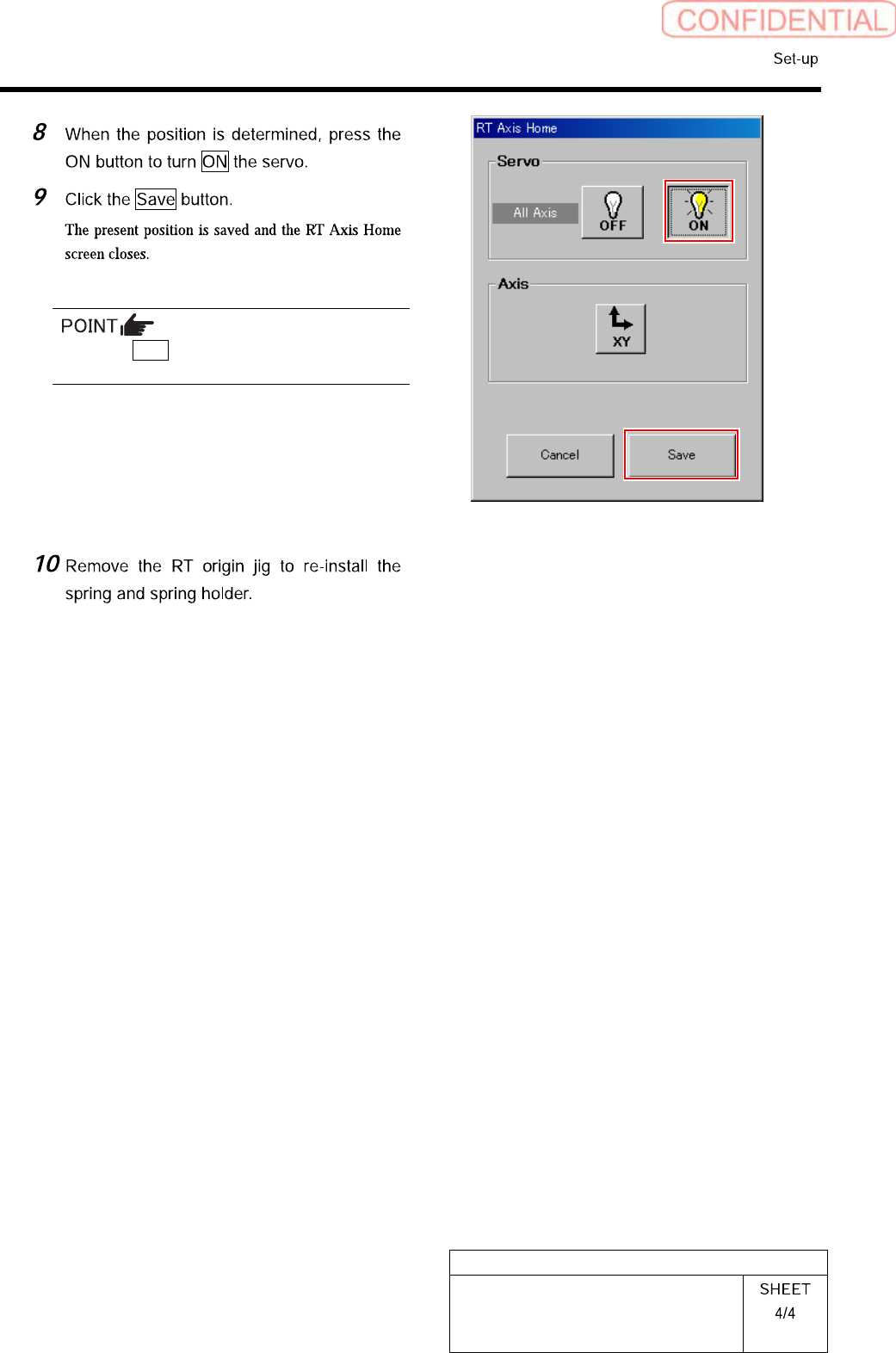
Press the Save button with the servo ON.
HLGB-10202-01
H Axis Origin Position Setup
Perform this working on both heads on the front side and rear side.
[Necessary jigs]
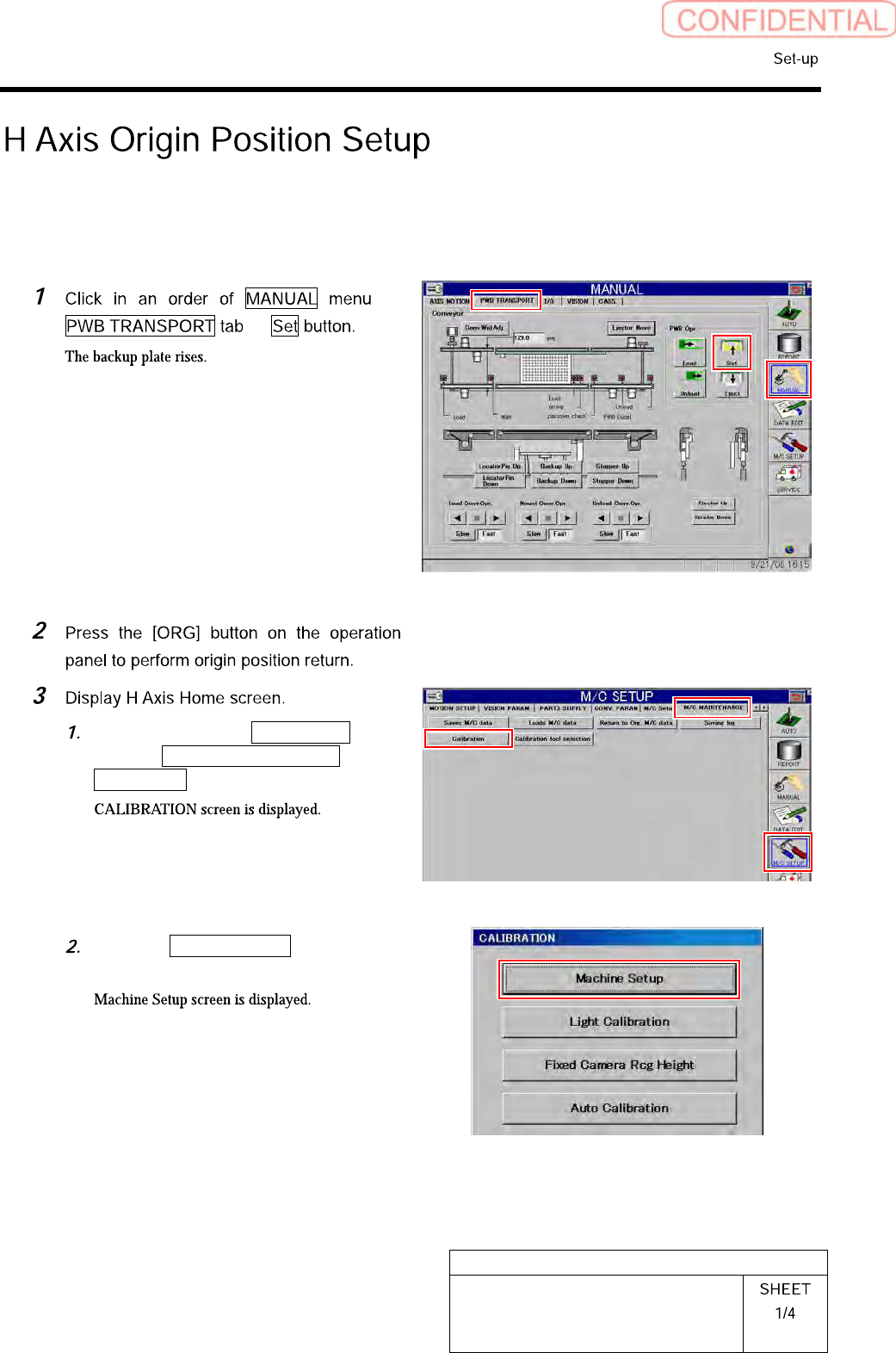
Click in an order of M/C SETUP
menu M/C MAINTENANCE tab
Calibration button.
Click the Machine Setup button on the
CALIBRATION screen.
HLGB-10202-01
H Axis Origin Position Setup
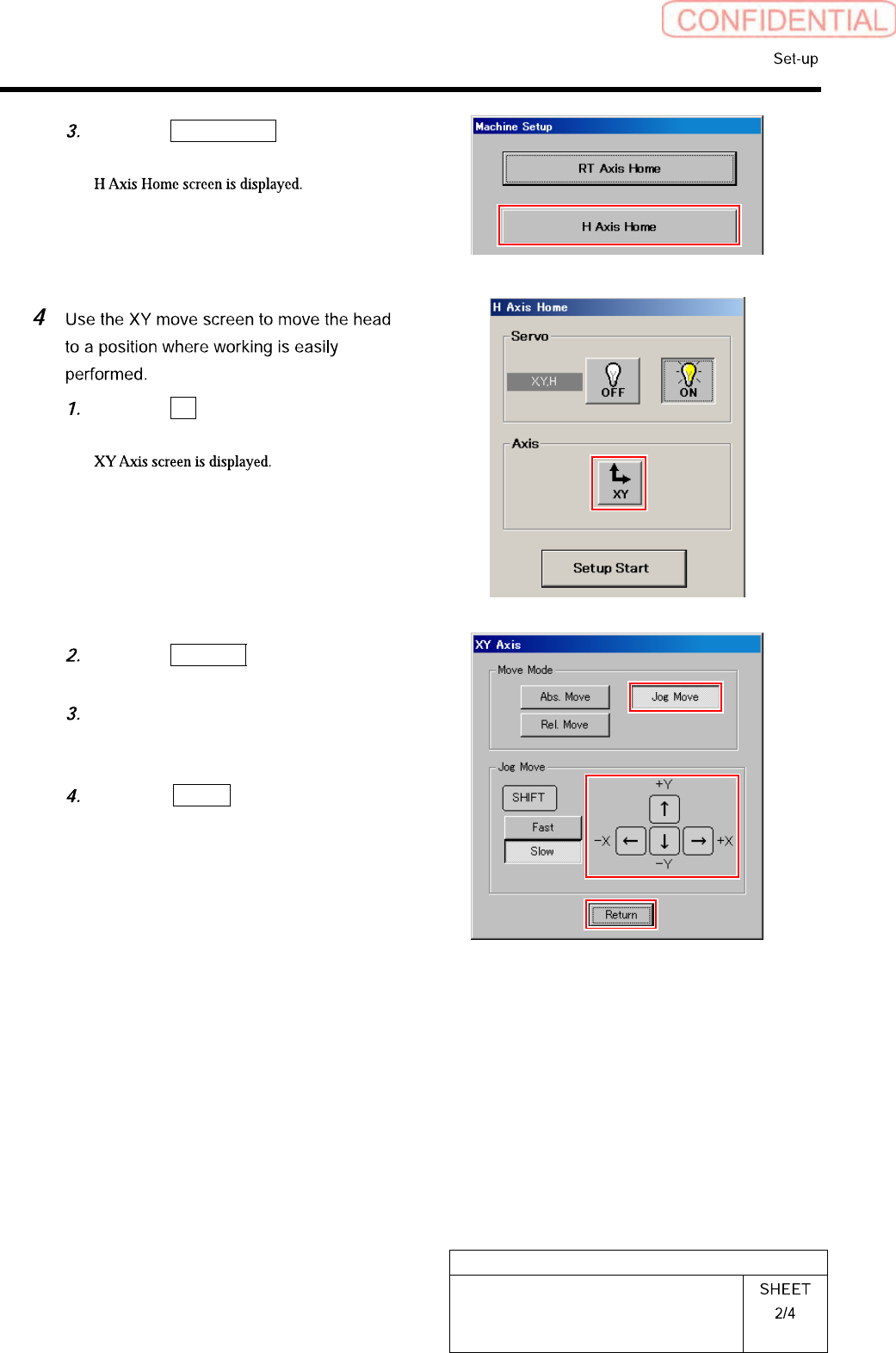
Click the H Axis Home button on the
Machine Setup screen.
Click the XY button on the H Axis
Home screen.
Click the Jog Move button in the move
mode.
Press the cursor key to move the head
to a position where working is easily
performed.
Press the Return button after the
head moves to close the XY axis
screen.