MAN00000772_SI-G200BB_SVCPDFA.pdf - 第339页
HLGB-10415-01 Nozzle Sensor A djustment Remove th e noz zle for produ ction installed on the turret No. 1. Press the SET button again. Set the mode se t switch to RUN. Check that the L/D set switch is se t to the D side.…
HLGB-10415-01
Nozzle Sensor Adjustment
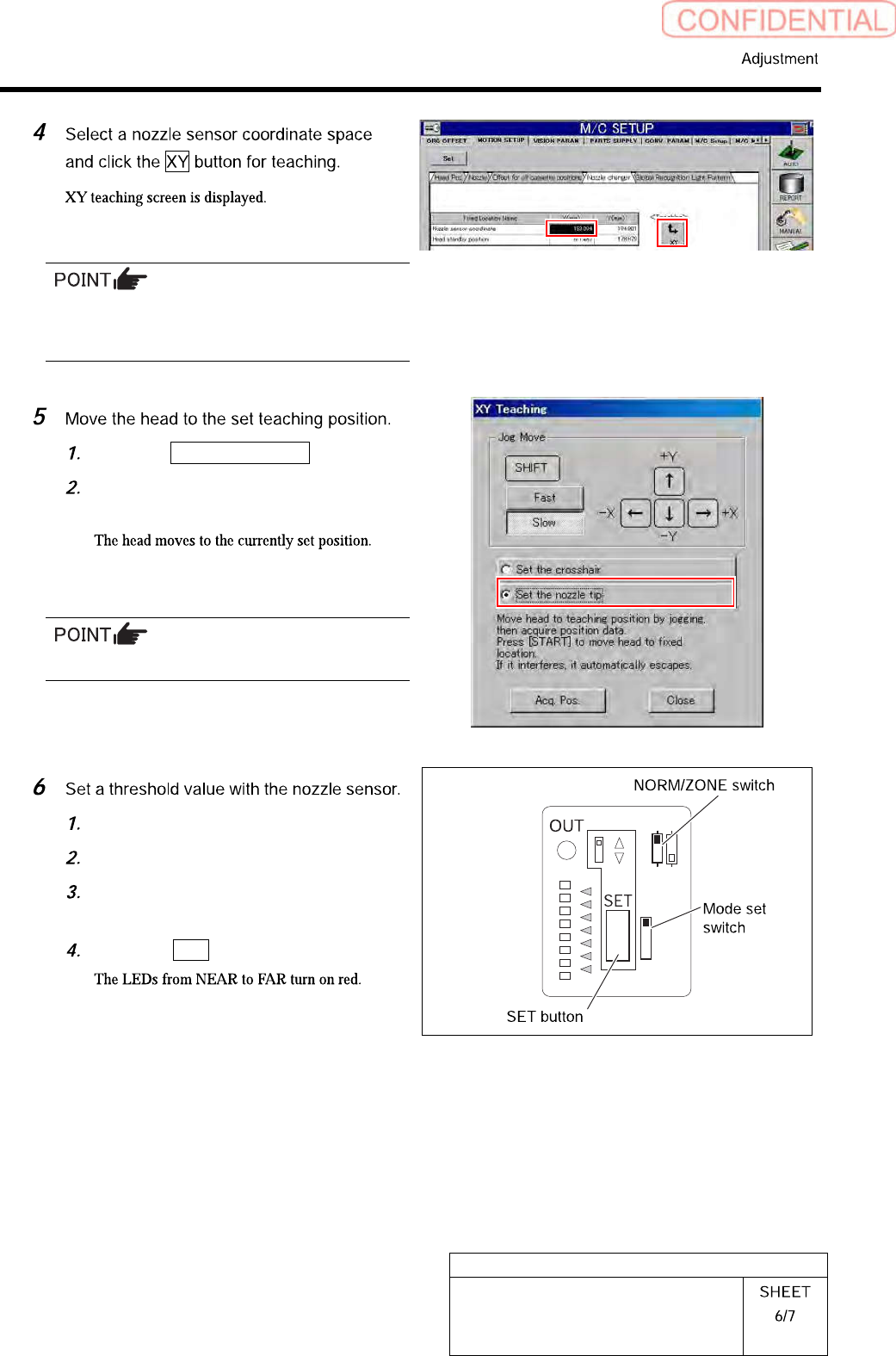
If the Teaching button does not become enabled,
click on the “Nozzle sensor coordinate” column
and then click the Teaching button again.
Click the Set the nozzle tip button.
Press the [START] button on the
operation panel.
Do not click the Acq. Pos. button.
Open the sensor cover.
Set the mode set switch to TEACH.
Check that the NORM/ZONE switch is
set to NORM.
Press the SET button.
NORM
TEACH
RUN
ADJ
ZONE
L
D
NEAR
FAR
HLGB-10415-01
Nozzle Sensor Adjustment
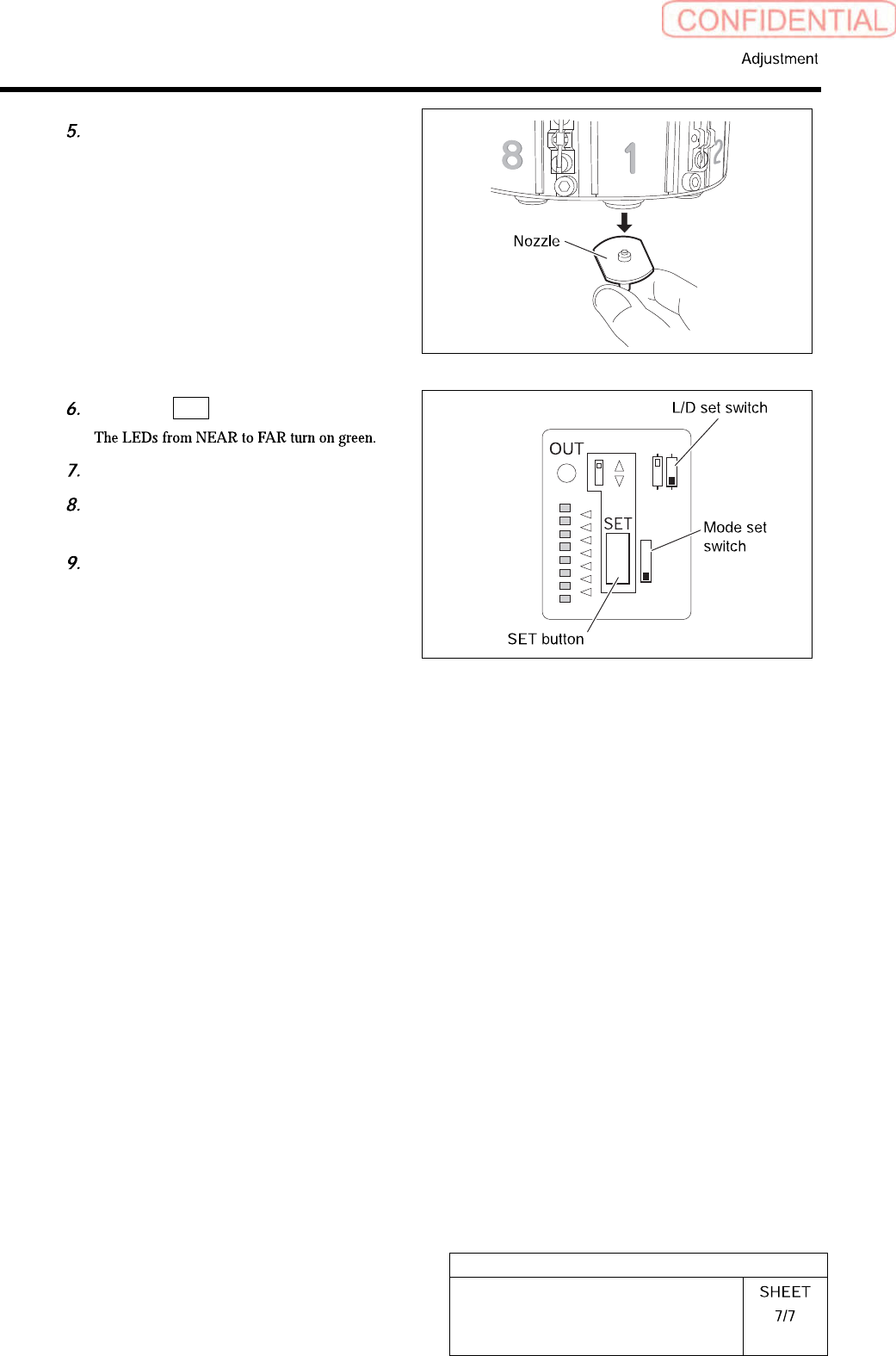
Remove the nozzle for production
installed on the turret No. 1.
Press the SET button again.
Set the mode set switch to RUN.
Check that the L/D set switch is set to
the D side.
Close the cover for the sensor.
NORM
TEACH
RUN
ADJ
ZONE
L
D
NEAR
FAR
HLGB-10416-01
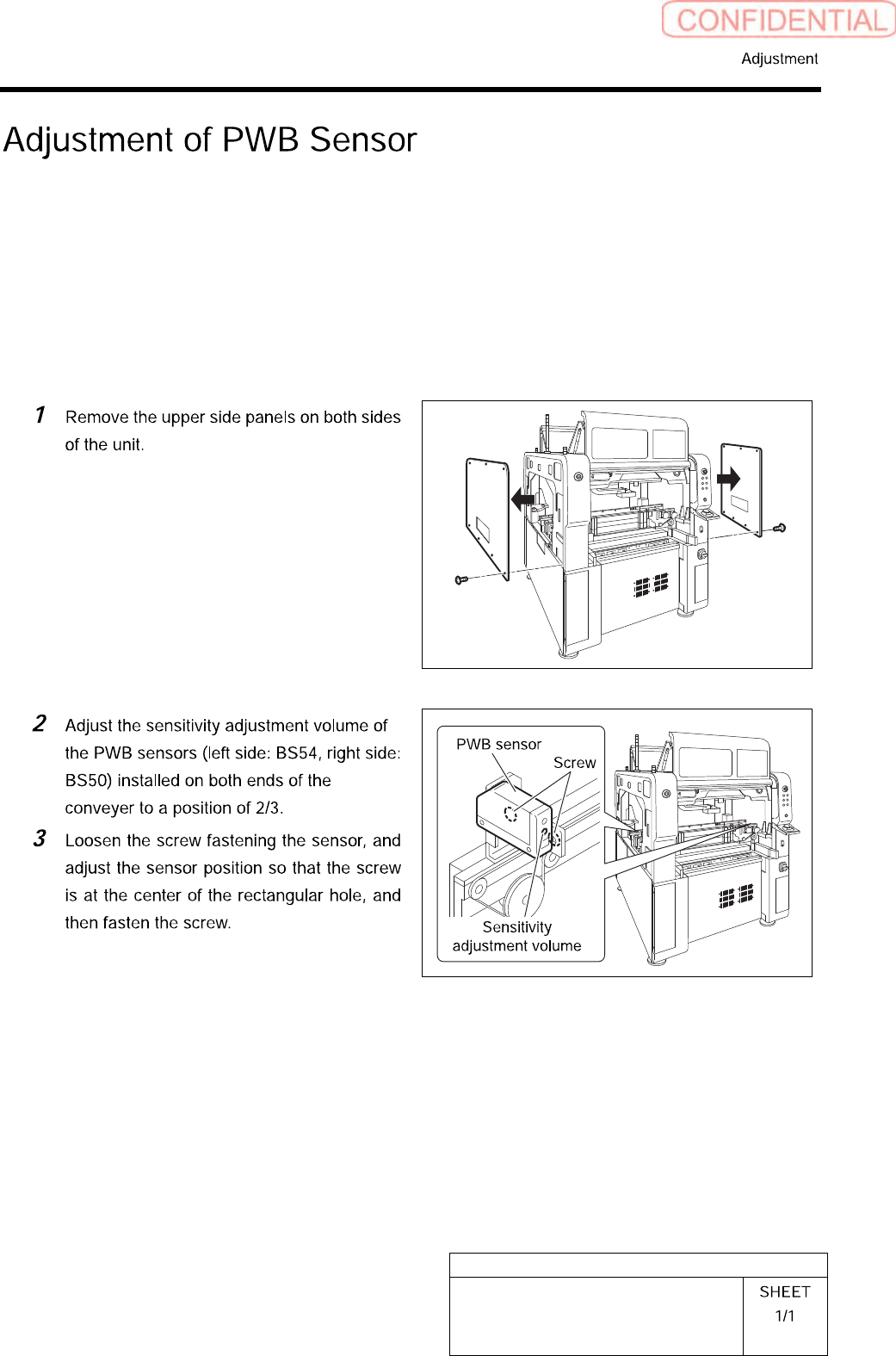
Adjustment of PWB Sensor
This section describes a procedure to adjust sensitivity and installing position of PWB detecting
sensor (BS54, BS50).
[Necessary jigs]
• Do not Use jig.
[Procedure]