MAN00000772_SI-G200BB_SVCPDFA.pdf - 第26页
SettingUPSwhenexchangingh arddisk S e t t i n g U P S w h e n e x c h a n g i n g h a r d d i s k U P S r e - s e t t i n g i s r e q u i r e d w h e n h a r d d i s k i s r e p l a c e d . [ C l o s …
WKGB-10102-01
G200BB Head Maintenance
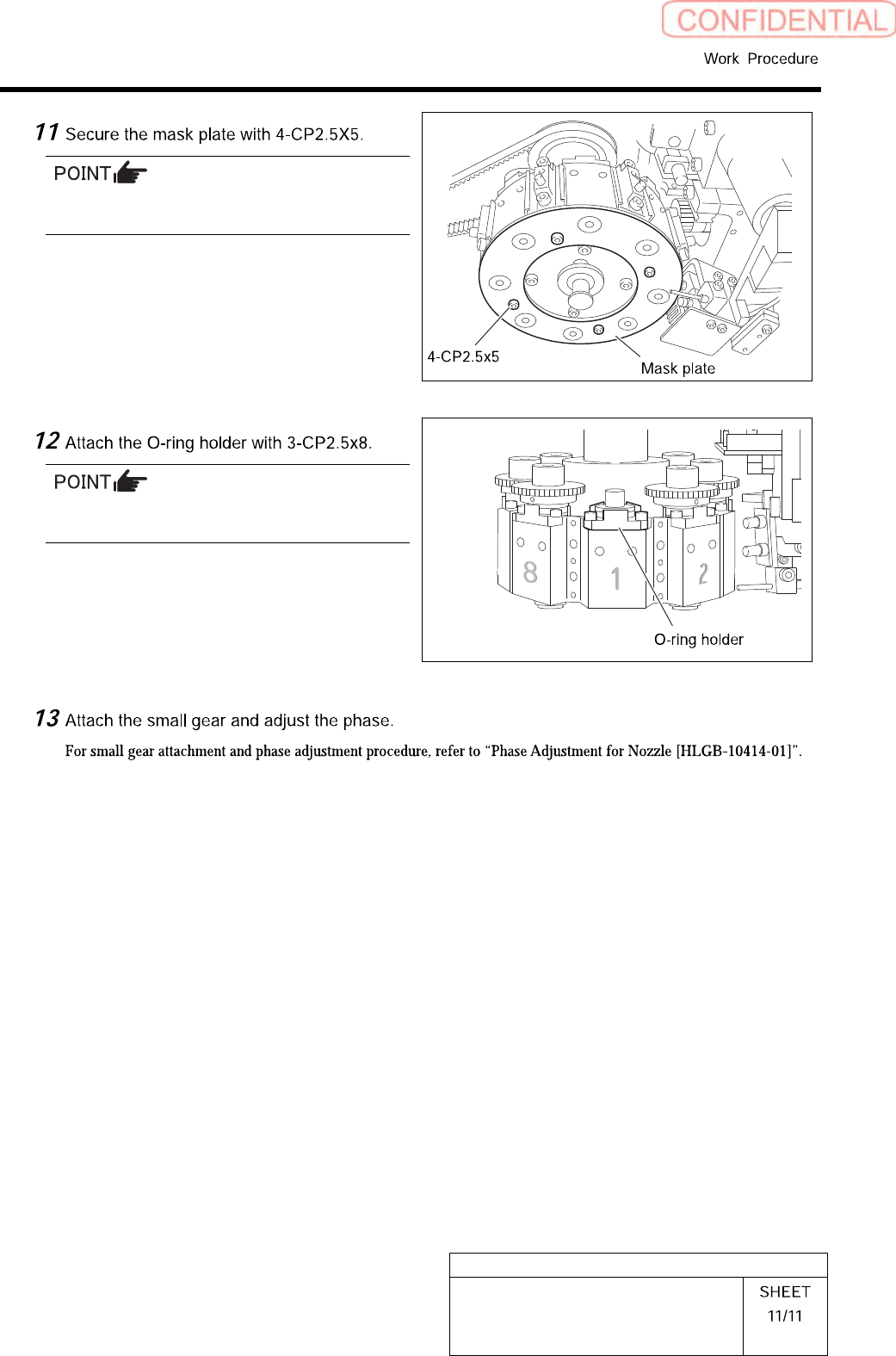
Attach the mask plate after attaching all the
bottom bearings to the Indexes.
Make sure to attach the O-ring holder in the
correct orientation.
SettingUPSwhenexchangingharddisk
SettingUPSwhenexchangingharddisk
UPS re-setting is required when hard disk is replaced.
[CloseHI]
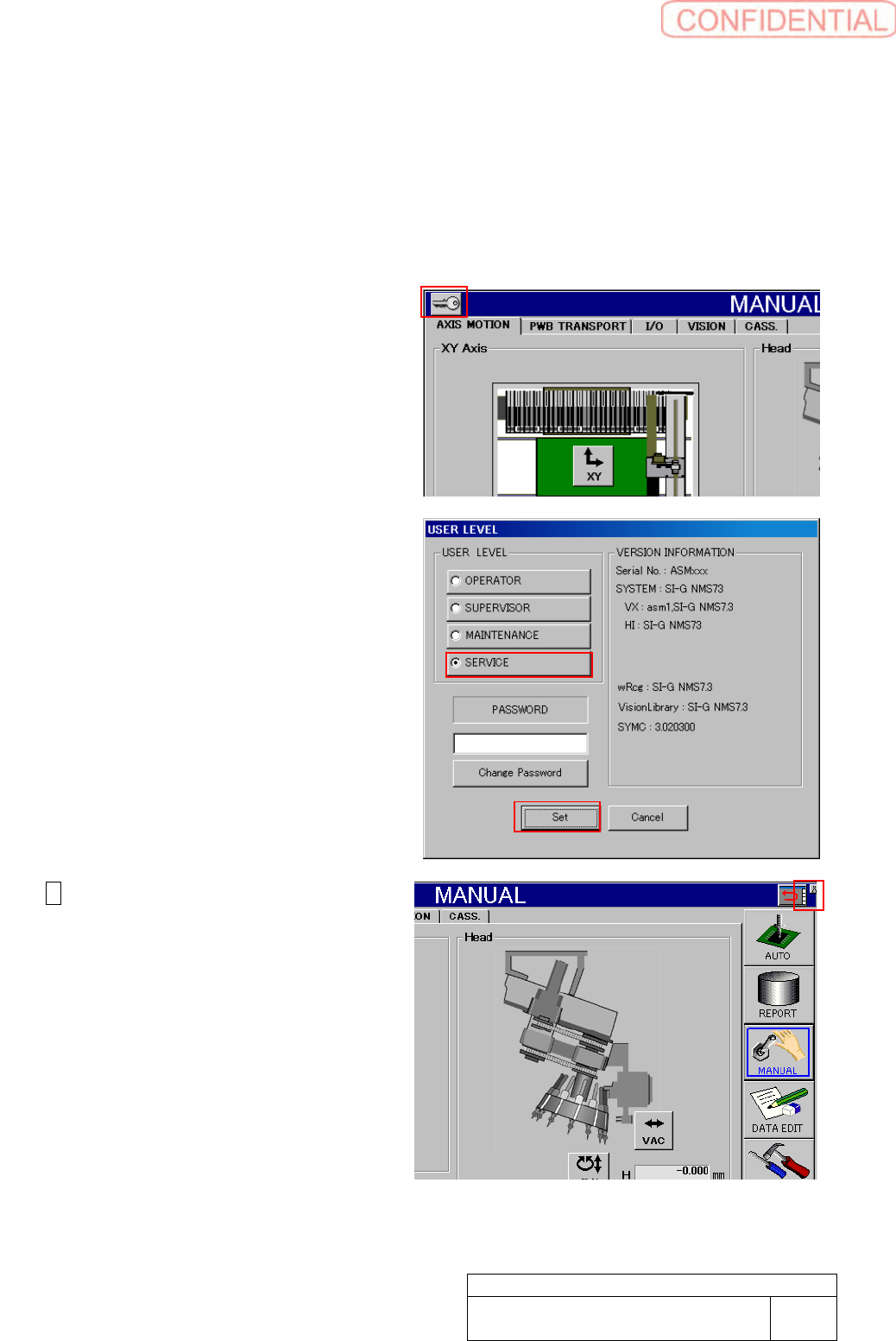
1. Change user level to SERVICE.
Click Key mark on the left side
shoulder to show USER LEVEL
setting screen.
2. Click SERVICE radio button to fill
pass word field.
Enter pass word to click Set button.
3. X appears on the right shoulder of
the screen.
Click the X mark to close HI screen.
WKGB-10103-02
Setting UPS when exchanging
hard disk
1/14
SettingUPSwhenexchangingharddisk
WKGB-10103-02
Setting UPS when exchanging
hard disk
2/14
[Devicedriverre-installation]
This work should be done on the machine
front and rear separately.
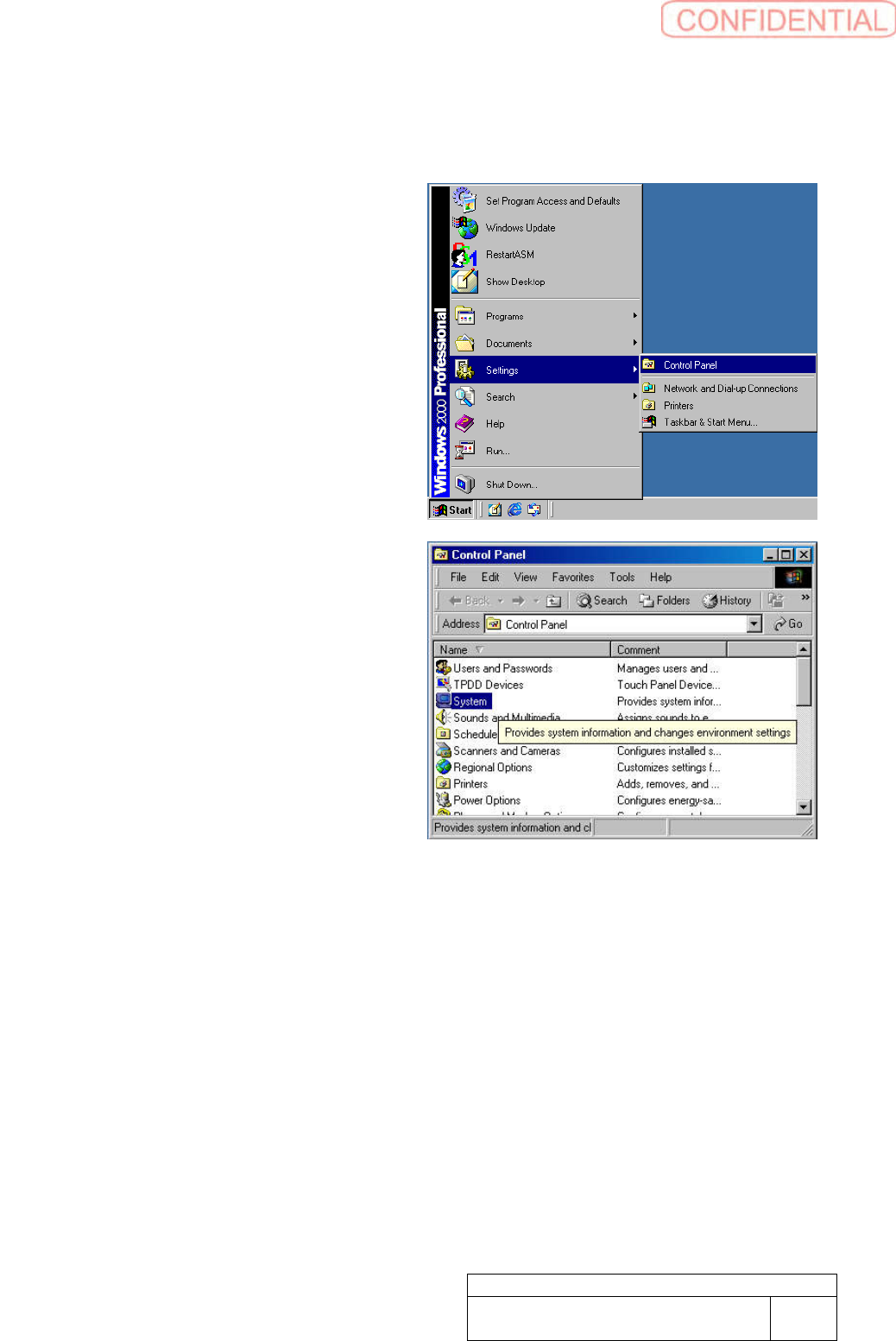
1. Open Control Panel window.
Open Control Panel window from
Windows Start Menu.
2. Make double click on the System to
show System Properties window.