MAN00000772_SI-G200BB_SVCPDFA.pdf - 第265页
HLGB-10313-01 Mount A ccuracy Calibration [Batch recognition calibration] “ ” T o execute the calibration for the rear head, select “ 1005C BatchT ransCalibrationRear .PW4 ” . Click in an order of AUTO menu ST A TUS ta…
HLGB-10313-01
Mount Accuracy Calibration
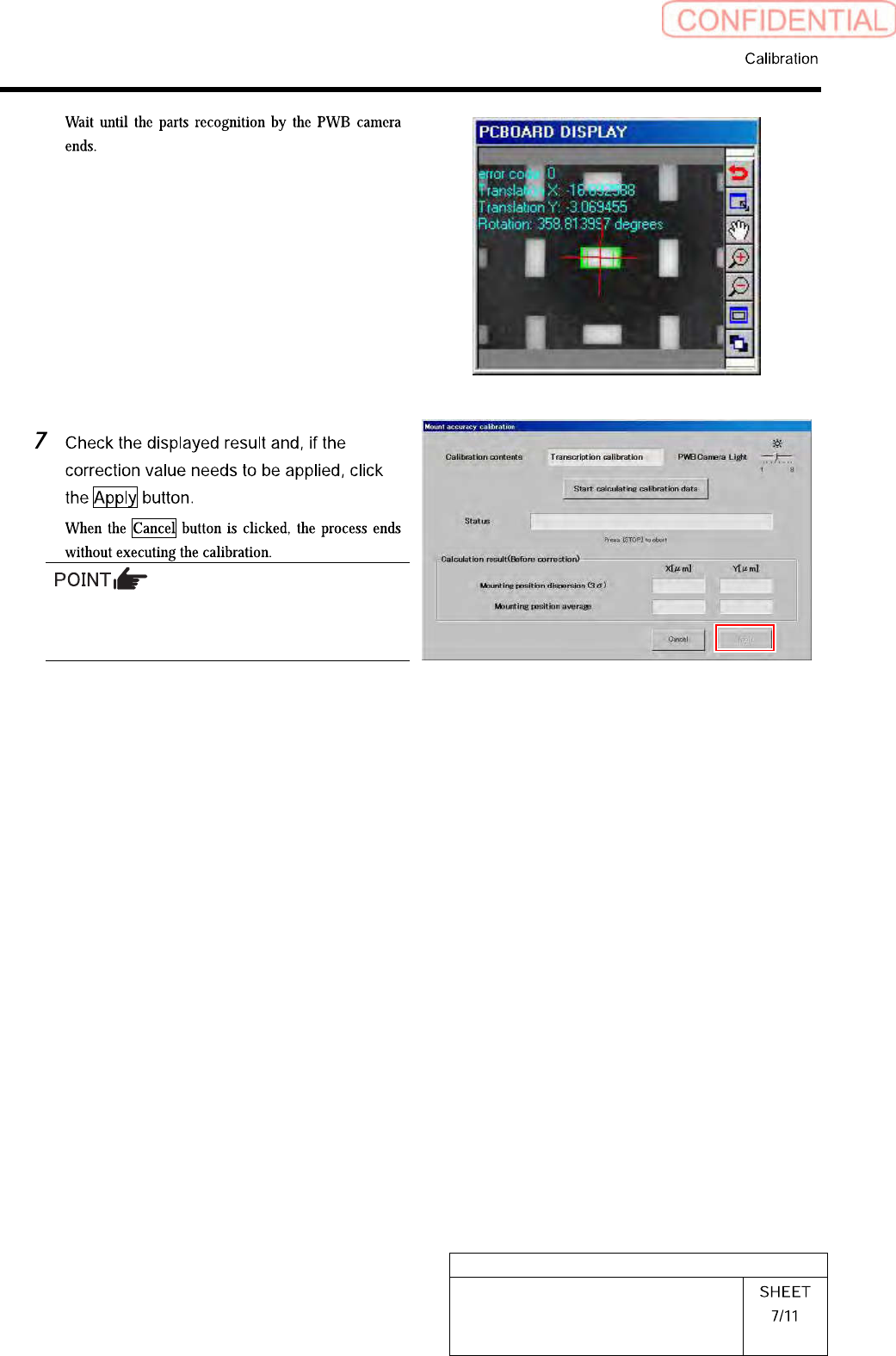
When the calculation result is 3Sigma <
±35[µm] and Avg < 10[µm], the catalog SPEC
(±50[µm] CPK > 1.0 or above) is satisfied.
HLGB-10313-01
Mount Accuracy Calibration
[Batch recognition calibration]
“ ”
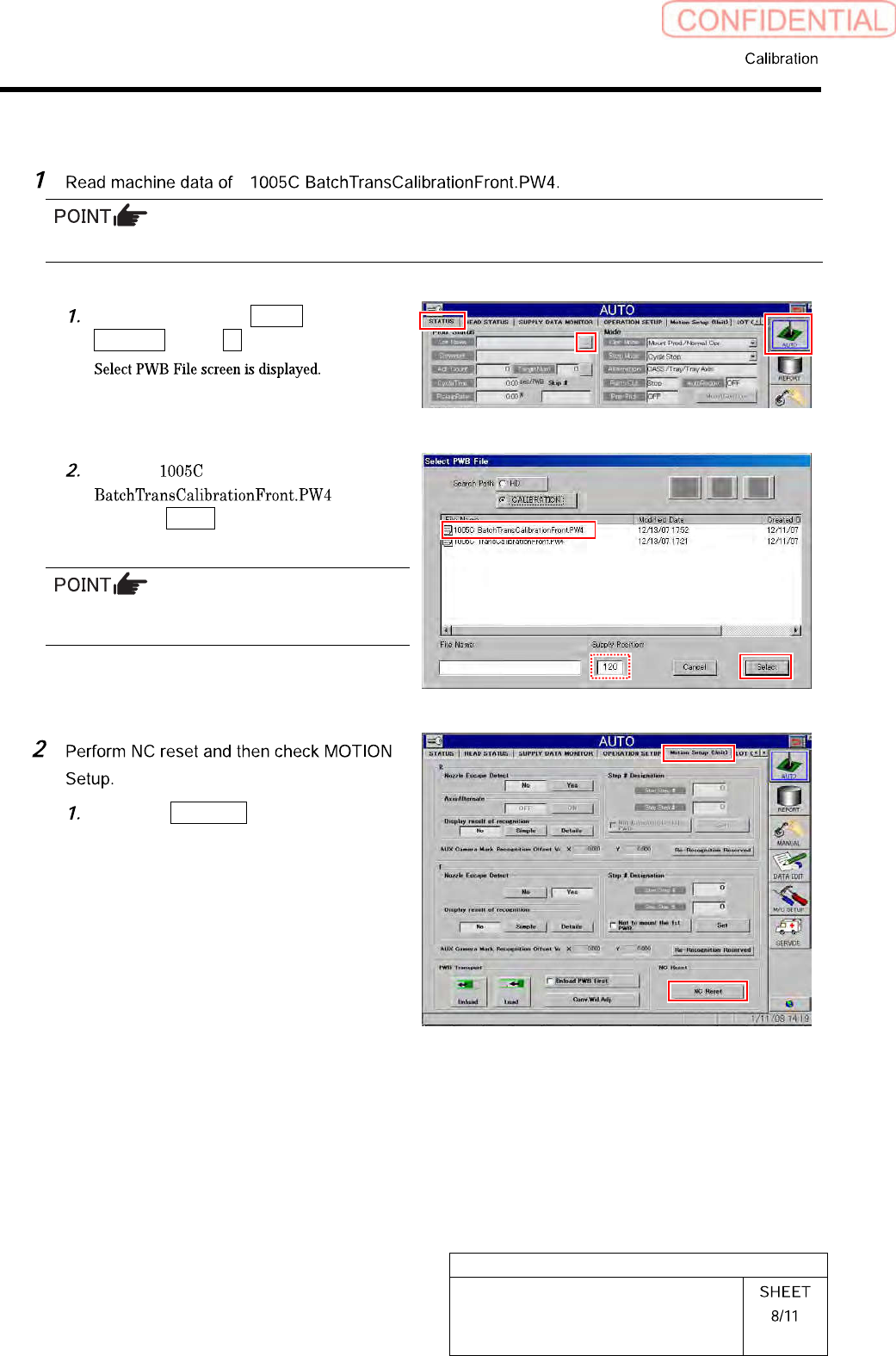
To execute the calibration for the rear head, select “1005C BatchTransCalibrationRear.PW4”.
Click in an order of AUTO menu
STATUS tab … button.
Select “
”, and
click the Select button.
In the Supply Position field, enter the supply
unit number on which you placed the cassette.
Click the NC Reset button on the
MOTION Setup (Unit) screen.
HLGB-10313-01
Mount Accuracy Calibration
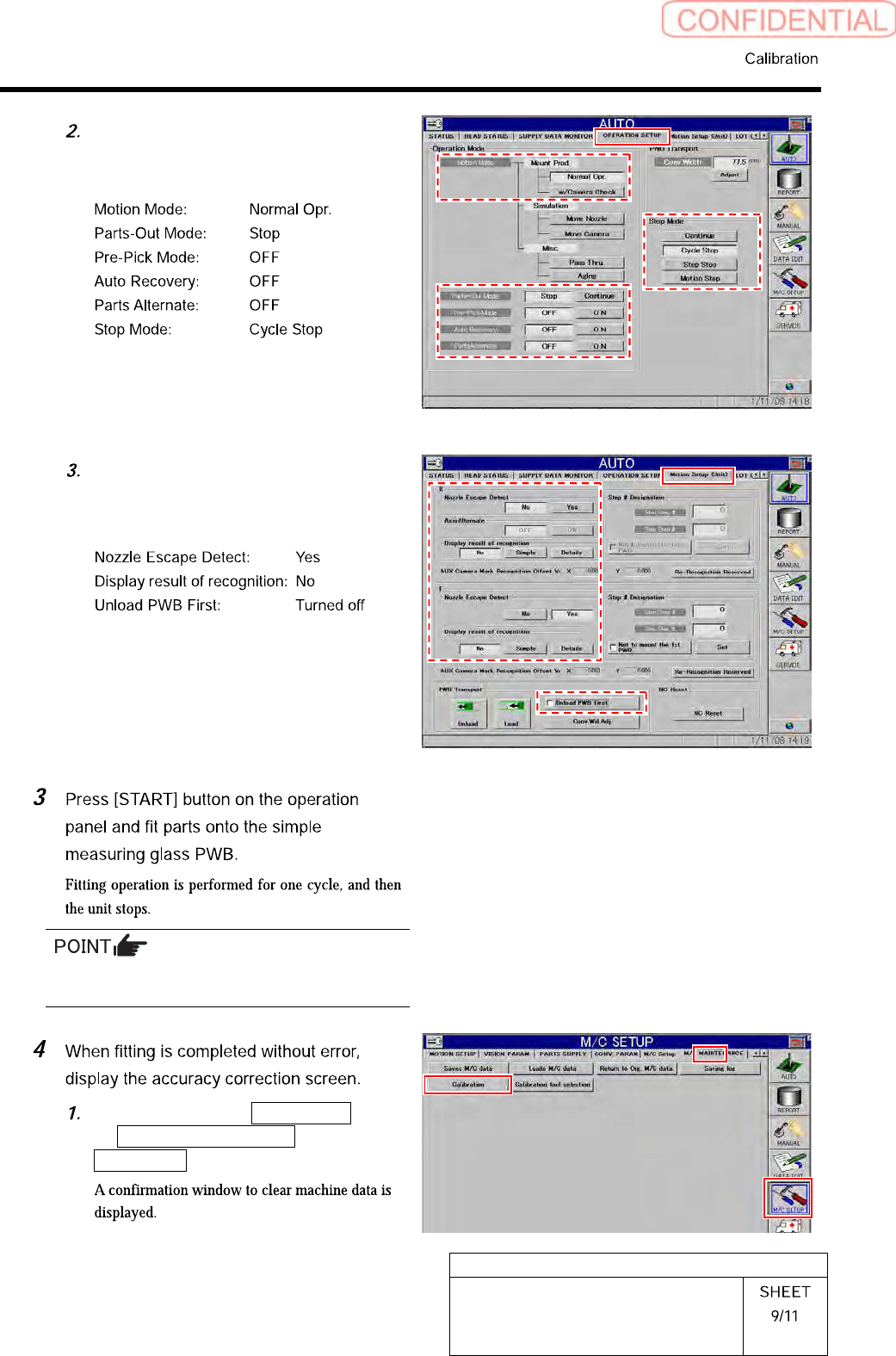
Display OPERATION SETUP to check
that settings are as follows.
Display Motion Setup (Unit) screen to
check that settings are as follows.
Make sure the wrong pickup or pickup error
does not occur.
Click in an order of M/C SETUP menu
M/C MAINTENANCE tab
Calibration button.