MAN00000772_SI-G200BB_SVCPDFA.pdf - 第193页
HLGB-10207-01 RN A xis Origin Offset Setup Perform this working on b o th he ads on t he front side and rear side. [Procedure] Click in an order of M/C SETUP menu ORG OFFSET tab Change Offset button. Input “0” in the…
HLGB-10206-01
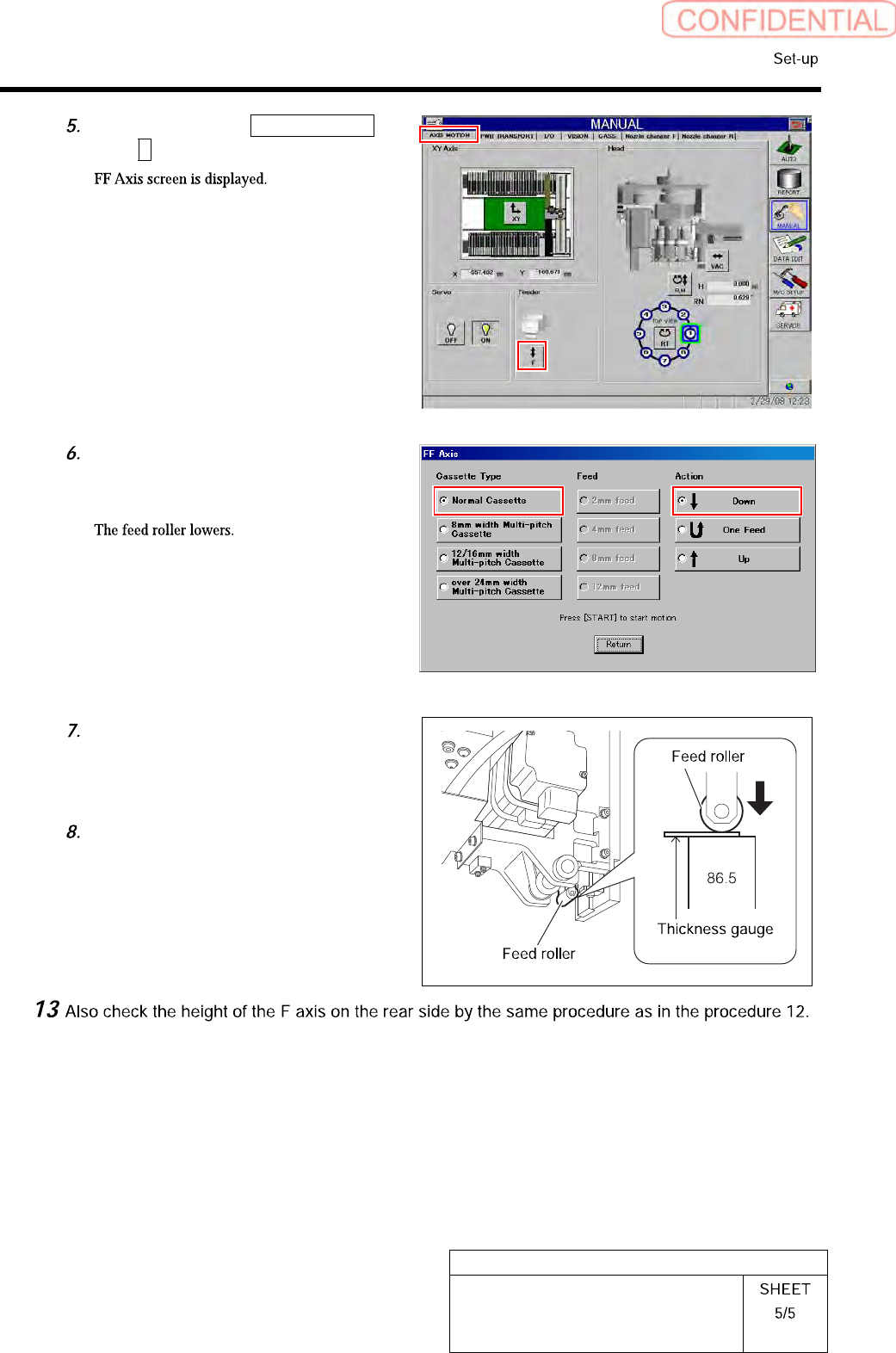
F Axis Setup
Click in an order of AXIS MOTION
tabF button.
Place a check in “Normal Cassette”
and “Down” and press the [START]
button on the operation panel.
Check that clearance between the
parts feed height jig (86.5mm) and the
feed roller is in a range of 0<0.2mm
with a thickness gauge.
After checking, place a check in the
“Up” on the FF axis careen, and press
the [START] button.
HLGB-10207-01
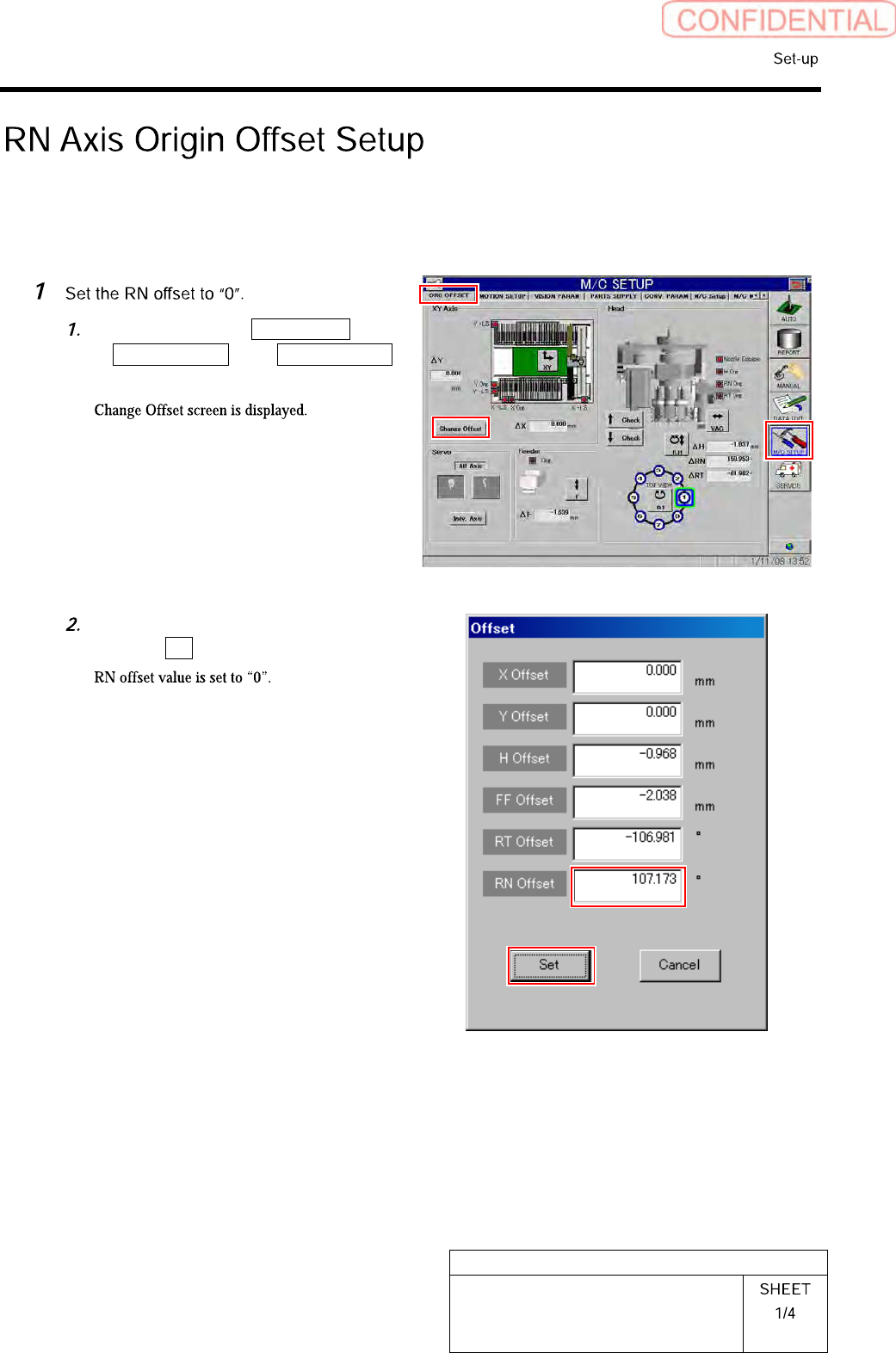
RN Axis Origin Offset Setup
Perform this working on both heads on the front side and rear side.
[Procedure]
Click in an order of M/C SETUP menu
ORG OFFSET tabChange Offset
button.
Input “0” in the RN Offset box, and
click the Set button.
HLGB-10207-01
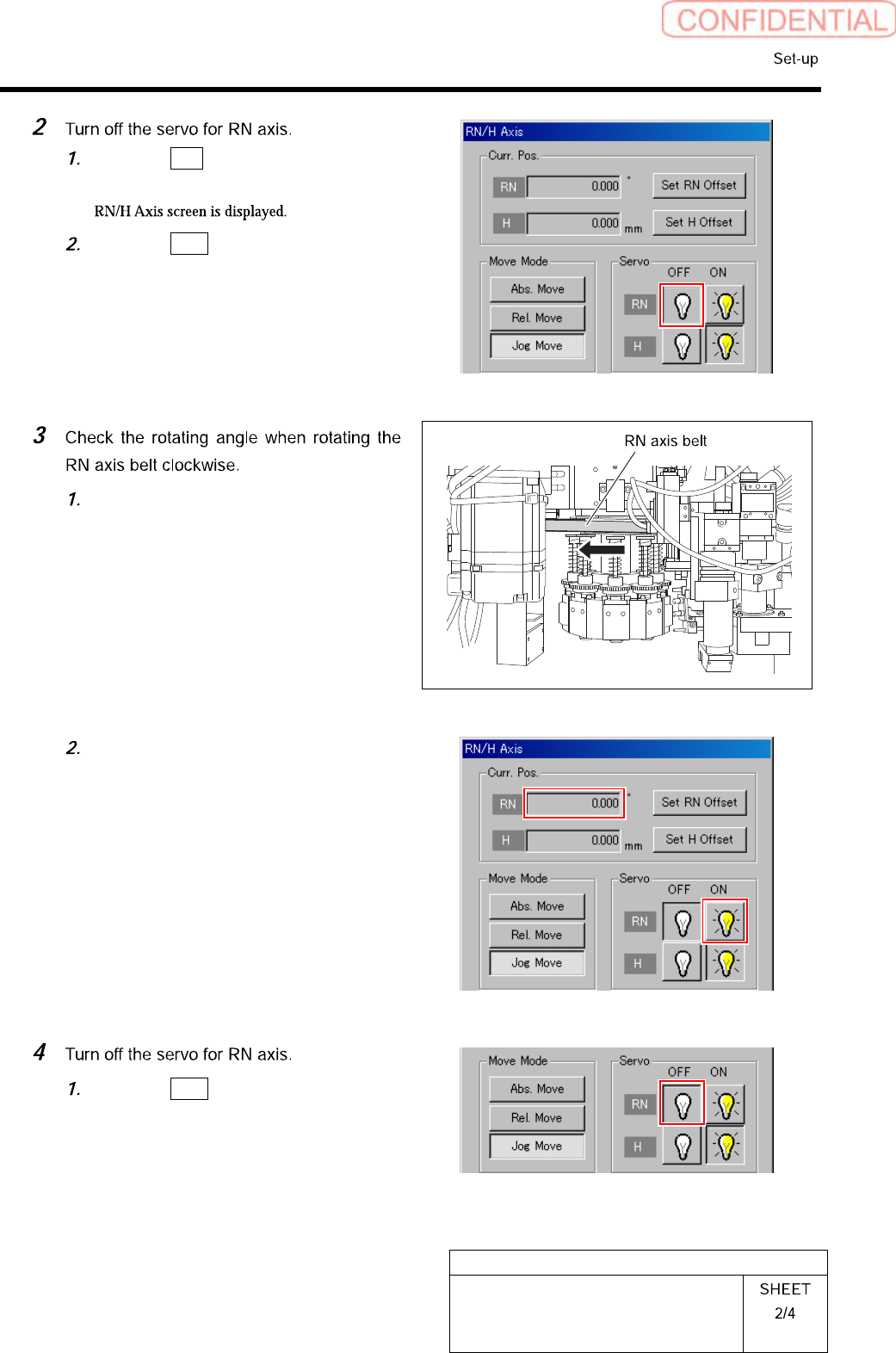
RN Axis Origin Offset Setup
Click the R.H button on the ORG
OFFSET screen.
Click the OFF button for the RN axis
servo.
Turn on the servo for the RN axis at a
position where the RN axis is rotated
clockwise and stops.
Take note of angle of the RN axis
displayed on the RN/H Axis screen.
(Example: 369.7˚)
Click the OFF button for the RN axis
servo on the RN/H Axis screen.