MAN00000772_SI-G200BB_SVCPDFA.pdf - 第257页
HLGB-10312-01 Checking Pickup Position 、 Move the pickup point jig to the po sition of Z120 or Z140. Click #2 or #3 . Click the Move button. Check pickup position at t he posit ions of Z120, Z140 by the same procedure as…
HLGB-10312-01
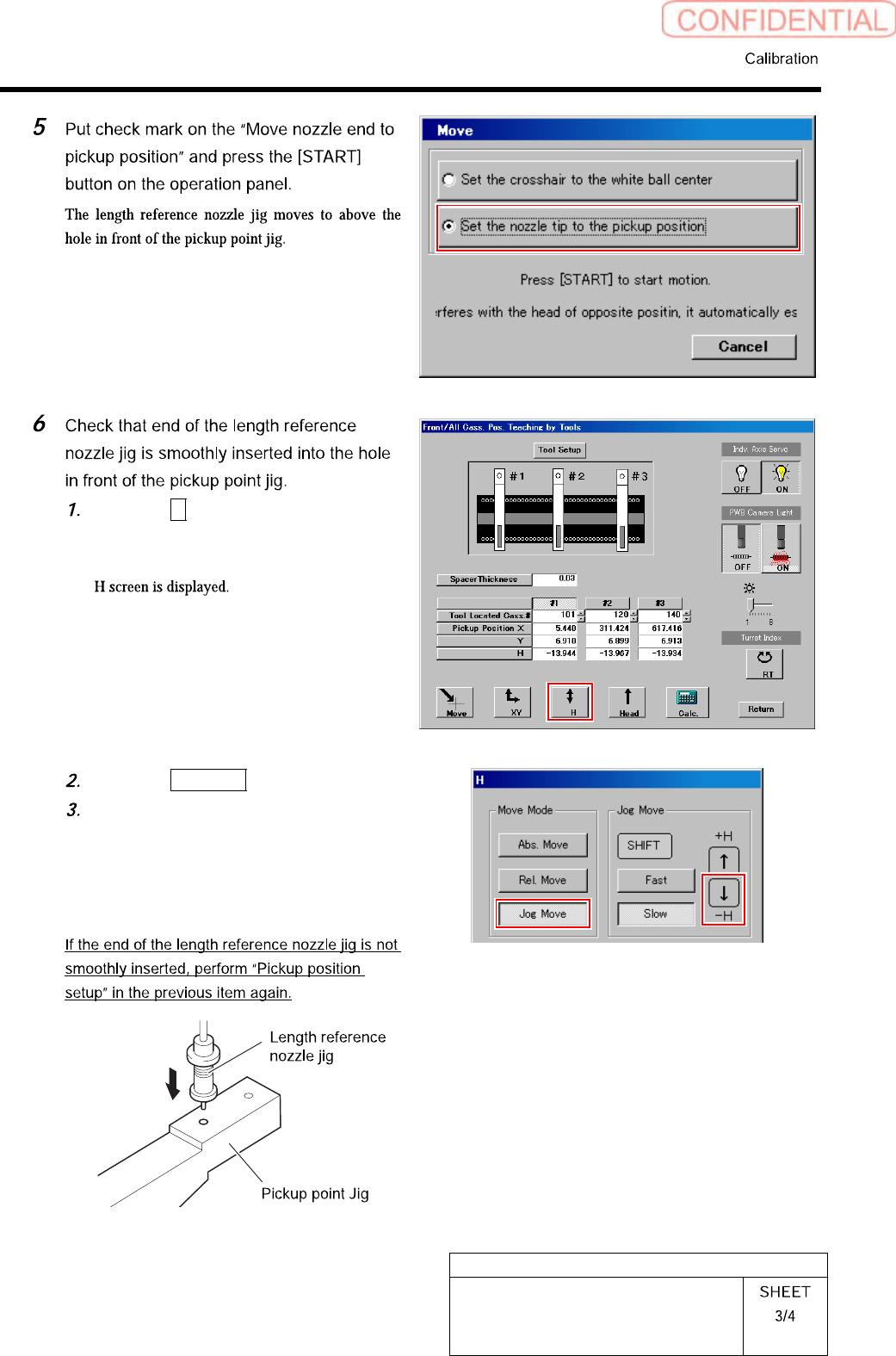
Checking Pickup Position
Click the H button on the front and
cassette position whole teaching
screen.
Click the Jog Move button.
Press the lower cursor key to check
end of the length reference nozzle jig is
smoothly inserted into the hole in
front of the pickup point jig.
HLGB-10312-01
Checking Pickup Position
、
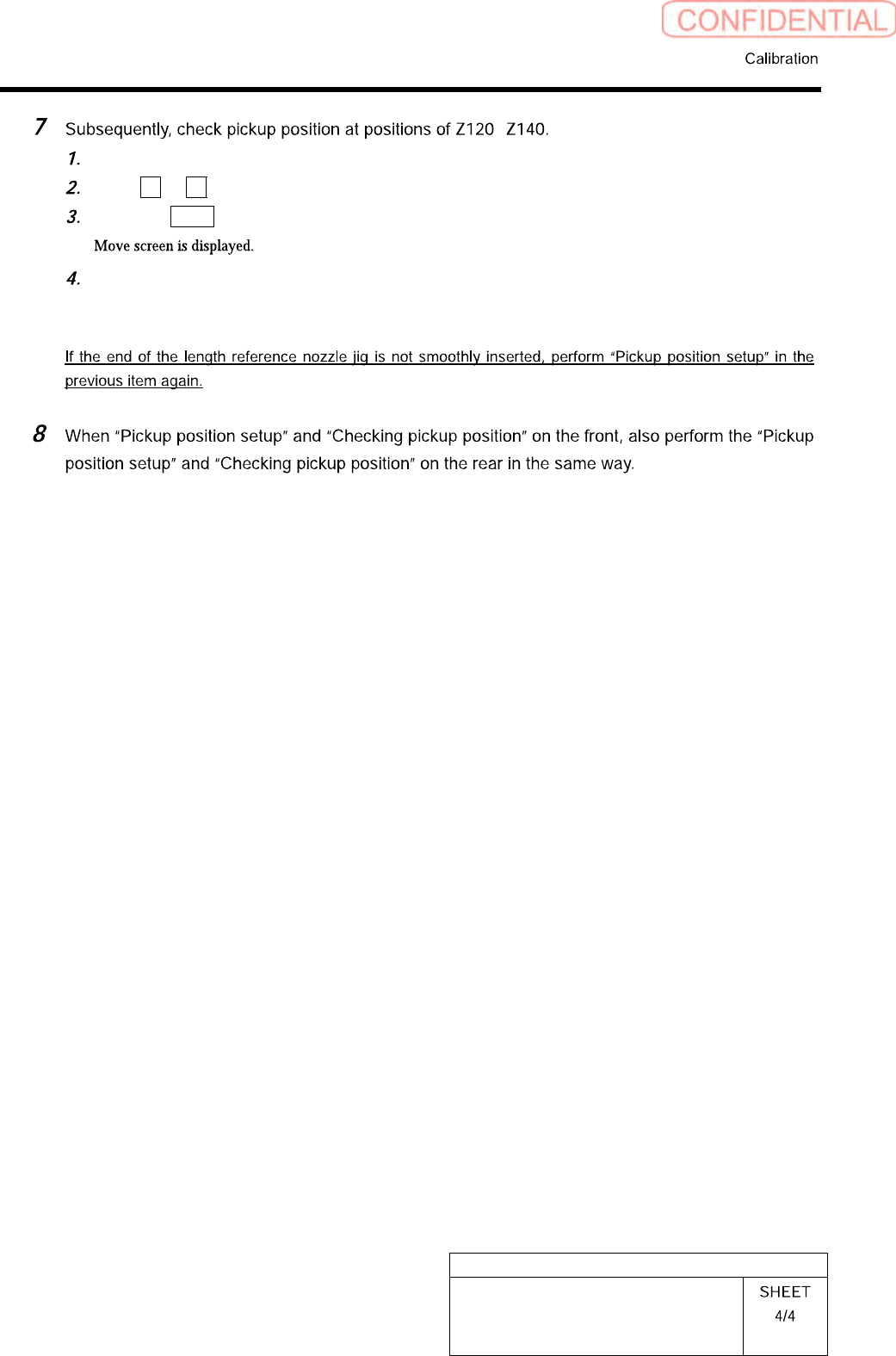
Move the pickup point jig to the position of Z120 or Z140.
Click #2 or #3.
Click the Move button.
Check pickup position at the positions of Z120, Z140 by the same procedure as the
procedure 5-6.
HLGB-10313-01
Mount Accuracy Calibration
By recognizing the mounted part position with the PWB camera, this system can calculate the
correction value and calibrate the mount position. When the pickup position is unstable, the stability
of the mounting accuracy may not be assured. Before applying the calculated correction value,
execute the test mounting two or three cycles.
There are two calibration modes: “Transcription calibration” and “Batch recognition calibration”. Be
sure to execute the batch recognition calibration after executing the transcription calibration.
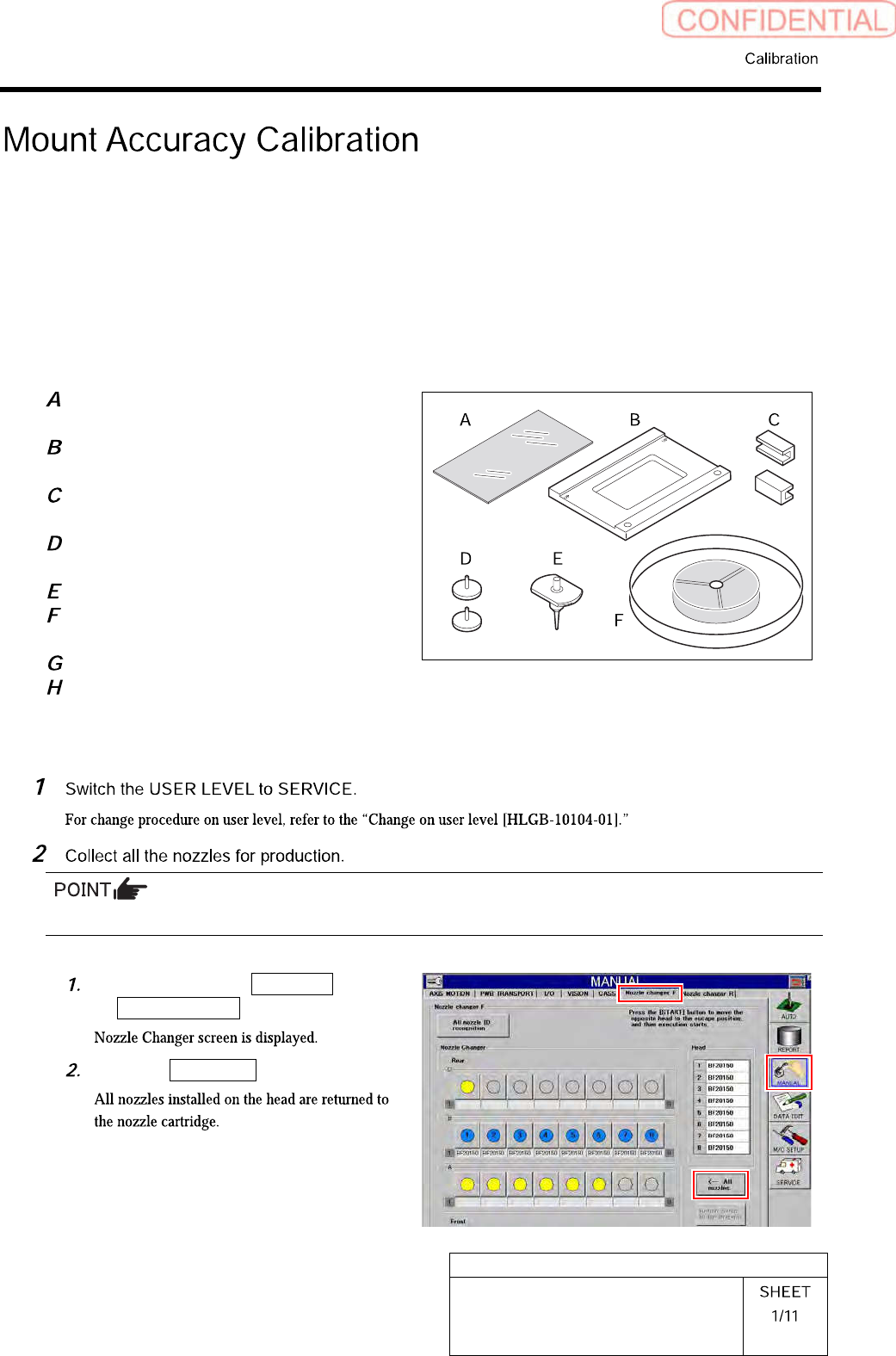
[Necessary jigs]
Glass PWB for easy measurement
(Accuracy improvement function kit)
Glass PWB frame for easy measurement
(Accuracy improvement function kit)
Clamp (Accuracy improvement function
kit)
Knurled knob with pad (Accuracy
improvement function kit)
BF1305R nozzle (8 pcs.)
Mounting accuracy correction jig 1005C
chip (3-276-548-01)
Parts cassette GAK0802/P100
Double-stick tape
[Preparation before work]
When BF1305R nozzles are attached to all the Indexes, this step is not required.
Click in an order of MANUAL menu
Nozzle changer tab.
Click the All nozzles button.