MAN00000772_SI-G200BB_SVCPDFA.pdf - 第158页
HLGB-10102-01 Remove Production Nozzle Remove the nozzle used for production acco rd i ng to the procedure in this s ection because it is not used for calibration o peration. [Procedure] Click the Jog Move button in …
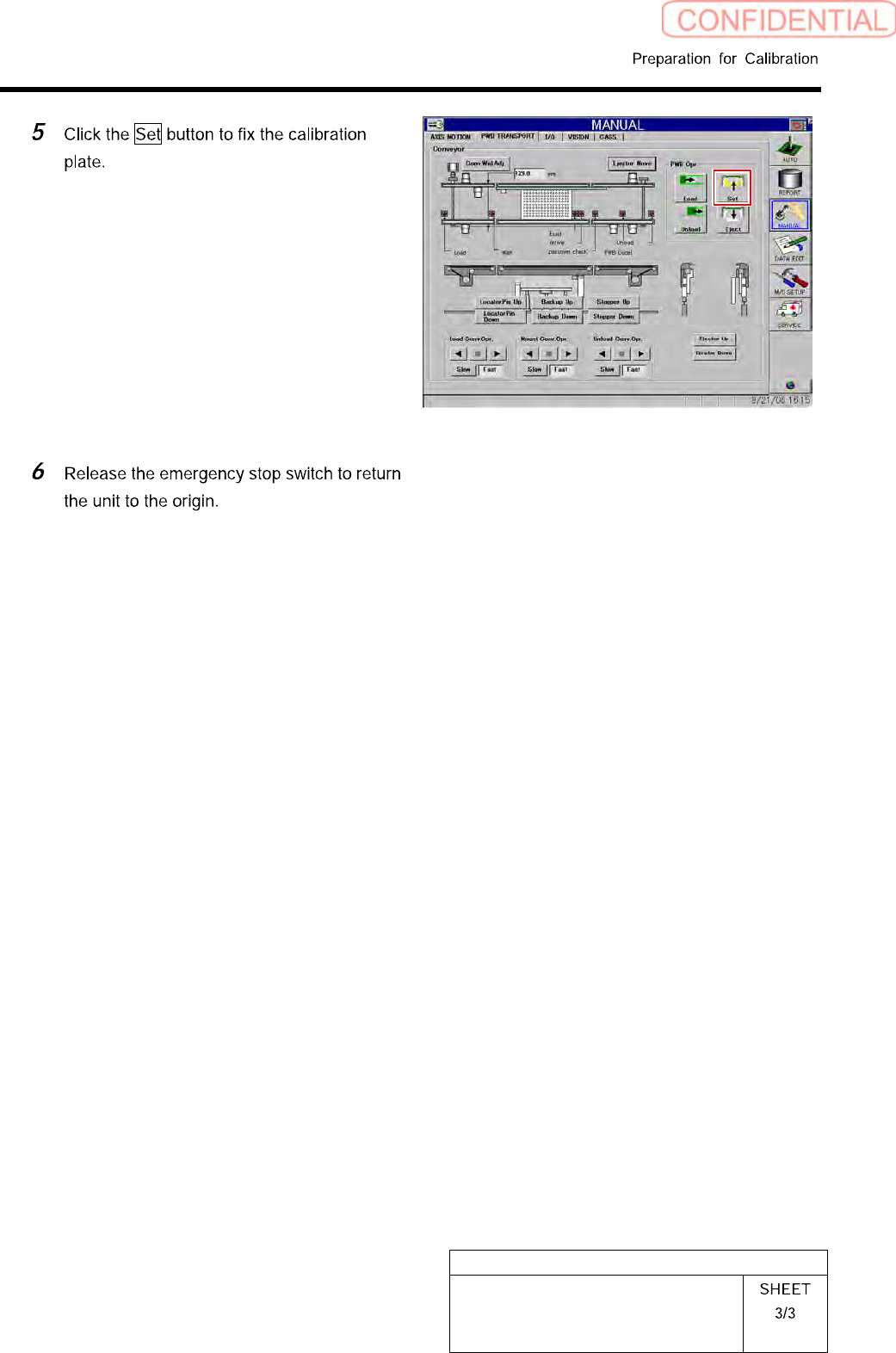
HLGB-10101-01
Install the Calibration Plate Jig
HLGB-10102-01
Remove Production Nozzle
Remove the nozzle used for production according to the procedure in this section because it is not
used for calibration operation.
[Procedure]
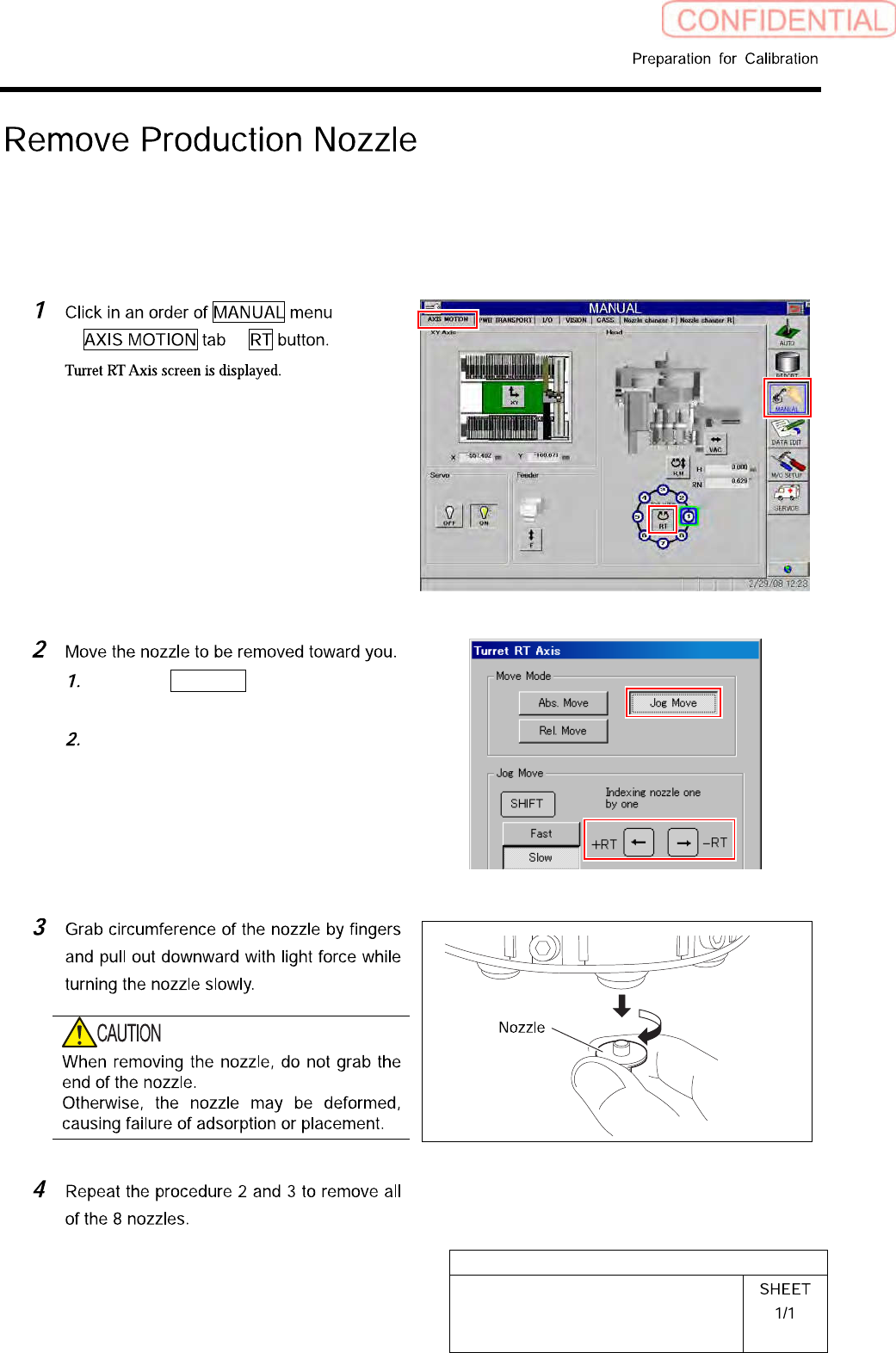
Click the Jog Move button in the move
mode.
Press the cursor key on the left and
right to jog move the nozzle to be
removed toward you.
HLGB-10103-01
Front, Rear LED Control PWB Setup
Setup of LED control board used for SI-G200BB will be explained. Check this setup for the front and
rear head respectively.
[Procedure]
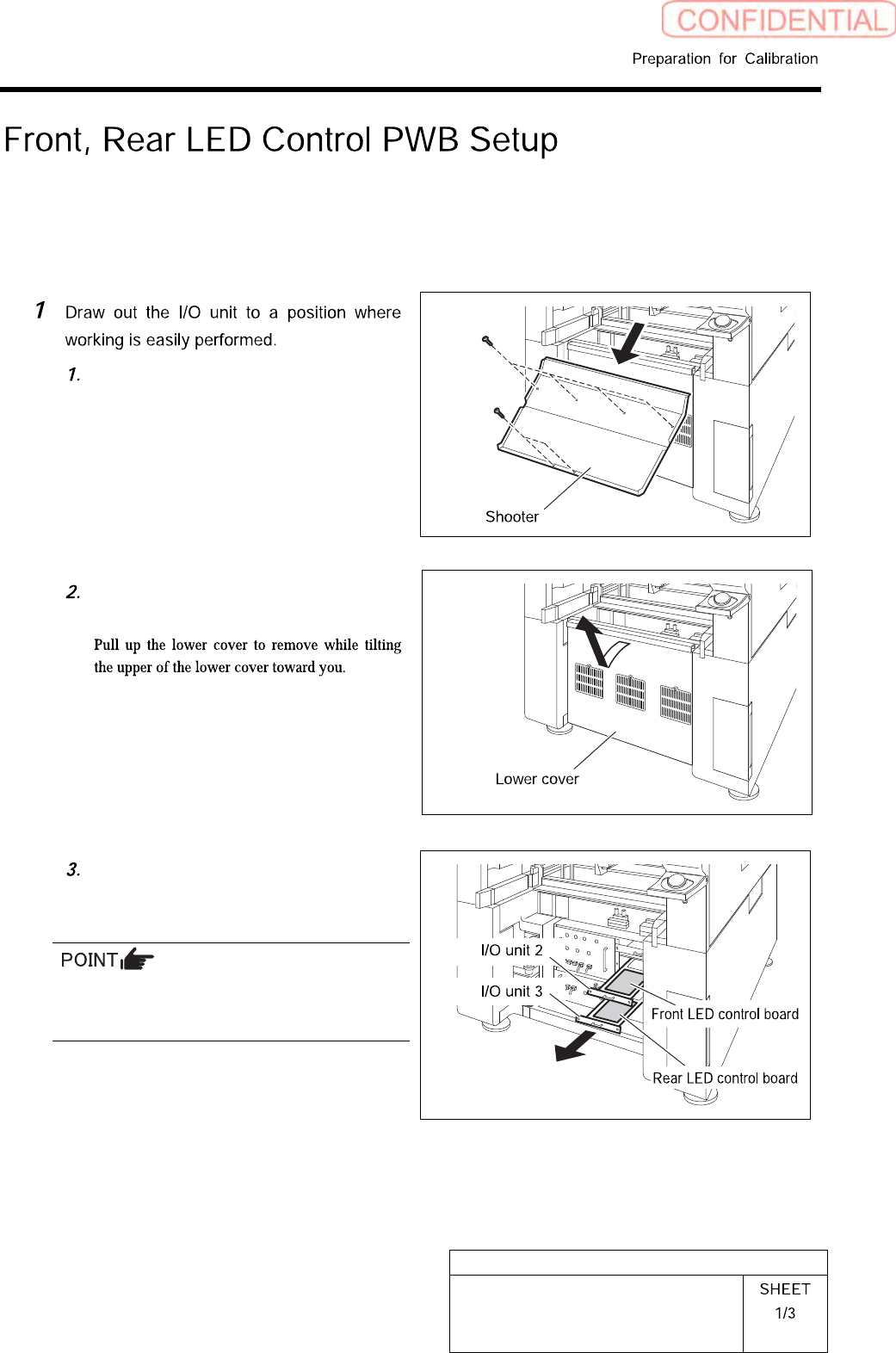
Remove the shooter on the rear of the
unit.
Remove the lower cover on the rear of
the unit.
Loosen two screws to draw out the I/O
unit 2 and I/O unit 3.
The front LED control board is stored in the I/O
unit 2, and the rear LED control board is stored
in the I/O unit 3.