MAN00000772_SI-G200BB_SVCPDFA.pdf - 第209页
HLGB-10303-01 Light calibration for Global Recognition Press the [ST ART] butto n on the oper ation p an el.
HLGB-10303-01
Light calibration for Global
Recognition
/ / /
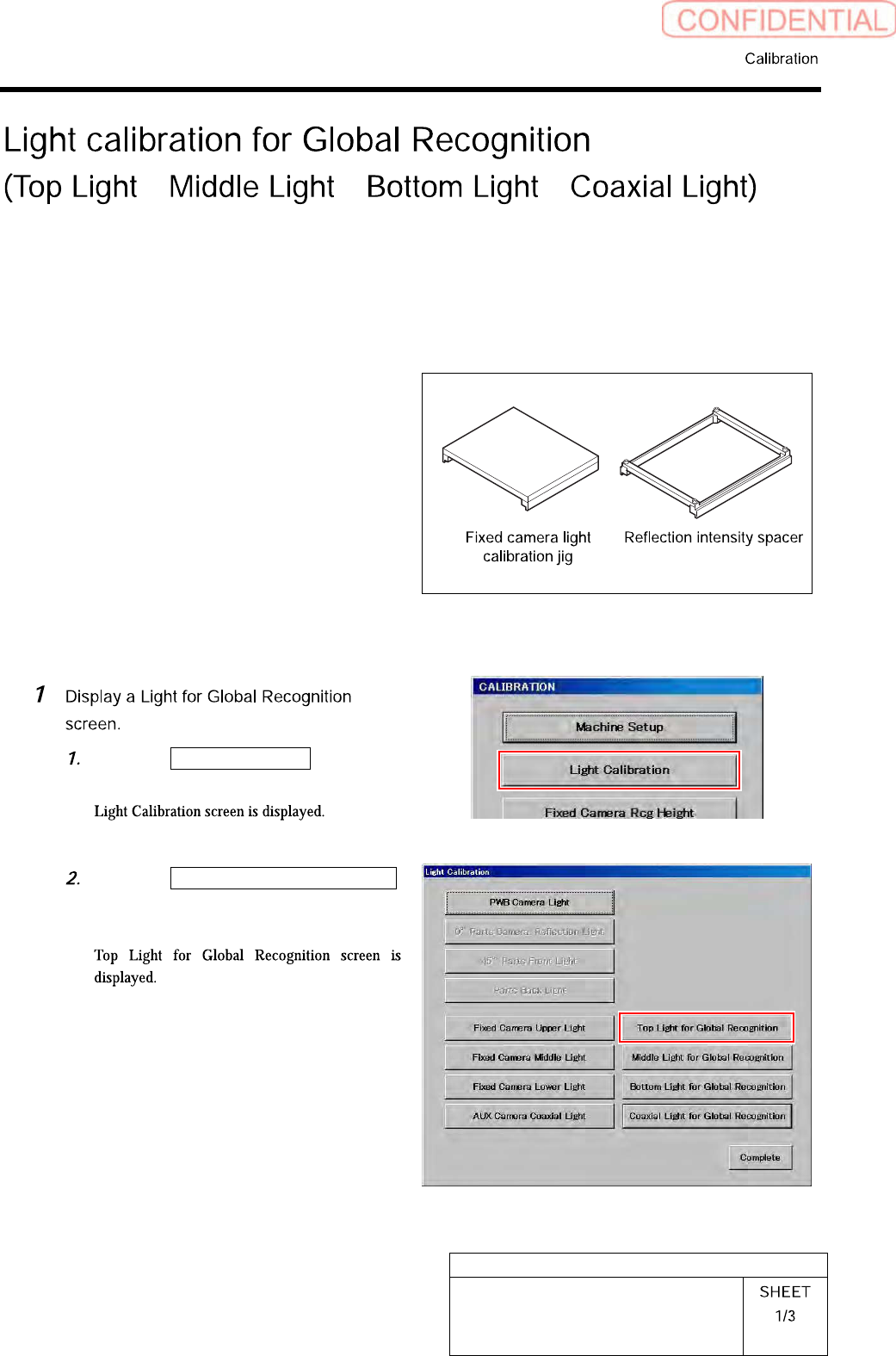
Calibration procedure of Top Light for Global Recognition will be described here as an example.
Also perform calibrations of Middle Light for Global Recognition/ Bottom Light for Global
Recognition/ Coaxial Light for Global Recognition by the same procedure.
[Necessary jigs]
• Fixed camera light calibration jig
• Reflection intensity spacer
[Procedure]
Click the Light Calibration button on
the CALIBRATION screen.
Click the Light for Global Recognition
button on the Light Calibration
screen.
HLGB-10303-01
Light calibration for Global
Recognition
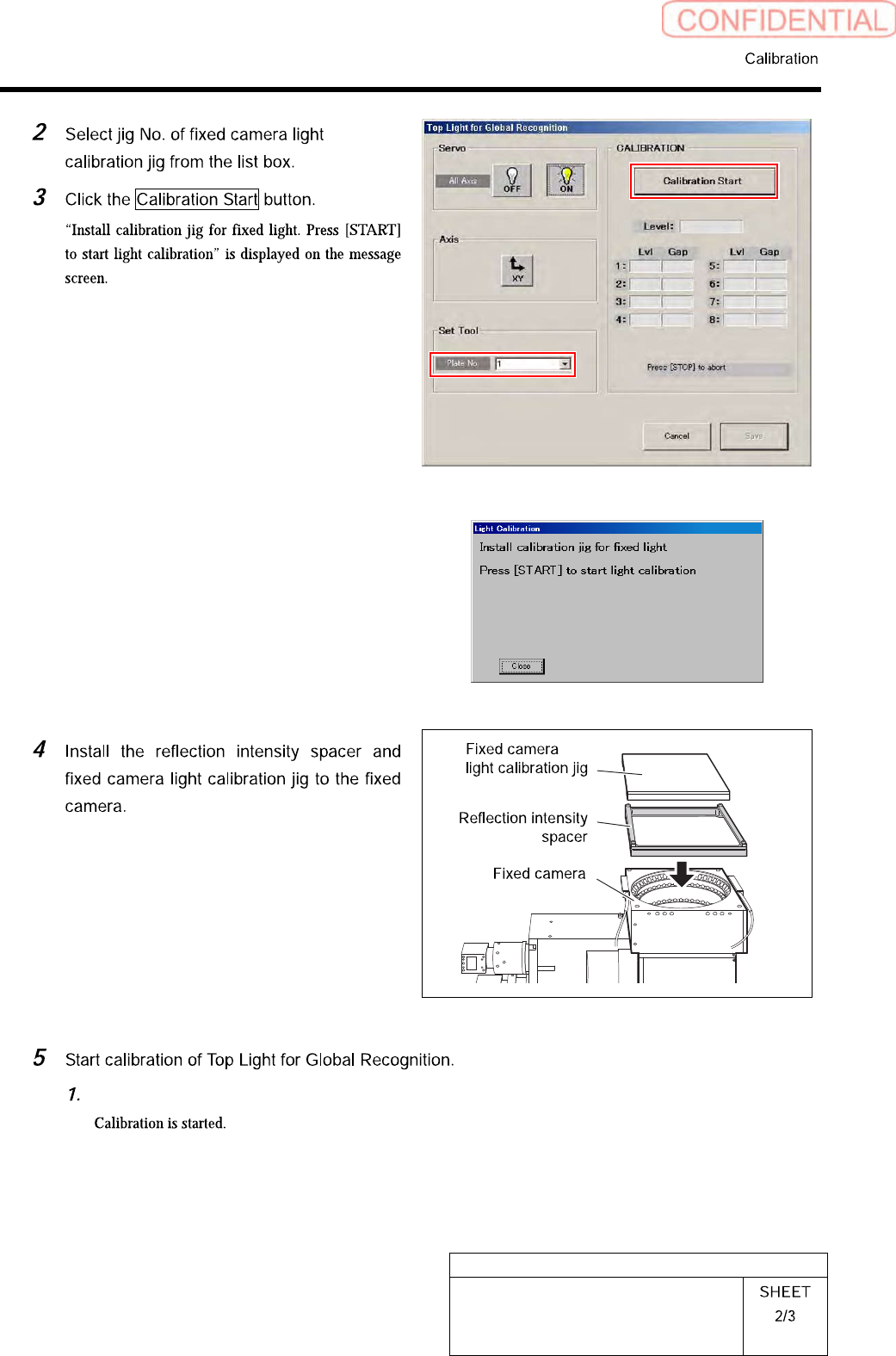
Press the [START] button on the operation panel.
HLGB-10303-01
Light calibration for Global
Recognition
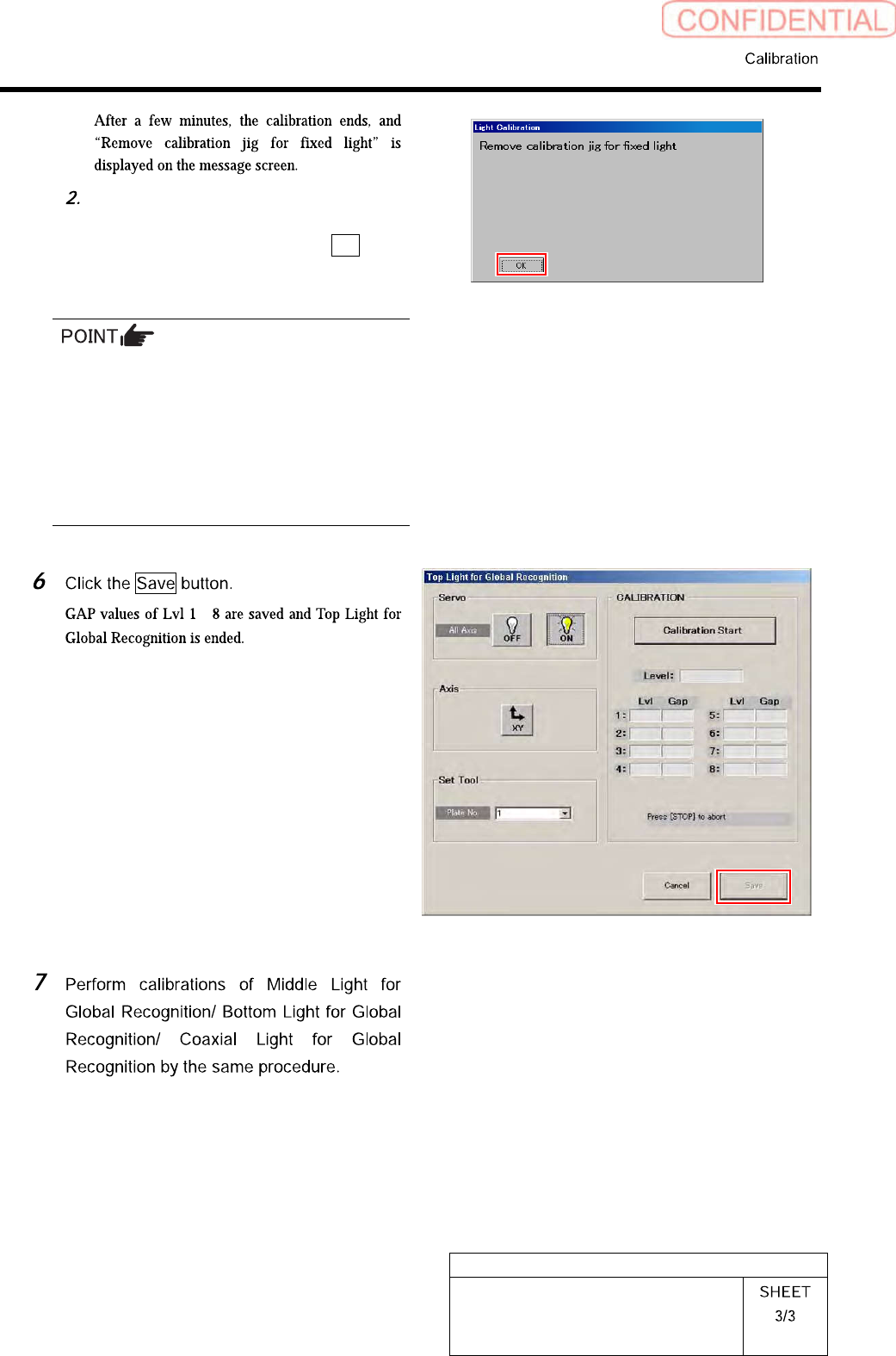
Remove the fixed camera light
calibration jig and the reflection
intensity spacer and click the OK
button.
・ When subsequently performing calibrations
of Middle Light for Global Recognition/
Bottom Light for Global Recognition/ Coaxial
Light for Global Recognition, it is
unnecessary to remove the jig.
・ When ending calibration, be careful of
forgetting to leave the reflection intensity
spacer.
~