MAN00000772_SI-G200BB_SVCPDFA.pdf - 第228页
HLGB-10307-01 Nozzle Changer T eaching Click in an o rder of M/C SETUP menu MOTION SETUP tab Nozzle changer tab. Click the T each ing button of < Batc h teaching>. Make sure the pickup check camera moves up. Wh…
HLGB-10307-01
Nozzle Changer Teaching
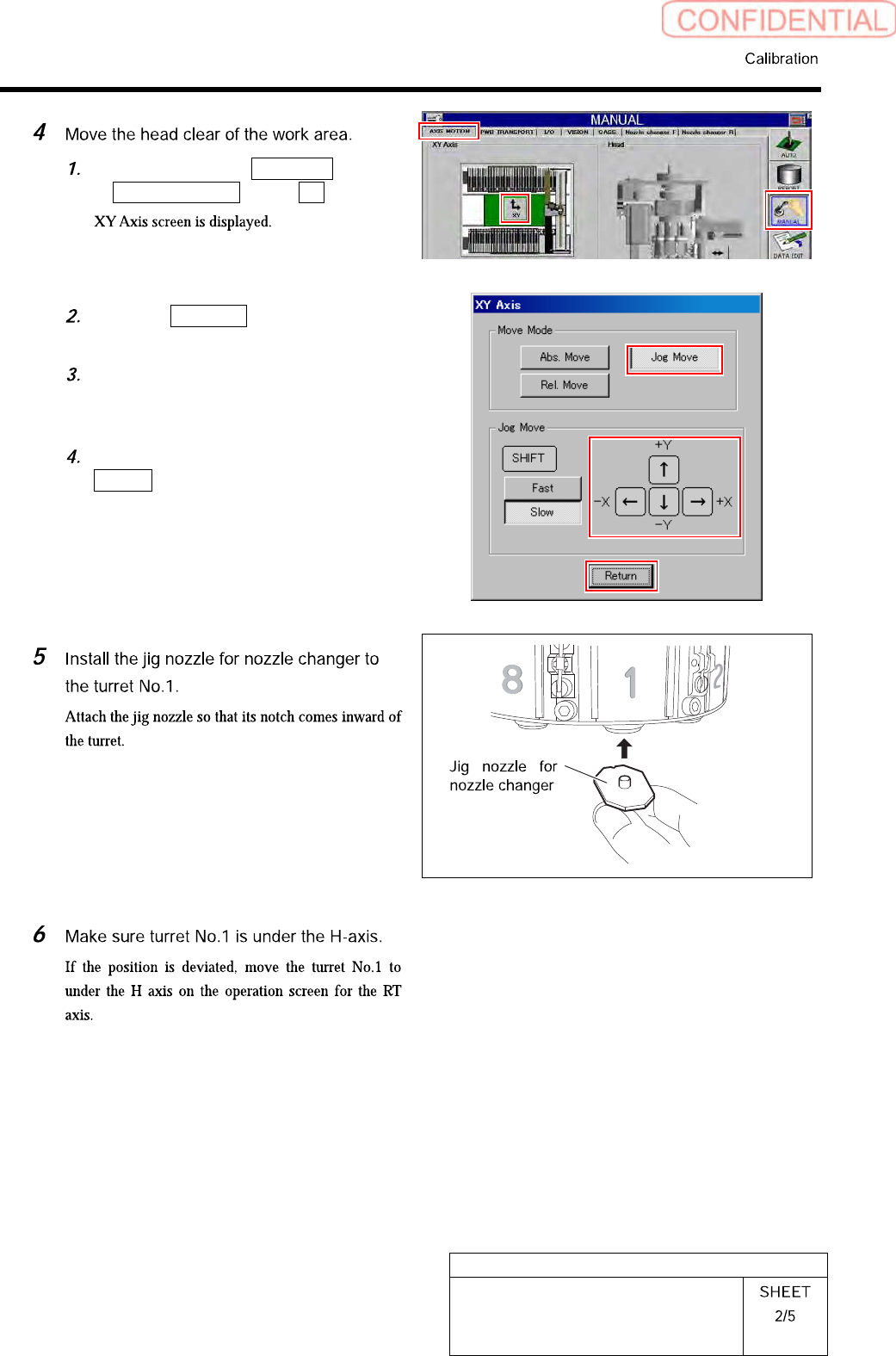
Click in an order of MANUAL menu
AXIS MOTION tab XY button.
Click the Jog Move button in the move
mode.
Press the cursor key to move the head
to a position where working is easily
performed.
After moving the head, click the
Return button to close the XY axis
screen.
HLGB-10307-01
Nozzle Changer Teaching
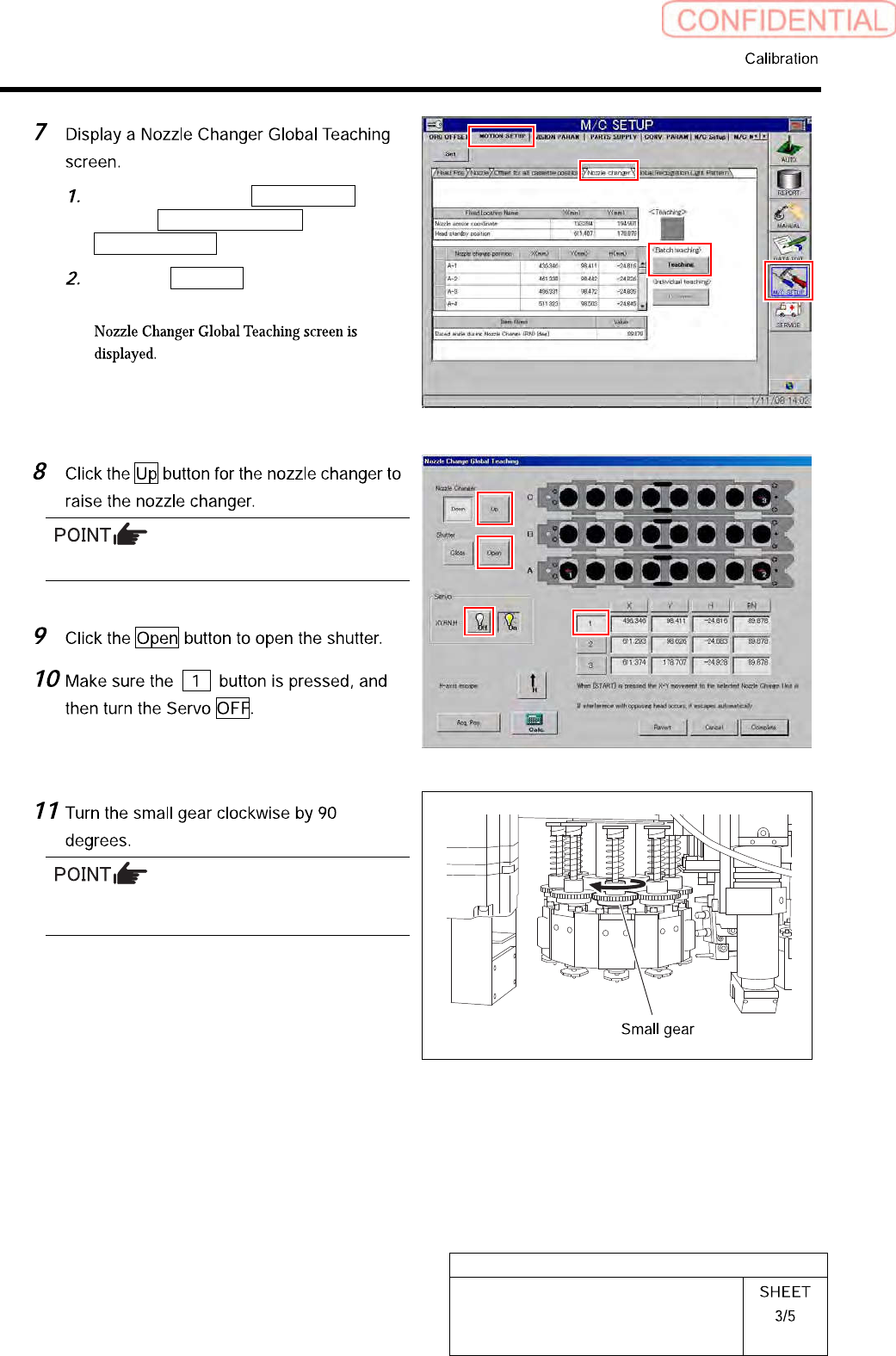
Click in an order of M/C SETUP
menuMOTION SETUP tab
Nozzle changer tab.
Click the Teaching button of <Batch
teaching>.
Make sure the pickup check camera moves up.
When the small gear is turned, the notch of the
jig nozzle faces inward of the system.
HLGB-10307-01
Nozzle Changer Teaching
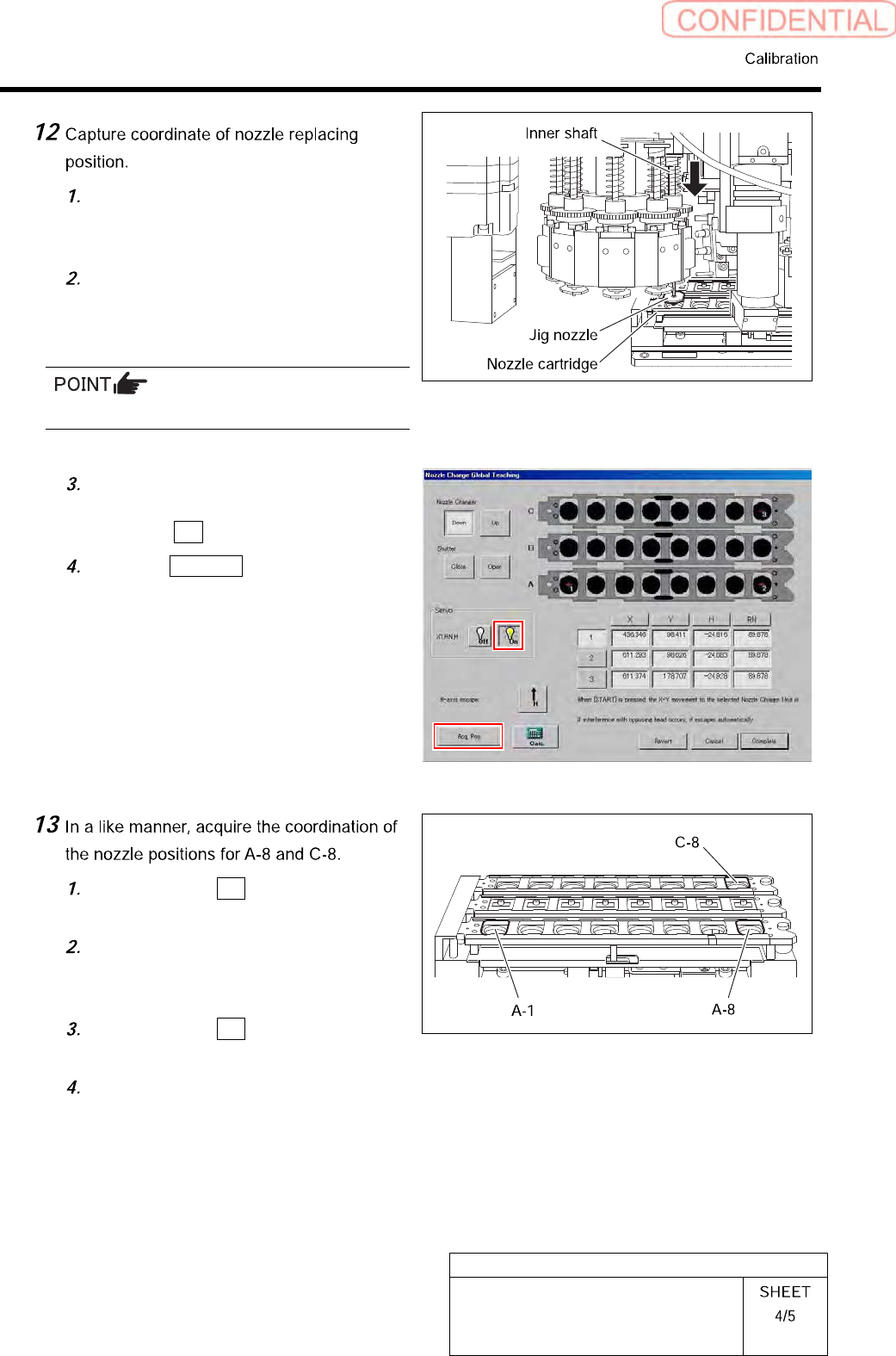
Move the head manually so that the
jig nozzle of turret No.1 comes above
A-1 of the nozzle changer.
Lower the inner shaft with your finger
and make sure the jig nozzle can be
inserted into the nozzle cartridge A-1
smoothly.
Position the X, Y, and RN axes accurately.
While keeping the H-axis in the
lowered position with your finger, turn
the Servo ON.
Click the Acq. Pos. button.
Make sure the 2 button is pressed,
and then turn the Servo OFF.
Capture A-8 replacing position
coordinate by the same procedure as
the procedure 12.
Make sure the 3 button is pressed,
and then turn the Servo OFF.
Capture C-8 replacing position
coordinate by the same procedure as
the procedure 12.