MAN00000772_SI-G200BB_SVCPDFA.pdf - 第604页
BBGB-10101-01 A larm List for the Servo Pack "Sigma-III" Series (SGDS type) [How to use Digit al Operator] Digital Operator (Mode l: J USP-OP05A) for Sigma-III series SG DS SER VOP ACK ma de b y Y ASKA W A i s …
BBGB-10101-01
Alarm List for the Servo Pack
"Sigma-III" Series (SGDS type)
Alarm
Display
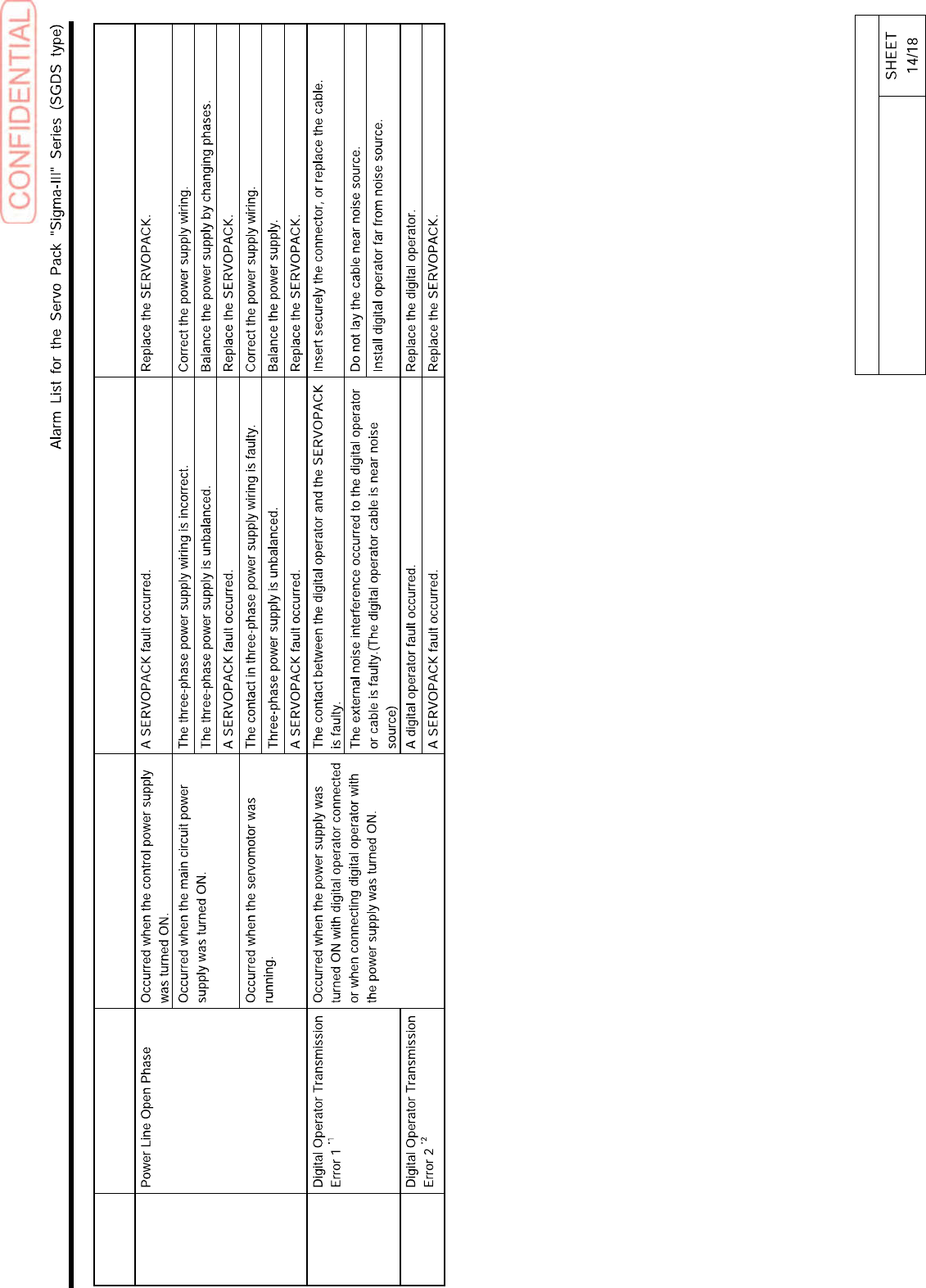
Alarm Name Situation at Alarm Occurrence Cause Corrective Actions
A.F10
CPF00
CPF01
*1. This alarm occurs when the communications is still disabled five seconds after digital operator power supply is ON, or when digital operator communications disabled status stays while an option unit is
connected.
*2. This alarm occurs when digital operator received data error occurs consecutively five times, or when the state that digital operator receives no data from SERVOPACK for one second or more occurs
consecutively three times.
BBGB-10101-01
Alarm List for the Servo Pack
"Sigma-III" Series (SGDS type)
[How to use Digital Operator]
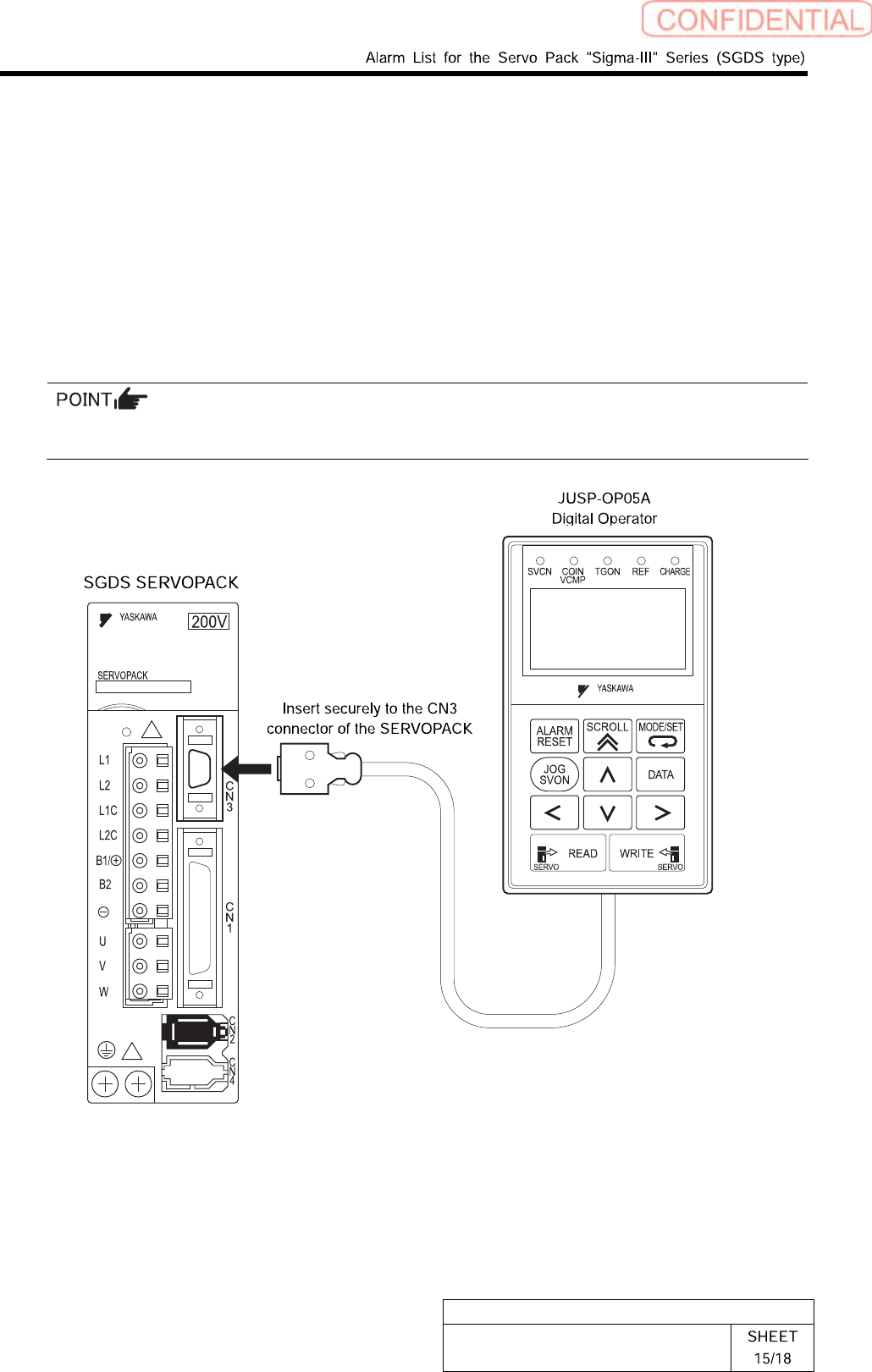
Digital Operator (Model: JUSP-OP05A) for Sigma-III series SGDS SERVOPACK made by
YASKAWA is an option for displaying/setting user constant in the SERVOPACK.
This section describes basics of how to use Digital Operator.
Connecting the Digital Operator
Connect the digital operator to the CN3 connector of the SERVOPACK.
The digital operator connector can be inserted or removed also when the power is supplied to
the SERVOPACK.
BBGB-10101-01
Alarm List for the Servo Pack
"Sigma-III" Series (SGDS type)
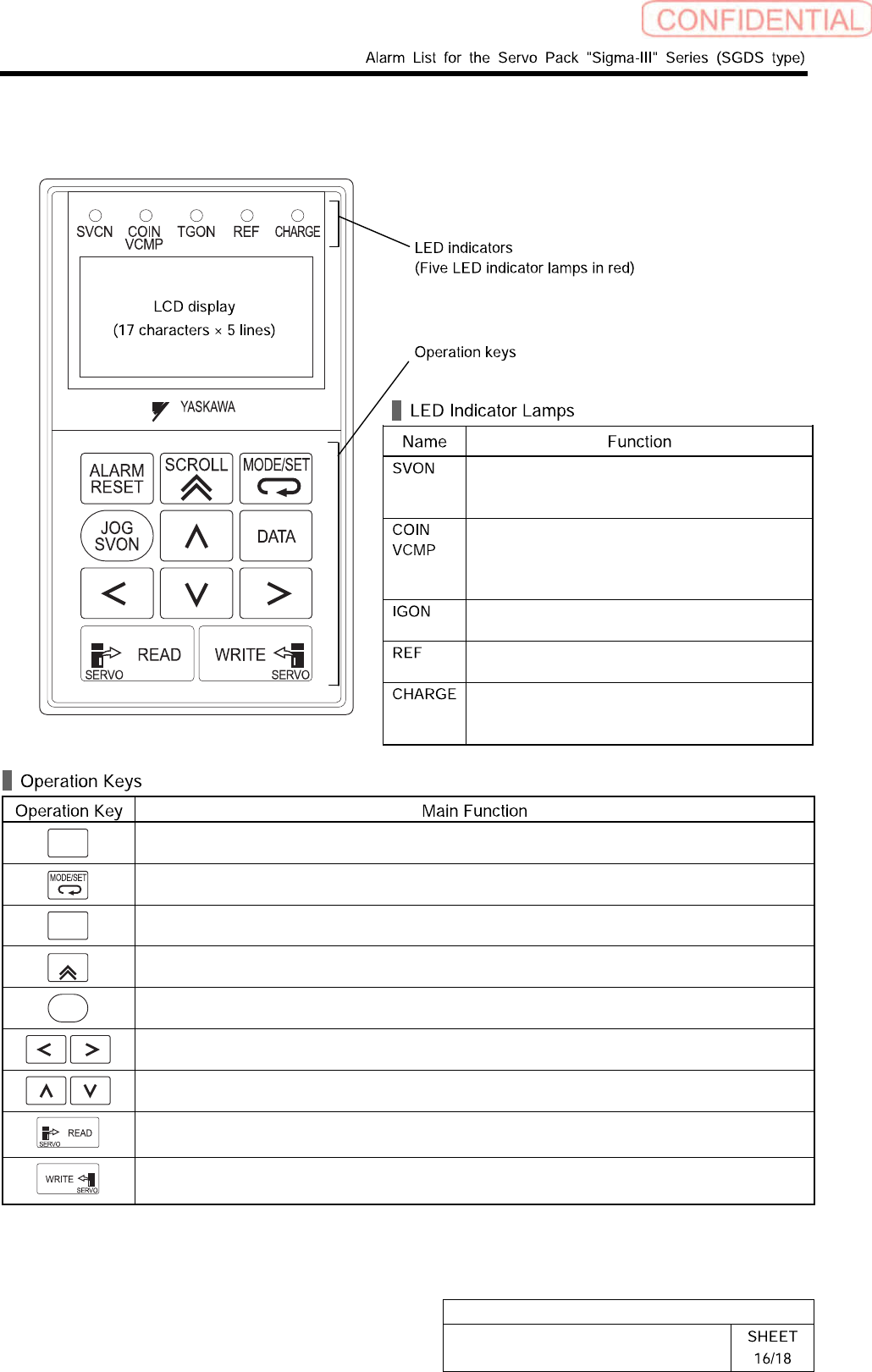
Part Names and Functions
Lit when the servo is ON.
Unlit at base block (when the power to the
servomotor is OFF.).
Lit when positioning is completed.
Unlit when positioning is not completed.
Lit when the speed is coincident.
Unlit when the speed is not coincident.
Lit while the servomotor is running.
Unlit while the servomotor stops running.
Lit when the reference pulse is input.
Unlit when the reference pulse is not input.
Lit when the main circuit power supply is ON.
Unlit when the main circuit power supply is
OFF.
ALARM
RESET
Resets the alarm. (The alarm cannot be reset unless the cause of the alarm is removed.)
Switches the Display Mode of digital operator.
DATA
Switches the cursor position between the parameter number and the setting when setting a
parameter. Opens the selected utility function display in Utility Function Mode.
SCROLL
Moves the cursor upward in Parameter/Monitor Mode.
JOG
SVON
Turns the servo ON or OFF at JOG operation.
Moves the cursor to left or right in Parameter/Monitor Mode.
Increases or decreases the parameter number, setting data, monitor number, and utility
function number. Or, rotates the servomotor in forward or reverse direction at JOG operation.
Reads parameters saved in the SERVOPACK to the digital operator.
Saves the display in Parameter/Monitor Mode, JOG operation, and Origin Search.