TR7500E_Manual_en_v28.pdf - 第101页
C h a p t e r 2 M a nu a l B a r i n t r o d u ce T R 7500 U S E R M A N U AL 94 4.7.4. S t e p s f o r c r e a t e a n e w f ile S t e p 1. P r e ss [ C AD F i l e /N e w ] t o c r e a t e a n e w f il e . S t e p 2. M …
Chapter 2 Manual Bar introduce
TR7500 USER MANUAL
93
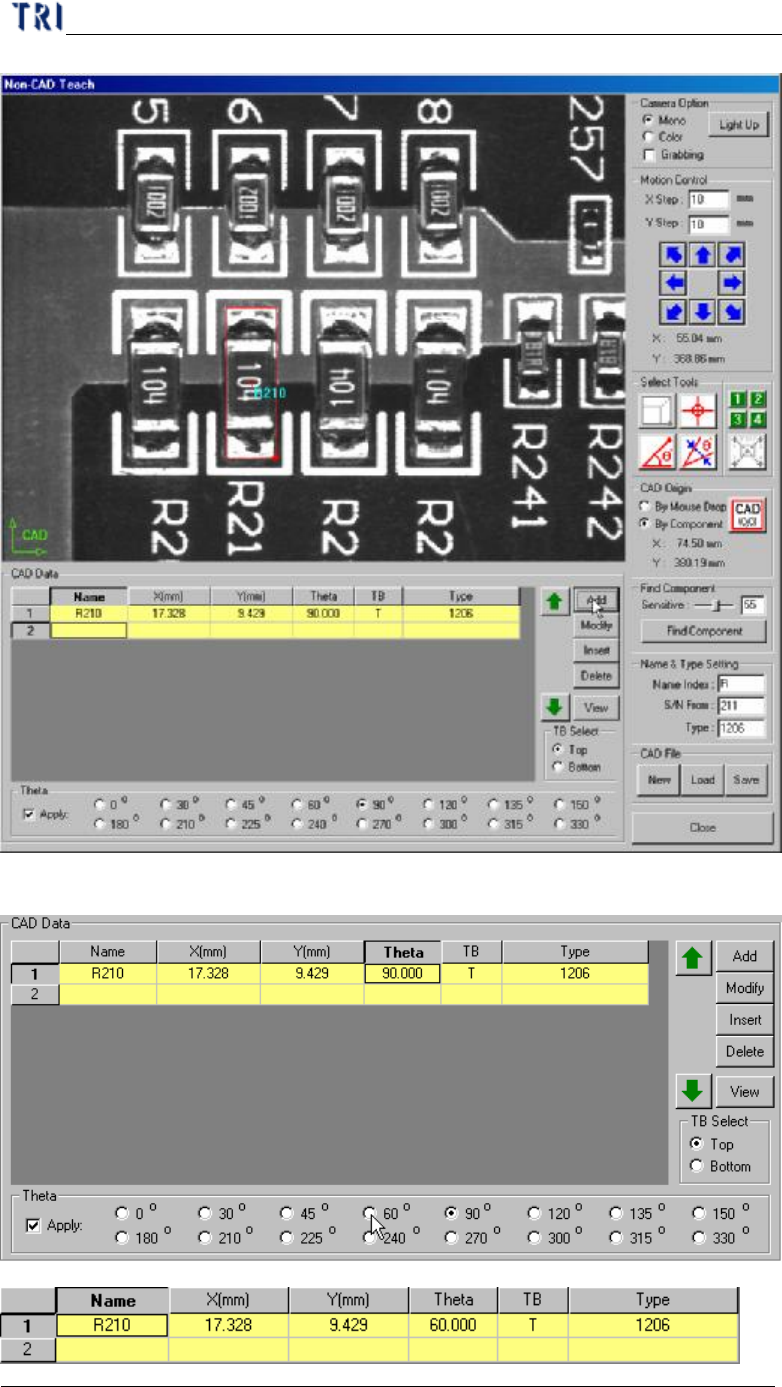
l You can select a [Theta] field and select an angle to change the data directly.
Chapter 2 Manual Bar introduce
TR7500 USER MANUAL
94
4.7.4. Steps for create a new file
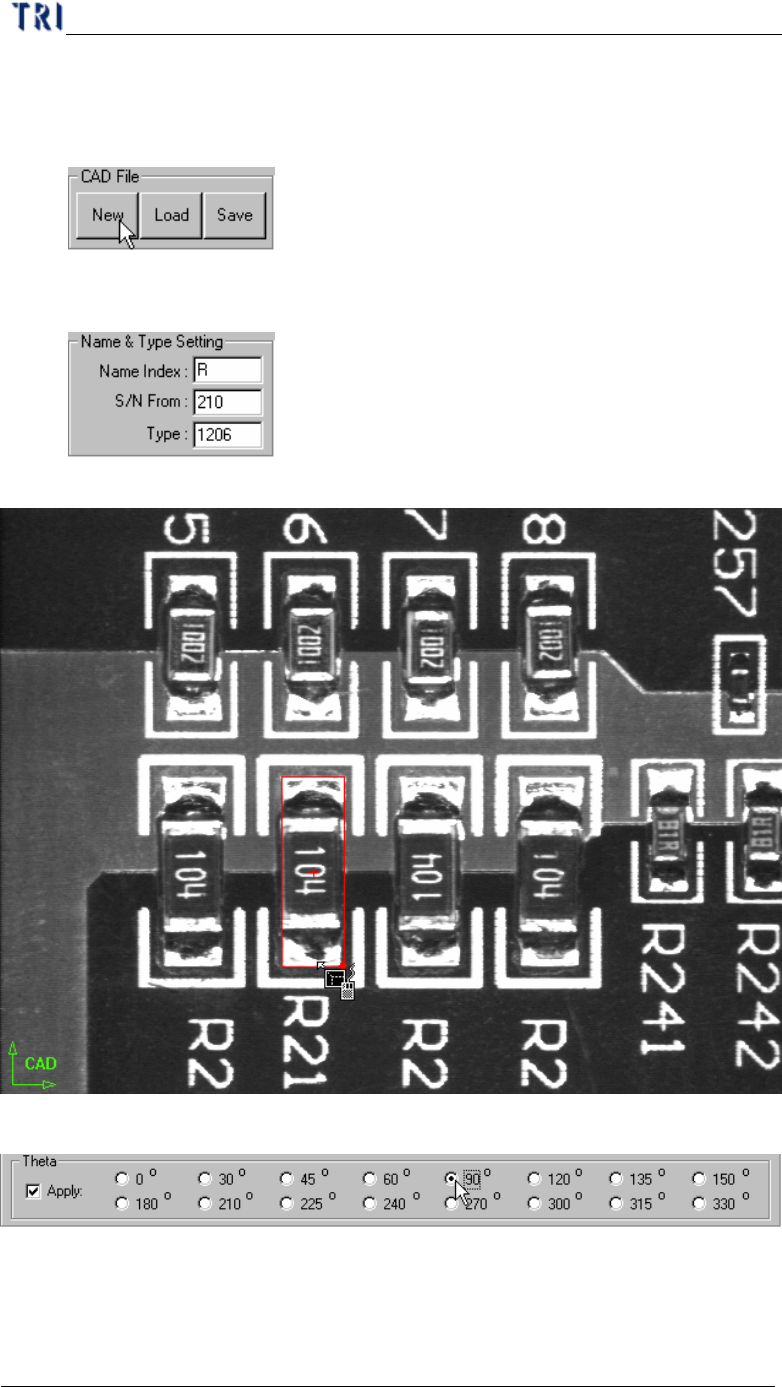
Step1. Press [CAD File/New] to create a new file.
Step2. Move the camera and use selecting tool then press to set the origin.
Step3. Input data at [Name&Type Setting] field
Step4. Move selecting tools to the component center.
Step5. Check [Apply] and select an angle.
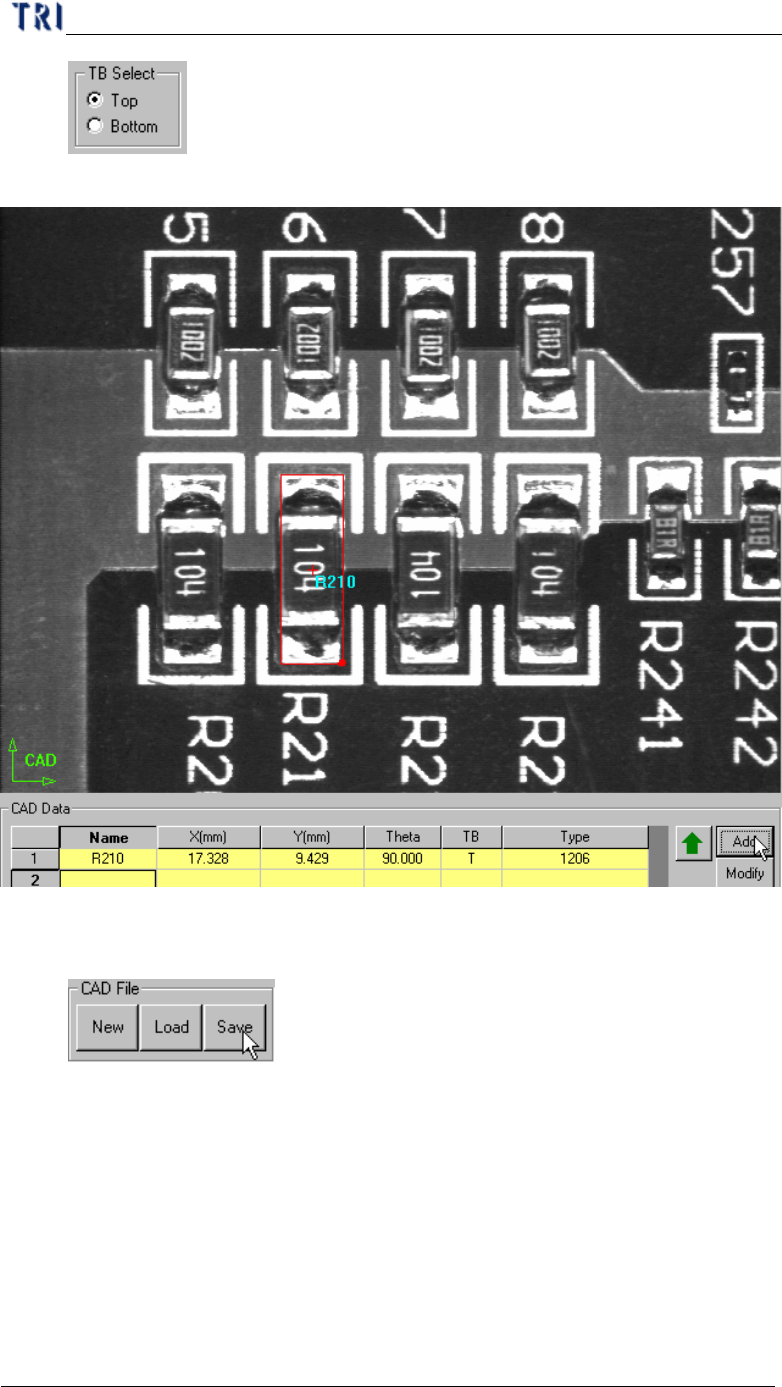
Step6. Select [T/B Side]
Chapter 2 Manual Bar introduce
TR7500 USER MANUAL
95
Step7. Press [CAD Data/Add] to create the component data.
Step8. Add other components.
Step9. Press [CAD File/Save] to save AOI file.