TR7500E_Manual_en_v28.pdf - 第91页
C h a p t e r 2 M a nu a l B a r i n t r o d u ce T R 7500 U S E R M A N U AL 84 l Th e t a A li g n me nt n S i n c e t h e a n g l e m e a s u r i ng t o o l ca n g e t t h e n u m b e r w i t h d e c i m a l , y o u c…
Chapter 2 Manual Bar introduce
TR7500 USER MANUAL
83
l
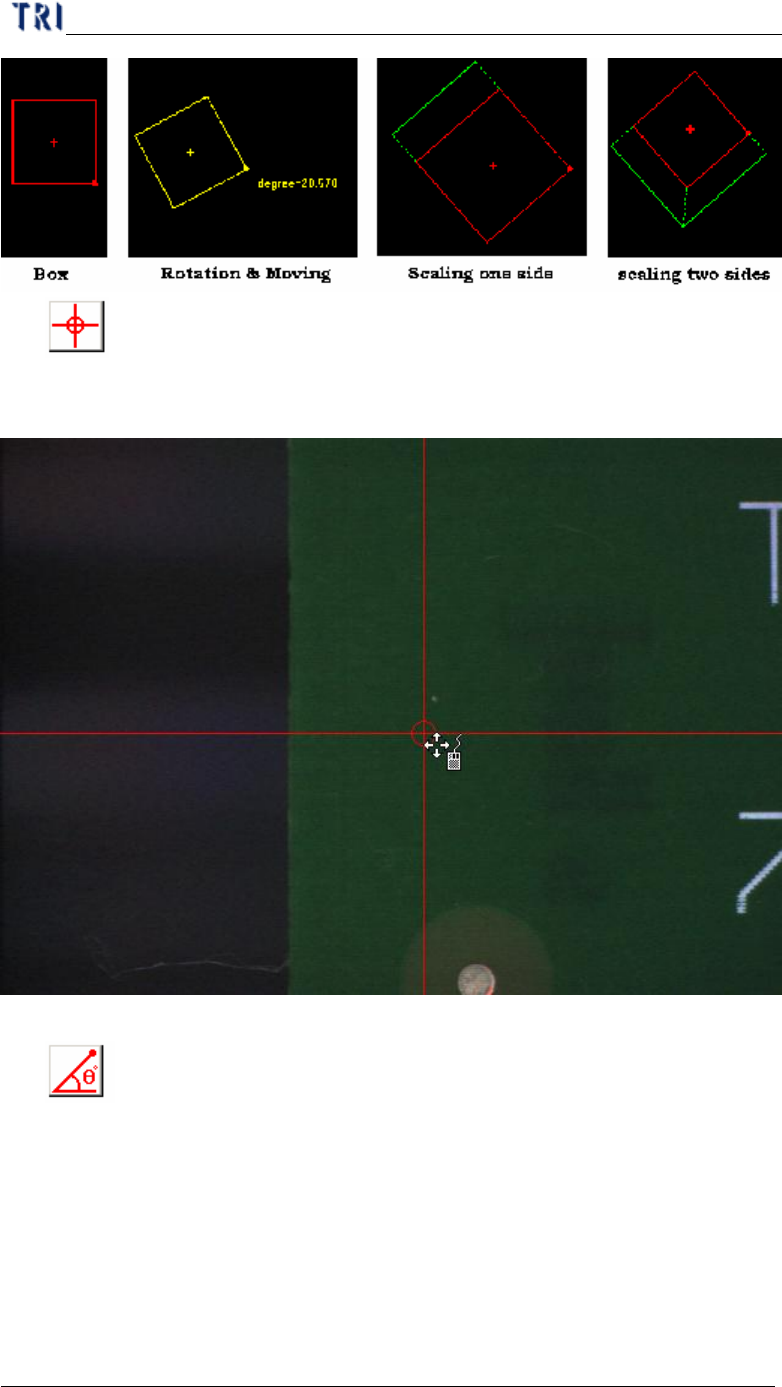
Cross line
n It’s a tool to define the coordinates of components. The system will set the
cross center as the component center.
l
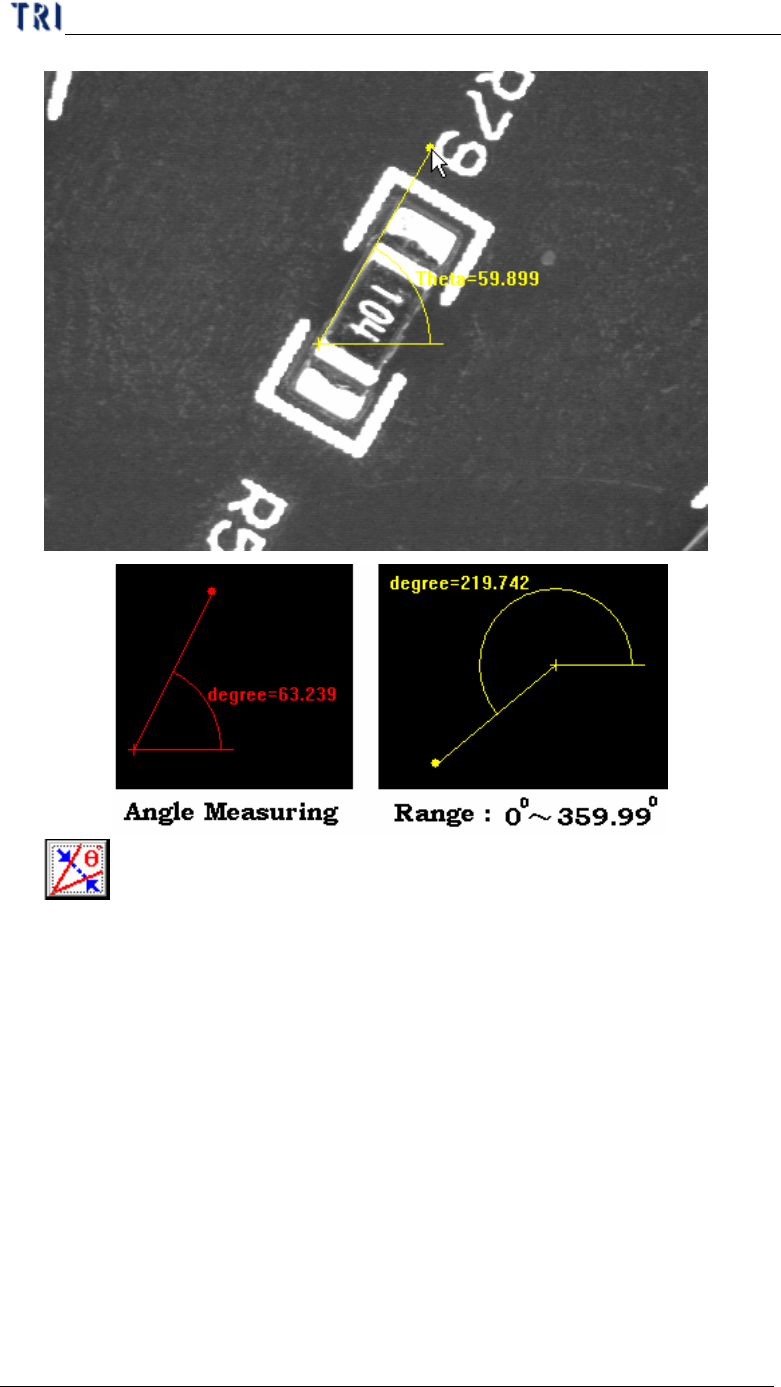
Angle Measuring
n It’s a tool to define the angle of components. You can use the tool to
measure the rotate for component with special angle.
Chapter 2 Manual Bar introduce
TR7500 USER MANUAL
84
l
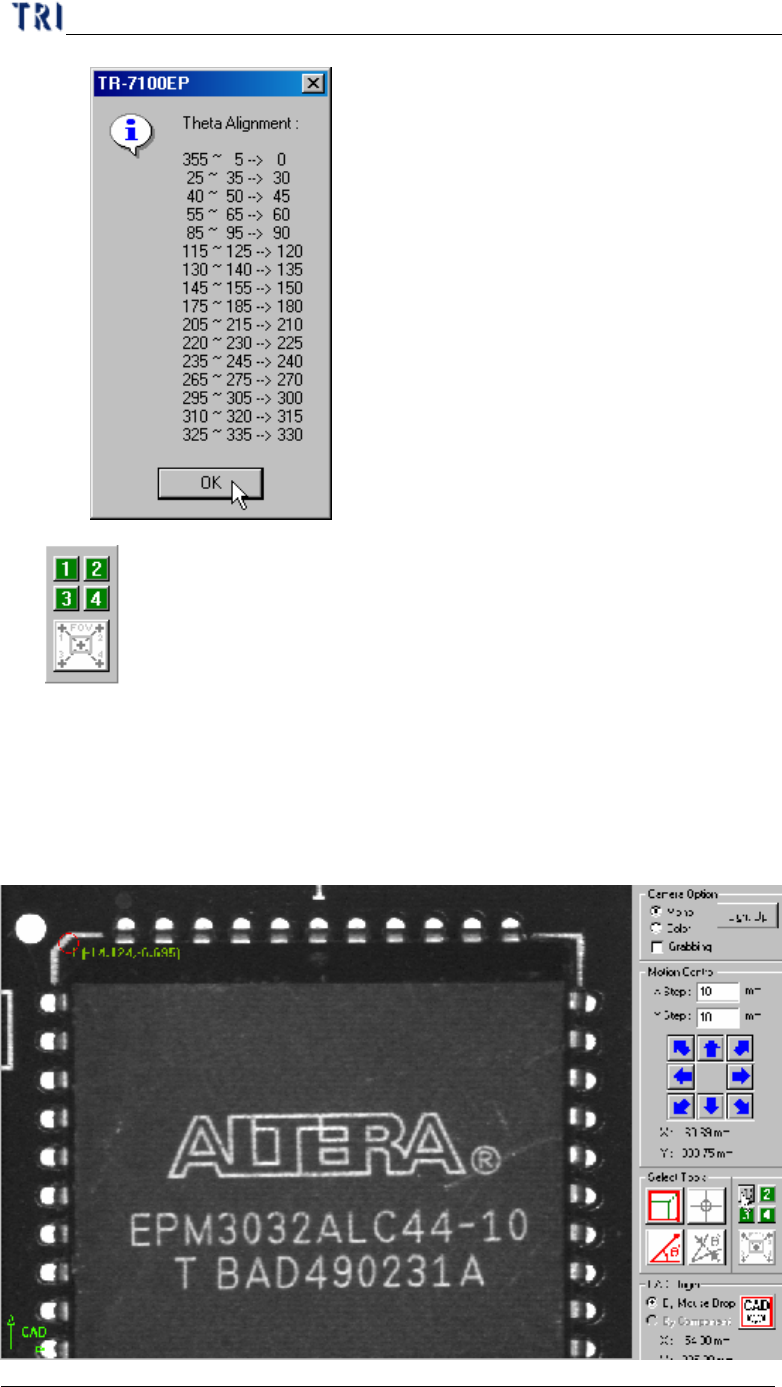
Theta Alignment
n Since the angle measuring tool can get the number with decimal, you can
use the theta alignment to adjust the angle to be a reasonable integer.
Chapter 2 Manual Bar introduce
TR7500 USER MANUAL
85
l
Tool for large component
n It’s a tool to define the coordinates of components. If the component size is
larger than an FOV you can use the tool to get the center of the component.
Step1. Move the cross line tool to the upper-left corner of the component
and press [1] button to get the first corner position.