TR7500E_Manual_en_v28.pdf - 第227页
C h a p t e r 3 A O I A T P G F u n c t i o n i n s t r u c t i on T R 7500 U S E R M A N U AL 2 20 11 . 4 . St r u c t u r e o f i n s p ec t i o n bo xes l I n s p e c ti o n b o x l y i n g i n t h e u p p e r s t r a…
Chapter 3 AOI ATPG Function instruction
TR7500 USER MANUAL
219
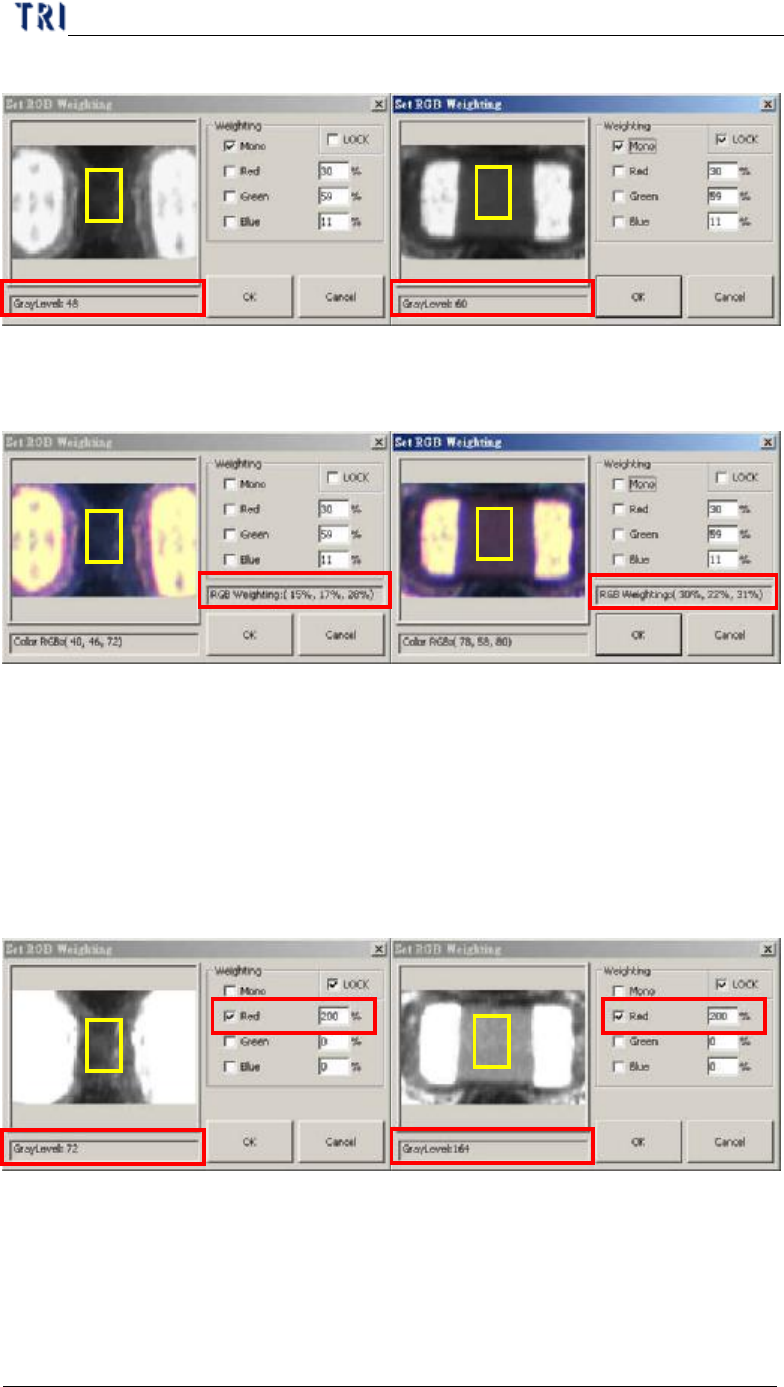
analyzed within the yellow box.
l The following picture figures are captured by the 3 CCD True Color Camera.
The RGB weighting ratios within the yellow boxes are: RGB(15%, 17%, 28%)
for a missing designator, and RGB(30%, ,22%, 31%) for a placed designator.
l According to the compared figures above, R makes the most value difference up
to twice as much. Therefore, we may now use the RGB Color Weighting to
make a better contrast between the two by raising R percentage ratio up to 200.
You may now see a much bigger gray level contrast between the two picture
figures below after leveling up the R ratio value and lowering down the B and
the G value.
l In general, the RGB Weighting function may reinforce the result of the color
reflection of components, making a better contrast during the inspection. RGB
Weighting method will tremendously reduce false calls and miss calls. Such
method we call it the “Color Check Method” (CCM).
Chapter 3 AOI ATPG Function instruction
TR7500 USER MANUAL
220
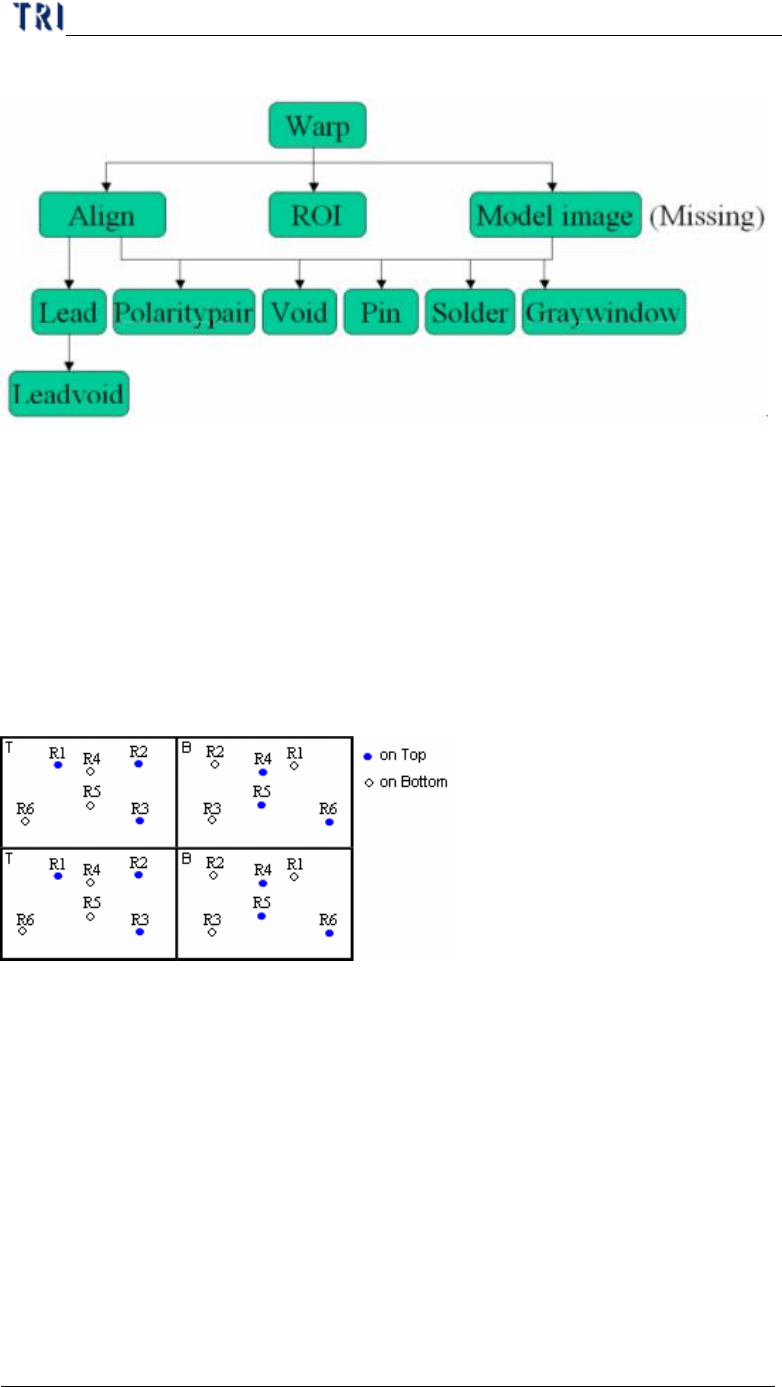
11.4. Structure of inspection boxes
l Inspection box lying in the upper strata can help to locate the inspection box in
the lower floor.
12. Principles for Top and Bottom of the Same Plane
12.1. CAD file arrangement
l The CAD must have both coordinates of top components and perspective
coordinates of bottom components.
12.2. Program Generating Procedure
Step1. Load CAD file.
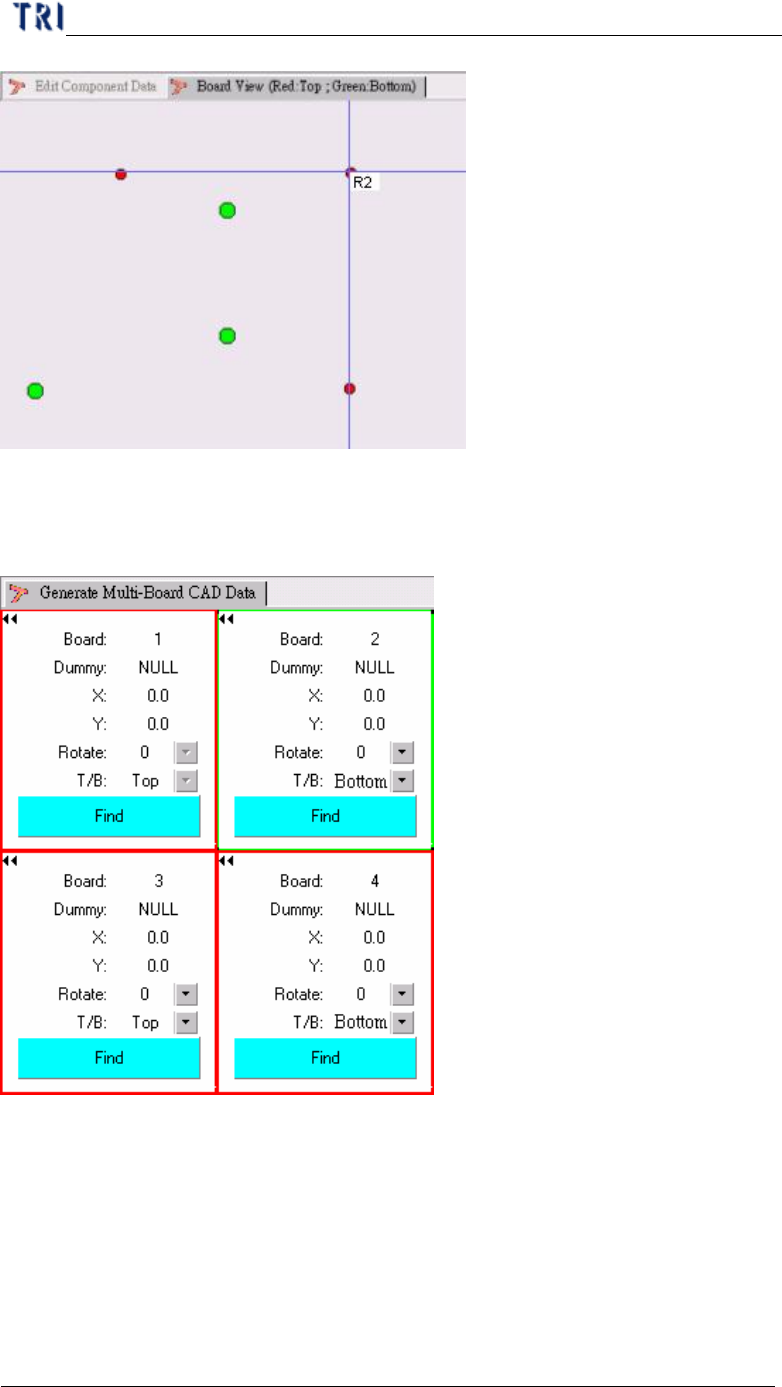
Step2. [Edit component Data] – Edit the CAD data to make it displays correct
coordinates of top components and the perspective coordinates of bottom
components regarding Board 1.
Chapter 3 AOI ATPG Function instruction
TR7500 USER MANUAL
221
Step3. [Generate Multi-Board CAD Data] – Selecting [T/B] and [Rotate] regards the
board 1.
Step4. Find Dummy Component Position – When finding the dummy point for board
2 and board 4, you have to select the component that at the upper side. For the
example, that is R4, R5 or R6.
Step5. After generating multi-board data, you can use [Board View] function to
review the component on upper side.
Step6. Do the nest step for following standard rule.