TR7500E_Manual_en_v28.pdf - 第165页
C h a p t e r 3 A O I A T P G F u n c t i o n i n s t r u c t i on T R 7500 U S E R M A N U AL 1 58 ( 1 4) T y p e – I t w i ll s h o w a l l d e f a u lt li g h t i n g s w i t h t h e g r a p h i c p r e s e n t a t i …
Chapter 3 AOI ATPG Function instruction
TR7500 USER MANUAL
157
(7) MirrorX – Mirror the current lighting according to X axis.
(8) MirrorY – Mirror the current lighting according to Y axis.
(9) Rotate+90 – Rotate the lighting with 90 degrees of clockwise for clicking once.
(10) Rotate-90 –Rotate the lighting with 90 degrees of counterclockwise for clicking
once.
(11) Select All/Unselect All
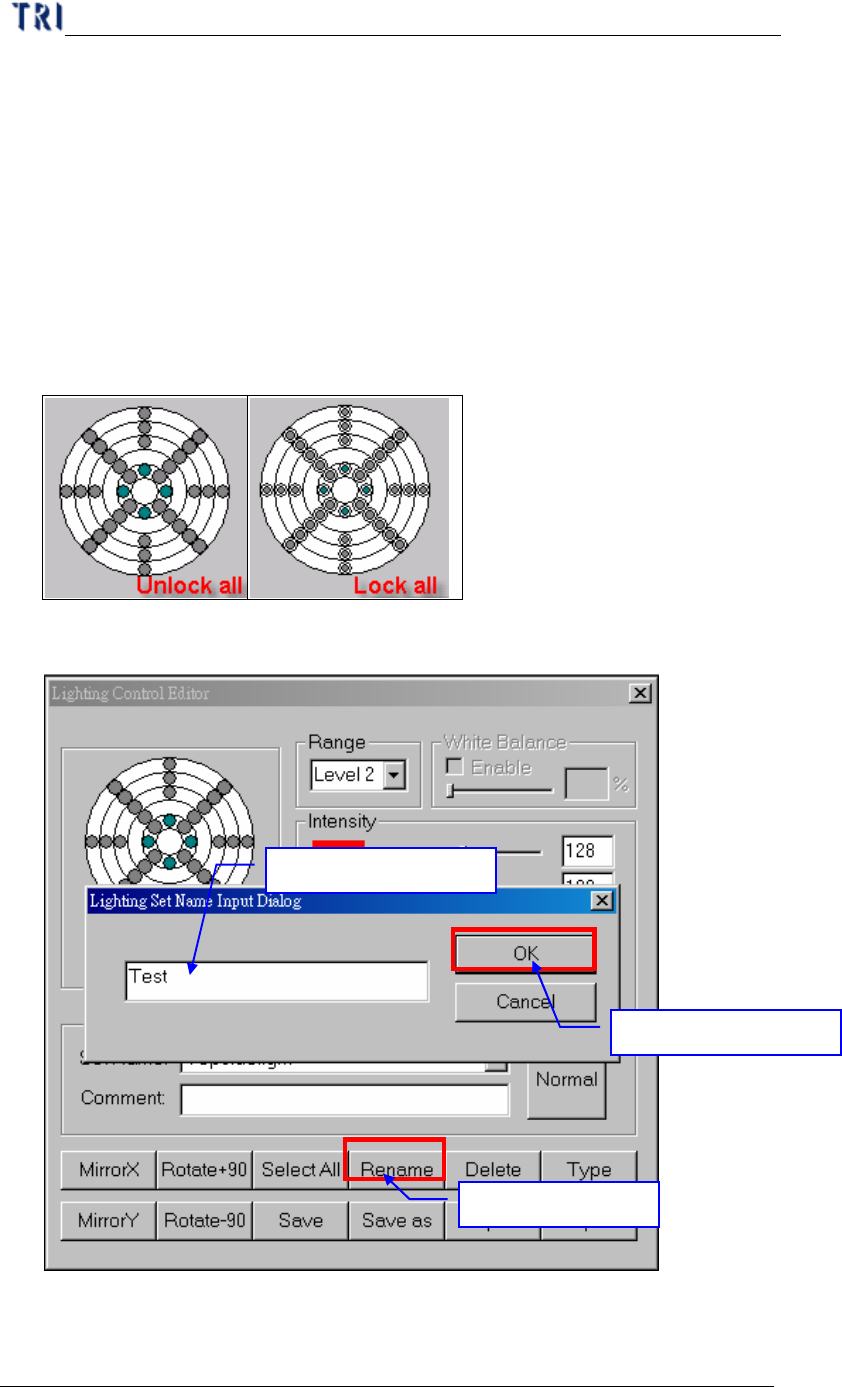
Select All – After pressing the button all controlled circles will be locked and the
characters of the button will be turned into [Unselect All].
Unselect All –After pressing the button all controlled circles will be locked and
the characters of the button will be turned into [Select All].
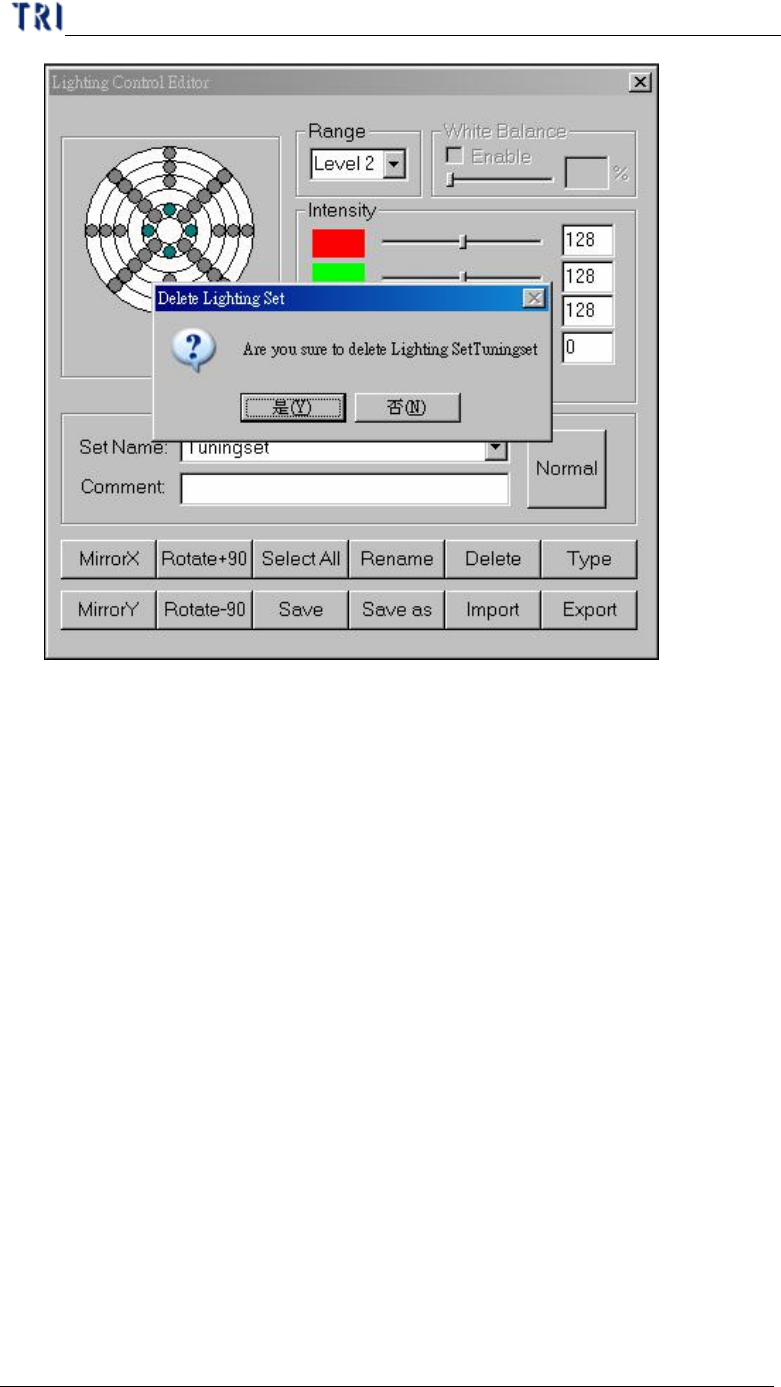
(12) Rename – Change name for current lighting.
(13) Delete – Delete exist lighting.
1.
Press [Rename]
2
.
Input a new name
3
.
Press [OK]
Chapter 3 AOI ATPG Function instruction
TR7500 USER MANUAL
158
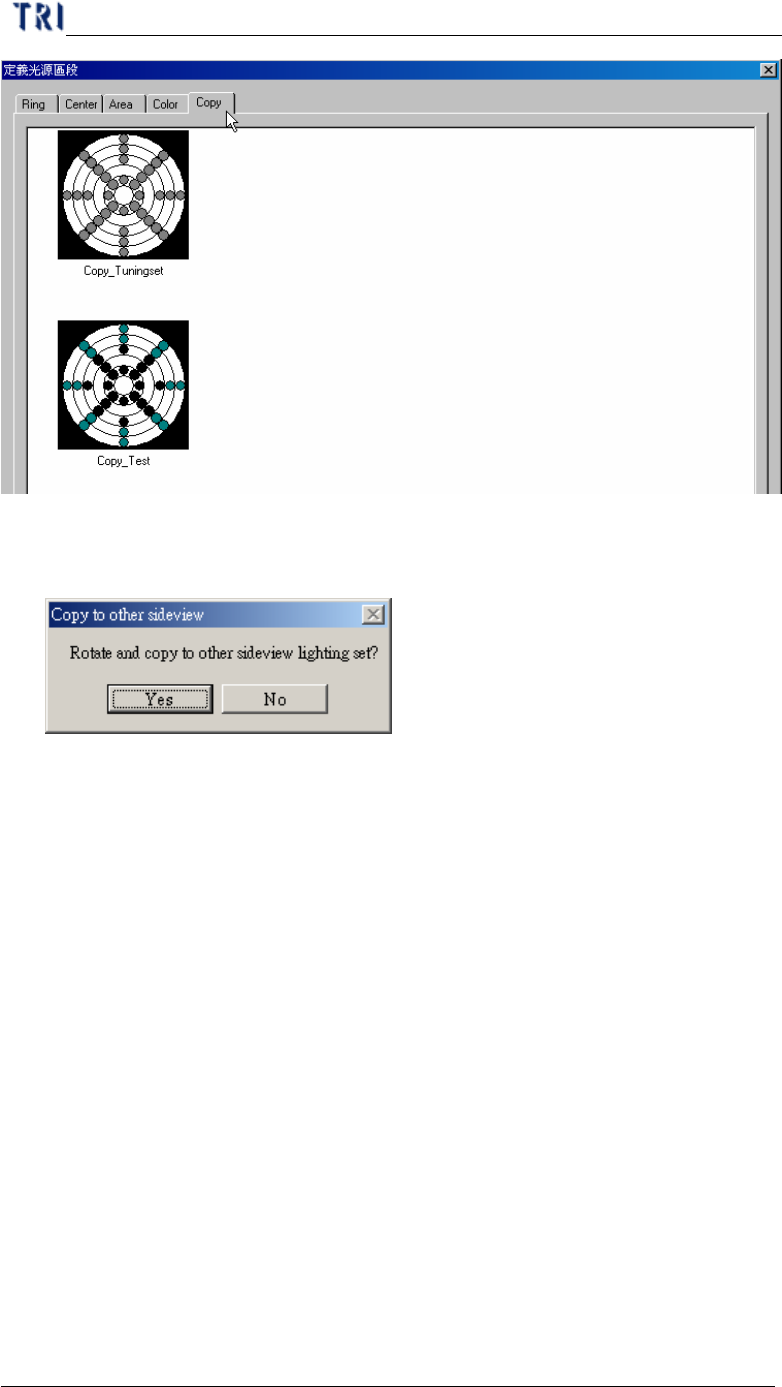
(14) Type –It will show all default lightings with the graphic presentation after
pushing the button. Only it is at (5) switching over to [All].
l You also can increase a lighting newly by yourself and establish the light name
as "name1_name2" then a page [name1] will be increased in [default lighting
setting selection] window. There is a lighting [name1_name2] in the page
[name1].
l For example: Newly-increased two light each named [Copy_Tuningset ] and
[Copy_Test ]. After pressing [Default Type] it will appear [default lighting
setting selection] window. One new page [Copy] will be created, and there are
two lightings [Copy_Tuningset] and [Copy_Test].
Chapter 3 AOI ATPG Function instruction
TR7500 USER MANUAL
159
(15) Save – Saving current light setting parameter. When the lighting that you modify
is AnglelightA or AnglelightB, the system asks if you want to apply the setting to
corresponding lightings.
(16) Save as – Saving current light setting to other name.
(17) Import – Input LED lighting define file from outside. The file name extension is
[*.LED].
(18) Export – Output LED lighting defines to file.
l When opening a new project, system set [C:\AOI\DEFAULTLED7500.LED]
file as the default for the new project.
l Every change for lighting in the project is saved in the current project. If
you want to share the lighting to other project, you have to [Export] the
current lighting then [Import] them when opening the other projects.
9.2. Set specific lighting
l There are 5 kinds of lighting sources that will be used while doing project. The 5
kinds of lightings are also shown when the [Normal] button pressed. Including
the lighting [Fiducial0] that looks for the first fiducial mark, lighting [Fiducial1]
of looking for the second fiducial mark, lighting [Maplight] for capturing the
panel map, two kinds of the top camera default lighting [ToplightA] and
[ToplightB].
l The setting of the lighting looks at the states, such as board color of the circuit,