TR7500E_Manual_en_v28.pdf - 第42页
C h a p t e r 1 AO I S t a nd a r d P r o j ec t Cr ea t i on T R 7500 U S E R M A N U AL 35 1 . S e l e c t 2 . M o d i f y 3 .S a ve ( 4) P r e ss [ G e t F i du c i a l M a r k ] i c o n . 3. P u s h t h e b u t t o n…
Chapter 1 AOI Standard Project Creation
TR7500 USER MANUAL
34
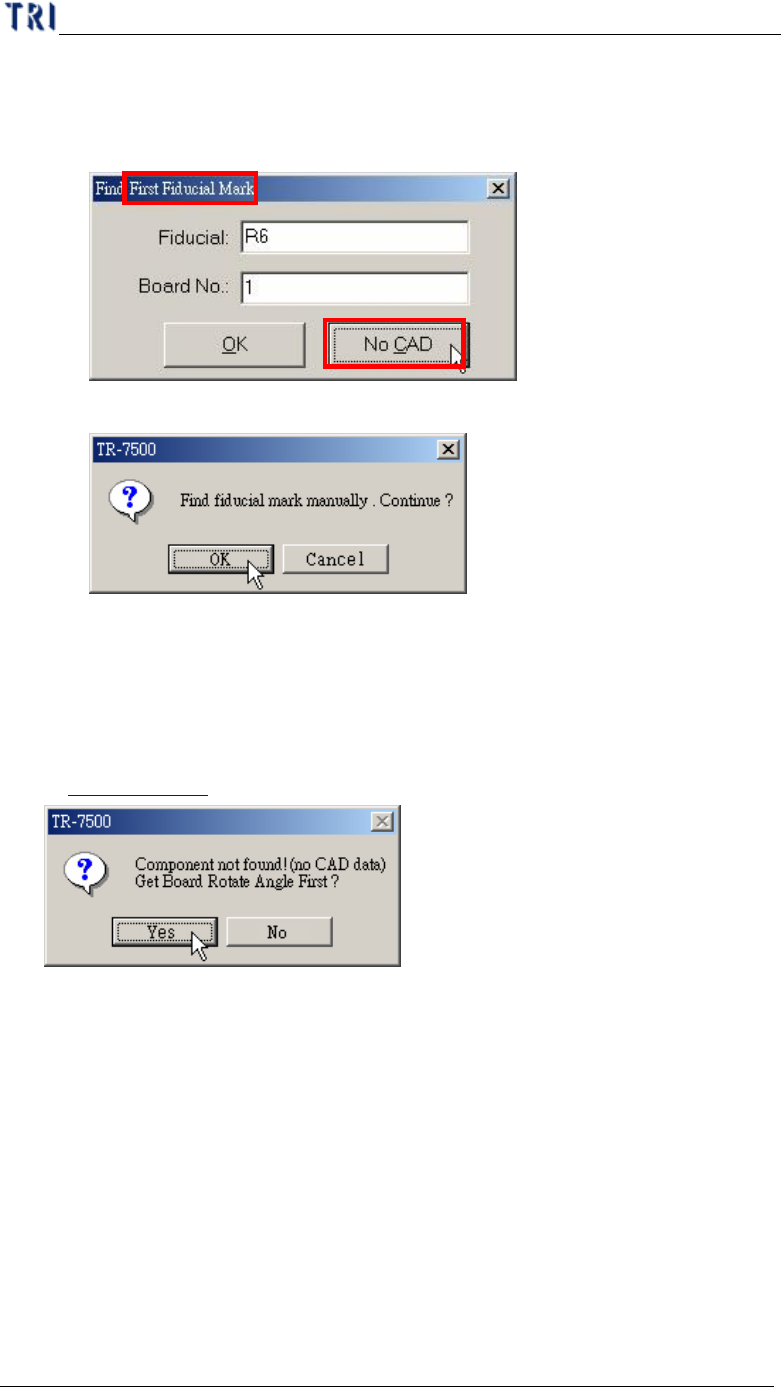
l Without CAD
Step1. Press [No CAD].
Step2. Press [OK].
Step3. You have to use the [Motion Control Panel] or click on the image to
move the camera to the correct position.
l If the PCB is a single board and you select [No CAD] here, the system displays
the asking to find rotation angle first. The procedure for getting rotation angle is
in Chapter 1 4.3.
l If the PCB is a single board and you select [OK] to use fiducial name to set
fiducial mark, the system calculates the rotation angle according to the fiducial
mark coordinates. And you don’t have to get the rotation angle in addition.
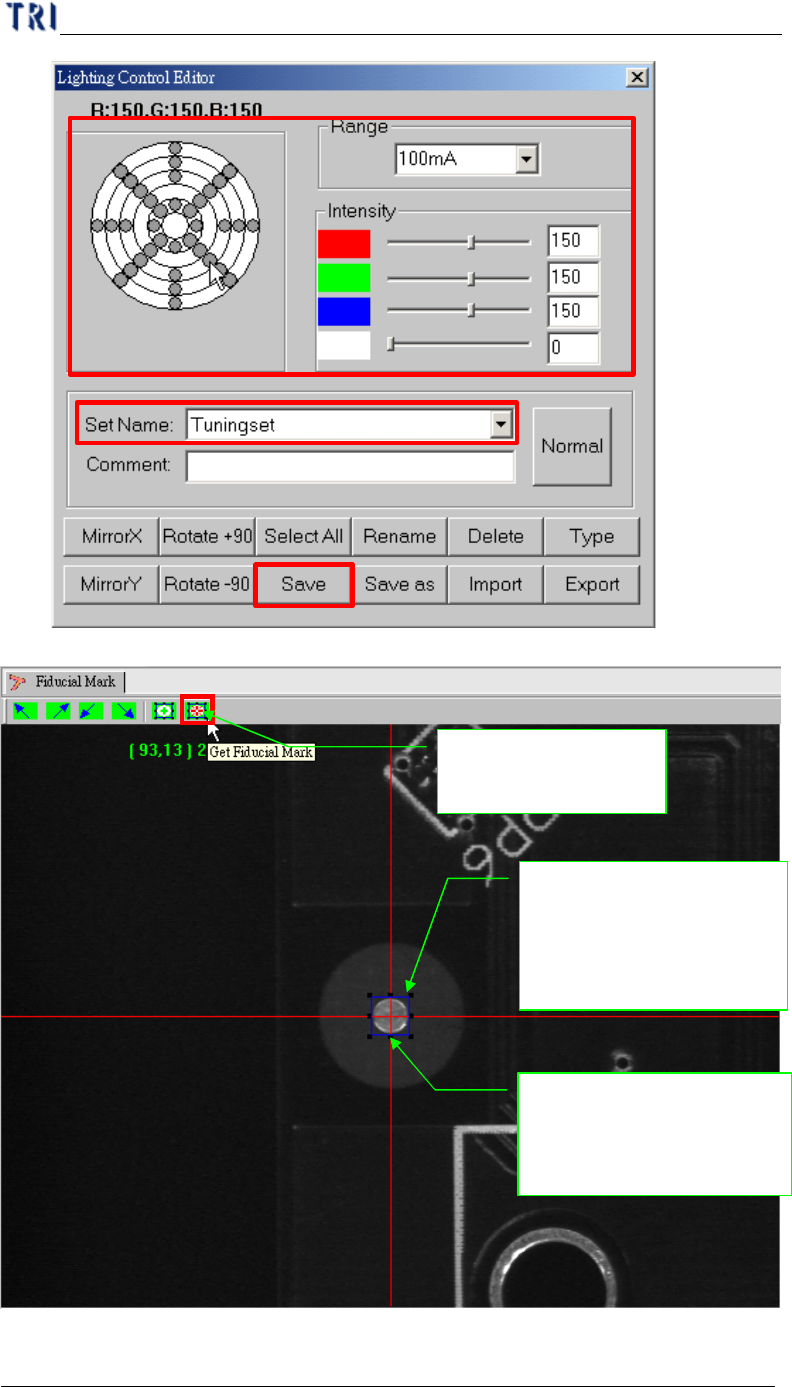
(3) Set the lighting for the first fiducial mark. When the shape of fiducial mark is not
clear under the current lighting, you can adjust the lighting manually. Press the
[Light] button then the [Lighting Control Editor] window appears. Select the
[Fiducial0] item and adjust the lighting then press [Save] to finish the setting.
Chapter 1 AOI Standard Project Creation
TR7500 USER MANUAL
35
1.Select
2.Modify
3.Save
(4) Press [Get Fiducial Mark] icon.
3. Push the button the
fiducial mark
1. Moving the component
to the screen center (cross
red line point)
2. Adjust the blue frame
for assistant user
adjustment; pad can near
the center closely
Chapter 1 AOI Standard Project Creation
TR7500 USER MANUAL
36
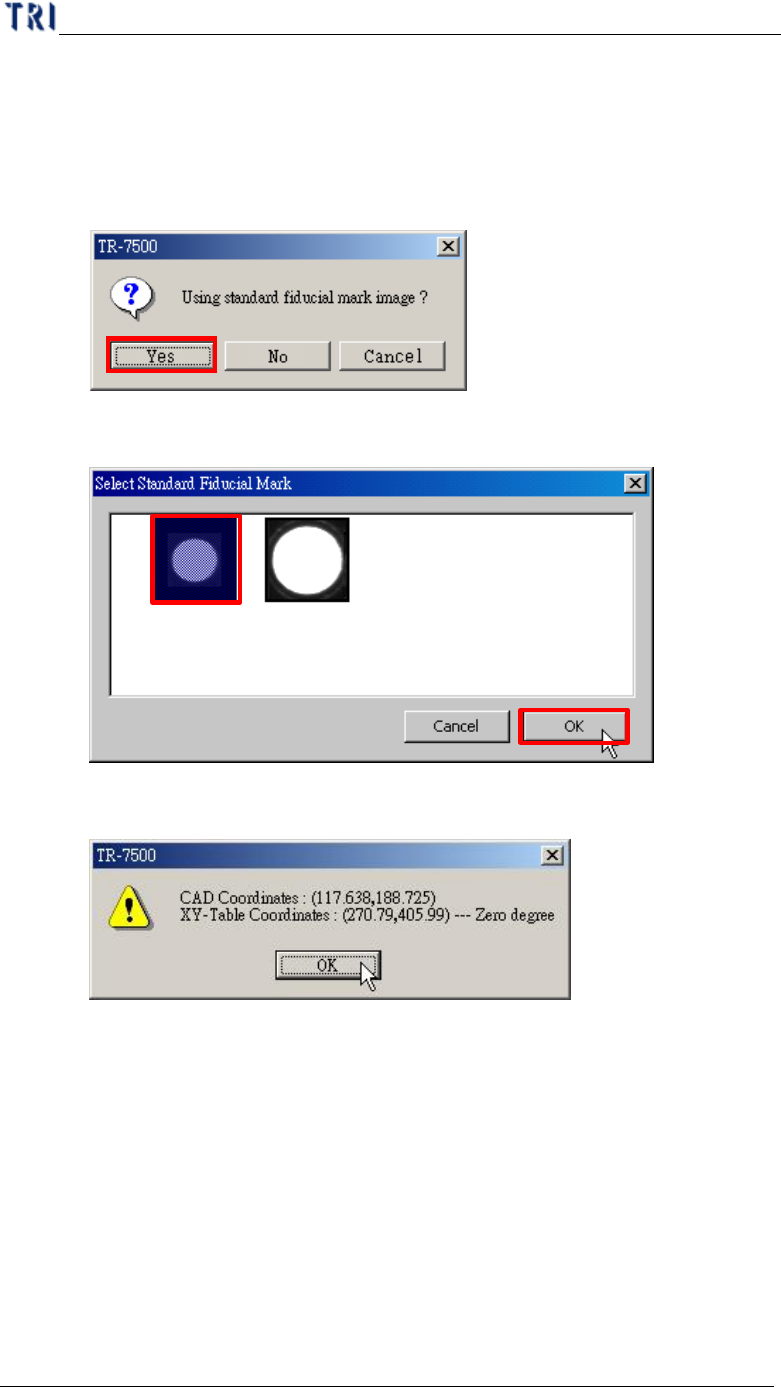
(5) You can select if you want to use the standard image. If the fiducial mark image
that you have gotten is not clear enough, you can select the standard image
saving in the computer.
l Using the standard image.
Step1. Select [Yes]
Step2. [Select Standard Fiducial Mark] dialog appears. Select a suitable
image then press [OK].
Step3. There is a window appeared to show the coordinates of fiducial
mark. Press [OK].
Step4. System takes the selected standard image as the standard matching
image.