TR7500E_Manual_en_v28.pdf - 第156页
C h a p t e r 3 A O I A T P G F u n c t i o n i n s t r u c t i on T R 7500 U S E R M A N U AL 1 49 4 . G e t B oa rd Ro t a t e A ng l e , F i nd D u m m y Co m pon ent Pos iti on 4 . 1 . S e t 4.1.1. I n- l i n e D i r…
Chapter 3 AOI ATPG Function instruction
TR7500 USER MANUAL
148
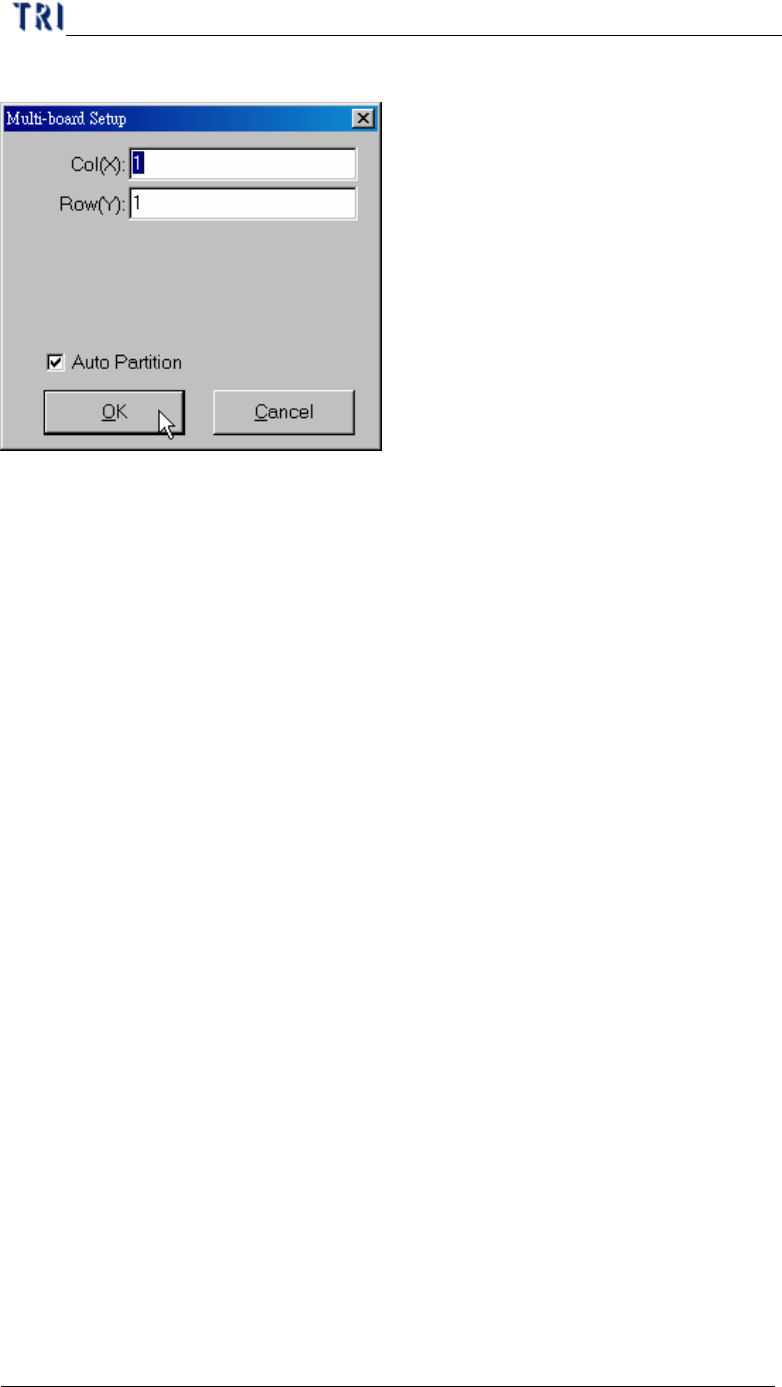
l You can set the number of columns and Rows again here.
3.1.2. Get Rotate Angle
l You can calculate the board rotate angle again here.
3.2. Generate
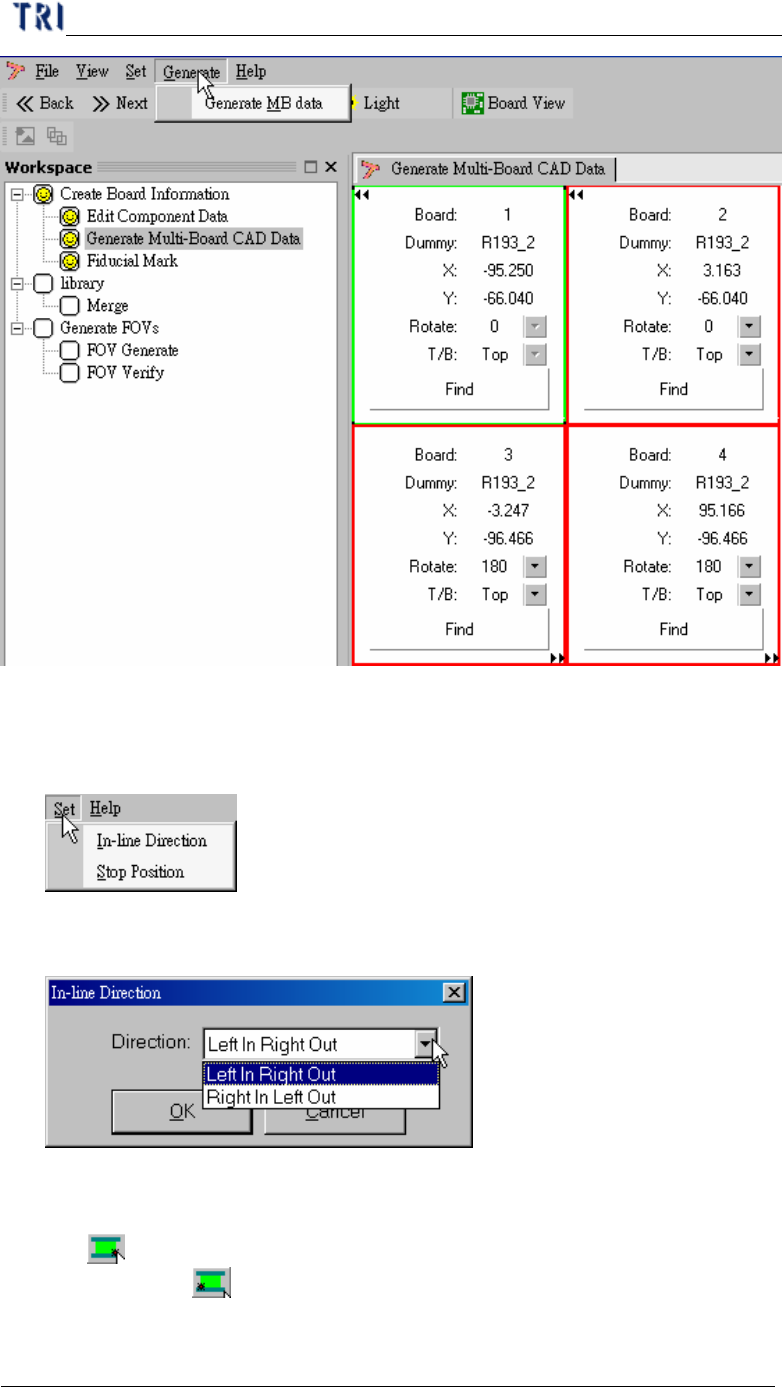
3.2.1. Generate Multi-board Data
l You can press the item to generate multi-board data after finishing finding
dummy components for every board. The data also can generate automatically
when you go to [Next].
Chapter 3 AOI ATPG Function instruction
TR7500 USER MANUAL
149
4. Get Board Rotate Angle, Find Dummy Component Position
4.1. Set
4.1.1. In-line Direction
l Set the board-in direction
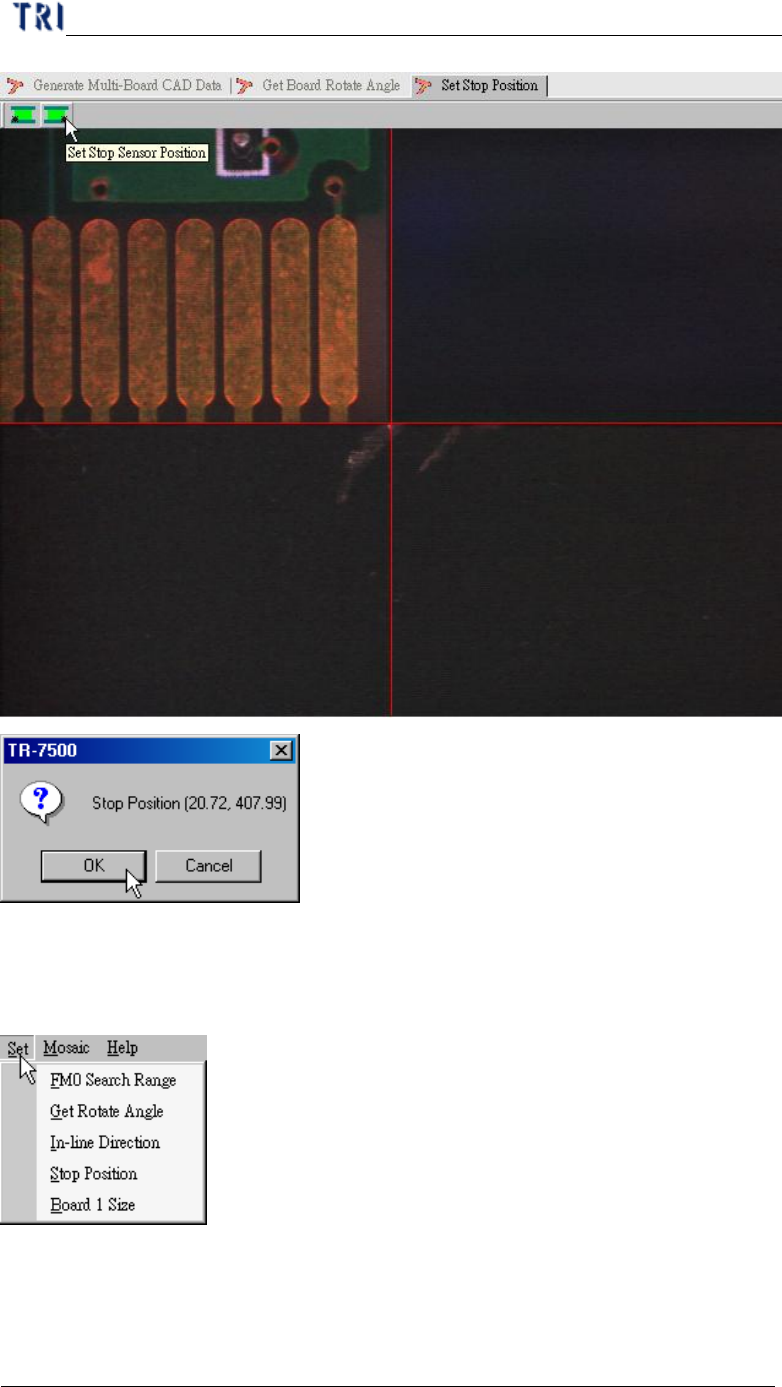
4.1.2. Stop Position
l Set the stop position of board. If the direction is [Left in Right Out] you should
use to set the low-right corner of PCB; if the direction is [Right in Left Out]
you should use to set the low-left corner of PCB.
Chapter 3 AOI ATPG Function instruction
TR7500 USER MANUAL
150
5. Fiducial Mark Setting
5.1. Set
5.1.1. FM0 Search Range
l You can set search range for the first fiducial mark manually. You also can use
the system default and don’t have to set the range. Adjust the position and size of
the blue box and press [OK] to set the range.