TR7500E_Manual_en_v28.pdf - 第149页
C h a p t e r 3 A O I A T P G F u n c t i o n i n s t r u c t i on T R 7500 U S E R M A N U AL 1 42 l C l i c k t h e “ V i e w M ode ” g o b a c k t o t h e v i e w m o d e t h a t t h e d a t a d o n o t b e c h a n g …
Chapter 3 AOI ATPG Function instruction
TR7500 USER MANUAL
141
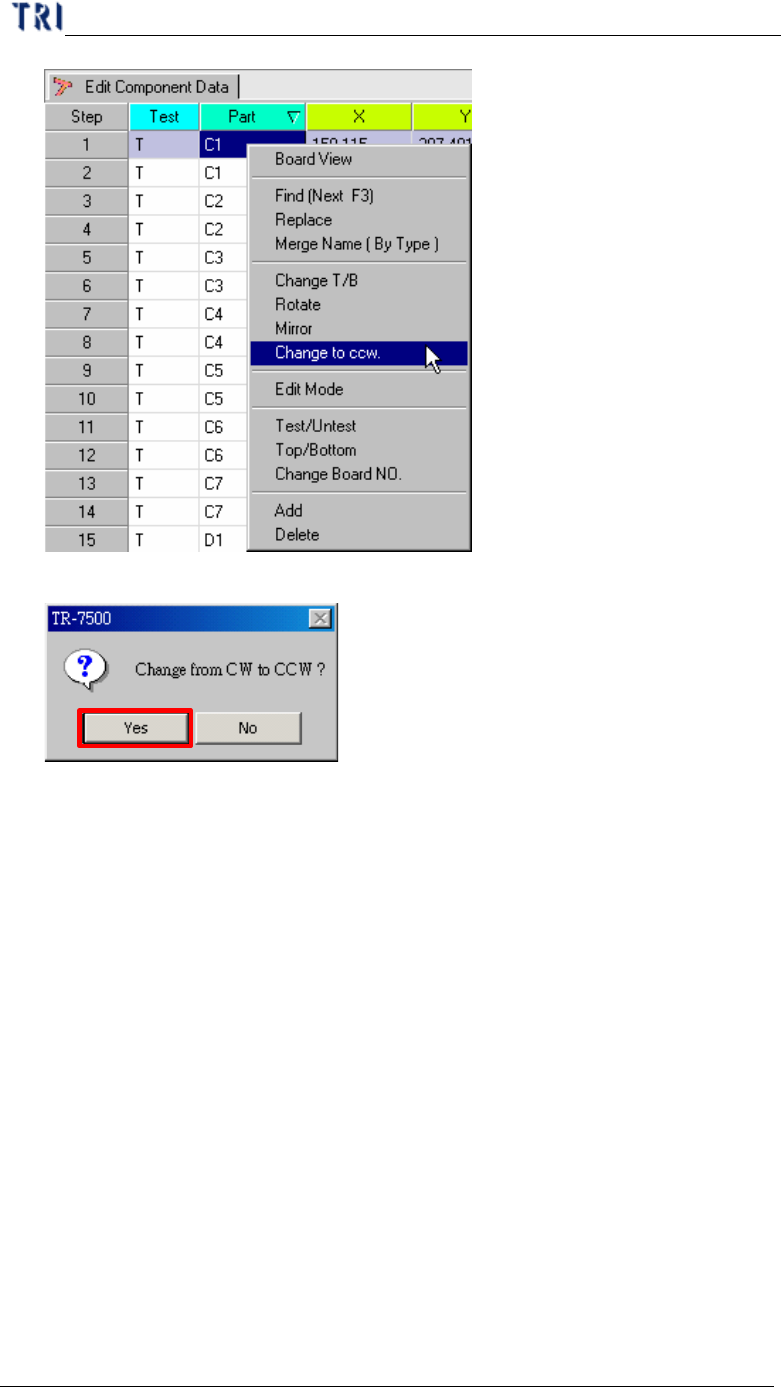
l Display the double confirm message window.
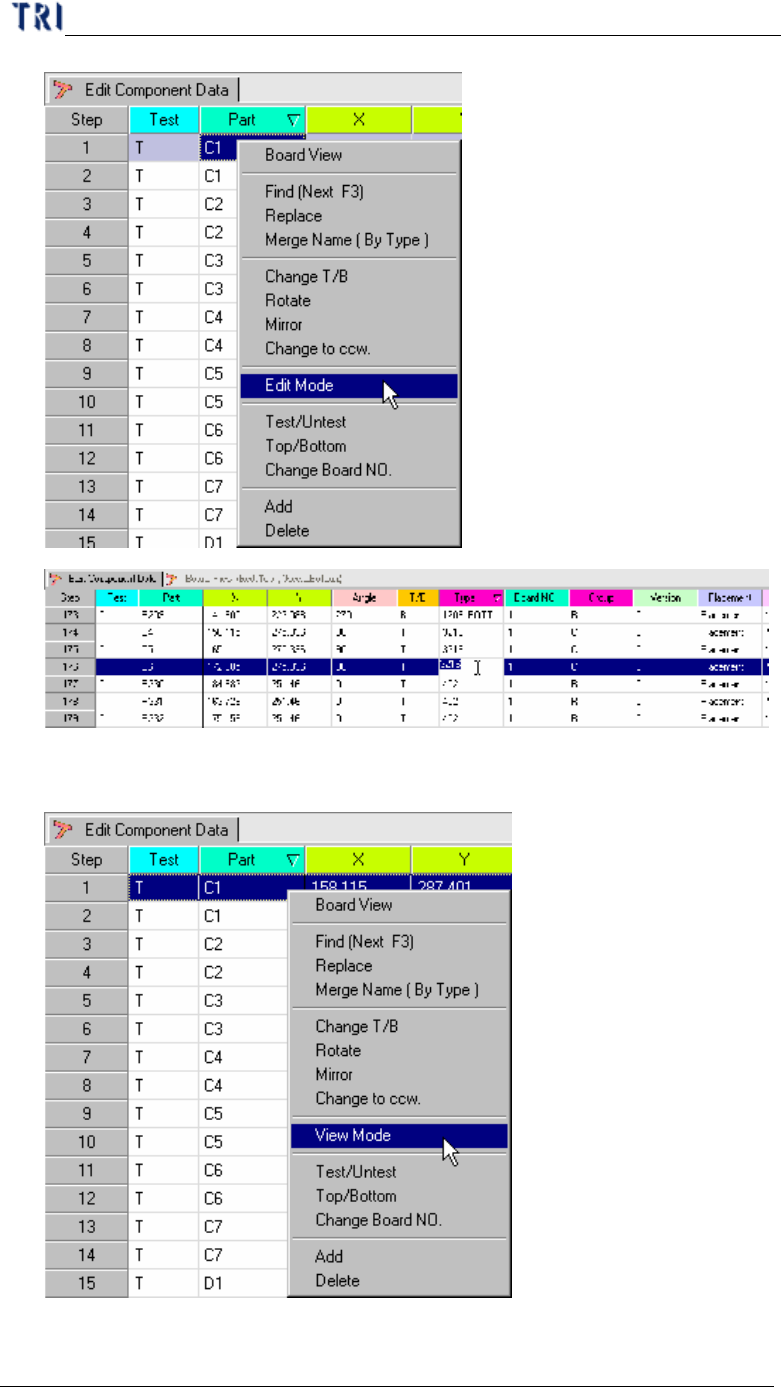
2.9. Edit Mode
l Change the AOI table from view mode to edit mode. The information of
components can be changed except Test, Part, T/B or Board NO.
Chapter 3 AOI ATPG Function instruction
TR7500 USER MANUAL
142
l Click the “View Mode” go back to the view mode that the data do not be
changed.
Chapter 3 AOI ATPG Function instruction
TR7500 USER MANUAL
143
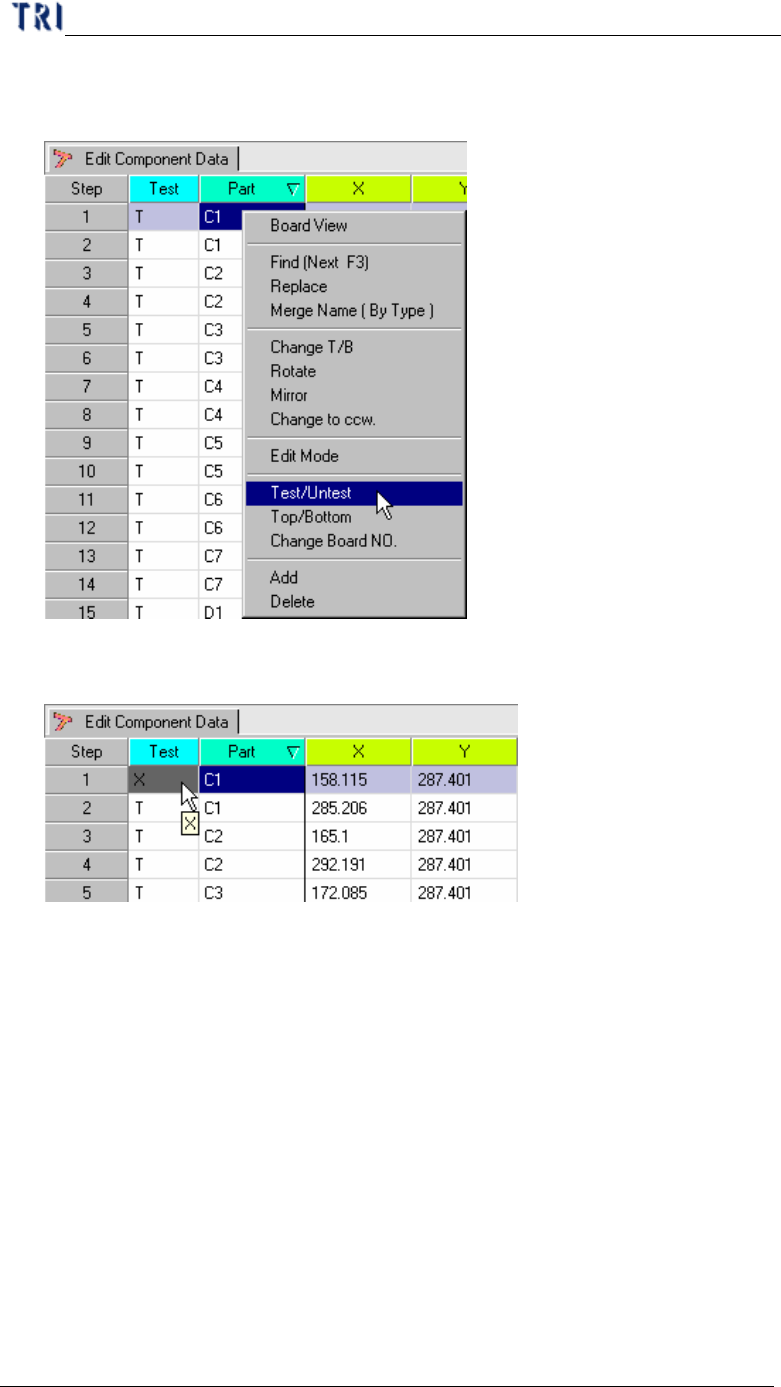
2.10. Test/Untest
l Setting specific components to inspect or not.
l Display the component is not test message on the AOI inspection table.
2.11. Top/Bottom
l Change the specific components from top side to bottom side or bottom side to
top side.