TR7500E_Manual_en_v28.pdf - 第278页
C h a p t e r 5 I n s p ec t i on d i a l o g f u n c t i on T R 7500 U S E R M A N U AL 2 71 l R e s e t F a i l C o u n t – R e s e t t h e [ F a i l S t a t i s t i c ] f i e l d . l C l o s e & S t o p – C l o s …
Chapter 5 Inspection dialog function
TR7500 USER MANUAL
270
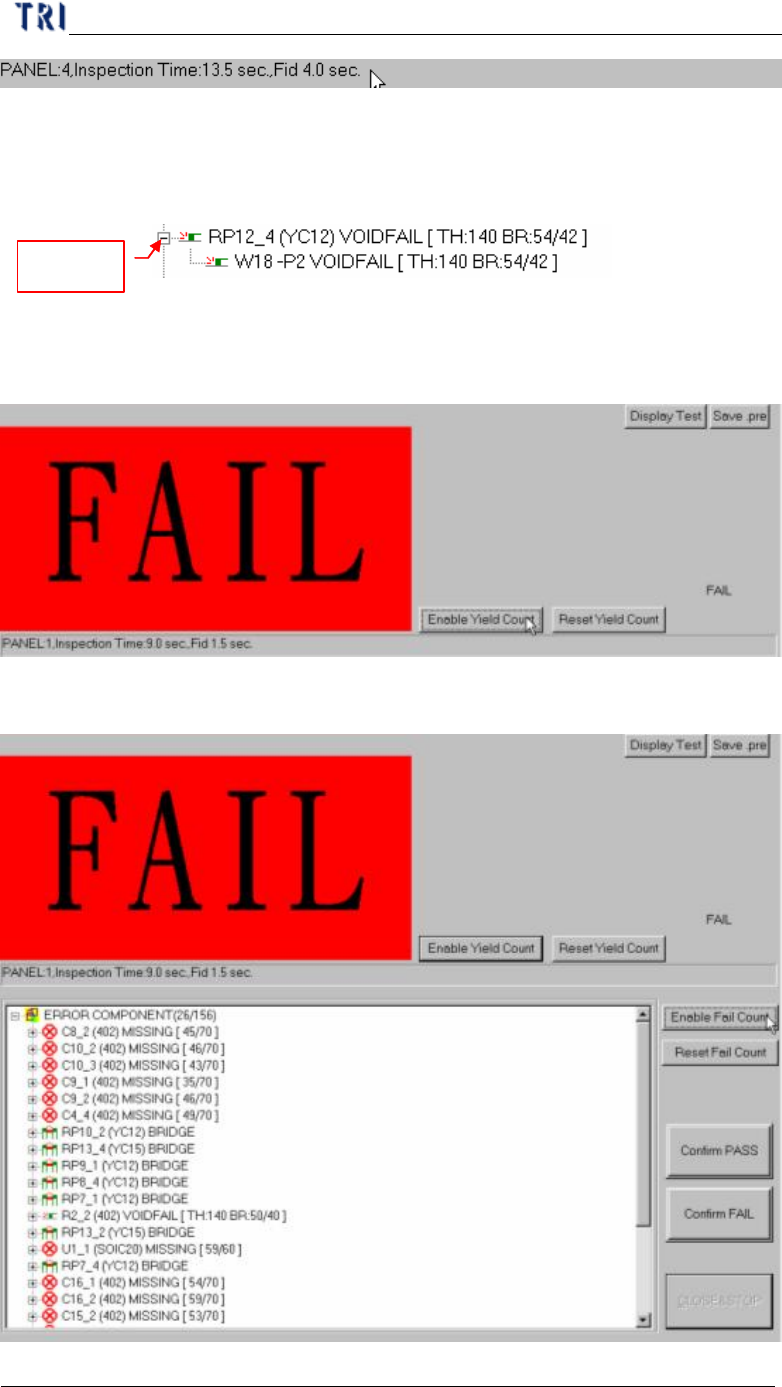
l Fail Statistic – List the rank of failed component and the defect counts.
l Defect tree – List the details of component.
Component name, (Type), Defect kind [Parameter, inspected score/tolerance]
Display
Inspection box name, Defect kind, [Parameter, inspected core/tolerance]
l Disable Yield Count – Not to display the [Yield Statistic] field.
l Reset Yield Count – Reset the [Yield Statistic] field.
l Disable Fail Count – Not to display the [Fail Statistic] field.

Chapter 5 Inspection dialog function
TR7500 USER MANUAL
271
l Reset Fail Count – Reset the [Fail Statistic] field.
l Close&Stop – Close the window.
Chapter 6 Auto Conveyer Width
TR7500 USER MANUAL
272
Chapter 6 Auto Conveyer Width
1. Hardware
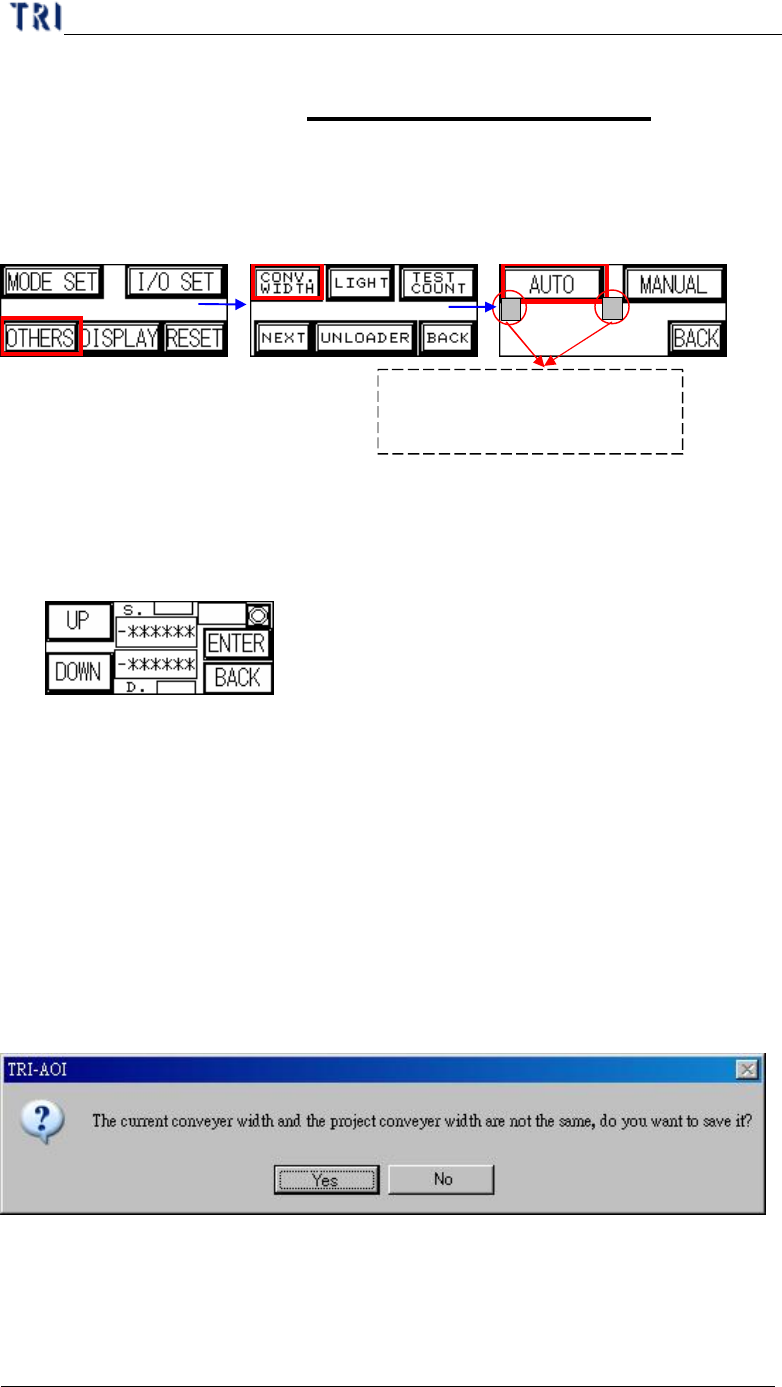
(1) Need to have auto conveyer width module.
(2) Open the auto conveyer adjustment function on man-machine interface.
(3) Press [AUTO] then the conveyer will go to the original position first. Then you
can press [UP] or [DOWN] to enlarge or reduce the width. When you finish,
press [Enter] to save the data. Then press [Back] to go back to the stand-by
image.
2. Software Setting
(1) The version of DOS PC must cooperate with the auto conveyer width system.
(2) Add a DWORD [AutoConveyerWidth] and the value is [1] in Registry.
3. Saving Width Data to Project
(1) Adjusting the conveyer width with [Auto Conveyer] Function.
(2) When saving the project, the system saves the width to the project automatically.
(3) If the current width is not the same with the width in project, system shows the
below dialog to ask if you want to replace the saved width with current width. .
4. Width Loading
(1) When opening a existing project, the system shows the below dialog to ask if you
want to use the saving width.
Press the two buttons in the
meantime to enable the auto
conveyer width function.
ORIGIN