TR7500E_Manual_en_v28.pdf - 第211页
C h a p t e r 3 A O I A T P G F u n c t i o n i n s t r u c t i on T R 7500 U S E R M A N U AL 2 04 1 1 2 2
Chapter 3 AOI ATPG Function instruction
TR7500 USER MANUAL
203
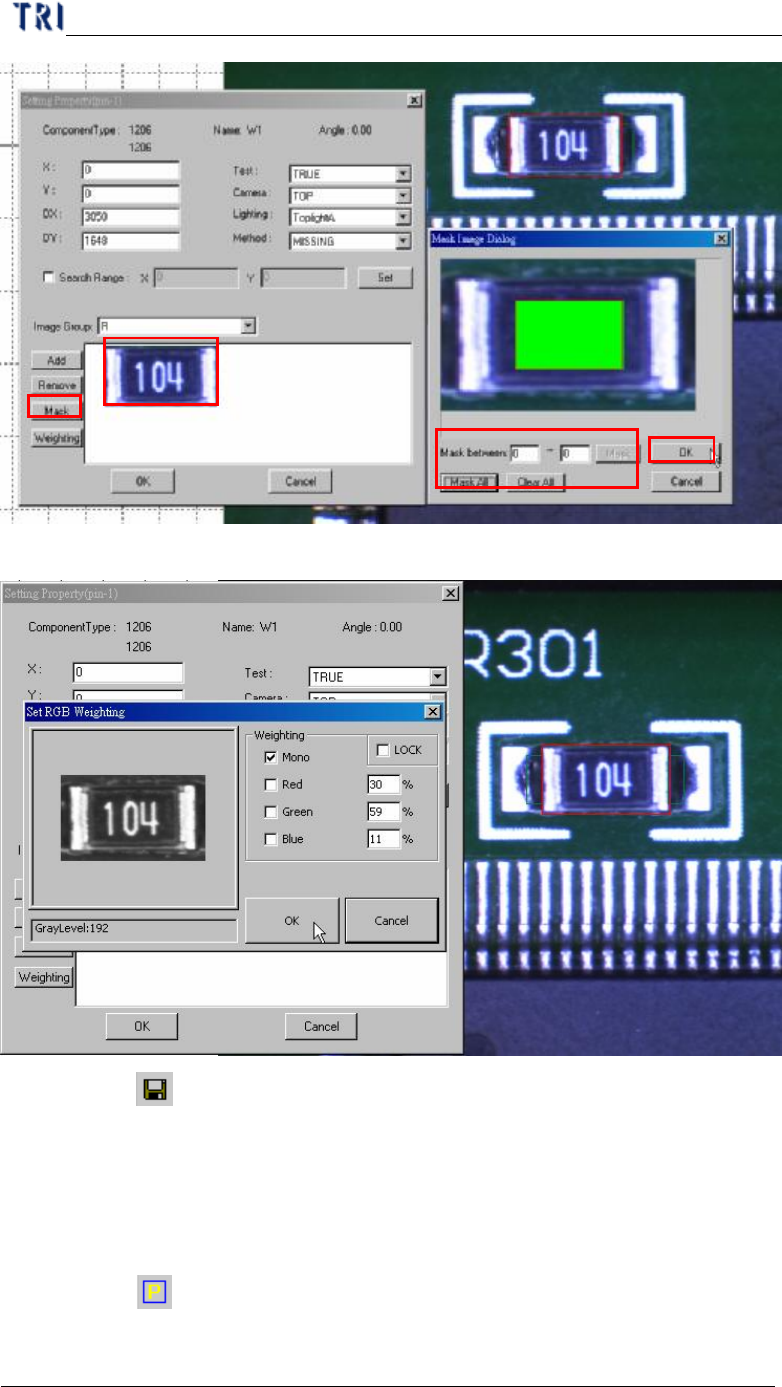
(7) Set the [Weighting].
(8) Click on [ Save] to save this type. The system will store the saved file in
[C:\AOI\packagelibrary] folder.
10.9.2. Example 2 - IC
(1) Choose a component that is not shifted or skew and have beautiful shape. Then
resize the body window to match the component area.
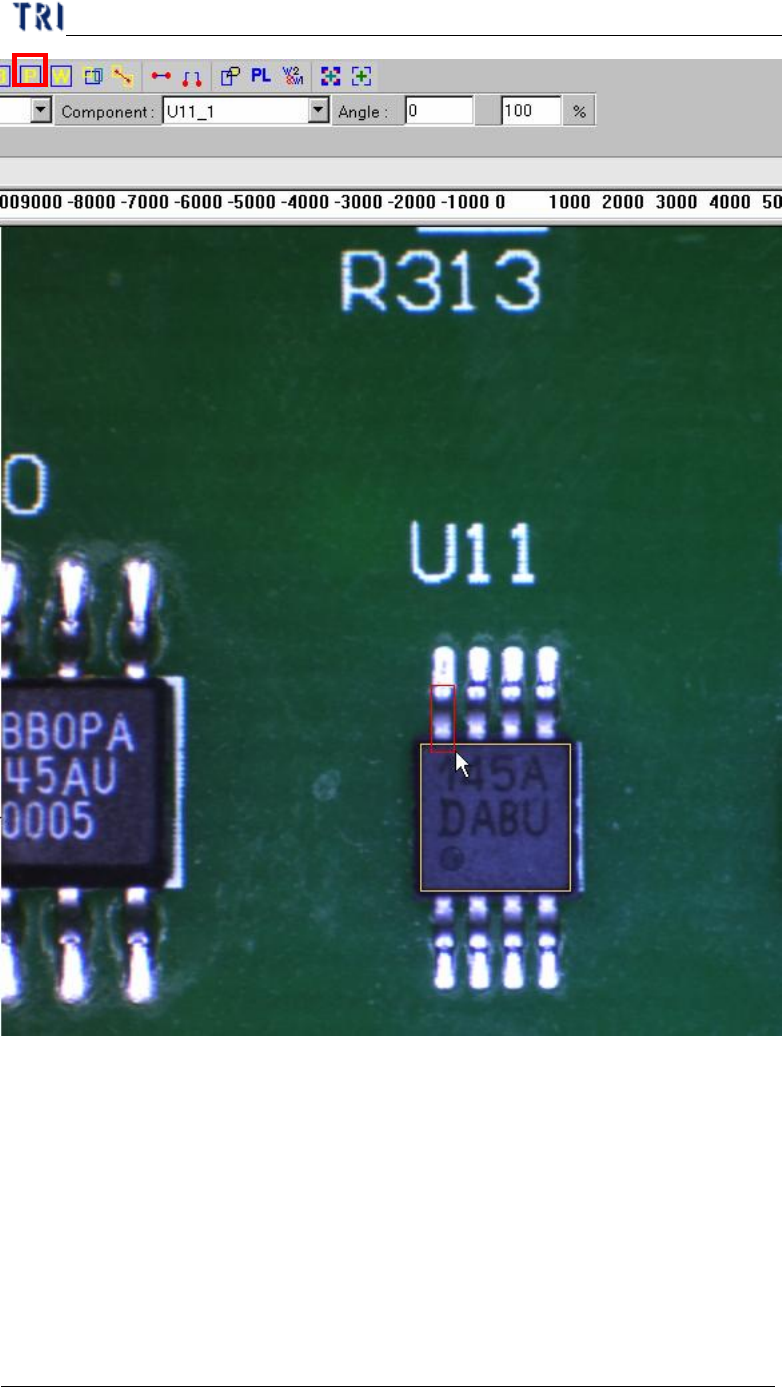
(2) Click on [ Add Pin] to add one pin then move and resize the pin to match the
first lead area.
2
2
1
1
3
3
4
4
5
5
Chapter 3 AOI ATPG Function instruction
TR7500 USER MANUAL
204
1
1
2
2
Chapter 3 AOI ATPG Function instruction
TR7500 USER MANUAL
205
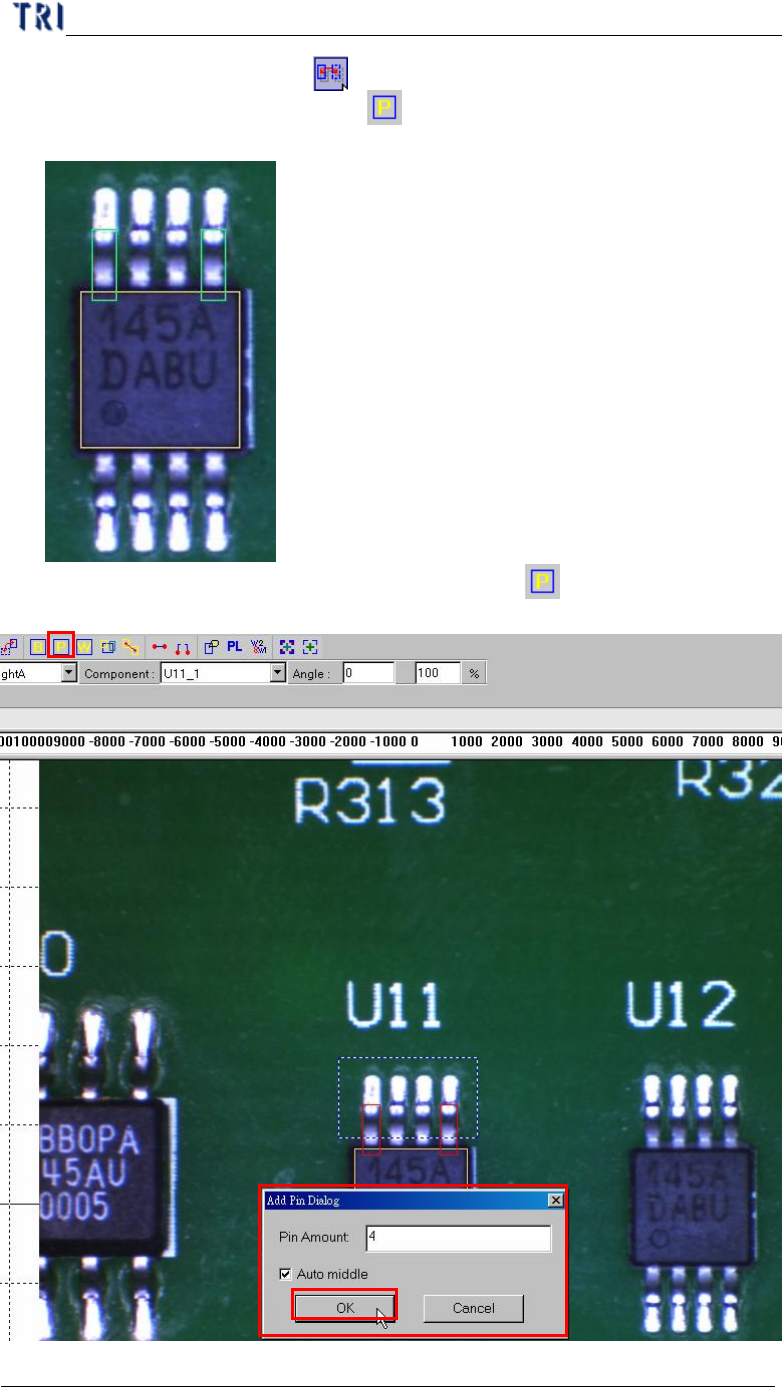
(3) Select the first pin and press [ Mirror Copy] by y direction to copy the pin to
last lead area. Or you can click on [ Add Pin] to add one pin again then move
and resize the box to match the last lead area.
(4) Choose the two pins at end of the side then click on [ Add Pin] to add more
pins.
2
1
3