TR7500E_Manual_en_v28.pdf - 第167页
C h a p t e r 3 A O I A T P G F u n c t i o n i n s t r u c t i on T R 7500 U S E R M A N U AL 1 60 j o i n t i ng o f s o l d e r , e t c . . 10 . Ed it Co m po n en t L i b r a ry l E d i t M a i n F r a m e ( 1) T oo …
Chapter 3 AOI ATPG Function instruction
TR7500 USER MANUAL
159
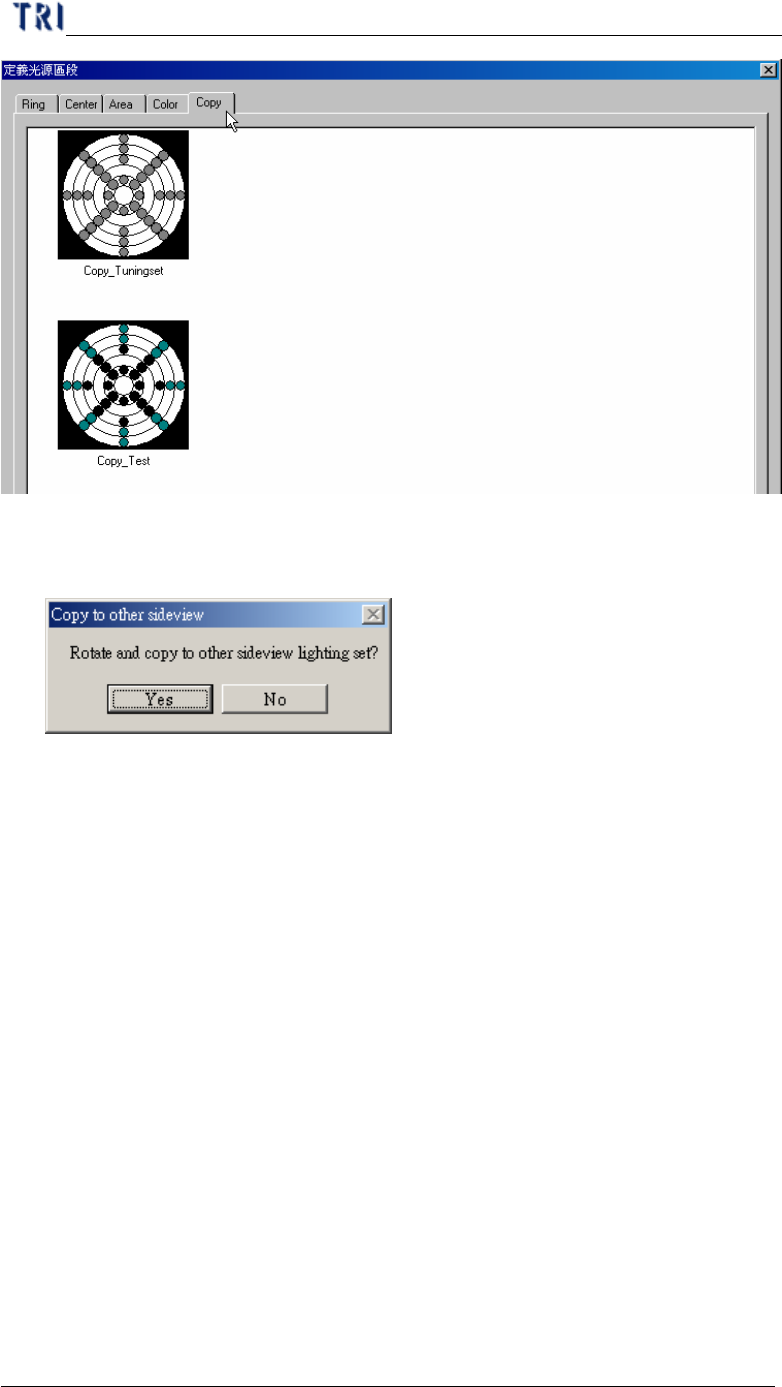
(15) Save – Saving current light setting parameter. When the lighting that you modify
is AnglelightA or AnglelightB, the system asks if you want to apply the setting to
corresponding lightings.
(16) Save as – Saving current light setting to other name.
(17) Import – Input LED lighting define file from outside. The file name extension is
[*.LED].
(18) Export – Output LED lighting defines to file.
l When opening a new project, system set [C:\AOI\DEFAULTLED7500.LED]
file as the default for the new project.
l Every change for lighting in the project is saved in the current project. If
you want to share the lighting to other project, you have to [Export] the
current lighting then [Import] them when opening the other projects.
9.2. Set specific lighting
l There are 5 kinds of lighting sources that will be used while doing project. The 5
kinds of lightings are also shown when the [Normal] button pressed. Including
the lighting [Fiducial0] that looks for the first fiducial mark, lighting [Fiducial1]
of looking for the second fiducial mark, lighting [Maplight] for capturing the
panel map, two kinds of the top camera default lighting [ToplightA] and
[ToplightB].
l The setting of the lighting looks at the states, such as board color of the circuit,
Chapter 3 AOI ATPG Function instruction
TR7500 USER MANUAL
160
jointing of solder, etc..
10. Edit Component Library
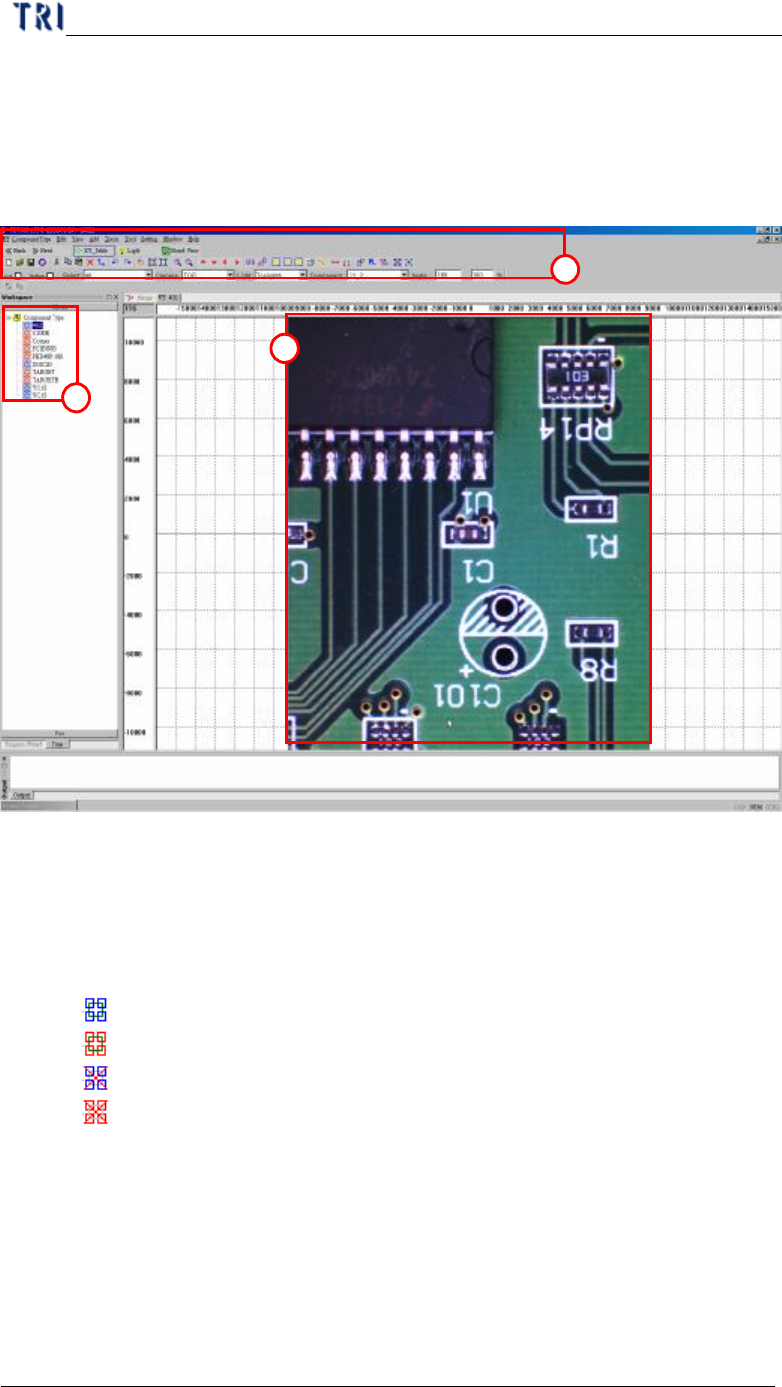
l Edit Main Frame
(1) Toolbar – Listing all tools to create library. The tools are explained below
section.
(2) Type List – Listing all types of components on this PCB. The icons mean as the
followings.
l – The type has at least one inspection box and has been saved.
l – The type has no inspection box and has been saved.
l – The type has at least one inspection box and has not been saved.
l – The type has no inspection box and has not been saved.
(3) Image Zone – Arranging inspection boxes and creating library here. You can use
mouse (clicking and dragging) to select boxes.
2
1
3
Chapter 3 AOI ATPG Function instruction
TR7500 USER MANUAL
161
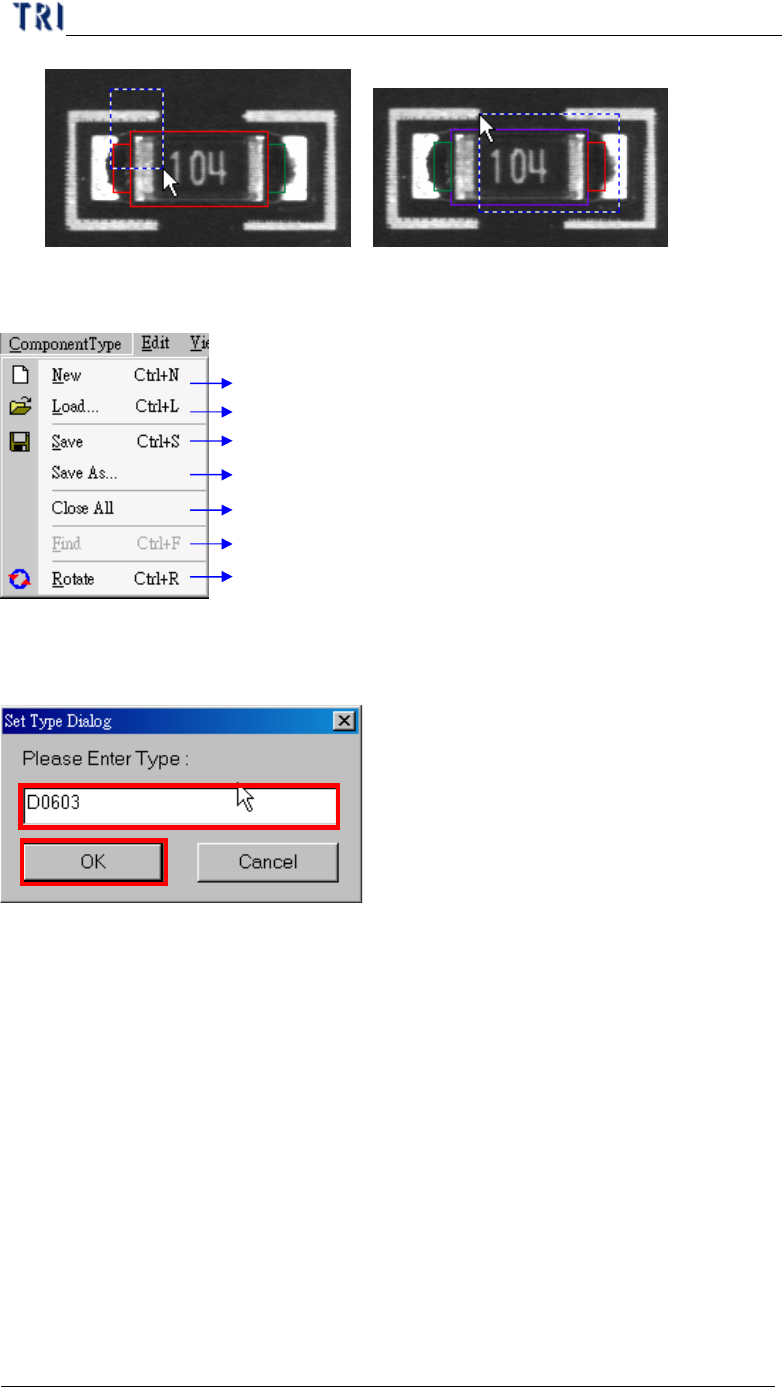
10.1. Component Type
Creating a new component type
Loading existing component type
Saving component type
Saving component type to specified target path or type
Closing all component type frame
Search for the component
Rotate component angle
10.1.1. New
l You can use this function to create a new type and edit its library.
10.1.2. Load..
l Loading existing library to current component from packagelibrary folder. It will
load all information except image.
10.1.2.1 The detailed explanation of loading library