TR7500E_Manual_en_v28.pdf - 第61页
C h a p t e r 1 AO I S t a nd a r d P r o j ec t Cr ea t i on T R 7500 U S E R M A N U AL 54 t o s e e t h e s p ec i f i e d i m a g e . ( 4) W h e n y o u c l i c k t h e f a i l e d c o m po n e n t o n i m a g e o r …
Chapter 1 AOI Standard Project Creation
TR7500 USER MANUAL
53
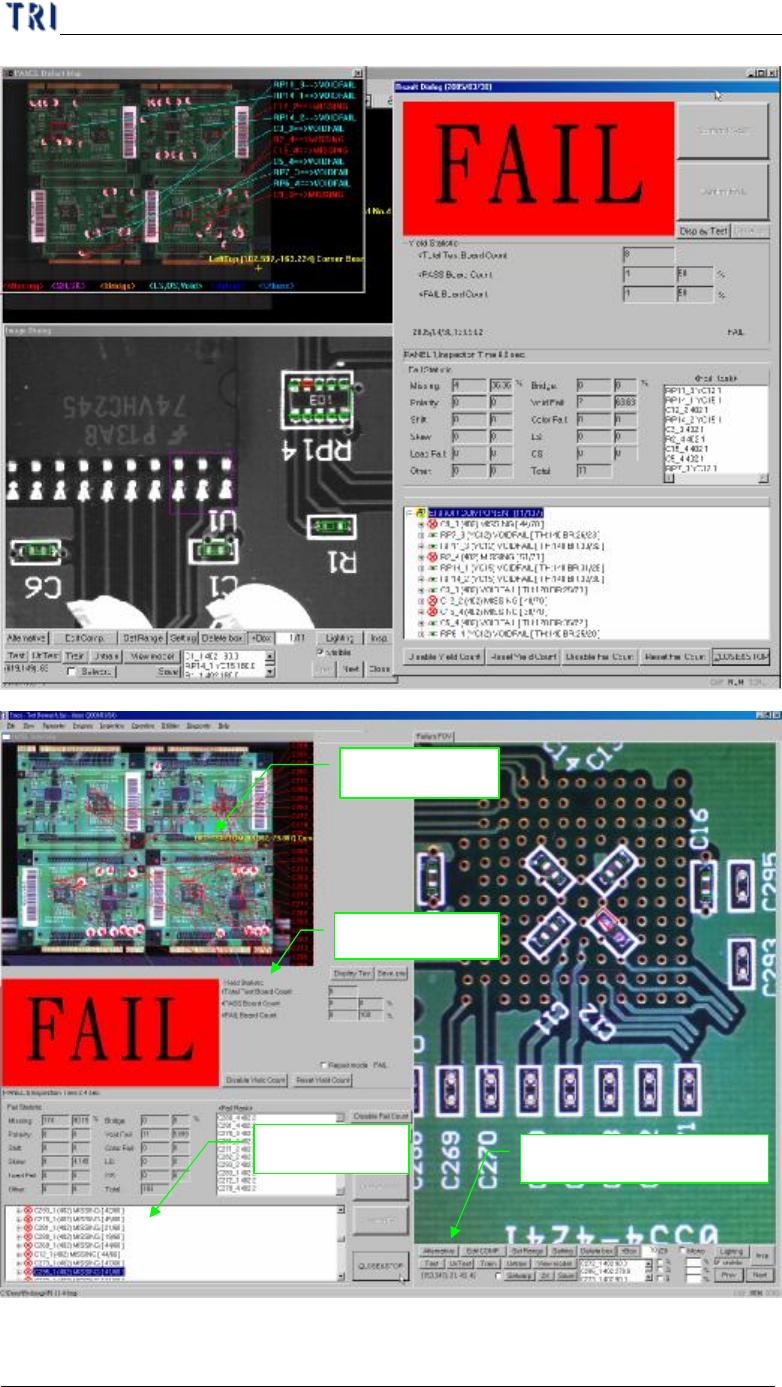
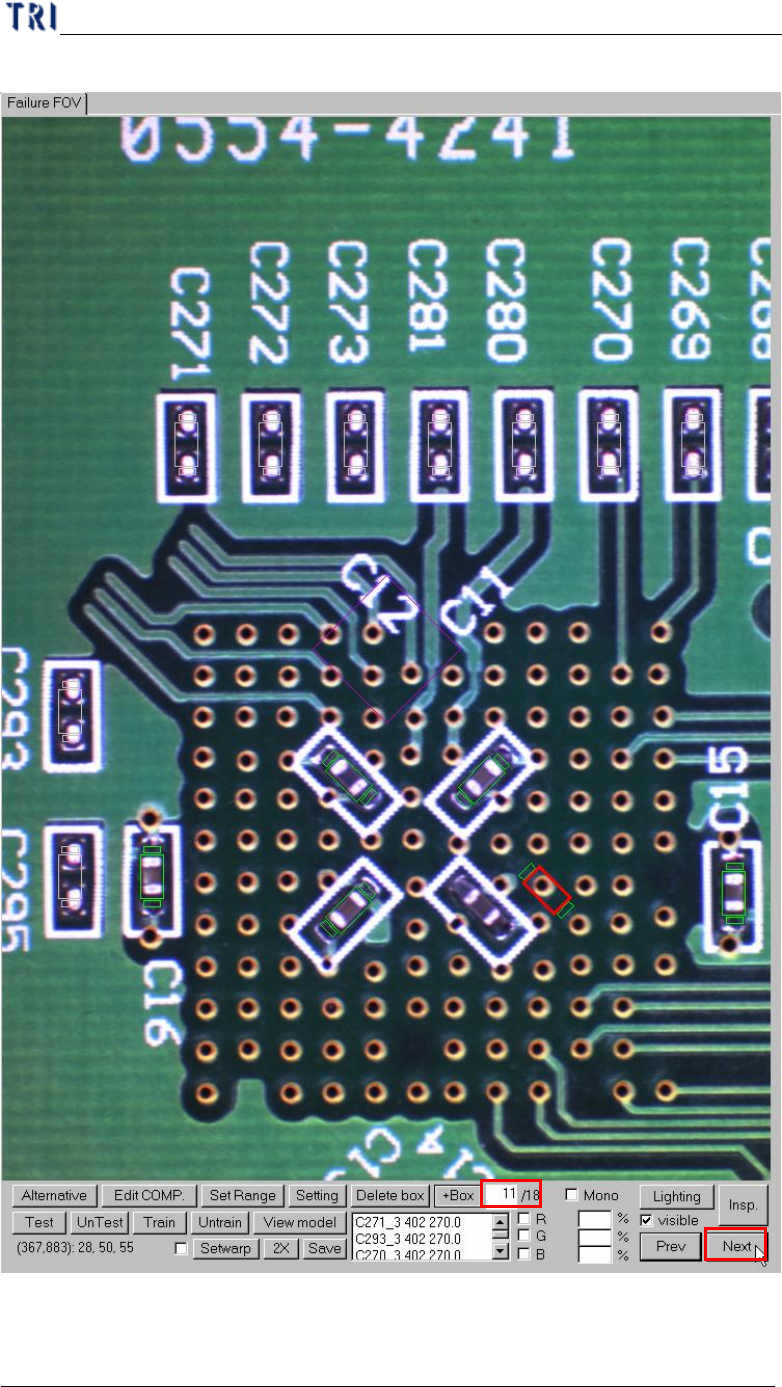
(3) You can press [Next] to review the failed images in sequence or input the number
Defect map
Defect tree
Result Dialog
Function of fine tuning
Chapter 1 AOI Standard Project Creation
TR7500 USER MANUAL
54
to see the specified image.
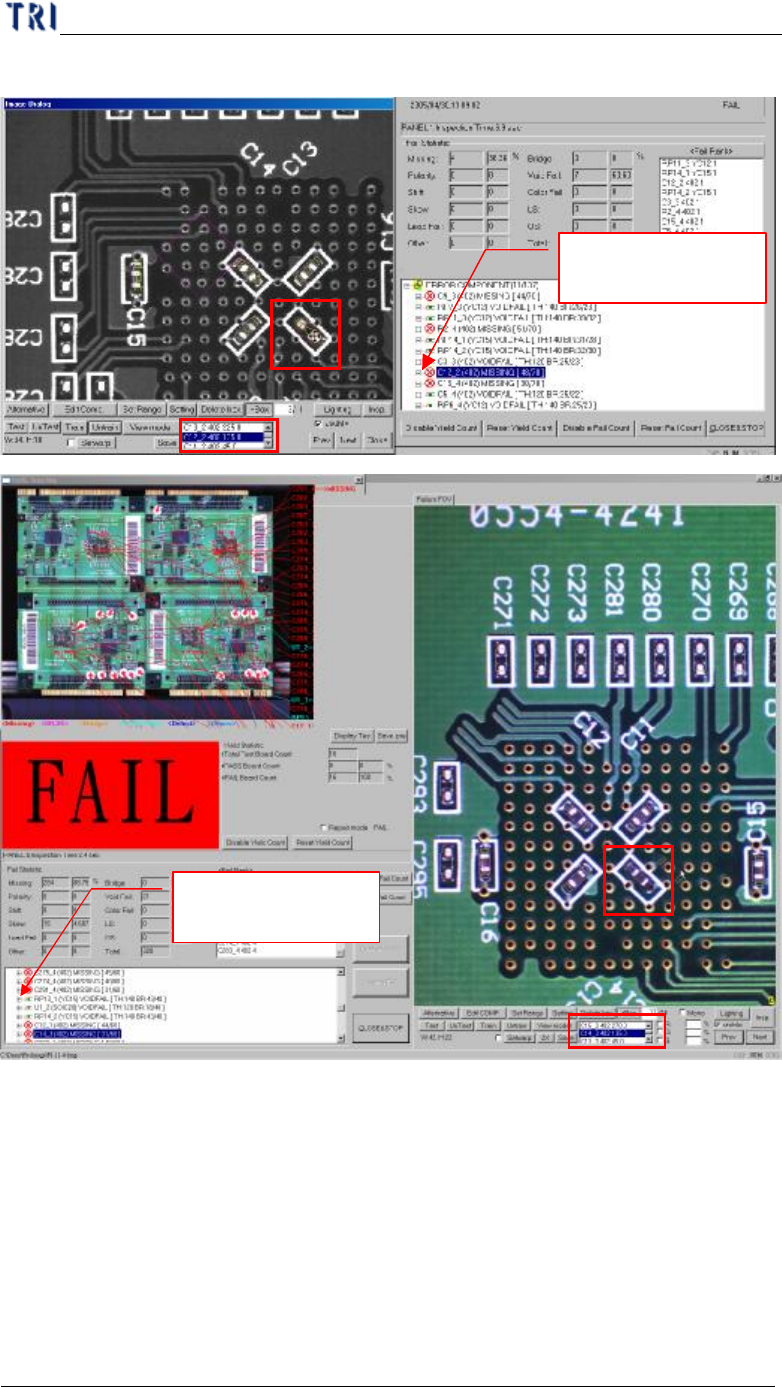
(4) When you click the failed component on image or in component list, the defect
tree will highlight the failed details of the component. You can confirm the failed
Chapter 1 AOI Standard Project Creation
TR7500 USER MANUAL
55
boxes here.
Press [+]
to display
the details
(5) You can use the function to do fine tuning.
Press [+] to display
the details