TR7500E_Manual_en_v28.pdf - 第198页
C h a p t e r 3 A O I A T P G F u n c t i o n i n s t r u c t i on T R 7500 U S E R M A N U AL 1 91 n o n -r e g u l a r a r e a f o r p a tt e r n s e a r c h . T h e r e i s a g r ee n f r a m e a p p e a r e d i f y o…
Chapter 3 AOI ATPG Function instruction
TR7500 USER MANUAL
190
l DY –The component Y coordinate on the center.
l Test – Select TRUE is enable inspection, FALSE is disable inspection.
l Camera – Select Top Camera view.
l Lighting – Select Light type.
l Method – Select the inspection windows for property change.
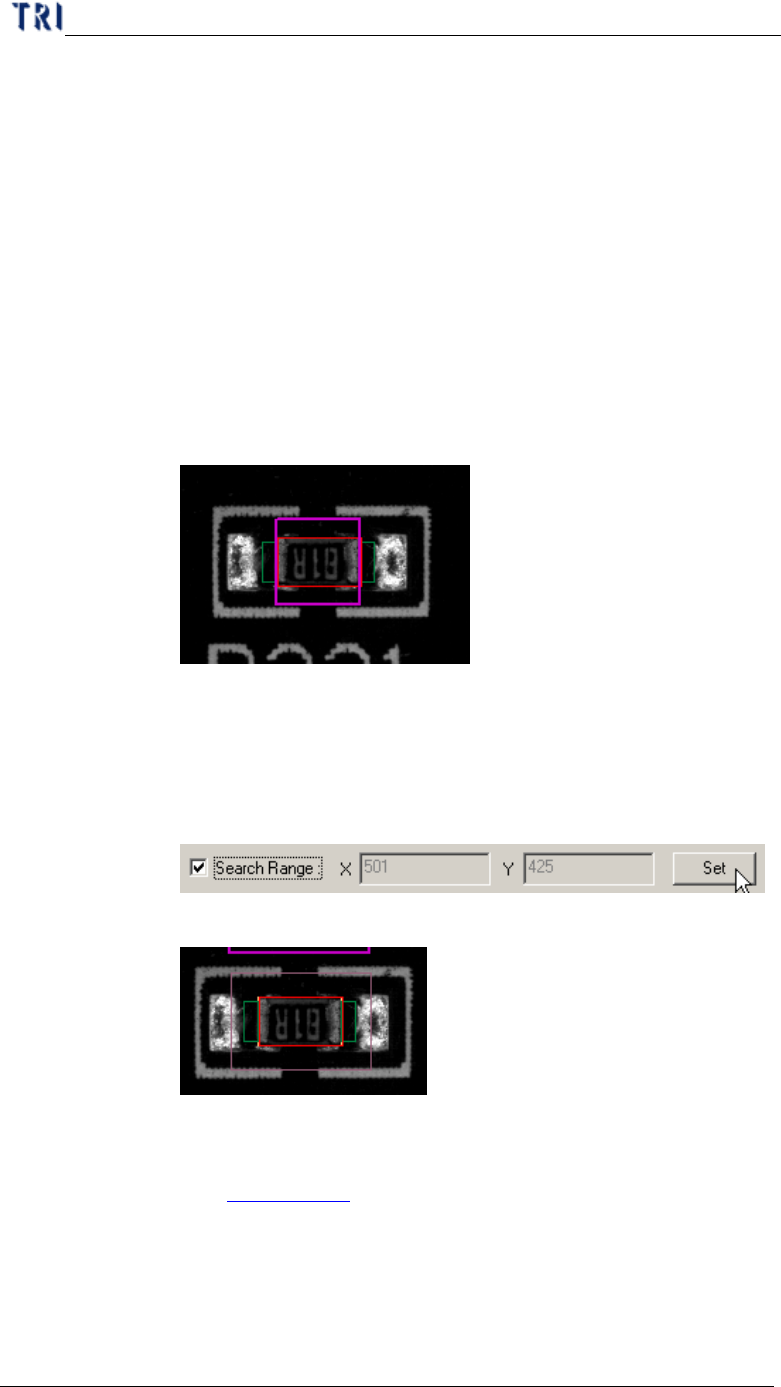
l Search Range – Select this item to set the search range for [Missing] or
[Lead] box manually. After you set, the later X and Y field display the range
(unit: um). The X and Y field are just for review and can’t be filled. If the
range is not set, the X and Y field display “0” and the system sets the range
automatically.
Step1. Open [Property] dialog and check [Search Range] then you can see a
thick line and purple frame on the painting area.
Step2. Click on the box that you want to set and then adjust the purple
frame to suit the search range. The search range can’t be smaller
than the inspection box.
Step3. Press [Set] then the setting is finished. The X and Y field display the
length and width of search range.
Step4. The search range displays by thin line and purple frame.
l Image Group – When the components with the same type but in different
groups, you have to set the image for different group. You can see more
about group in Chapter 3 2.
l ADD – Add image to component image library from missing or lead
inspection windows.
l Remove – Remove the select image to component image library.
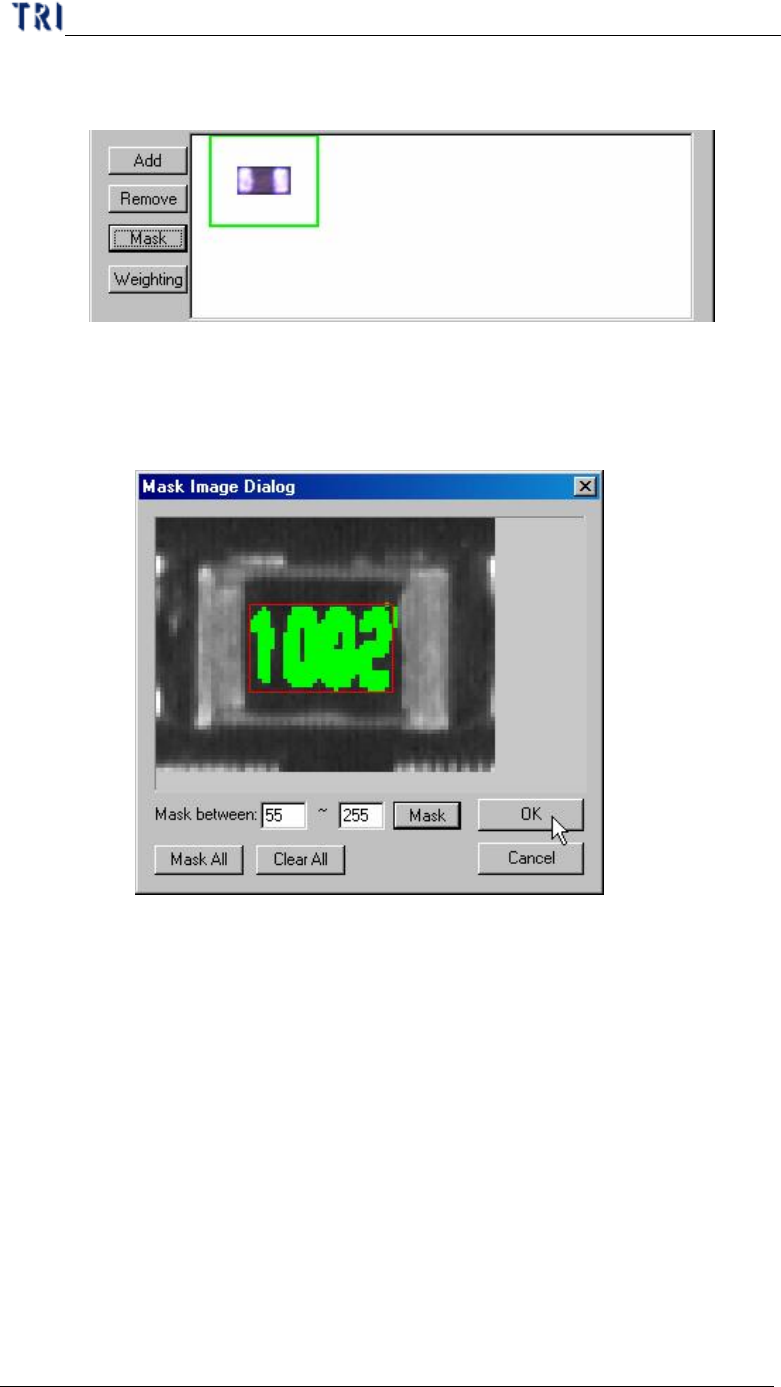
l Mask – Masking the component image with the non-inspection area or
Chapter 3 AOI ATPG Function instruction
TR7500 USER MANUAL
191
non-regular area for pattern search. There is a green frame appeared if you
set mask for the image.
n Mask between – Setting mark range gray level between 0~255 depend
on the character. The mask mode has good tolerance for pattern
searching.
n Mask All – Mask all area in the red window.
Chapter 3 AOI ATPG Function instruction
TR7500 USER MANUAL
192
n Clear All – Clear all mask setting.
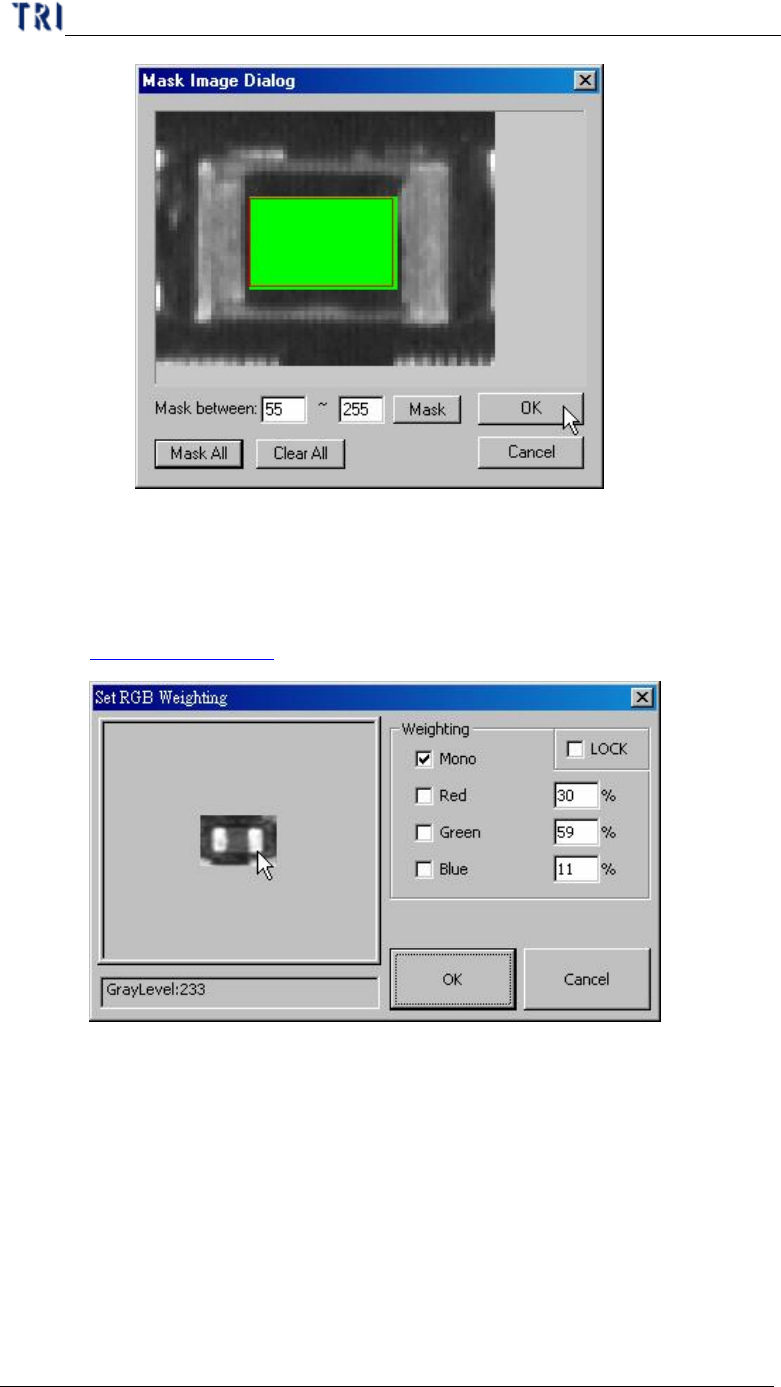
l Weighting – Set the weighting for the image that you select. The setting will
be used for all standard images of this type. See more about weighting in
Chapter 3 11.3.
10.7.3. PassLevel
l Setting pass level for selected box