TR7500E_Manual_en_v28.pdf - 第261页
C h a p t e r 4 T r a i n d i a l og f u n c t i on T R 7500 U S E R M A N U AL 2 54 S t e p 3. S e l ec t t h e c o p y r u l e . S t e p 4. S e l ec t t h e m a s k z o n e – S e t t h e a r ea y ou d on ’ t w a n t t …
Chapter 4 Train dialog function
TR7500 USER MANUAL
253
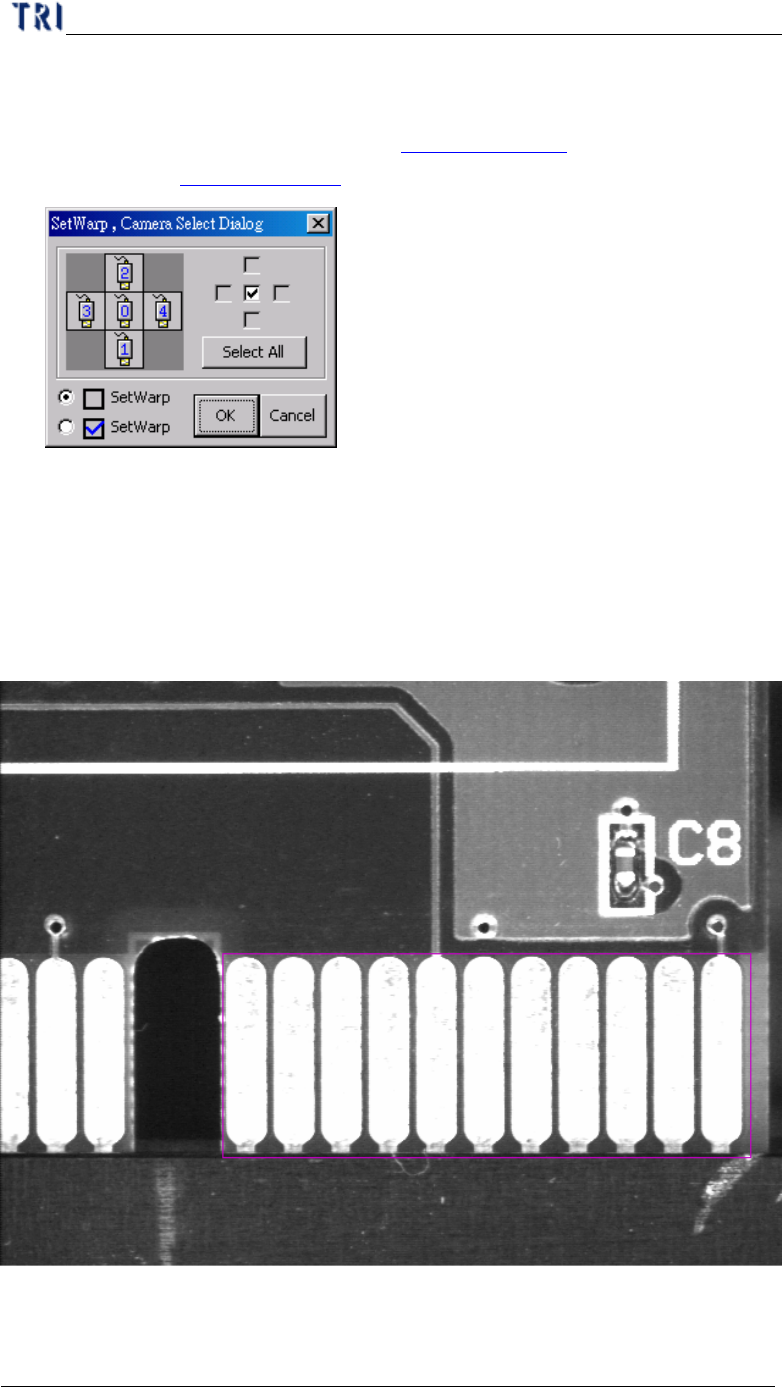
l The function is to change the algorithm for specified [Warp]. Press [Ctrl] and [W]
key under the FOV with [Warp] window, then the following window is appeared.
[Correlation] represents the Method 2 (Chapter 3 11.1.2. and [Feature] means
the Method 2 (Chapter 3 11.1.1. ).
6.5. ROI Setting
l ROI is an inspection box to inspect the scrape of surface.
6.5.1. Set ROI
l Setting Steps
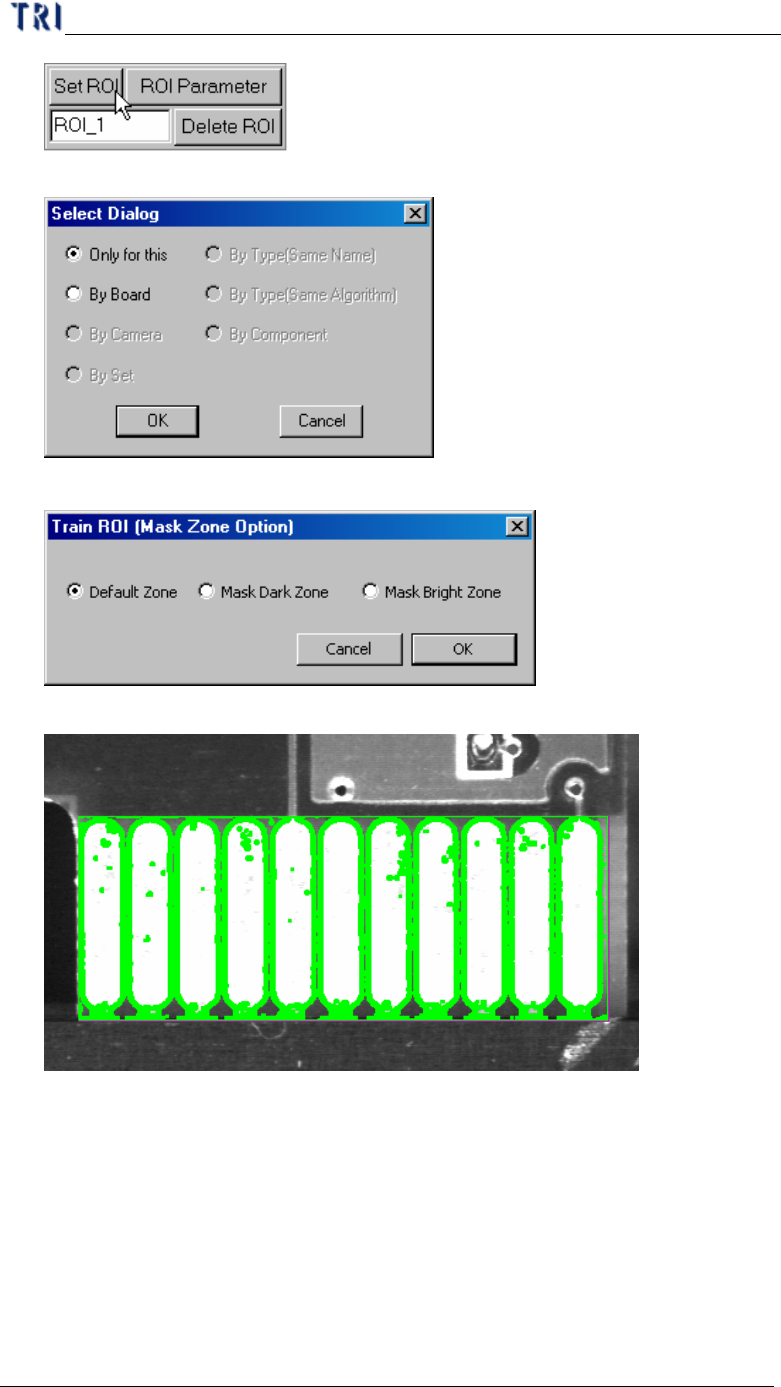
Step1. Use multi-function window to cover the area you want to inspect.
Step2. Input the name of ROI and press [Set ROI] to add an inspection box.
Chapter 4 Train dialog function
TR7500 USER MANUAL
254
Step3. Select the copy rule.
Step4. Select the mask zone – Set the area you don’t want to inspect.
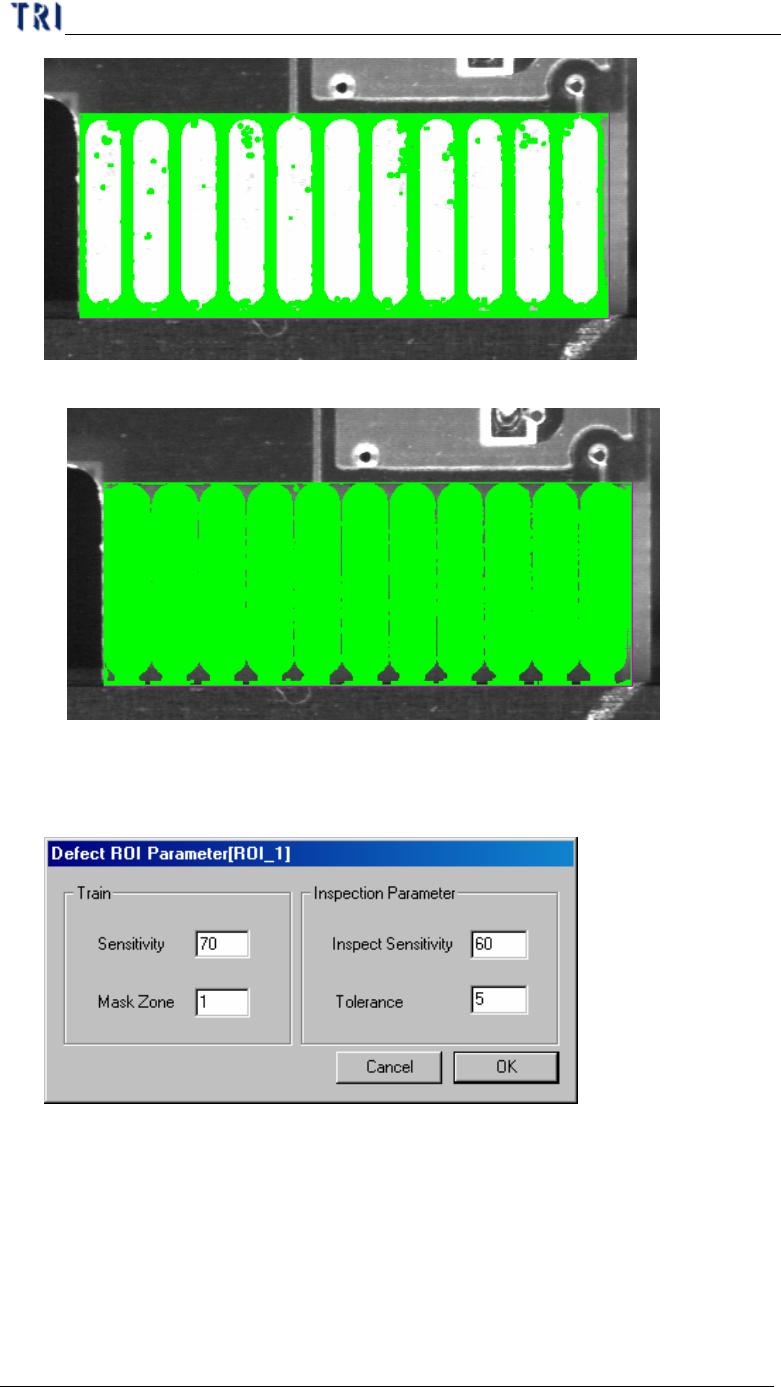
l Default Zone
l Mask Dark Zone
Chapter 4 Train dialog function
TR7500 USER MANUAL
255
l Mask Bright Zone
6.5.2. ROI parameter
l Set the ROI parameters
n Train –Set the parameter for training
u Sensitivity – Take 70 for example. If the difference of gray level
between neighbor pixels are larger than 30 (100-70) the two pixels will
be regarded as edges.
u Mask Zone – Take 1 for example. Beside the edge points the neighbor
1 pixel point is masked as untest.