TR7500E_Manual_en_v28.pdf - 第59页
C h a p t e r 1 AO I S t a nd a r d P r o j ec t Cr ea t i on T R 7500 U S E R M A N U AL 52 11 . F i ne Tun in g ( 1) C h o o s e [ I n s p ec t i o n / I n s p e c t F o v I m a g e s ] ( 2) T h e r e s u l t will b e …
Chapter 1 AOI Standard Project Creation
TR7500 USER MANUAL
51
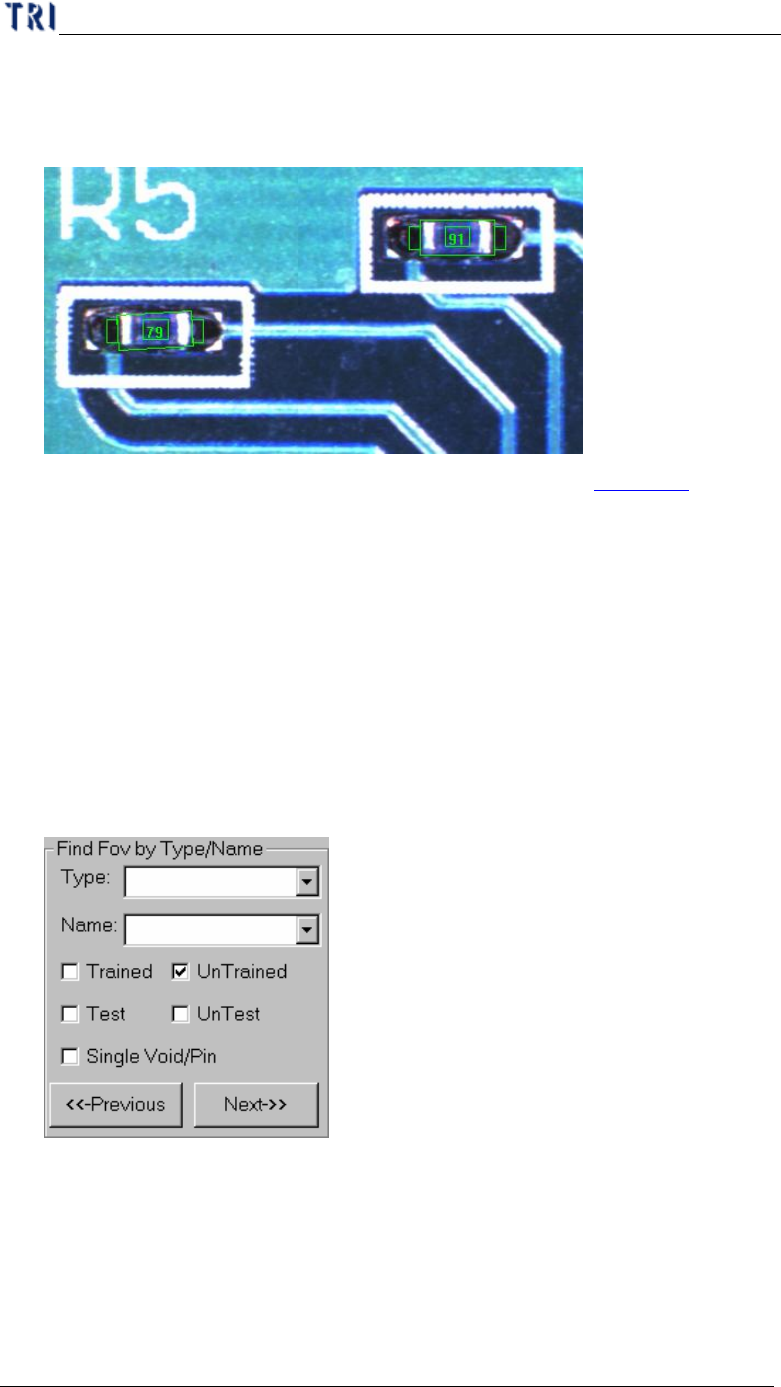
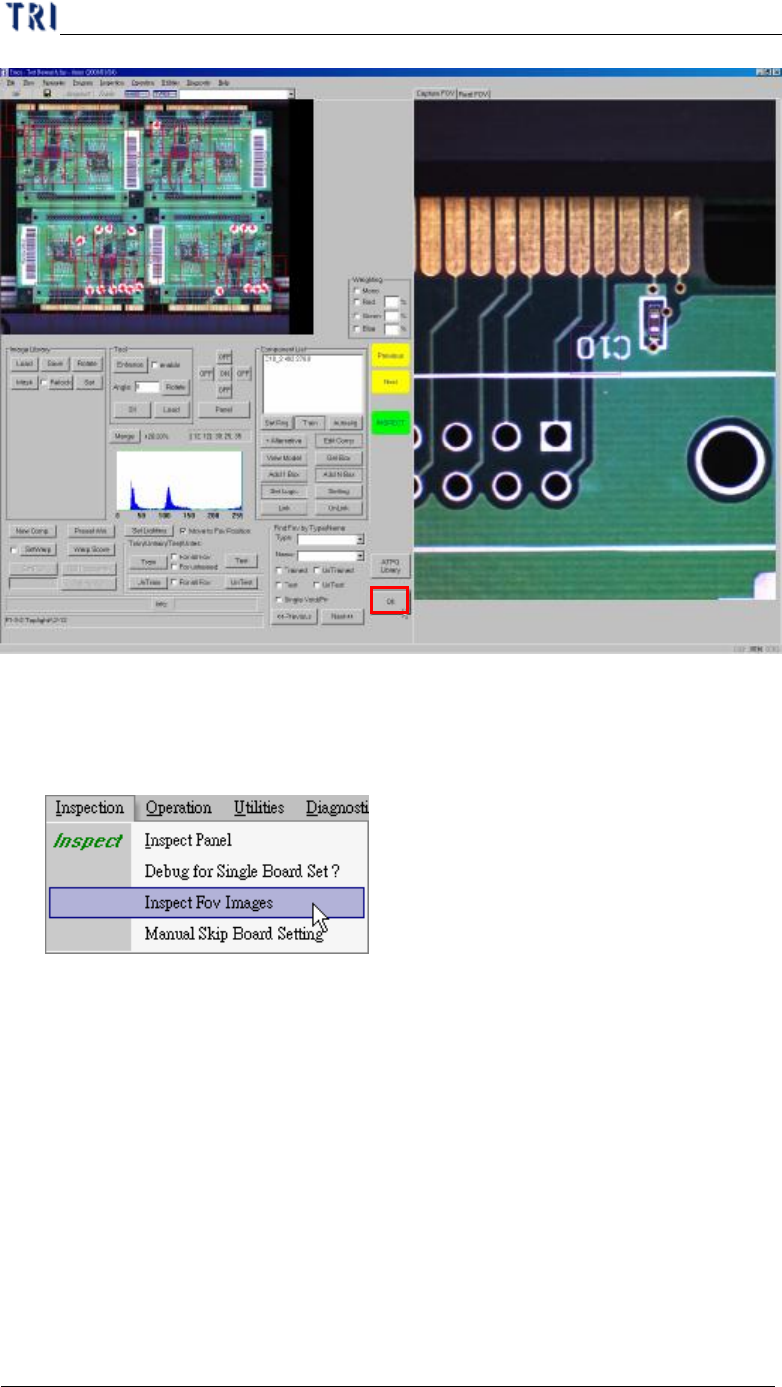
(2) Review the FOVs in sequence. You can press [INSPECT] to check the result of
inspection for every inspection boxes.
(3) You can do fine tuning if it’s necessary and the details are in Chapter 4 . The
function we use usually are the followings:
a. Train inspection box
b. Add alternative image
c. Adjust the size and position of inspection box
d. Set the search
e. Set pass level
f. Change the lighting of FOV
g. Add or Delete FOV
h. Set Warp
(4) You can find the untrained boxes to confirm the FOVs in the camera finally.
(5) After FOVs are all confirmed you can press [OK] to close the train dialog.
Chapter 1 AOI Standard Project Creation
TR7500 USER MANUAL
52
11. Fine Tuning
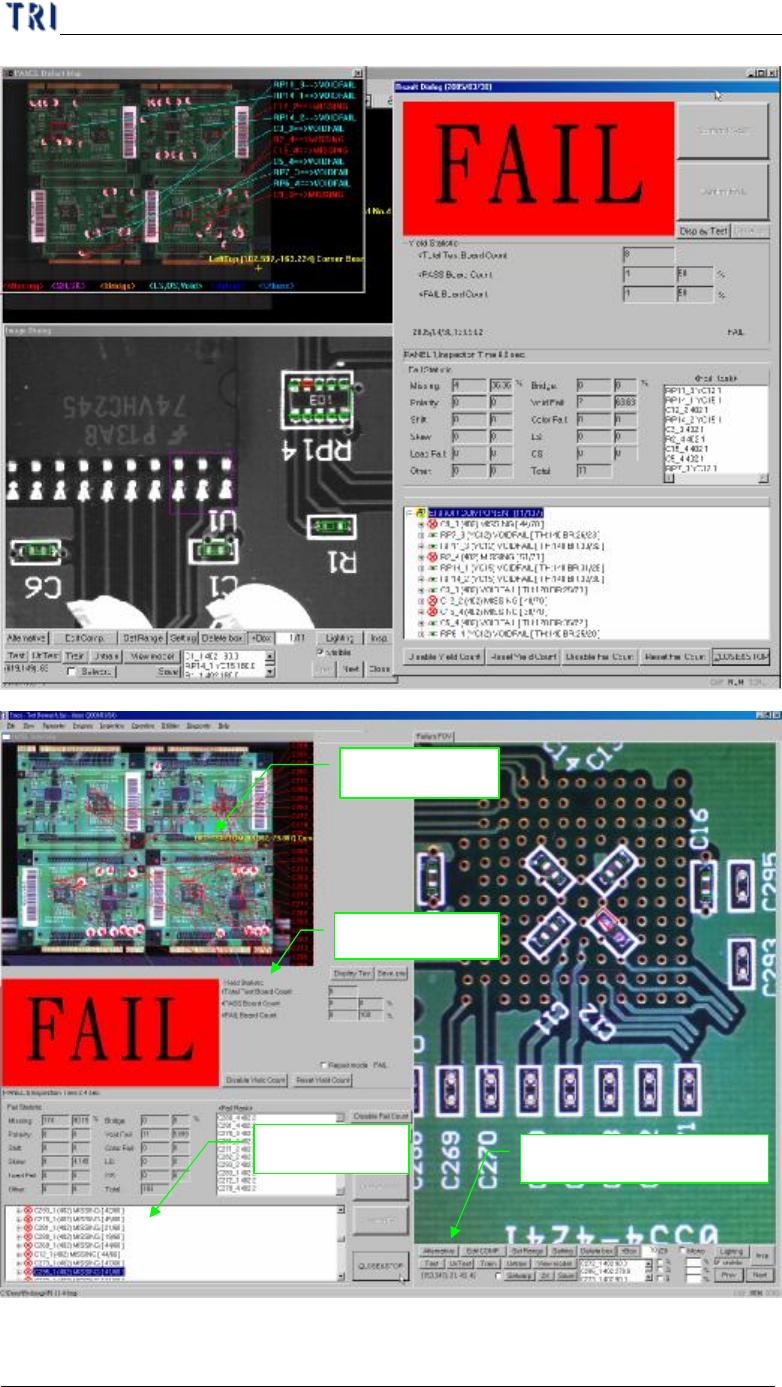
(1) Choose [Inspection/Inspect Fov Images]
(2) The result will be shown as followings.
Chapter 1 AOI Standard Project Creation
TR7500 USER MANUAL
53
(3) You can press [Next] to review the failed images in sequence or input the number
Defect map
Defect tree
Result Dialog
Function of fine tuning