TR7500E_Manual_en_v28.pdf - 第114页
C h a p t e r 2 M a nu a l B a r i n t r o d u ce T R 7500 U S E R M A N U AL 1 07 l S e t F i du c i a l 0 S e a r c h R a n g e – A d j u s t t h e g r e e n bo x t o m e e t t h e s ea r c h r a ng e t h a t y o u w a…
Chapter 2 Manual Bar introduce
TR7500 USER MANUAL
106
Chapter 2 Manual Bar introduce
TR7500 USER MANUAL
107
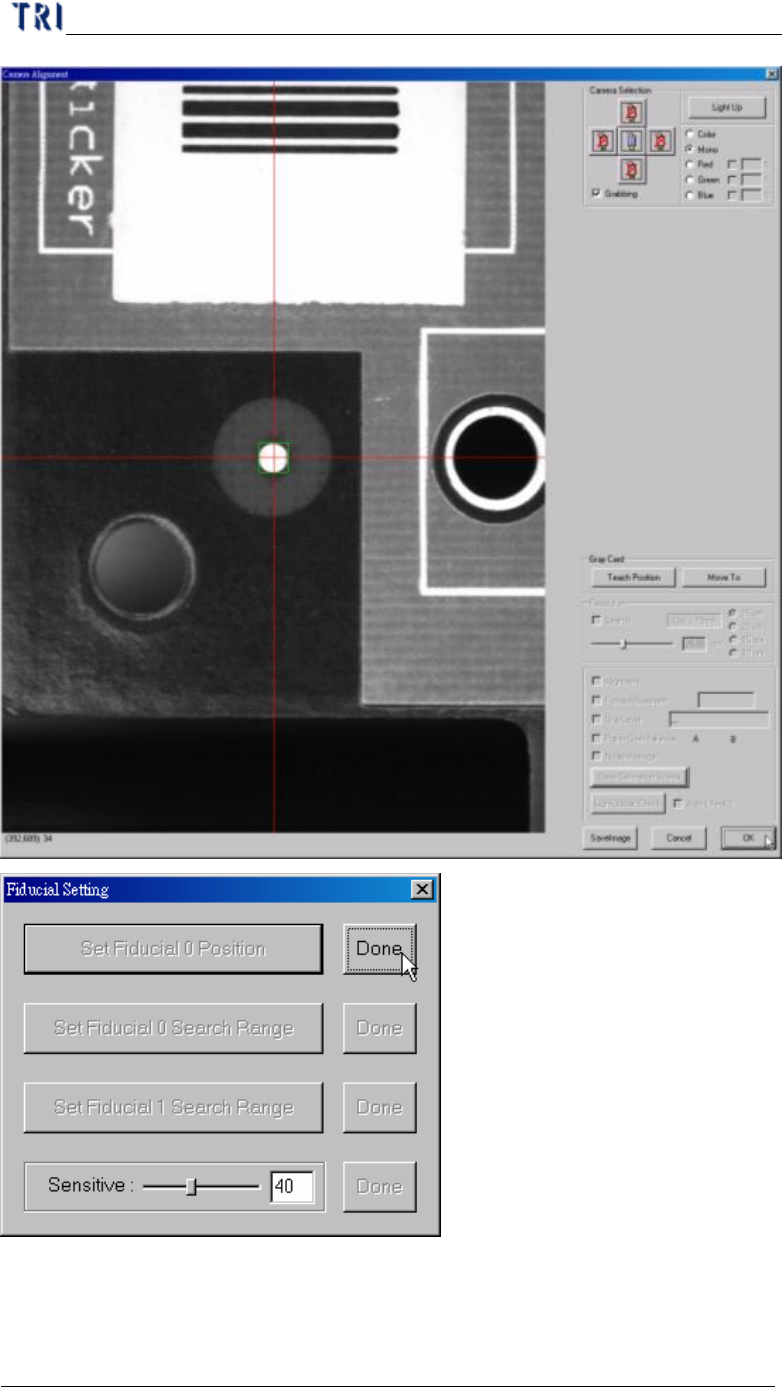
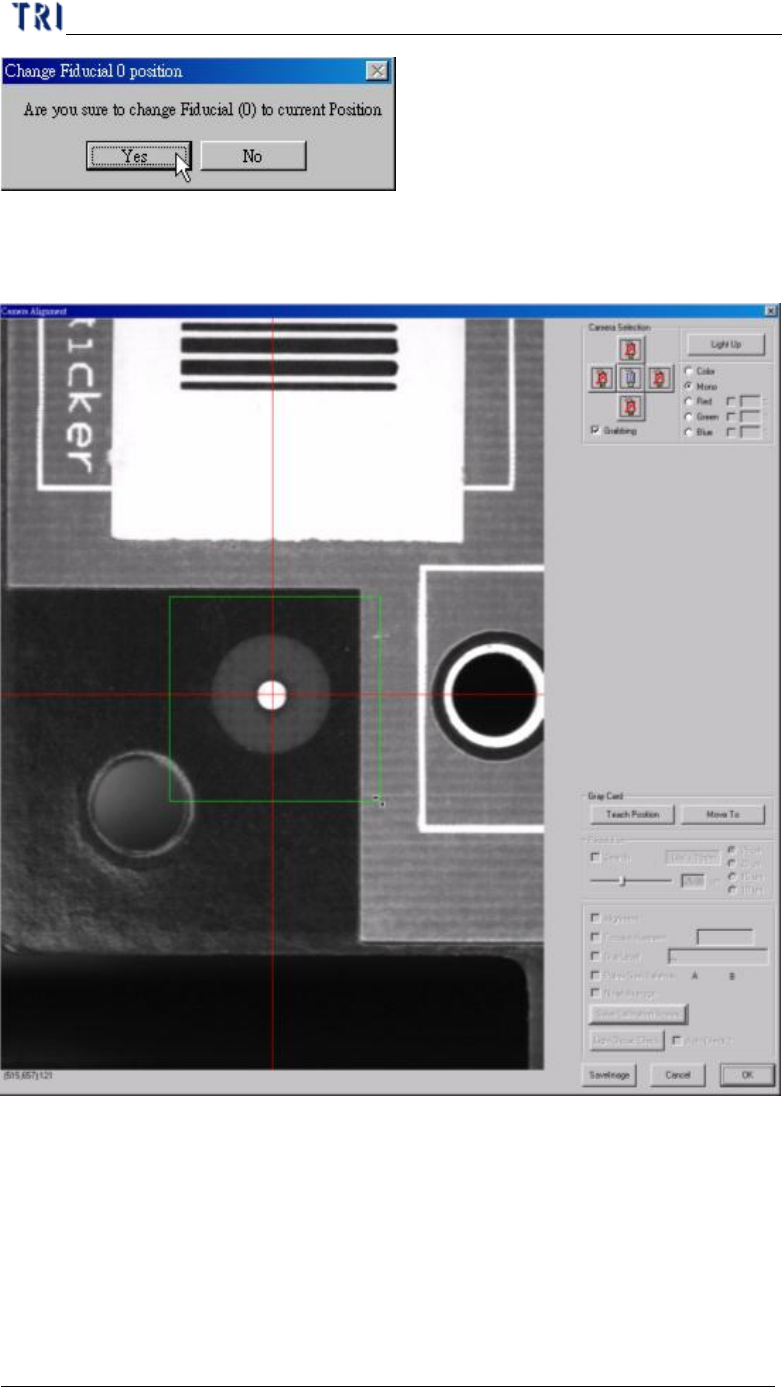
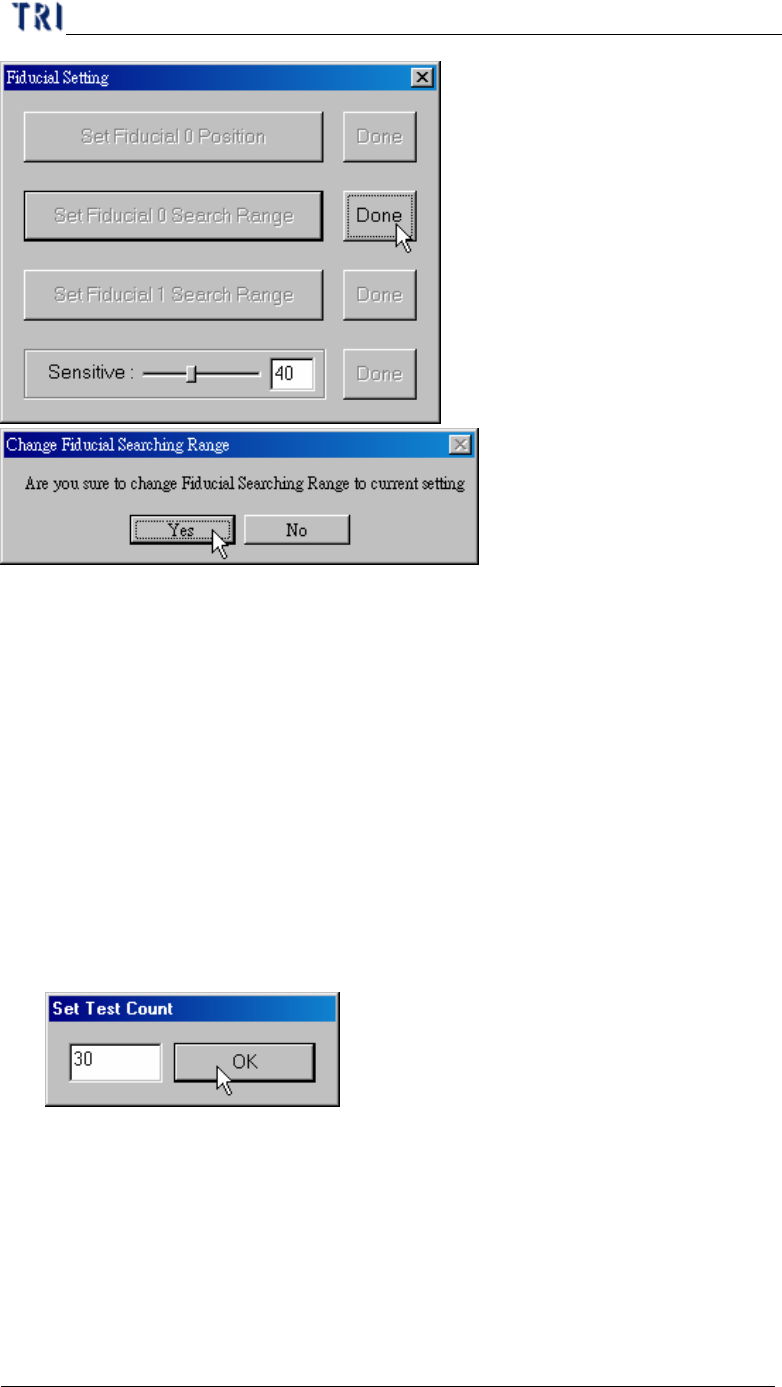
l Set Fiducial 0 Search Range – Adjust the green box to meet the search range that
you want to set then press [OK].
Chapter 2 Manual Bar introduce
TR7500 USER MANUAL
108
l Set Fiducial 1 Search Range – Adjust the green box to meet the search range that
you want to set then press [OK].
l Sensitive – Set the sensitivity of the fiducial mark. For example, the score is 40;
when an object in search range and the similarity is higher than 40, that object
will be regarded as the fiducial mark.
7.6. Reset X Y Table
l Press to move camera to original position.
7.7. Unload Panel
l Press the item to send the board to the board-out side.
7.8. Panel Standby Test
l Select to test the PCB without board out. You can select the test times.