TR7500E_Manual_en_v28.pdf - 第193页
C h a p t e r 3 A O I A T P G F u n c t i o n i n s t r u c t i on T R 7500 U S E R M A N U AL 1 86 l V i e w – D i s p l a y t h e i n s p ec t i o n b o x f o r t h e d e f ec t f o r m u l a. 1 0 . 7 . 1 . 2 Pr o c e …
Chapter 3 AOI ATPG Function instruction
TR7500 USER MANUAL
185
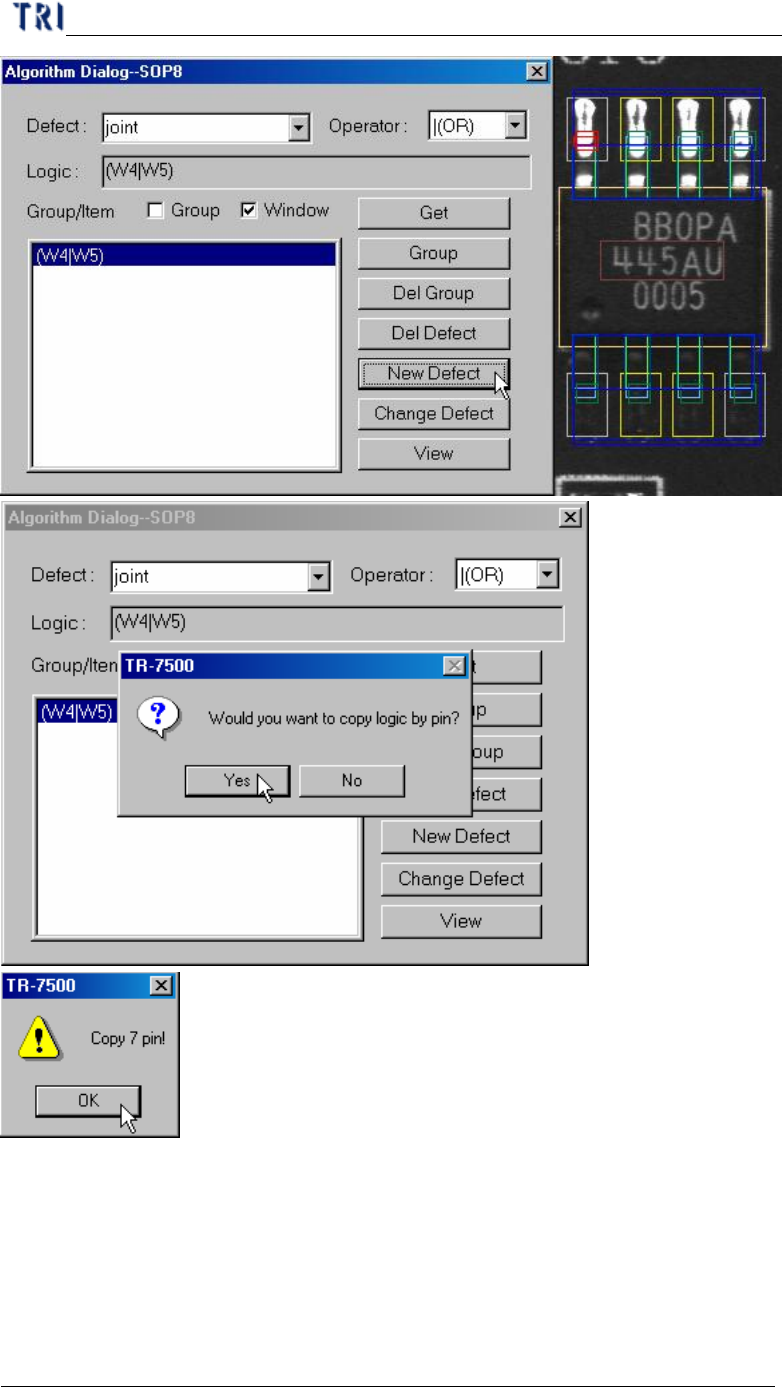
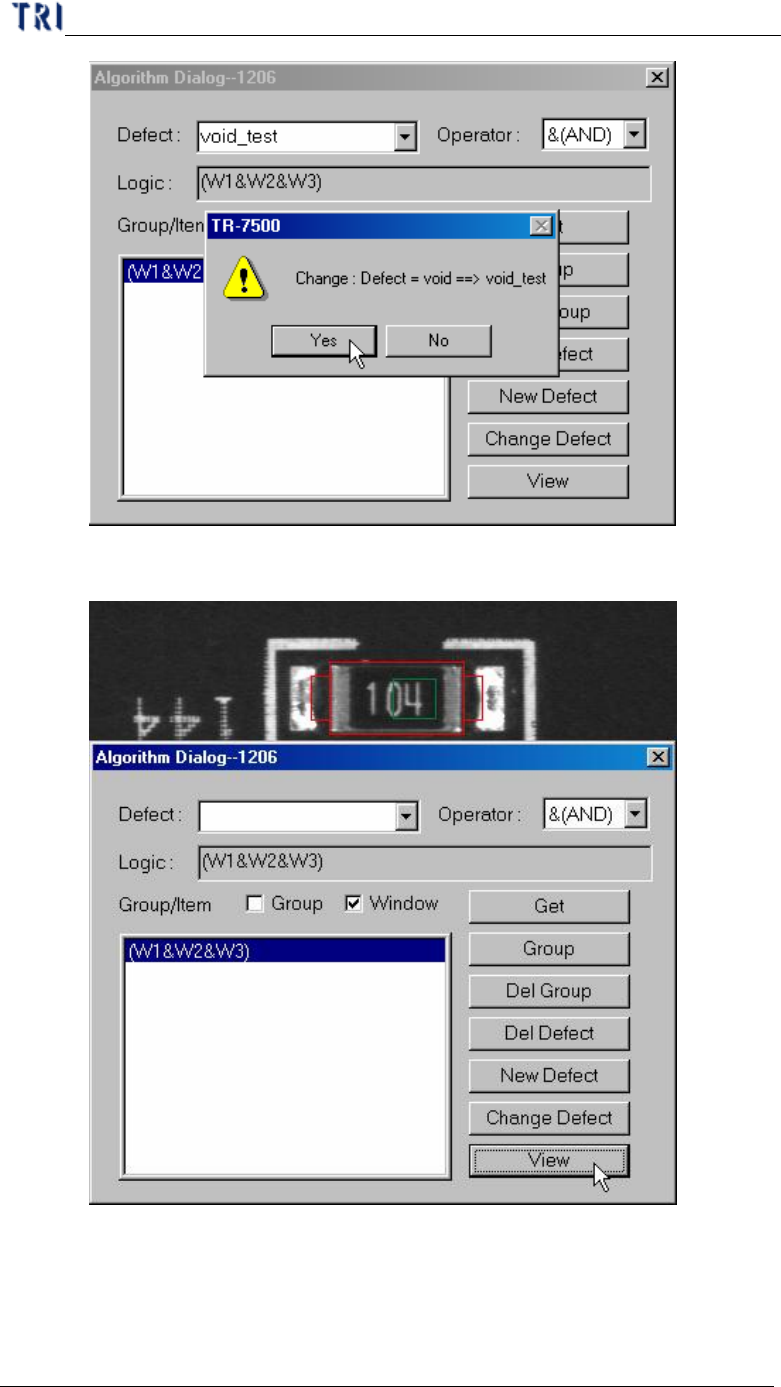
l Change Defect – Changes the defect formula name.
Chapter 3 AOI ATPG Function instruction
TR7500 USER MANUAL
186
l View – Display the inspection box for the defect formula.
10.7.1.2 Procedure of setting logic
Chapter 3 AOI ATPG Function instruction
TR7500 USER MANUAL
187
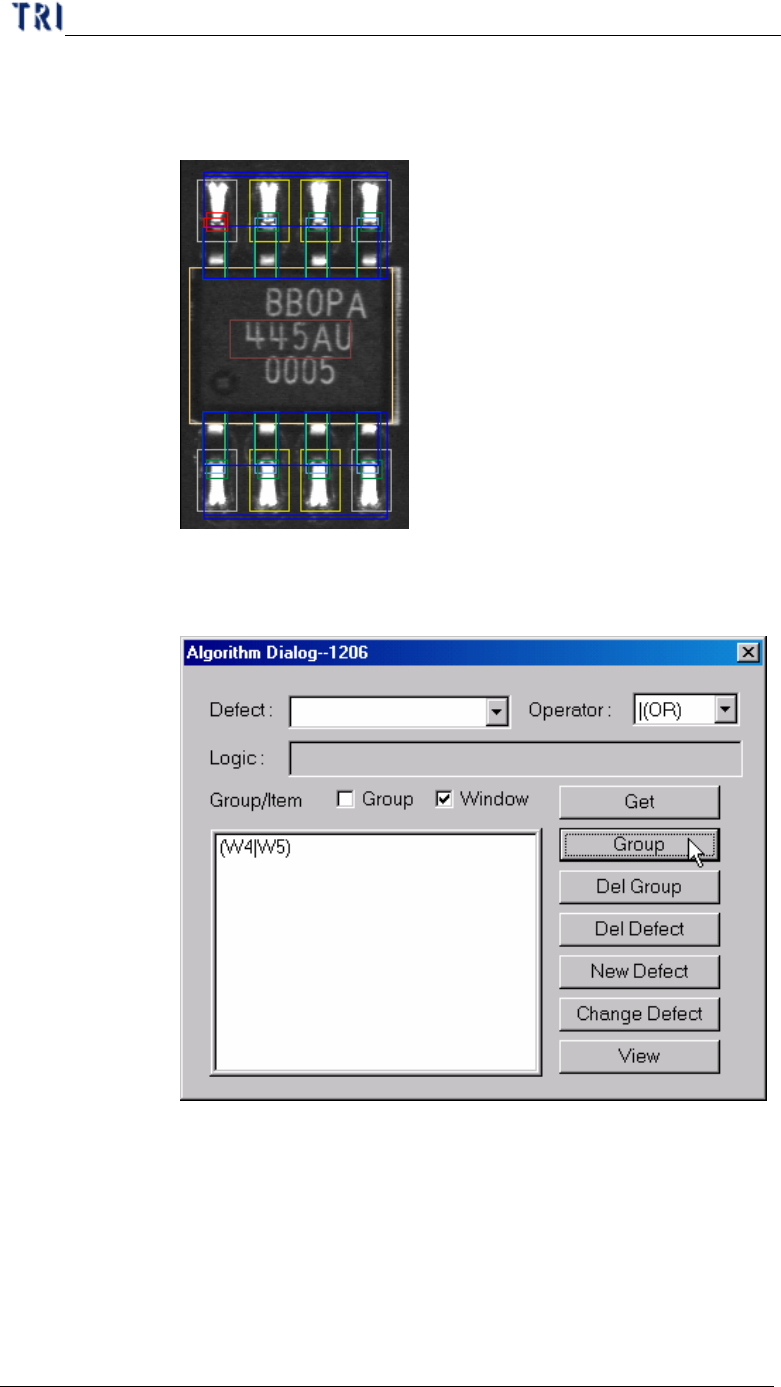
Step1. Select the inspection boxes that you want to set logic on. (You
may press [Ctrl] on keyboard and click on the boxes to select
them.)
Step2. After selecting an [Operator], checking [Window] and pressing
[Group], the inspection boxes will be composed by the specified
Operator and be listed on the window below.
Step3. Double click on the formula that is listed on the window and the
formula will be copied on [Logic] field.