TR7500E_Manual_en_v28.pdf - 第204页
C h a p t e r 3 A O I A T P G F u n c t i o n i n s t r u c t i on T R 7500 U S E R M A N U AL 1 97 10 . 8 . O t h e r s 10.8.1. L i n k l C h e c k li n k t o d i s p l a y t h e l i nk o f a c ti v e b o x wit h o t h …
Chapter 3 AOI ATPG Function instruction
TR7500 USER MANUAL
196
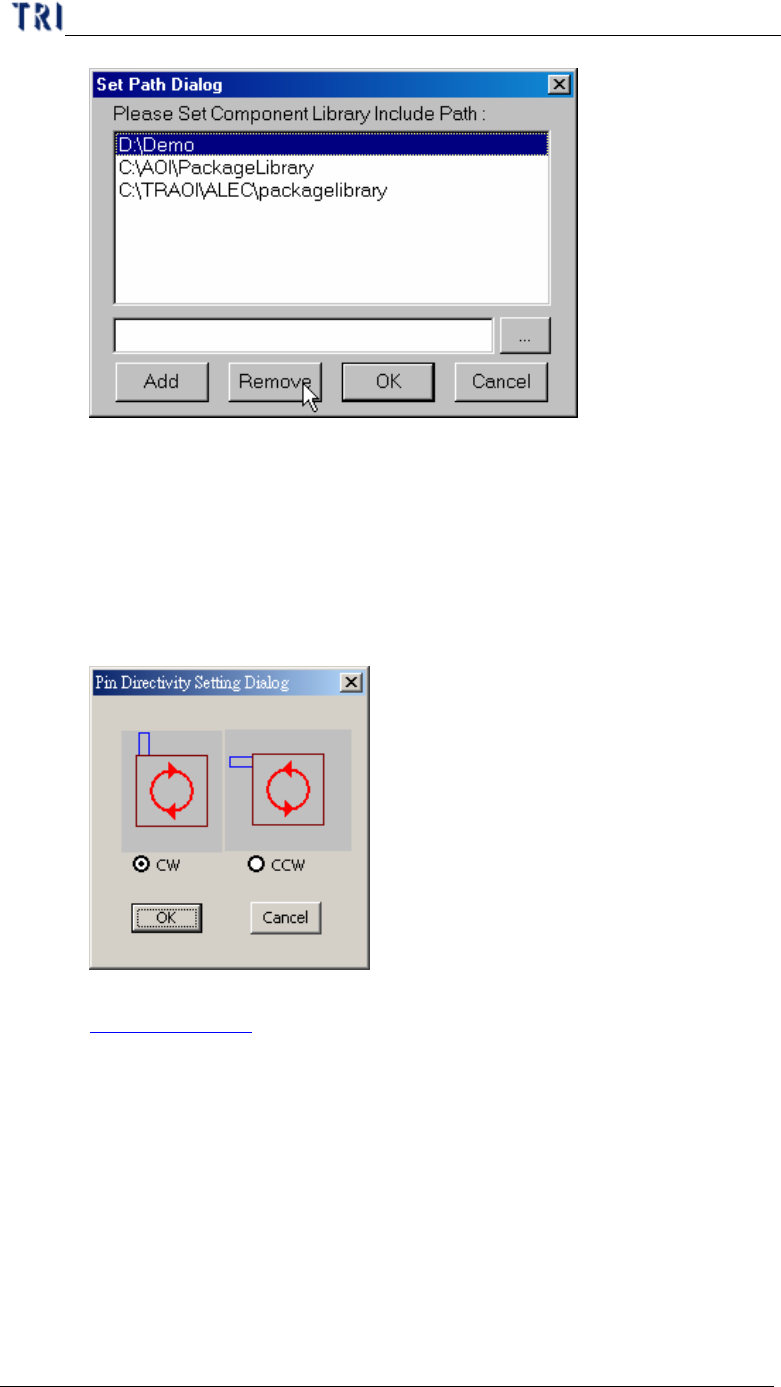
n OK – Save settings and close the dialog
n Cancel – Close the dialog and don’t save any change.
10.7.5. Pin Directivity
l The function is to define the rotated rule for the IC pins. You can select
clockwise or counterclockwise as shown below. If you don’t select, the
default is clockwise.
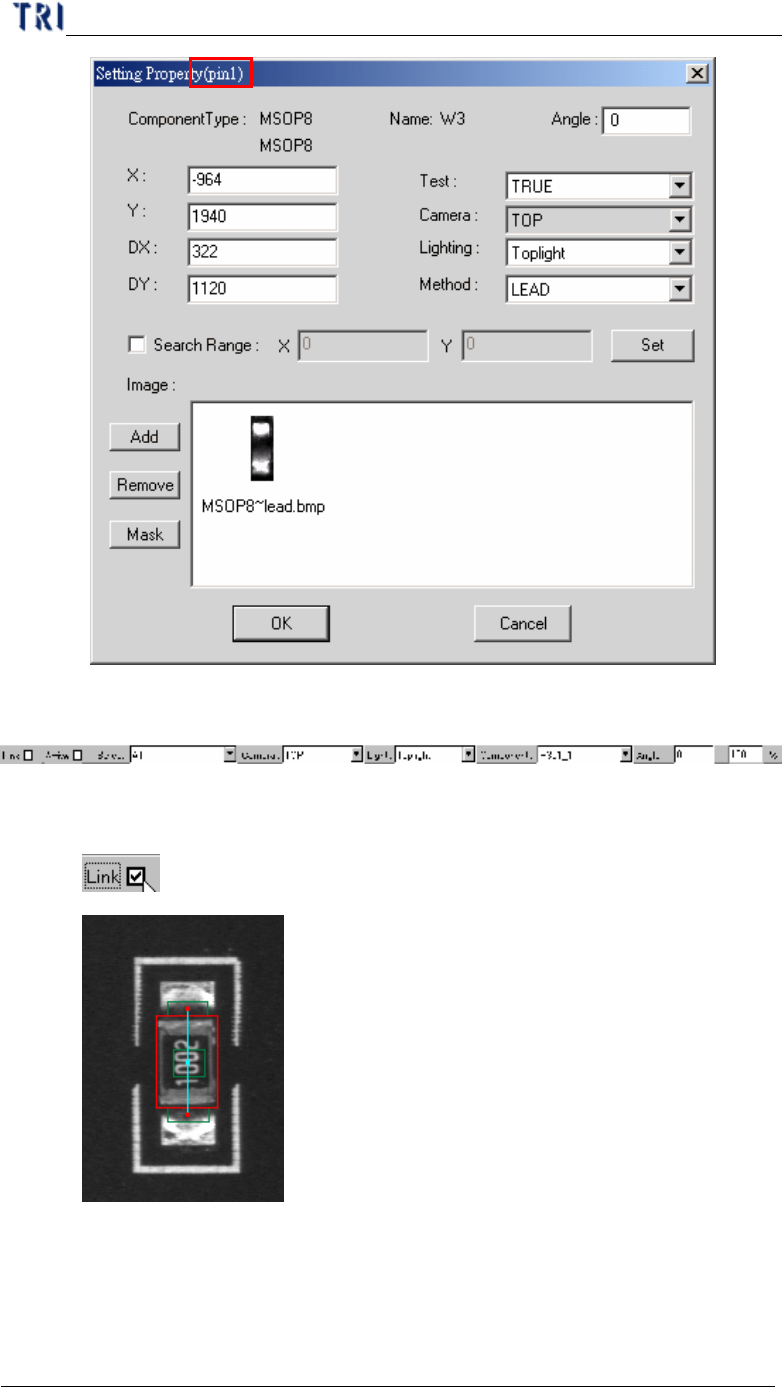
l And you can see the serial number of IC pin on [Property] dialog. (See
Chapter 3 10.7.2. )
Chapter 3 AOI ATPG Function instruction
TR7500 USER MANUAL
197
10.8. Others
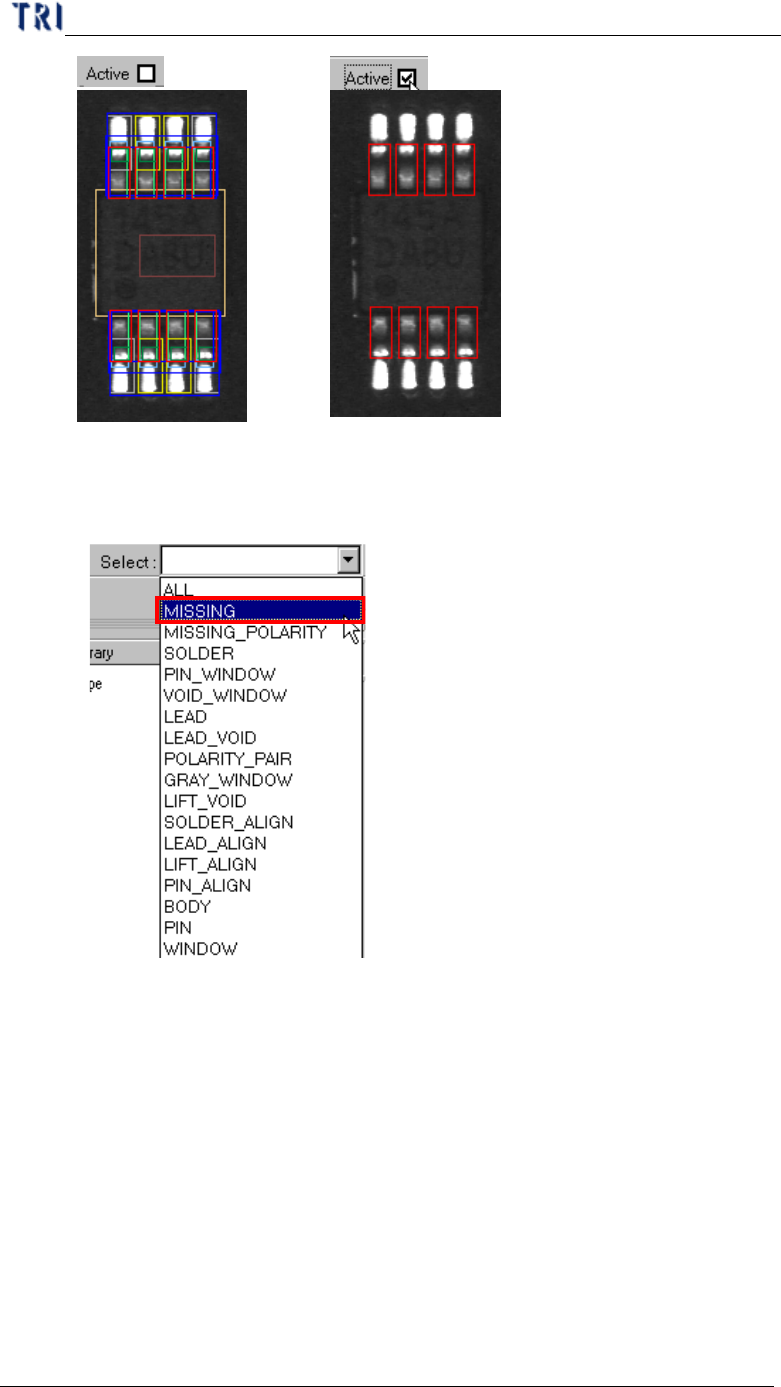
10.8.1. Link
l Check link to display the link of active box with other boxes.
10.8.2. Active
l Check active to show the active window only.
Chapter 3 AOI ATPG Function instruction
TR7500 USER MANUAL
198
10.8.3. Select
l You can choose a specific kind of windows to be selected.