TR7500E_Manual_en_v28.pdf - 第217页
C h a p t e r 3 A O I A T P G F u n c t i o n i n s t r u c t i on T R 7500 U S E R M A N U AL 2 10 l T o c h ec k m i s s i n g , s h i f t a n d b e n d i ng o f I C l e a d . U s e i m a g e c o rr e l a t i o n m e t…
Chapter 3 AOI ATPG Function instruction
TR7500 USER MANUAL
209
11.1.3. Method 3– Projection Profile Matching
l After projecting the gray level to the X and Y axis, system takes the projections
as the feature to inspecting. [Align] is inspecting with this algorithm.
11.2. Principle and Setting
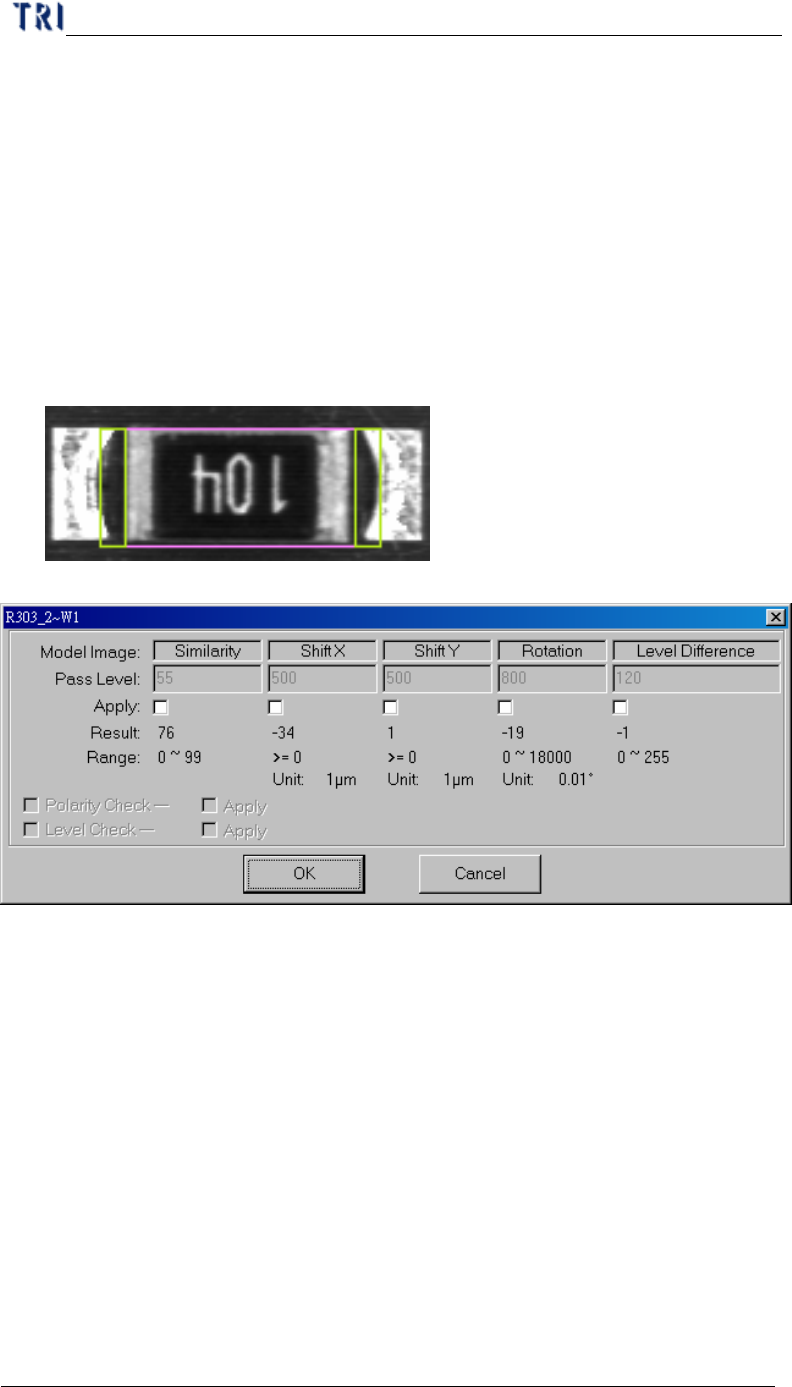
11.2.1. Model image (Missing/Missing Polarity)
l To check the missing, shift, tombstone and polarity of components. Use Pattern
Match Method (Method 1); grab a good image model for sample. Compare with
test component to Find the defect
l Pass level setting
n Similarity – The similarity between standard image and inspected image.
n Shift X – The tolerance of shift on x direction.
n Shift Y – The tolerance of shift on y direction.
n Rotation – The tolerance of rotate angle
n Level difference – System will save the gray level average of 10x10 pixel
area at the center of box for inspecting. For example, if the trained value is
100 and the level difference tolerance is 35. It means the system will show
fail when the result is over 135 or less than 65.
n Polarity Check – If the component rotates 180 degrees will be judged as a
defect.
n Level Check – Select to open the [Level Difference] function.
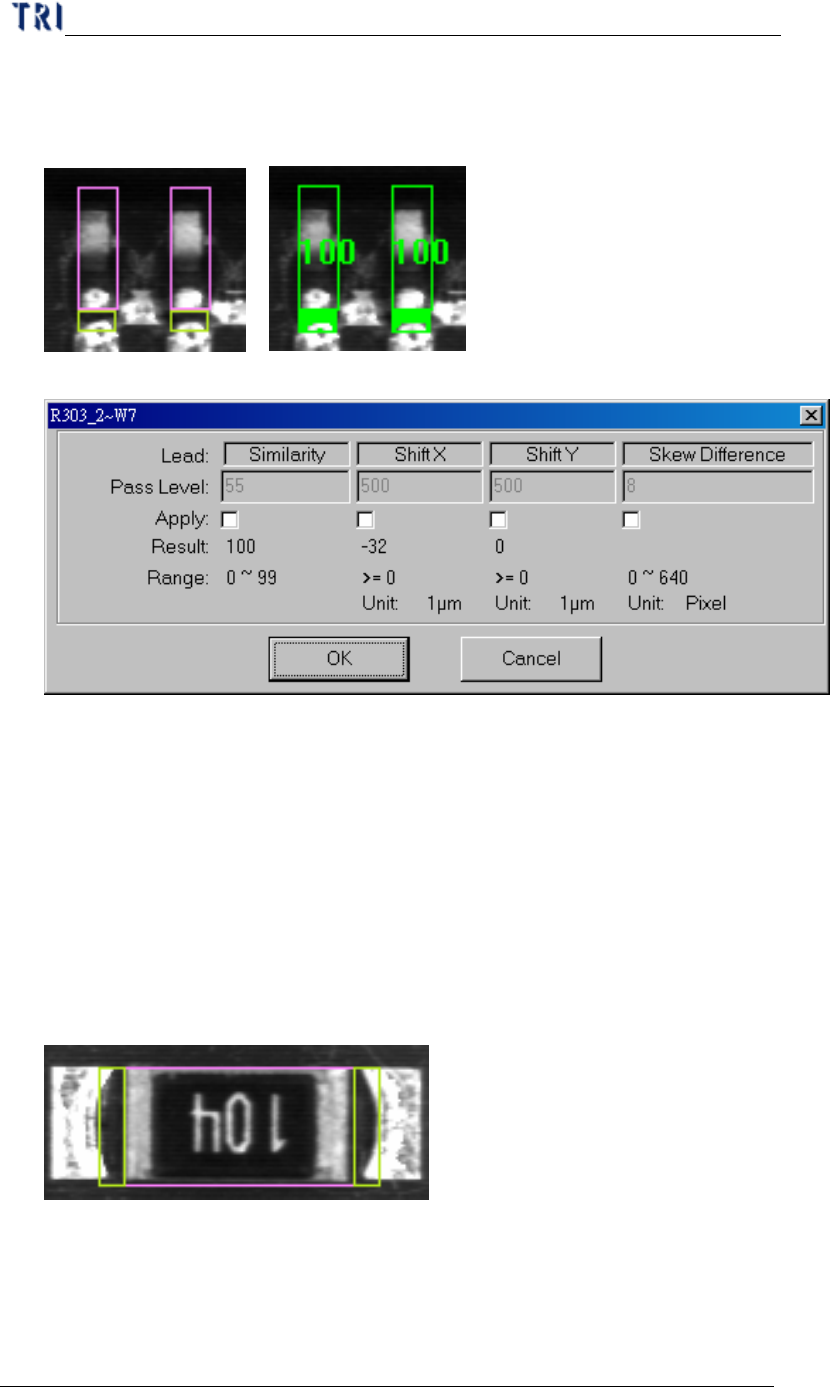
11.2.2. Lead
Chapter 3 AOI ATPG Function instruction
TR7500 USER MANUAL
210
l To check missing, shift and bending of IC lead. Use image correlation method
(Method2); grab a good image model for sample. Compare with test lead to find
the defect.
l Pass level setting
n Similarity – The similarity between standard image and inspected image.
n Shift X – The tolerance of shift on x direction.
n Shift Y – The tolerance of shift on y direction.
n Skew Difference – The tolerance of position difference between the
neighbor boxes.
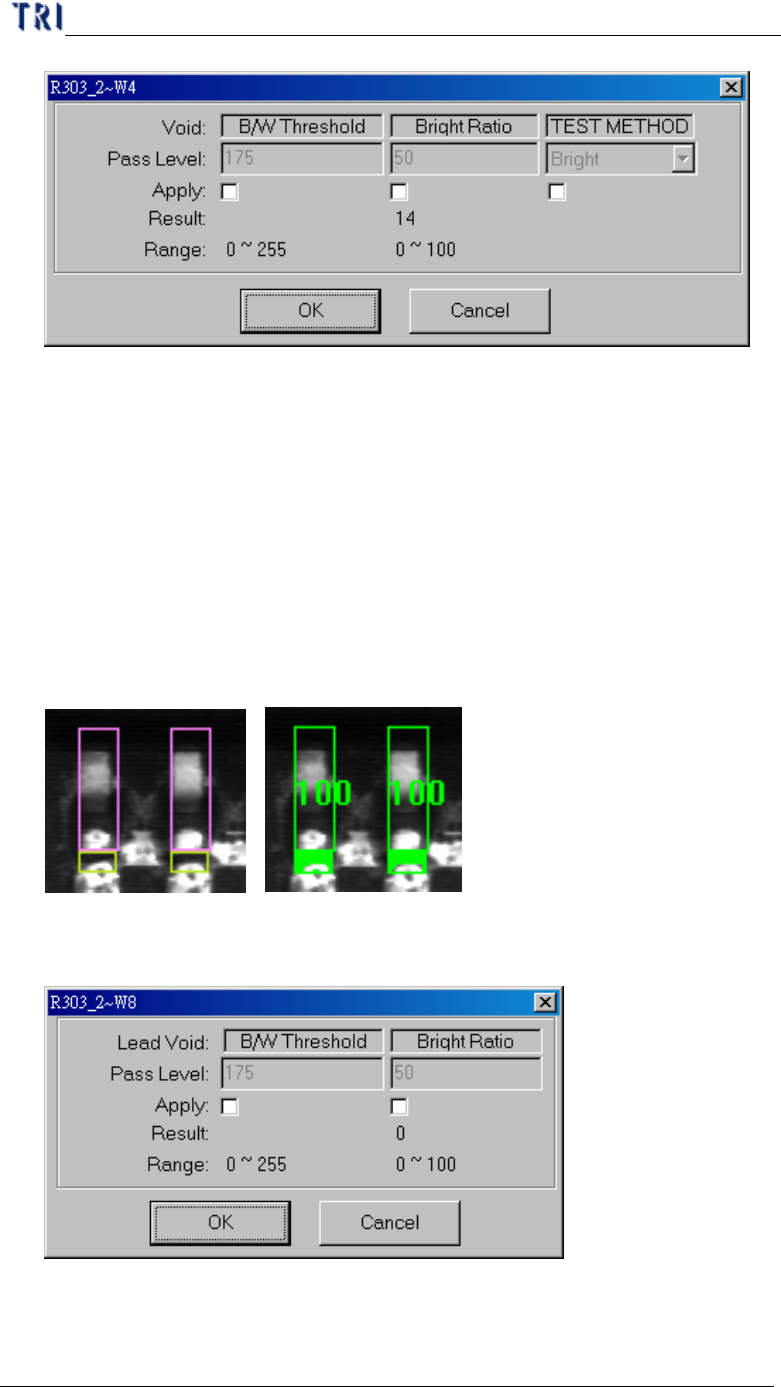
11.2.3. Void
l To check no solder, open, polarity of components. According to set Threshold
and Bright Ratio to find the defect. Bright (Dark) is a method to find the
darkness (brightness).
l Pass level setting
Chapter 3 AOI ATPG Function instruction
TR7500 USER MANUAL
211
n B/W Threshold – Set the threshold to judge the black and white.
n Bright Ratio –It means the tolerance of white ratio.
n TEST Method
u Bright – If the white ratio over the tolerance, the inspection box will be
regarded as failed.
u Dark –If the white ratio is lower than the tolerance, the inspection box
will be regarded as failed.
11.2.4. Lead void
l To check no solder or open of IC lead. Algorithm is as same as void window.
Difference is not calculating the bright area as denominator when trains lead void.
l Pass level setting
n B/W Threshold – Set the threshold to judge the black and white.
n Bright Ratio – It means the tolerance of white ratio.