TR7500E_Manual_en_v28.pdf - 第56页
C h a p t e r 1 AO I S t a nd a r d P r o j ec t Cr ea t i on T R 7500 U S E R M A N U AL 49 ( 2) W a r n i ng m e s s a g e wi n d o w s f o r c l o s e t h e c u r r e n t d i s p l a y w i n d o w s . ( 3) W h e n t h…
Chapter 1 AOI Standard Project Creation
TR7500 USER MANUAL
48
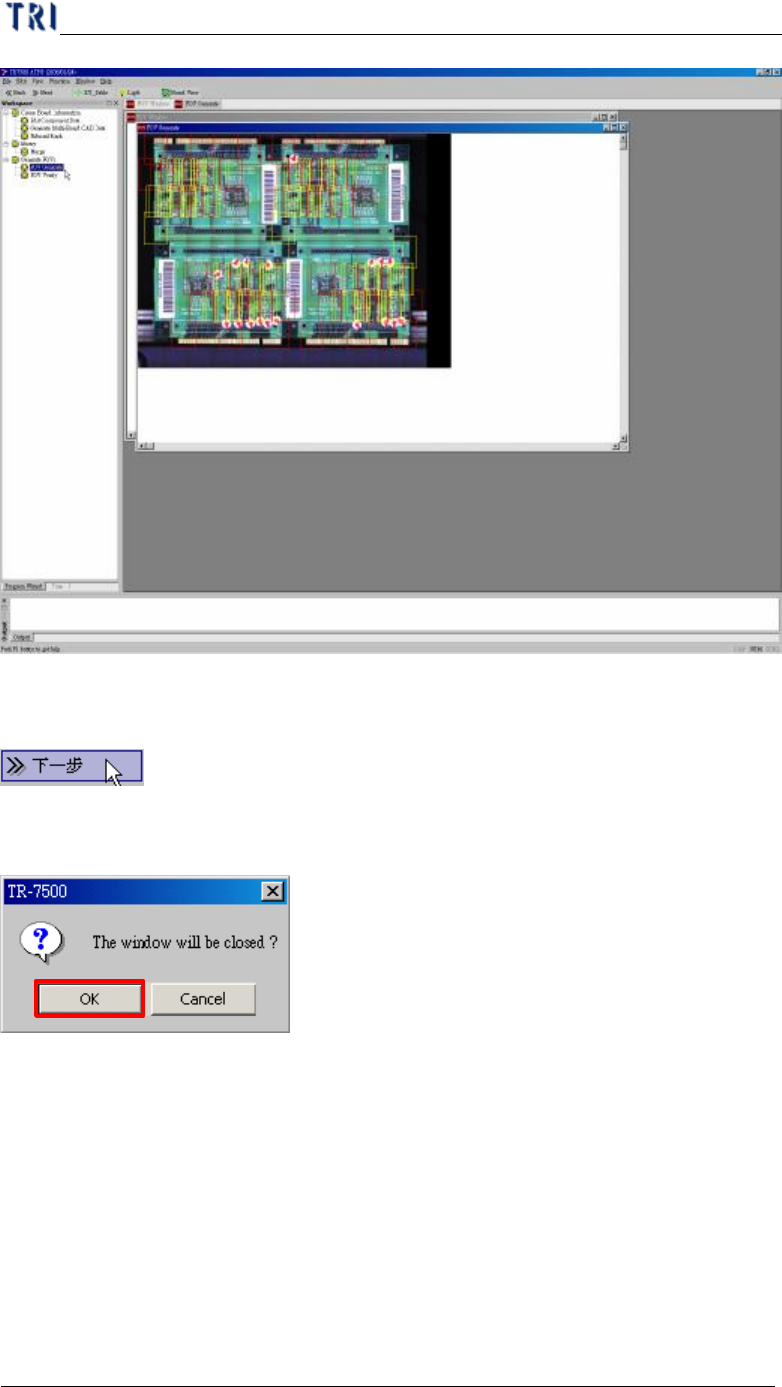
(8) Go to next step.
(9) Warning message for close the windows.
9. FOV Verify
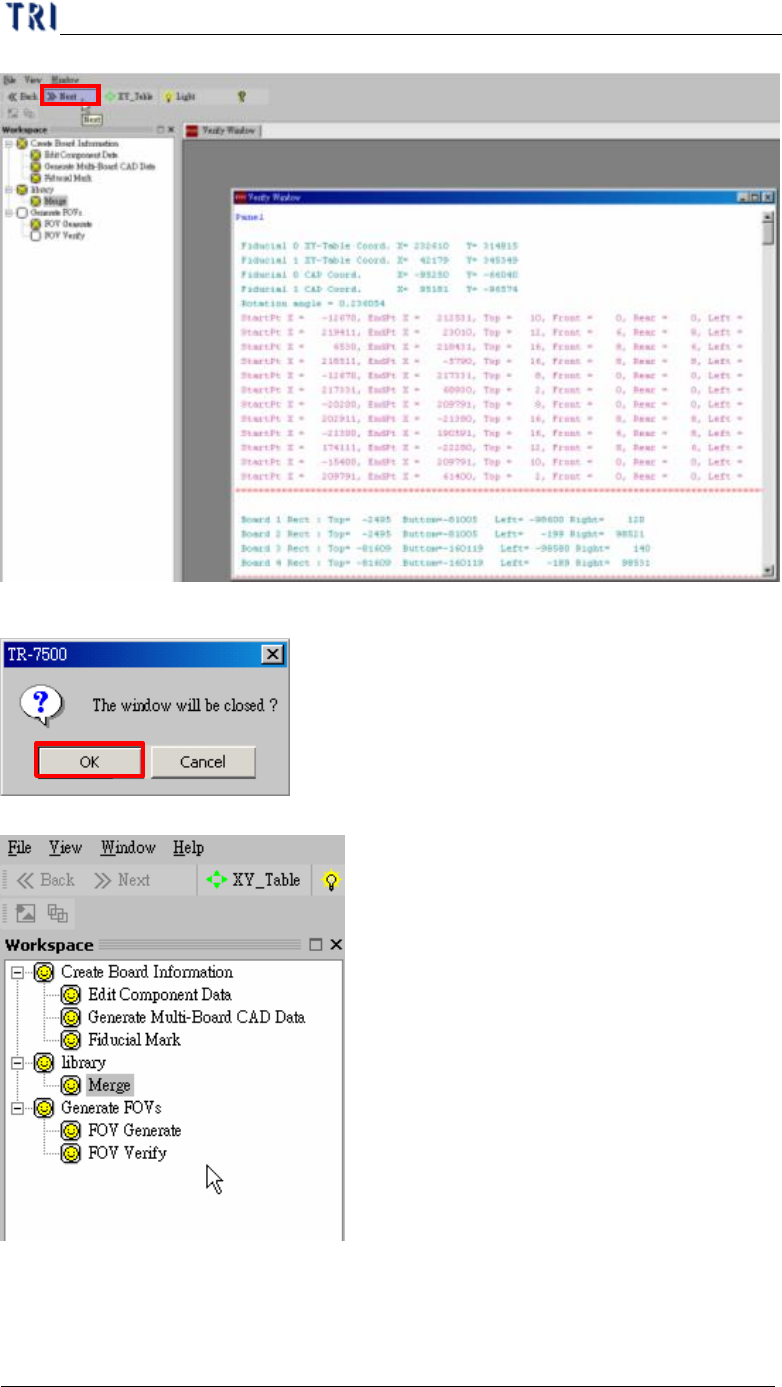
(1) Click the next button and go to next FOV verify process.
Chapter 1 AOI Standard Project Creation
TR7500 USER MANUAL
49
(2) Warning message windows for close the current display windows.
(3) When the all processes are finished, close the window to go to next train process.
10. Train
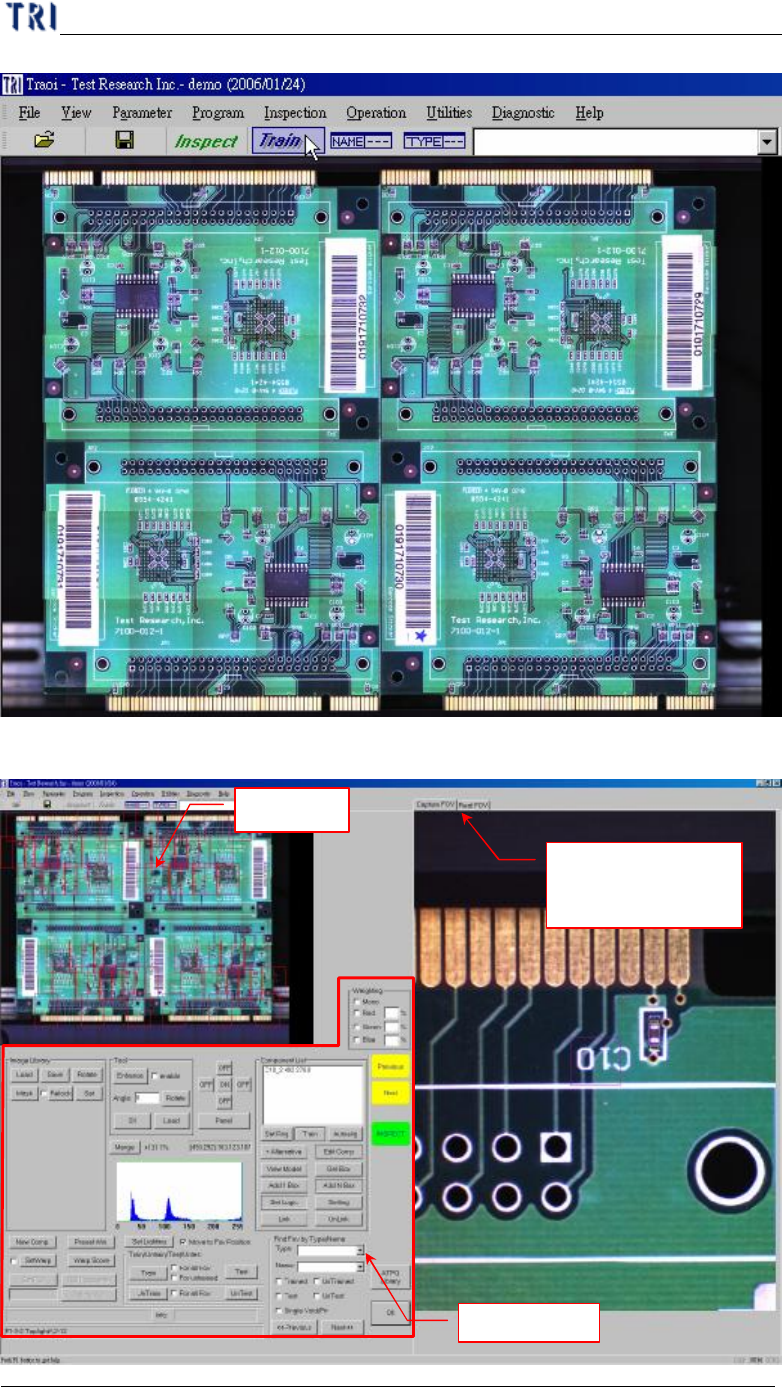
(1) Press [Train] to enter train dialog.
Chapter 1 AOI Standard Project Creation
TR7500 USER MANUAL
50
l Main frame
Panel Map
Display saving FOV
image and real time
image
Function Area