TR7500E_Manual_en_v28.pdf - 第232页
C h a p t e r 3 A O I A T P G F u n c t i o n i n s t r u c t i on T R 7500 U S E R M A N U AL 2 25 S t e p 4. S e t t h e dumm y po i n t o f B o a r d 6 t h e n t h e d a t a o f B o a r d 8 , B o a r d 1 3 a n d B o a…
Chapter 3 AOI ATPG Function instruction
TR7500 USER MANUAL
224
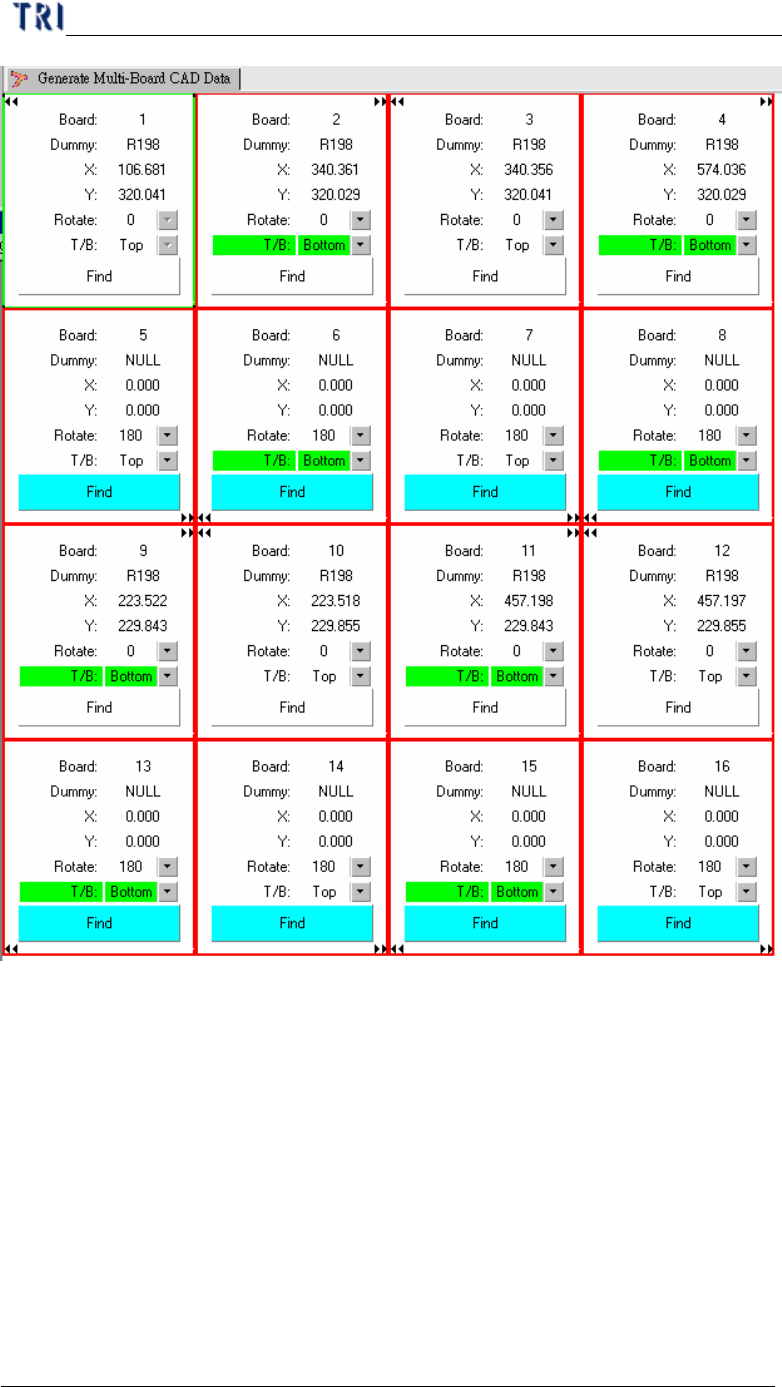
Step3. Set the dummy point of Board 5 then the data of Board 7, Board 14 and Board
16 will be created automatically.
Chapter 3 AOI ATPG Function instruction
TR7500 USER MANUAL
225
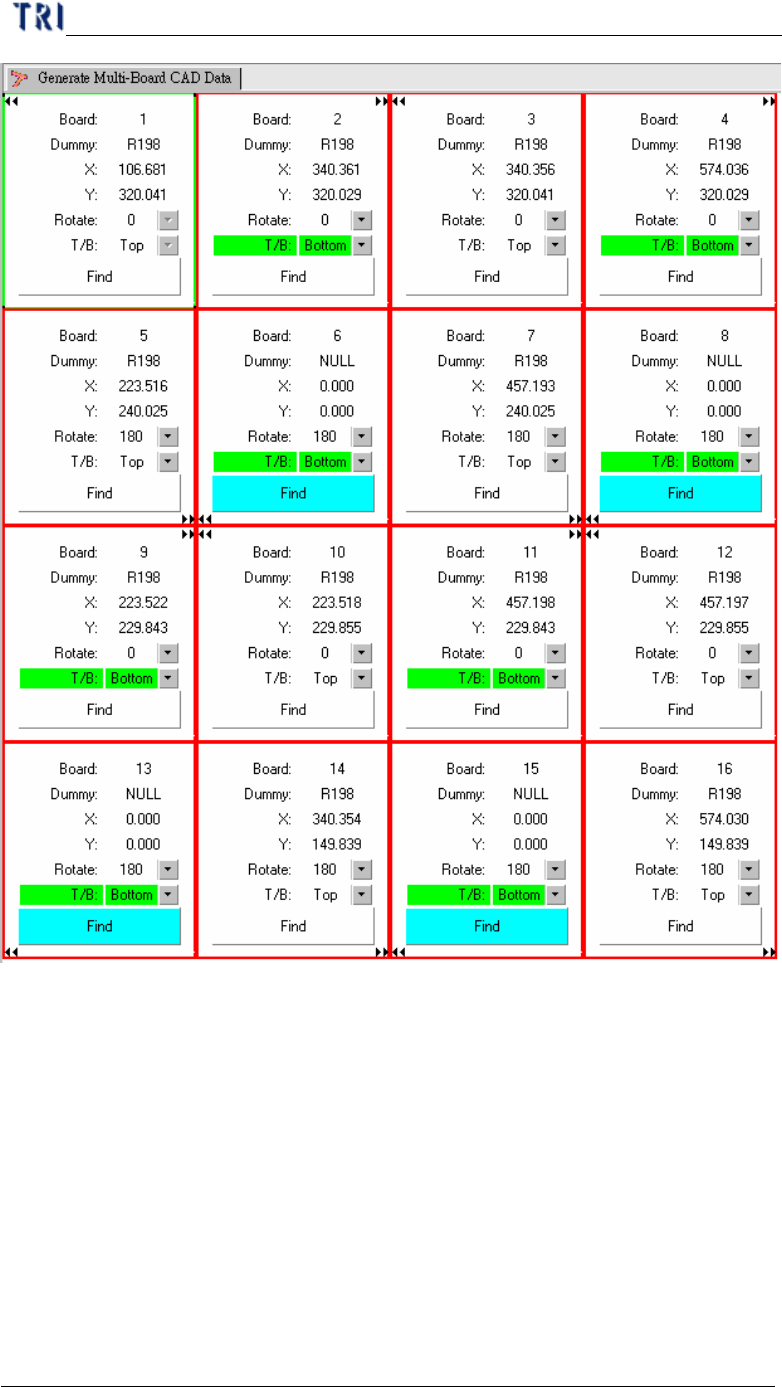
Step4. Set the dummy point of Board 6 then the data of Board 8, Board 13 and Board
15 will be created automatically.
Chapter 4 Train dialog function
TR7500 USER MANUAL
226
Chapter 4 Train dialog function
1. Main frame
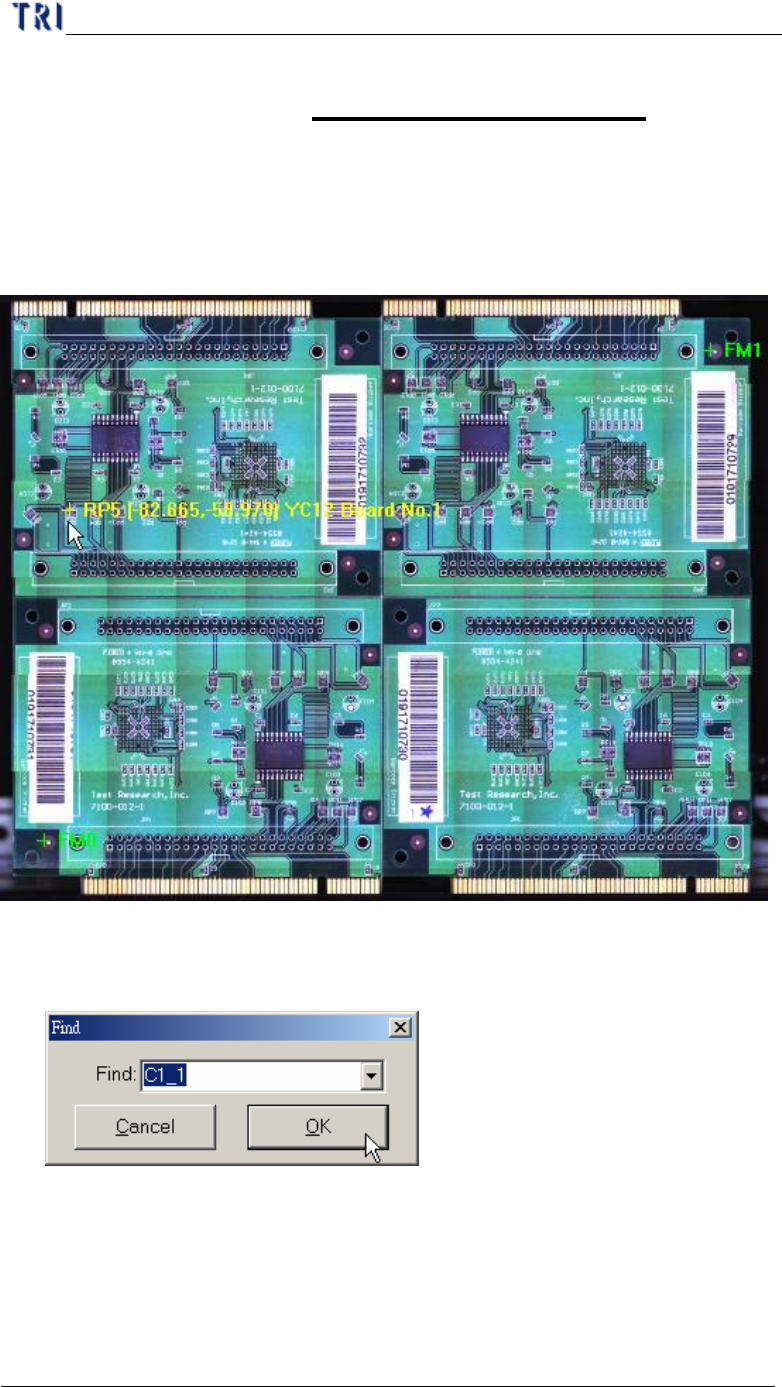
l After ATPG steps finished you can close the ATPG dialog and see the following
frame. You can click on the panel map and it will show the position of fiducial
marks.
l After right clicking on this window, you can select a specific component to be
marked on the panel. When you click on the window again, the system returns to
the original display.