TR7500E_Manual_en_v28.pdf - 第245页
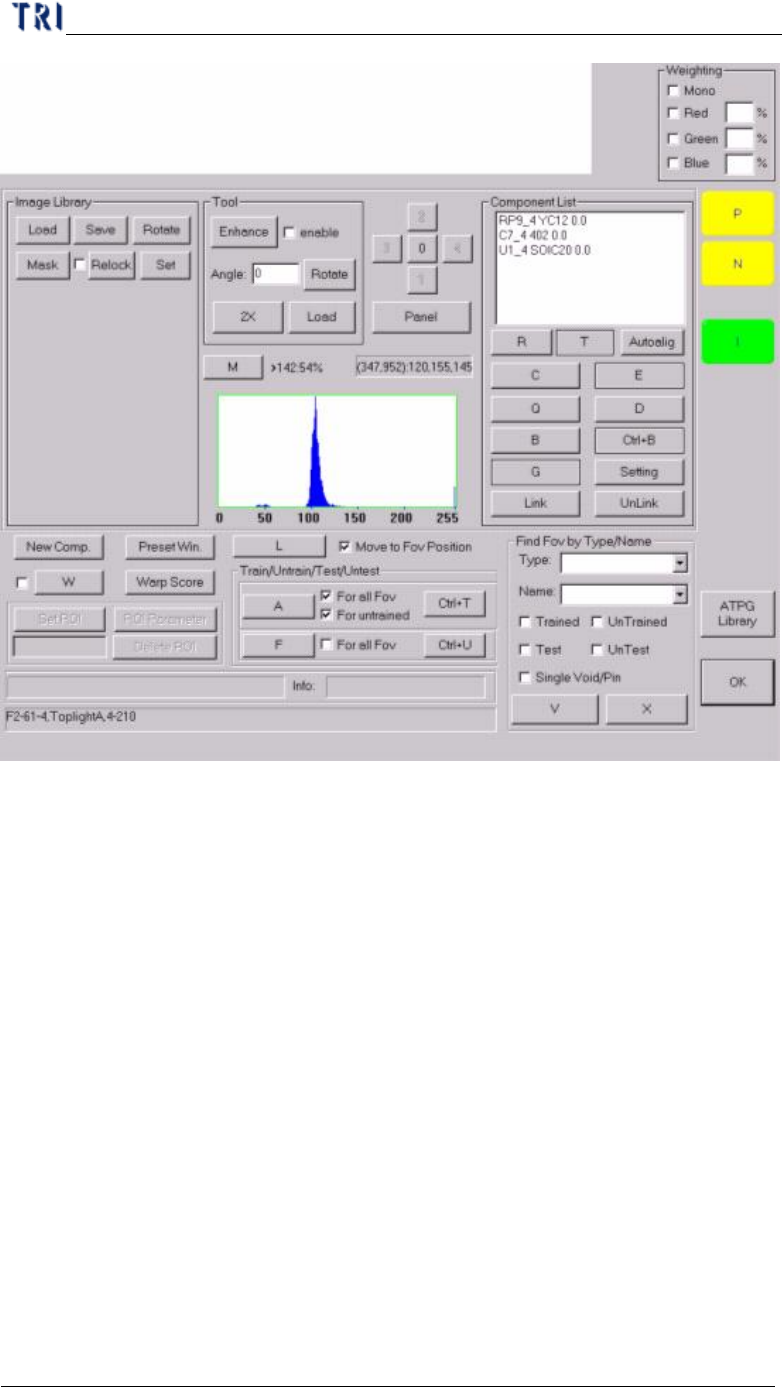
C h a p t e r 4 T r a i n d i a l og f u n c t i on T R 7500 U S E R M A N U AL 2 38 6 . 2 . C o m p o n e n t Li s t 6.2.1. S e t R ng l C h a n g e t h e s ea r c h r a n g e f o r i n s p e c t i o n b o x ( M i s s i…
Chapter 4 Train dialog function
TR7500 USER MANUAL
237
Chapter 4 Train dialog function
TR7500 USER MANUAL
238
6.2. Component List
6.2.1. Set Rng
l Change the search range for inspection box (Missing / Missing Polarity / Lead /
/Align/Warp). The system will find the inspection box in the search range.
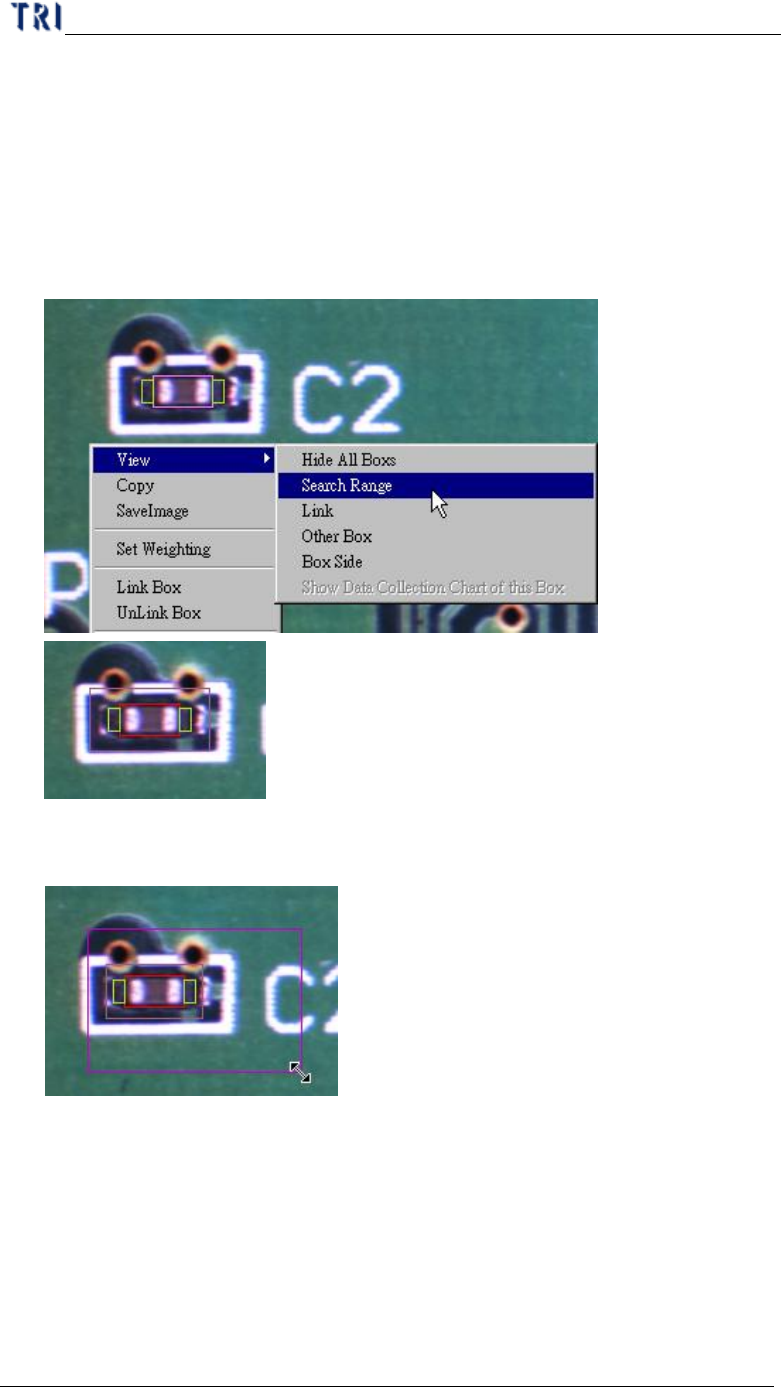
l Setting Steps
Step1. Right click on the image area and select [View/Search Range] to review
the inspection box.
Step2. Adjust the multi-function window to suit the search range then press
[Set Rng].
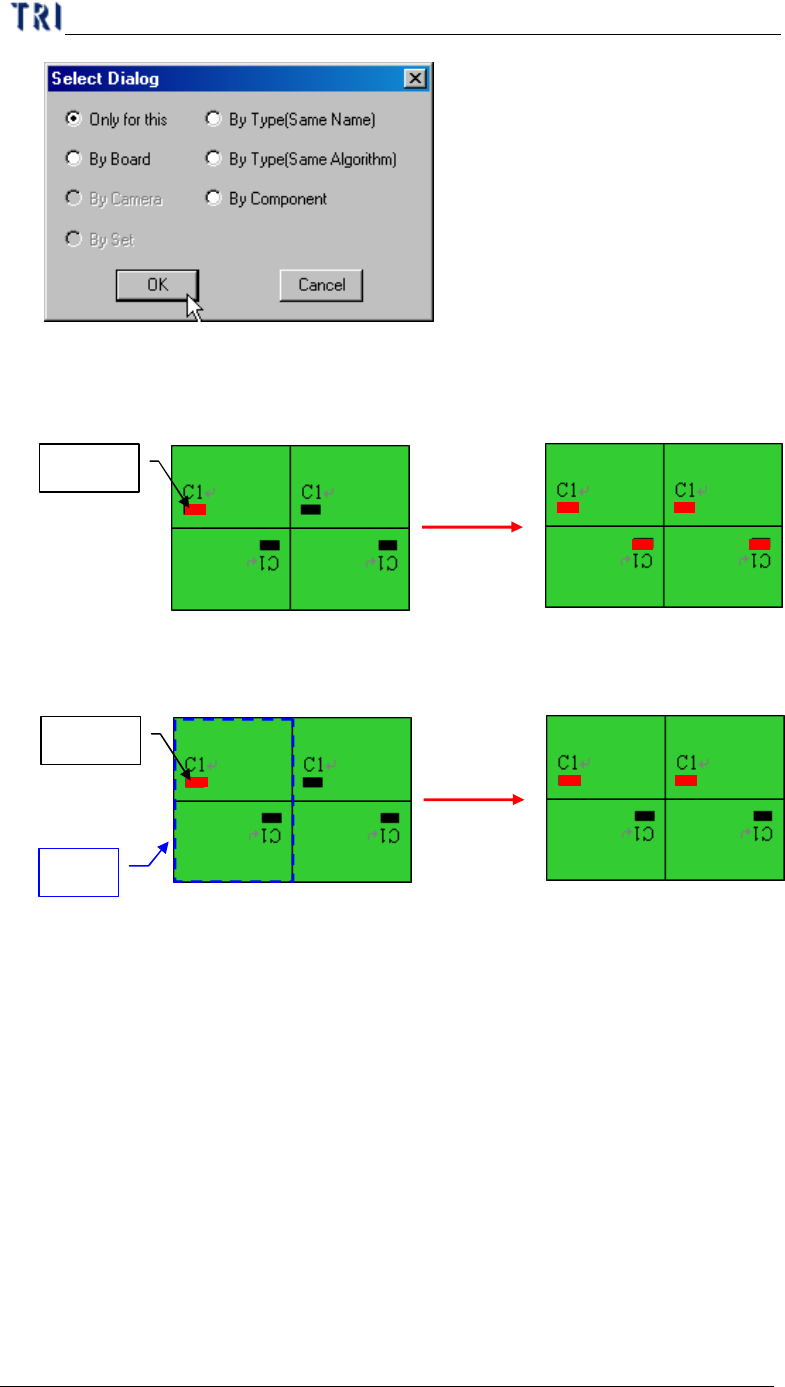
Step3. Select the copy condition.
Chapter 4 Train dialog function
TR7500 USER MANUAL
239
l Only for this – Only set on the selected component.
l By Board – Apply to the active box of component with same name on
multi-board.
l By Camera – Apply to the component with the same camera.
l By Set – Apply to the relative box by set.
l By Type (Same Name) –The component with same type will be applied at
the inspection box with same window name.
l By Type (Same Algorithm) –The component with same type will be applied
at the same kind of inspection box.
l By component – Apply to all the same kind of inspection boxes on this
component.
Step4. The system will search the range and measure the symmetrical
arrangement of frame position
Rotate:180
Rotate:180
Rotate:0
Rotate:0
Apply
Rotate:180
Rotate:180
Rotate:0
Rotate:0
Setting
By Board
Rotate:180
Rotate:180
Rotate:0
Rotate:0
Apply
Rotate:180
Rotate:180
Rotate:0
Rotate:0
Setting
By Set
A Set