TR7500E_Manual_en_v28.pdf - 第151页
C h a p t e r 3 A O I A T P G F u n c t i o n i n s t r u c t i on T R 7500 U S E R M A N U AL 1 44 l D i s p l a y t h e c o m po n e n t i s o n t h e t o p s i d e o r b o t t o m s i d e i n A O I i n s p ec t i o n …
Chapter 3 AOI ATPG Function instruction
TR7500 USER MANUAL
143
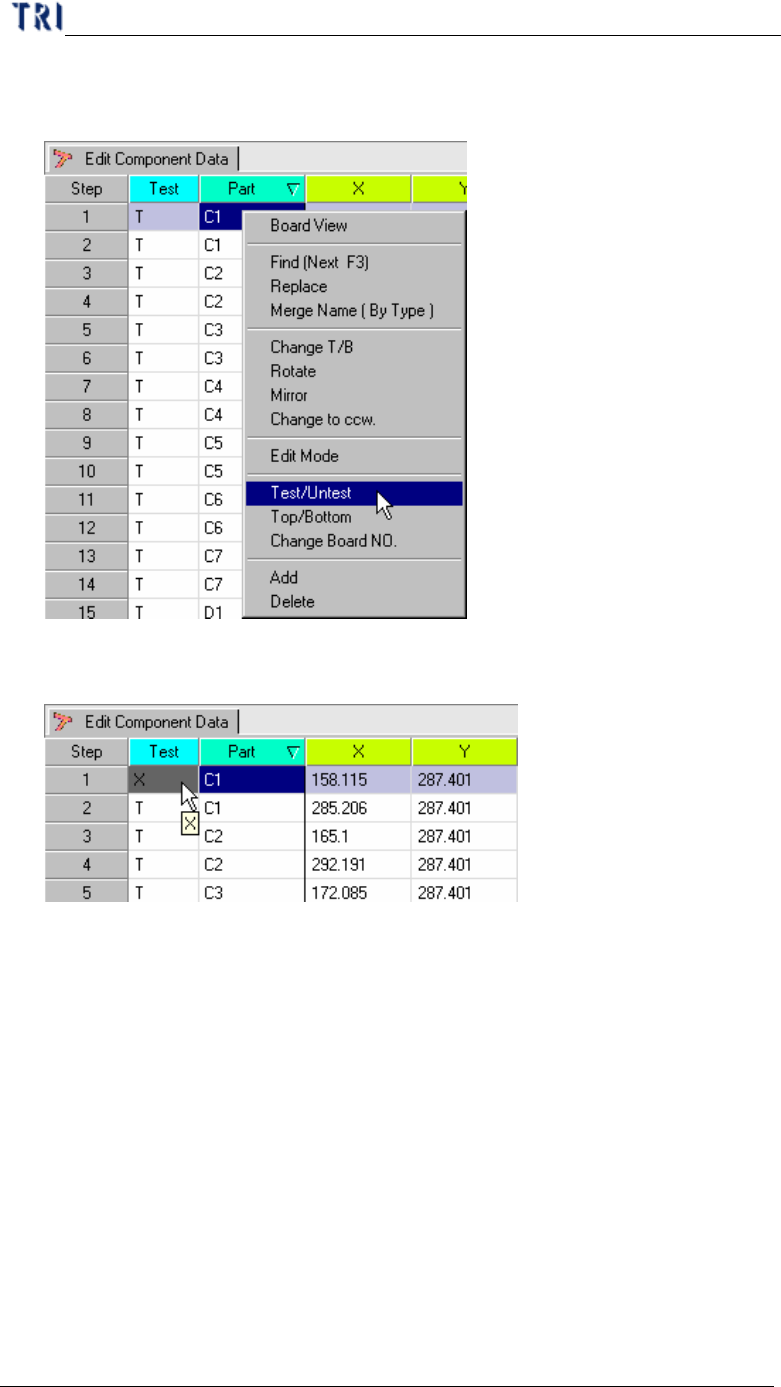
2.10. Test/Untest
l Setting specific components to inspect or not.
l Display the component is not test message on the AOI inspection table.
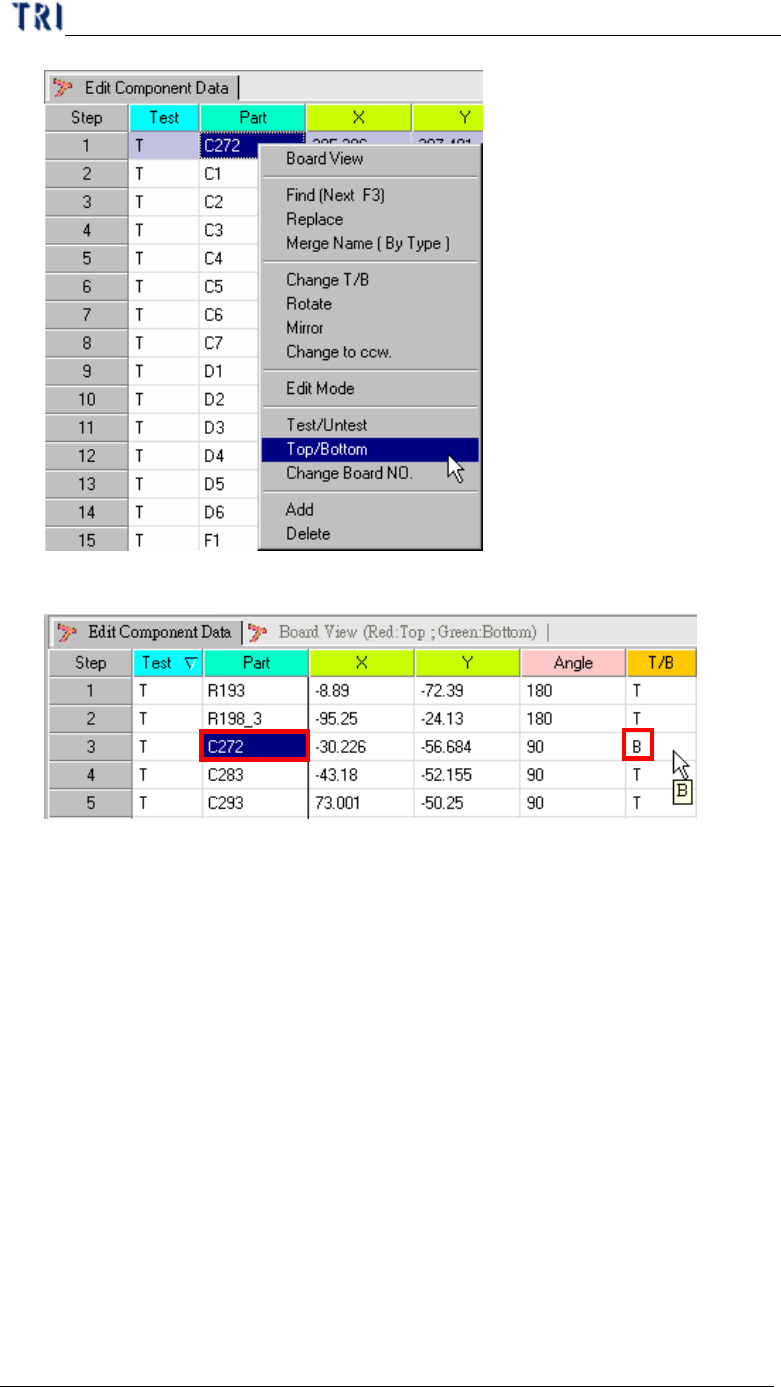
2.11. Top/Bottom
l Change the specific components from top side to bottom side or bottom side to
top side.
Chapter 3 AOI ATPG Function instruction
TR7500 USER MANUAL
144
l Display the component is on the topside or bottom side in AOI inspection table.
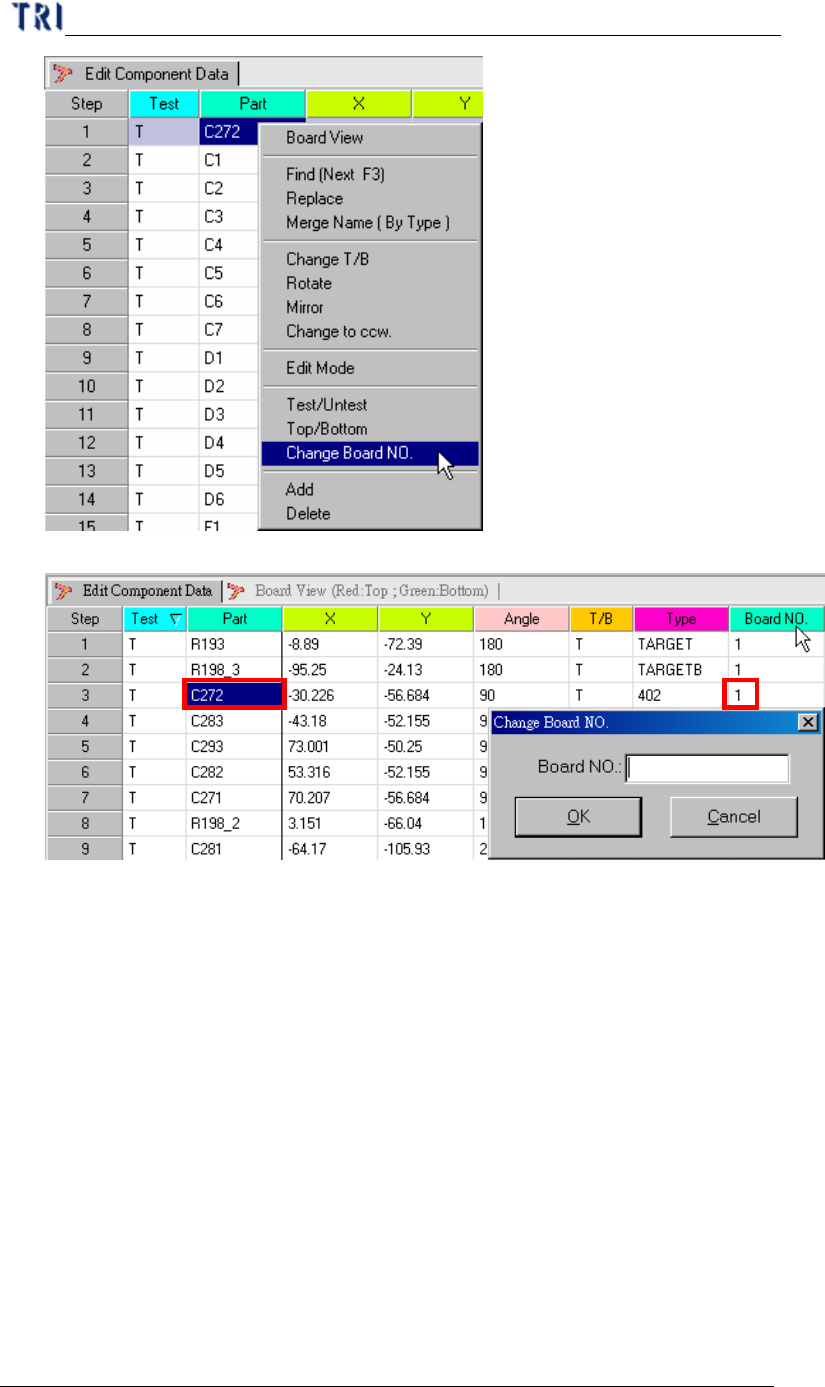
2.12. Change Board No.
l Assign specific components on specific board. Generally we create multi-board
information by “Generate Multi-Board CAD Data” procedure so that it’s not
necessary to change board number by ourselves.
Chapter 3 AOI ATPG Function instruction
TR7500 USER MANUAL
145
l Input the board number that the component will be changes.
2.13. ADD
l Create a new component on the AOI file.