TR7500E_Manual_en_v28.pdf - 第125页
C h a p t e r 2 M a nu a l B a r i n t r o d u ce T R 7500 U S E R M A N U AL 1 18 l W h e n y o u s e l e c t t h i s it e m a n d s t a r t t o i n s p e c t , t h e s y s t e m o n l y d i s p l a y s t h e p a ss i n…
Chapter 2 Manual Bar introduce
TR7500 USER MANUAL
117
Ø Void, Lead Void – Bright Ratio
Ø Solder – Bridge Ratio
(2) Delete – Delete the selected inspection box
(3) Test – Set the selected box [test]
(4) Train – Train the selected inspection box.
(5) Untest –Set the selected box [Untest]
(6) Untrain – Untrain the selected inspection box.
n OK – Press this button to modify the inspection box according to the
conditions above.
n Cancel – Press this button to close the window and not to change
parameters.
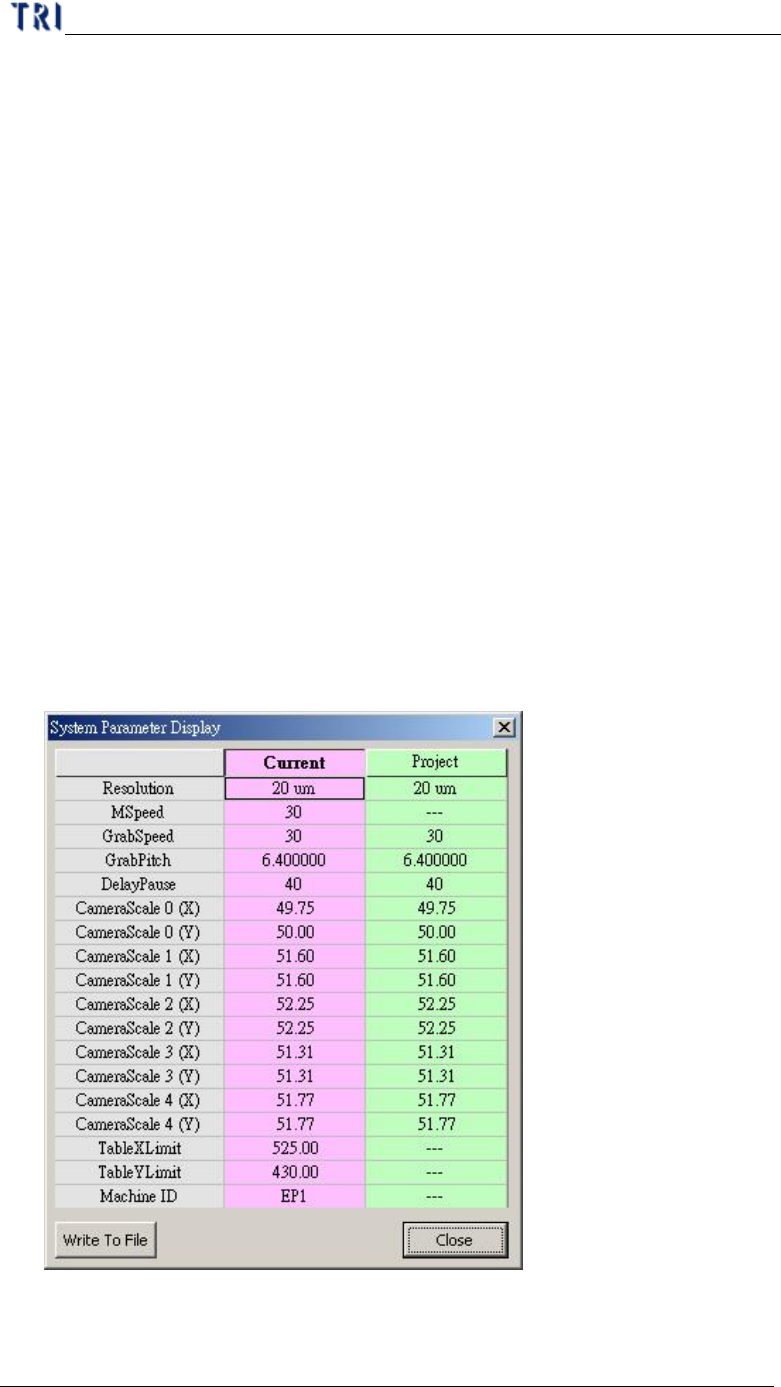
7.18. System Parameter Display
l You can press this item to review the system parameters and project parameters.
After pressing [Write To File], you can select a path to save the text file for these
parameters. If you want to change the inspection speed for this project, you can
key in “tspeed” and press [Enter] then modify the [Mspeed] field of [Project] to
set the speed. Note: If the speed you set is more than the default, the system may
retry and can’t inspect.
7.19. Bare board
Chapter 2 Manual Bar introduce
TR7500 USER MANUAL
118
l When you select this item and start to inspect, the system only displays the
passing [Missing] box at the result dialog.
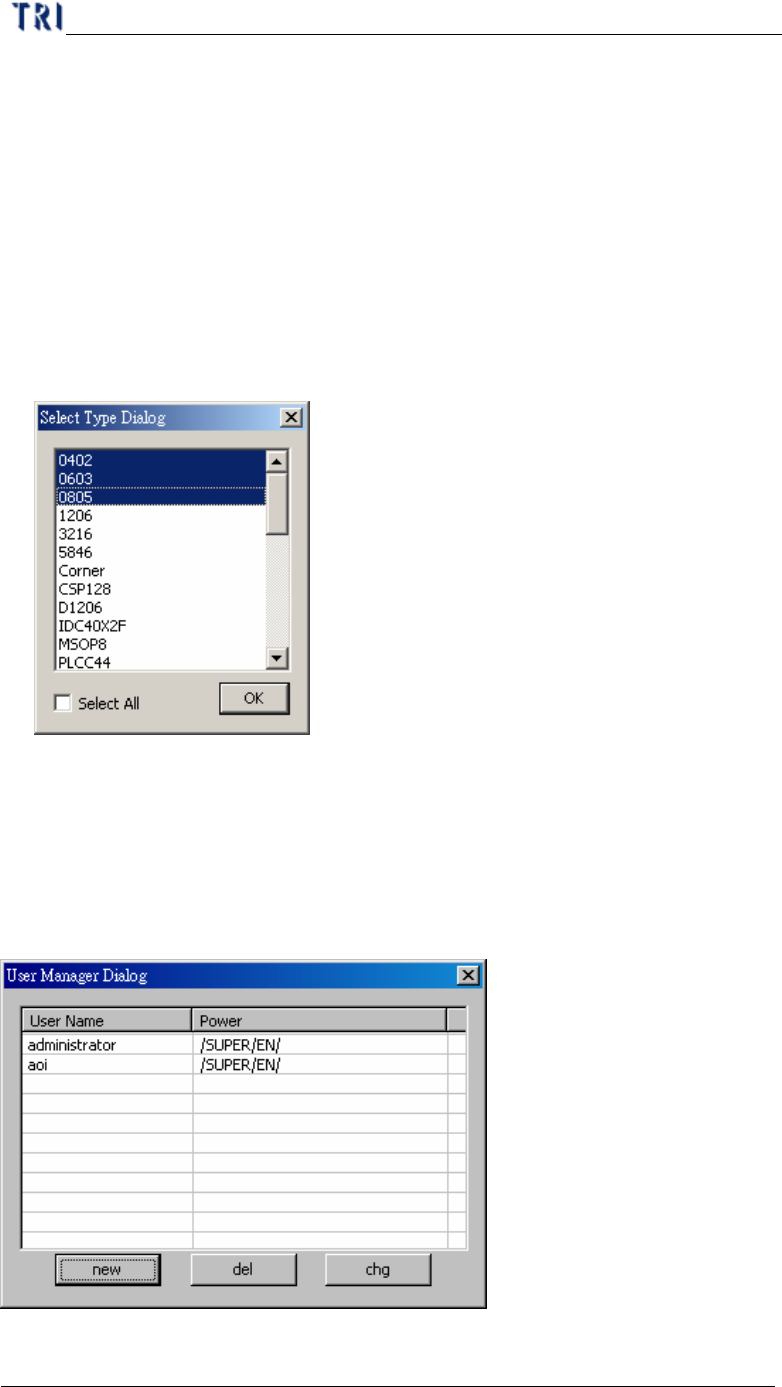
7.20. Inspection Type Setting
l The function is to display only specified component when inspecting. The all
components on the board are still inspected but it shows the fail of specified
components only. You can start the function to help tuning.
l When selecting [Inspection Type Setting], the following window shows. You can
select one or press [Ctrl] and select more components to enable. Then press [OK]
to complete the setting.
7.21. Auto Loading
l Project can be loaded by system automatically. The function is under
construction.
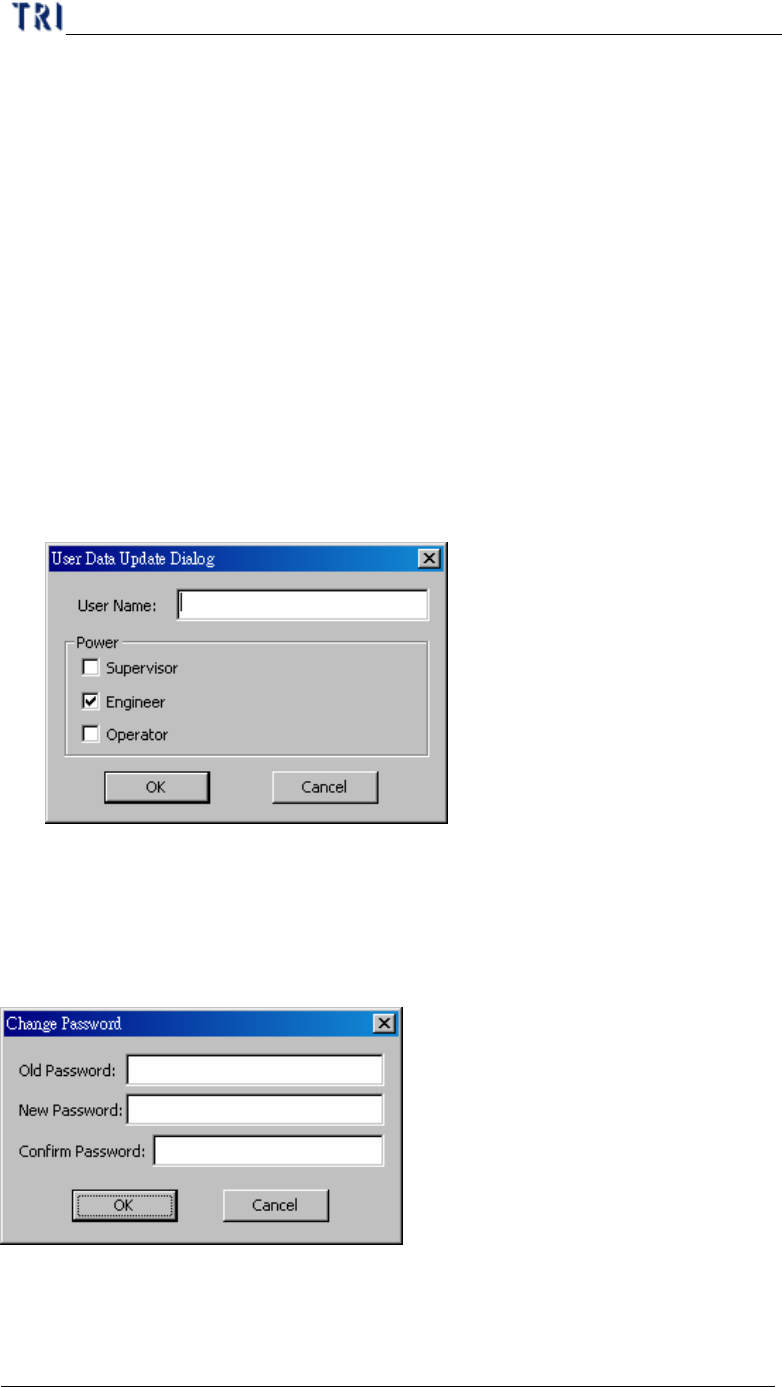
7.22. User Manager
l Only if there is a DWORD, [LoginFlag], and the value is [1] in registry, the
Chapter 2 Manual Bar introduce
TR7500 USER MANUAL
119
function is working.
l The Manager can use this function to classify all users. All users have to input
name and password then they can enter the program. The time of login and
logout will be recorded in [login.txt] file under [C:\WINDOWS\system32].
l The default user name is [administrator] and password is [1234]. Only the user
with power of Supervisor can use this function to Add, Delete or Modify other
users.
l new – Input [User Name] and select a kind of powers then press [OK] to add a
new user. The password for a new user is [1234]. A new user can change his
password by [Change Password] function after logging in. The explanation for
all powers are followings:
n Supervisor – People can do all the functions.
n Engineer – People can do every function except [User Manager].
n Operator – The user has power to inspect only and can’t modify the project.
l del – After selecting an user, you can press [del] to delete the user.
l chg –After selecting an user, you can press [chg] to modify the power of the user.
7.23. Change Password
l Use this function to change the password for the current user.
7.24. Coverage Report