TR7500E_Manual_en_v28.pdf - 第213页
C h a p t e r 3 A O I A T P G F u n c t i o n i n s t r u c t i on T R 7500 U S E R M A N U AL 2 06 ( 5) C l i c k o n [ A dd a l l ] t o a dd i n s p e c t i o n wi n d o w s , i n c l u d i ng m i s s i ng ( P o l a r …
Chapter 3 AOI ATPG Function instruction
TR7500 USER MANUAL
205
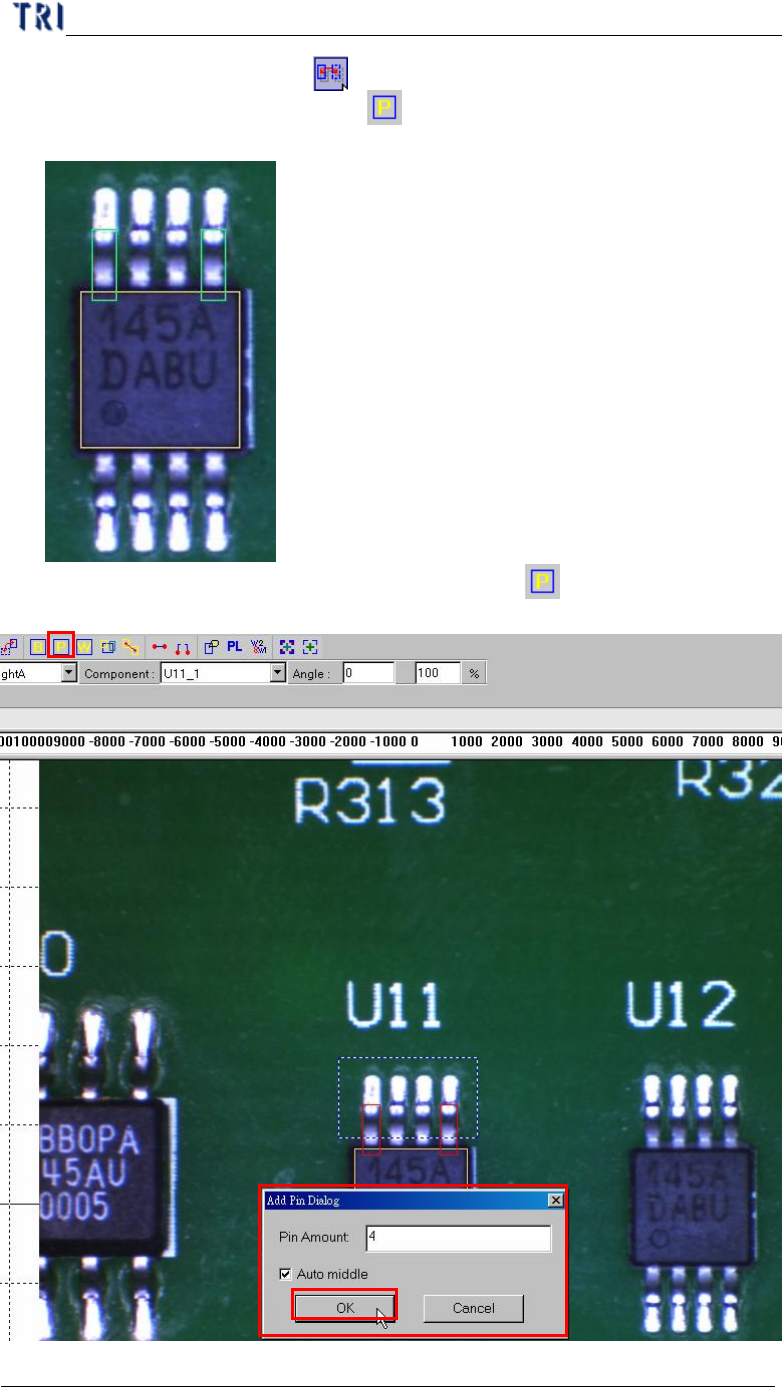
(3) Select the first pin and press [ Mirror Copy] by y direction to copy the pin to
last lead area. Or you can click on [ Add Pin] to add one pin again then move
and resize the box to match the last lead area.
(4) Choose the two pins at end of the side then click on [ Add Pin] to add more
pins.
2
1
3
Chapter 3 AOI ATPG Function instruction
TR7500 USER MANUAL
206
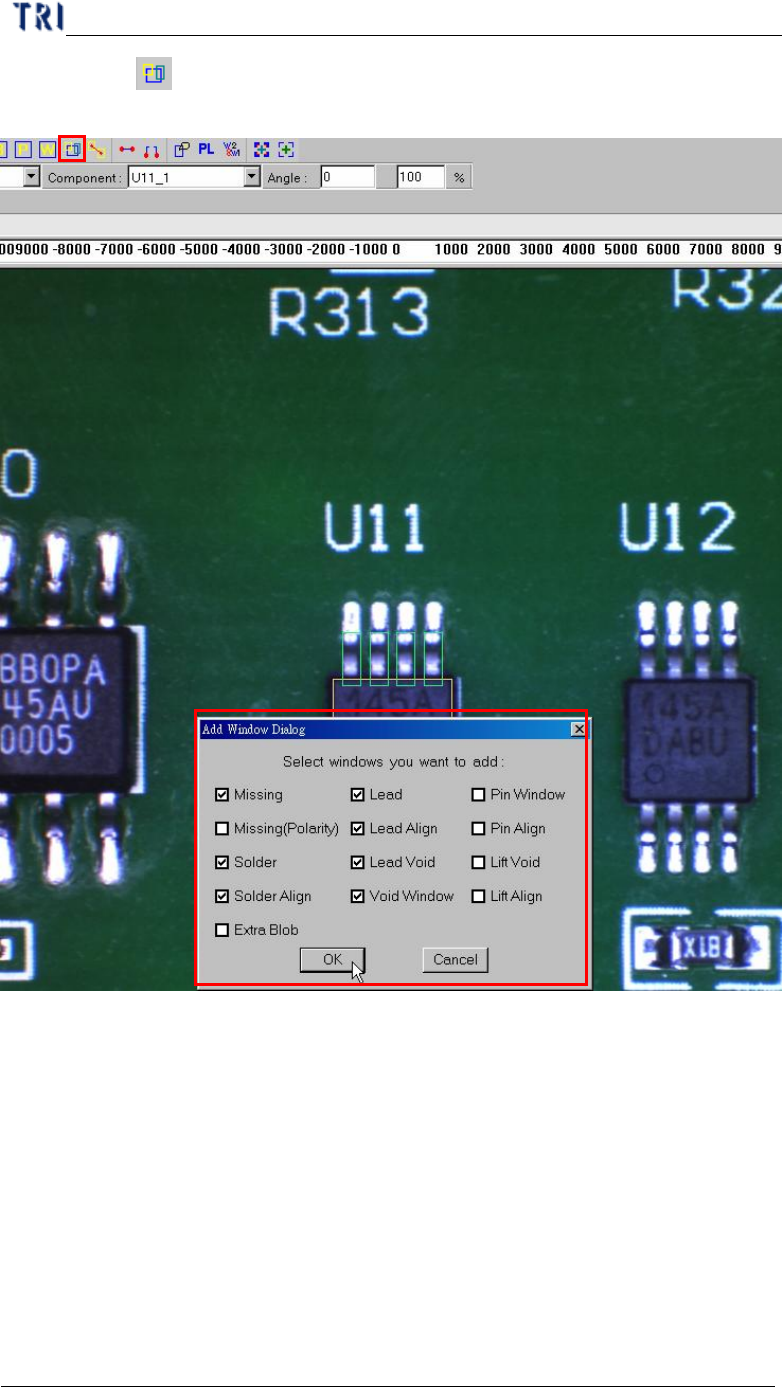
(5) Click on [ Add all] to add inspection windows, including missing (Polarity),
Solder, Solder Align, Lead, Lead Align, and Lead Void.
(6) Resize and set parameters for every kind of inspection windows.
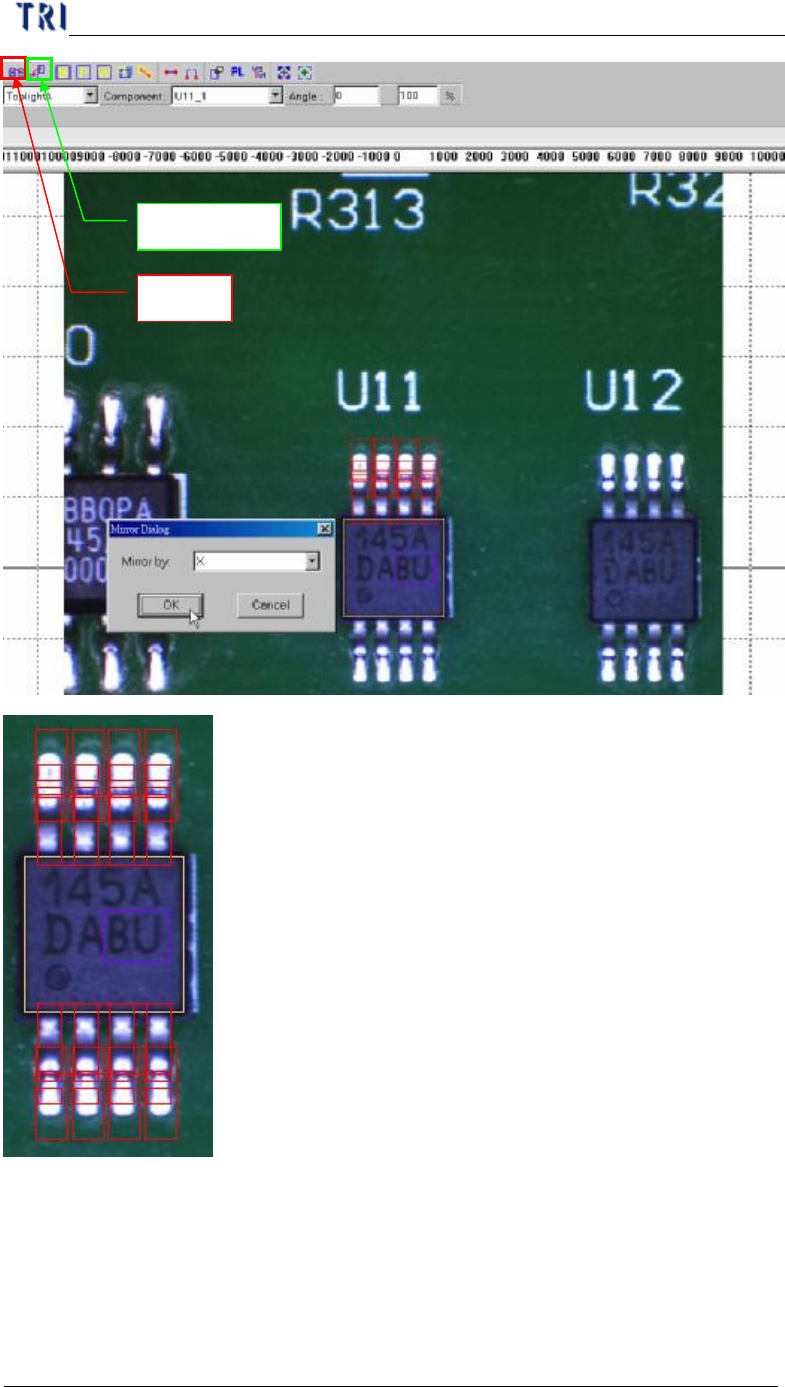
(7) Mirror or rotate copy to other side.
l Select all windows that you want to mirror then click on mirror button.
l Select direction.
1
2
Chapter 3 AOI ATPG Function instruction
TR7500 USER MANUAL
207
Mirror
Rotate Copy