TR7500E_Manual_en_v28.pdf - 第113页
C h a p t e r 2 M a nu a l B a r i n t r o d u ce T R 7500 U S E R M A N U AL 1 06
Chapter 2 Manual Bar introduce
TR7500 USER MANUAL
105
7.3. Capture FOV Images
l You can recapture the FOV images by selecting the item. The image file will be
saving in the folder where the project is saved in. The name is “FovImage”.
7.4. Fiducial Mark Alignment
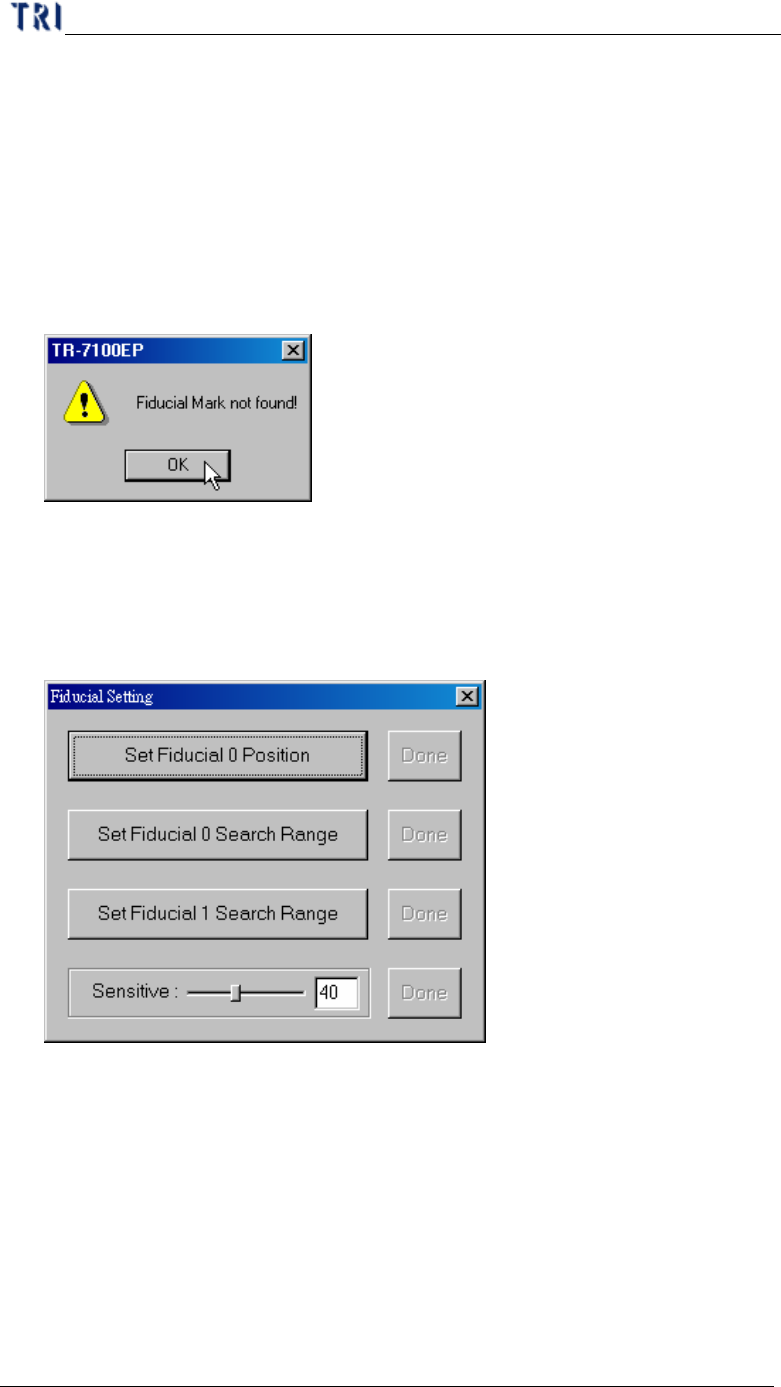
l When you press the item, X-Y Table move to find the fiducial mark. If the
system can’t find the fiducial mark, the warning message is appeared. You should
find the fiducial mark again.
7.5. Fiducial Mark Setting
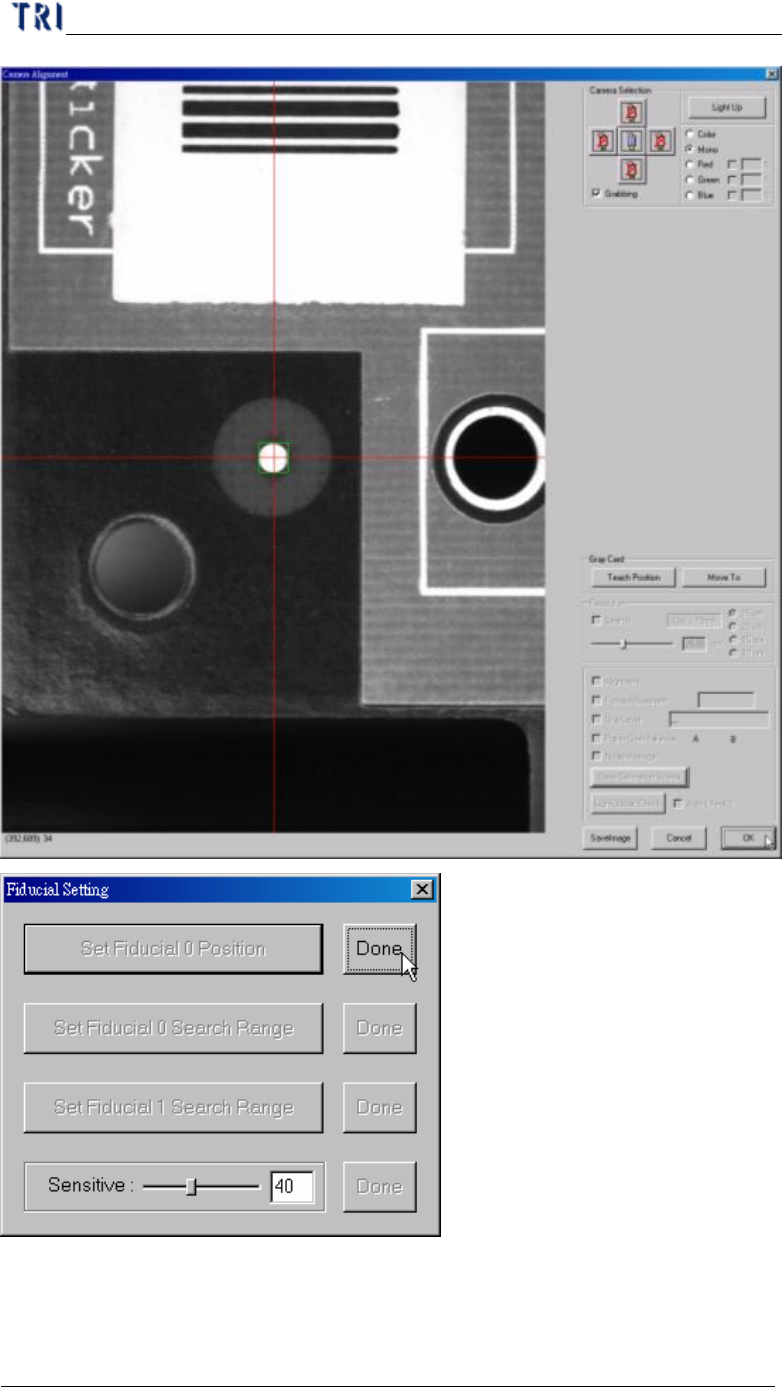
l You can set the position and search range for fiducial mark 0. If the relative
position of two fiducial marks has been changed, you should find the fiducial
marks again in ATPG. flow.
l Set Fiducial 0 Position – Move the camera on fiducial 0 and press [OK].
Chapter 2 Manual Bar introduce
TR7500 USER MANUAL
106
Chapter 2 Manual Bar introduce
TR7500 USER MANUAL
107
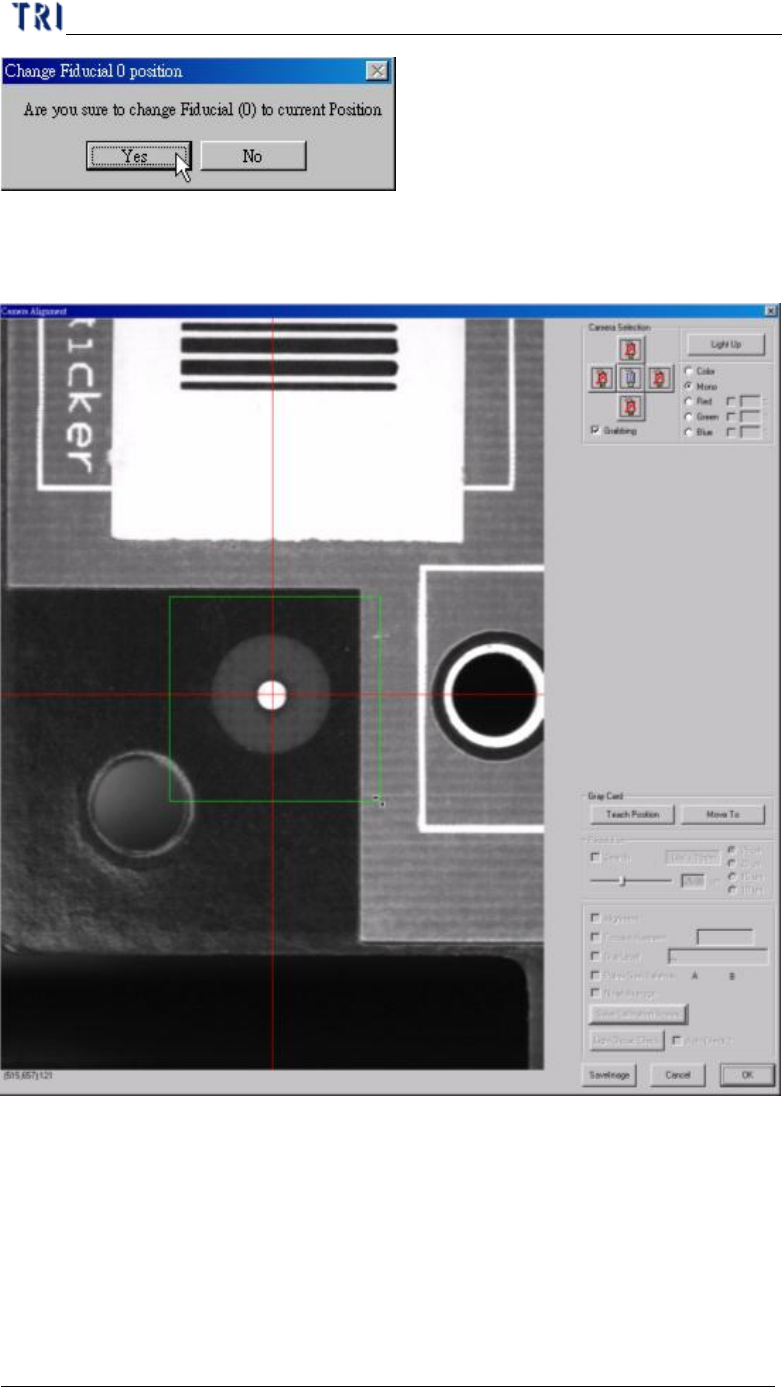
l Set Fiducial 0 Search Range – Adjust the green box to meet the search range that
you want to set then press [OK].