TR7500E_Manual_en_v28.pdf - 第189页
C h a p t e r 3 A O I A T P G F u n c t i o n i n s t r u c t i on T R 7500 U S E R M A N U AL 1 82 1. S e l e c t O p e r a t or 2. C h e c k G r o up 3. S e l ec t w i nd o w s h e re 4. P r e ss [ G r o u p] 5. R e s …
Chapter 3 AOI ATPG Function instruction
TR7500 USER MANUAL
181
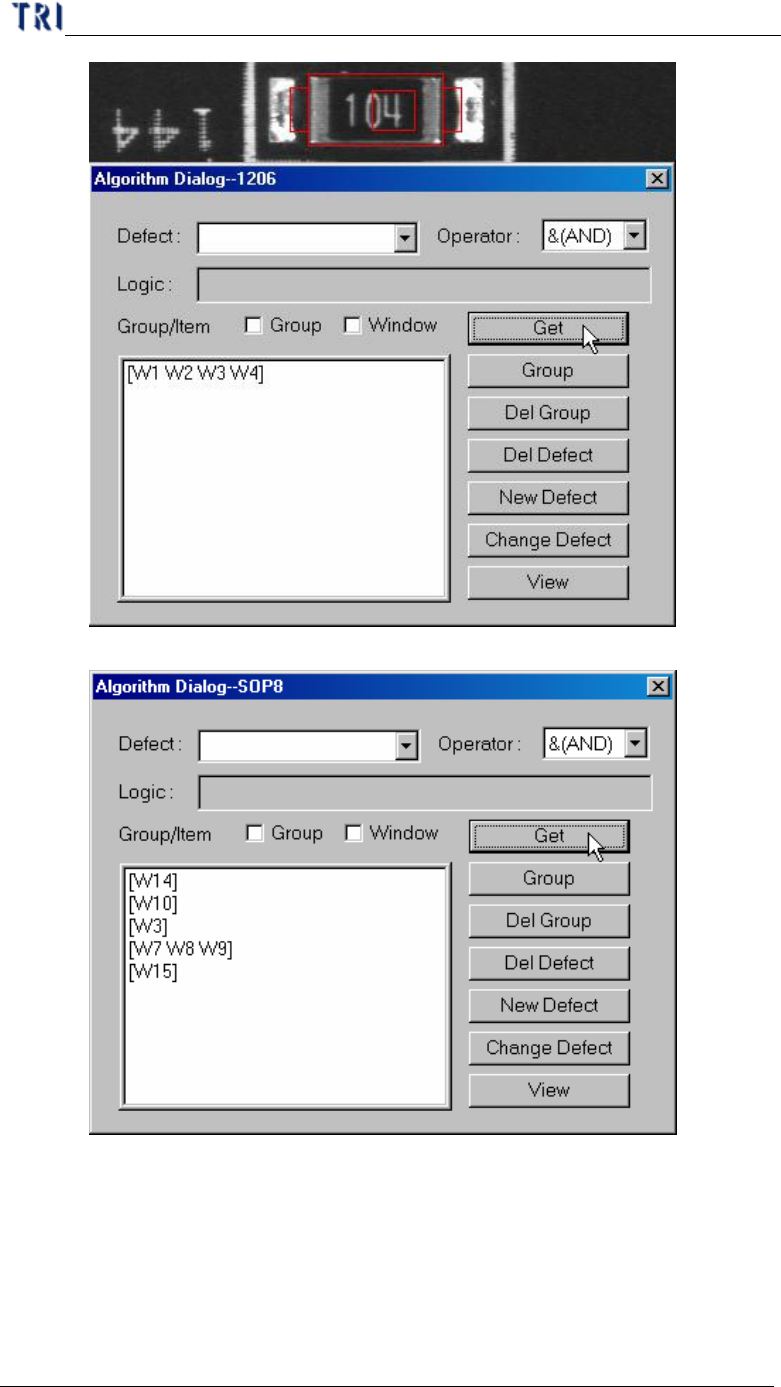
n Get several inspection windows separately.
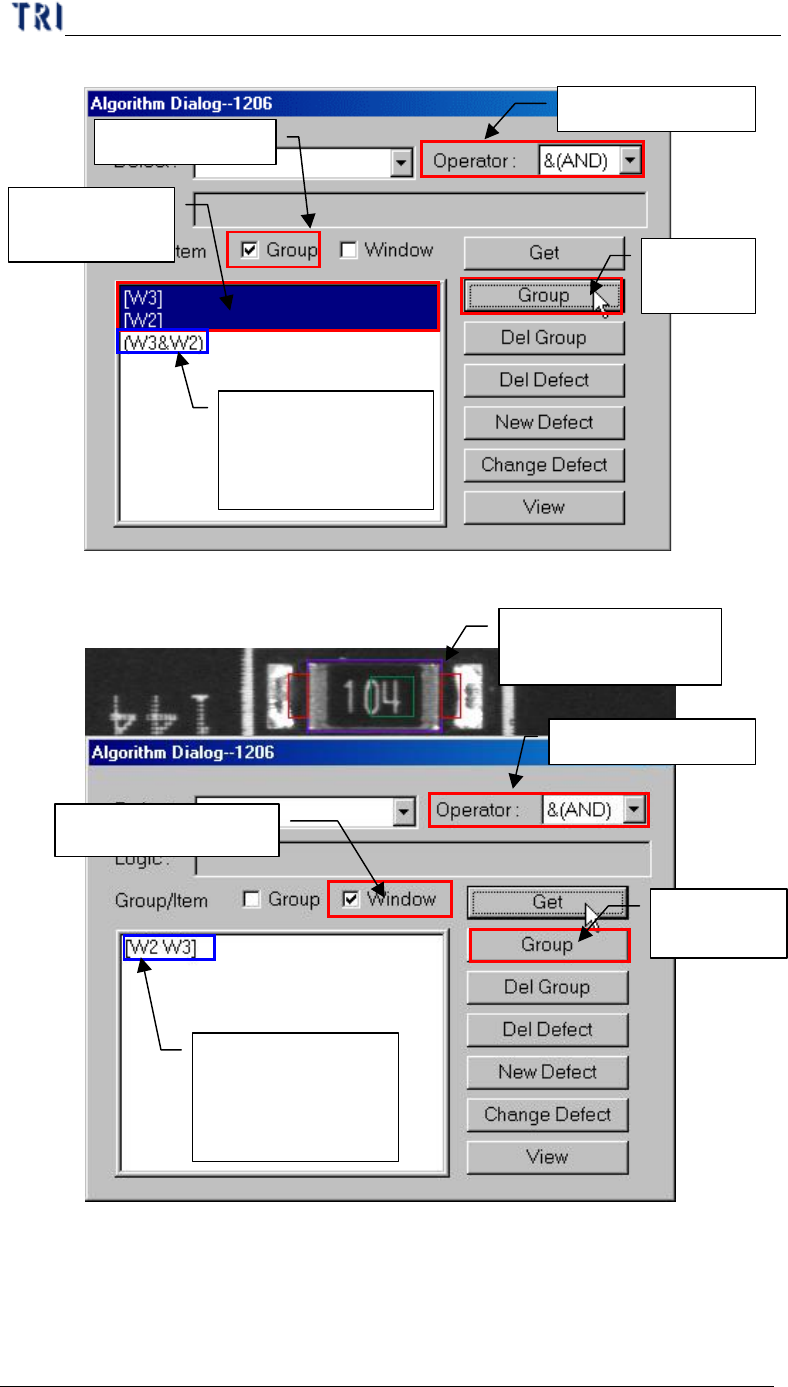
l Group – System will compose the selected windows with assigned
[Operator] after press [Group].
n Check Group in [Group/Item]
Chapter 3 AOI ATPG Function instruction
TR7500 USER MANUAL
182
1. Select Operator
2. Check Group
3.
Select
windows here
4.
Press
[Group]
5.
Result: appear
group combined
with windows and
operator
n Check Window in [Group/Item]
2. Select Operator
3. Select Window
4.
Press
[Group]
5.
Result: appear
group combined
with windows and
operator
1.
Select Inspection
Windows
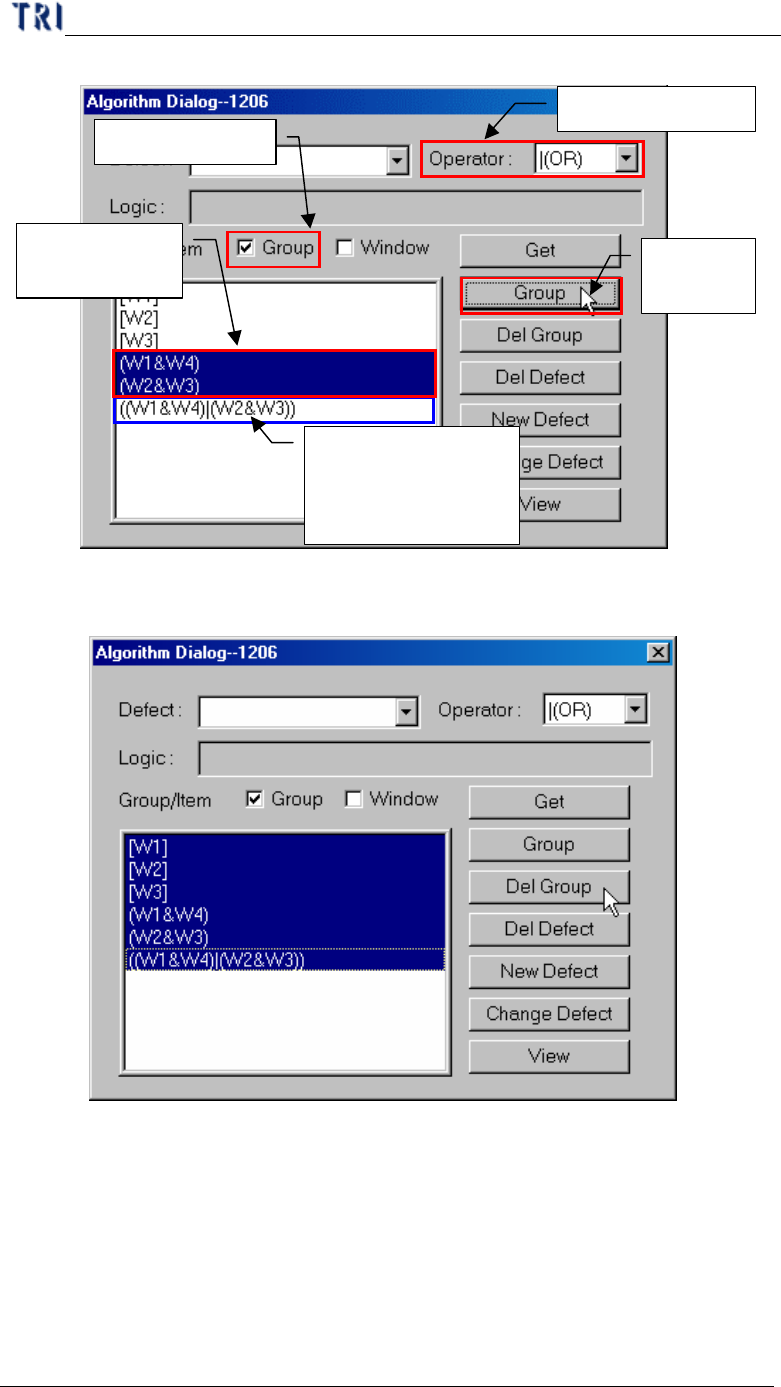
n Group other groups and windows.
Chapter 3 AOI ATPG Function instruction
TR7500 USER MANUAL
183
1. Select Operator
2. Check Group
3.
Select
groups here
4.
Press
[Group]
5.
Result: appear
group combined
with windows and
operator
l Del Group – Deletion the logic group.
l Del Defect – Deletion the defect logic output formula.