TR7500E_Manual_en_v28.pdf - 第136页
C h a p t e r 3 A O I A T P G F u n c t i o n i n s t r u c t i on T R 7500 U S E R M A N U AL 1 29 l D i s p l a y t h e c o m po n e n t p o s it i o n d a t a o n t h e bo a r d . C h oo s i n g t h e p a r t s a n d …
Chapter 3 AOI ATPG Function instruction
TR7500 USER MANUAL
128
2. Edit Component Data
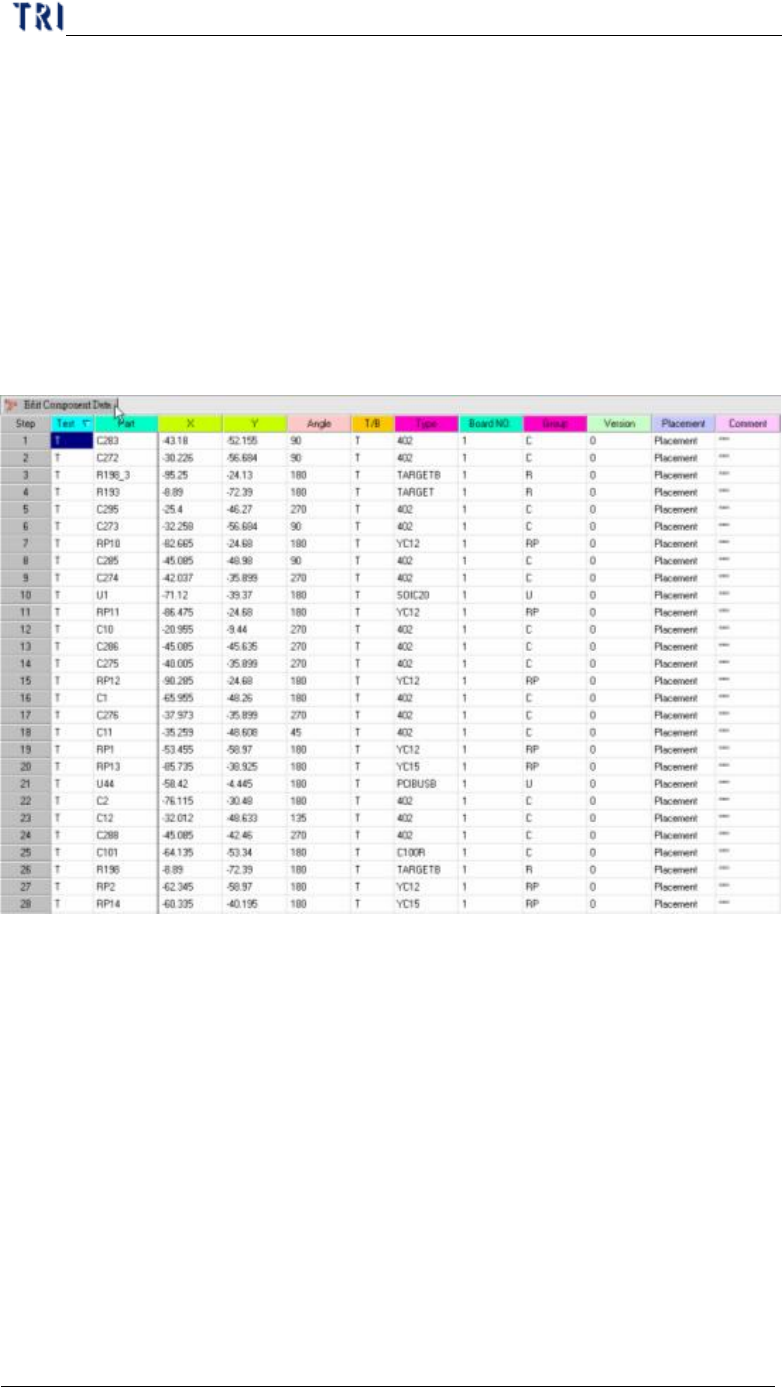
l Mainframe for editing component data. The meanings of all fields from left to
right are: test or not, component name, X coordinate, Y coordinate, component
angle, top or bottom side, component type, board number and group of the
component (the system separates the group automatically according to the
beginning characters of the component; you also can define the group manually
in the 7
th
field of AOI file.)
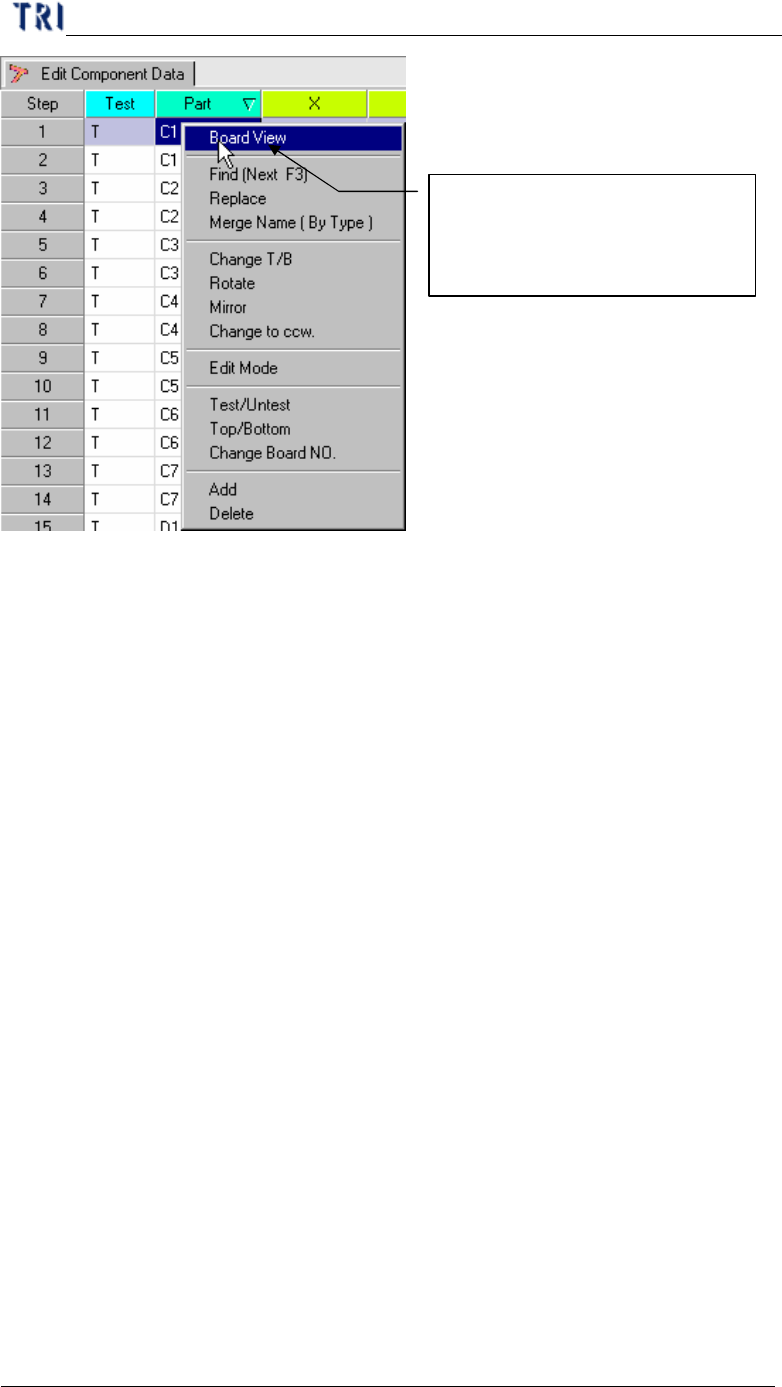
l When right clicking on the main frame, the pop-up menu will show. The
meanings of the tools will be explained later.
2.1. Board View
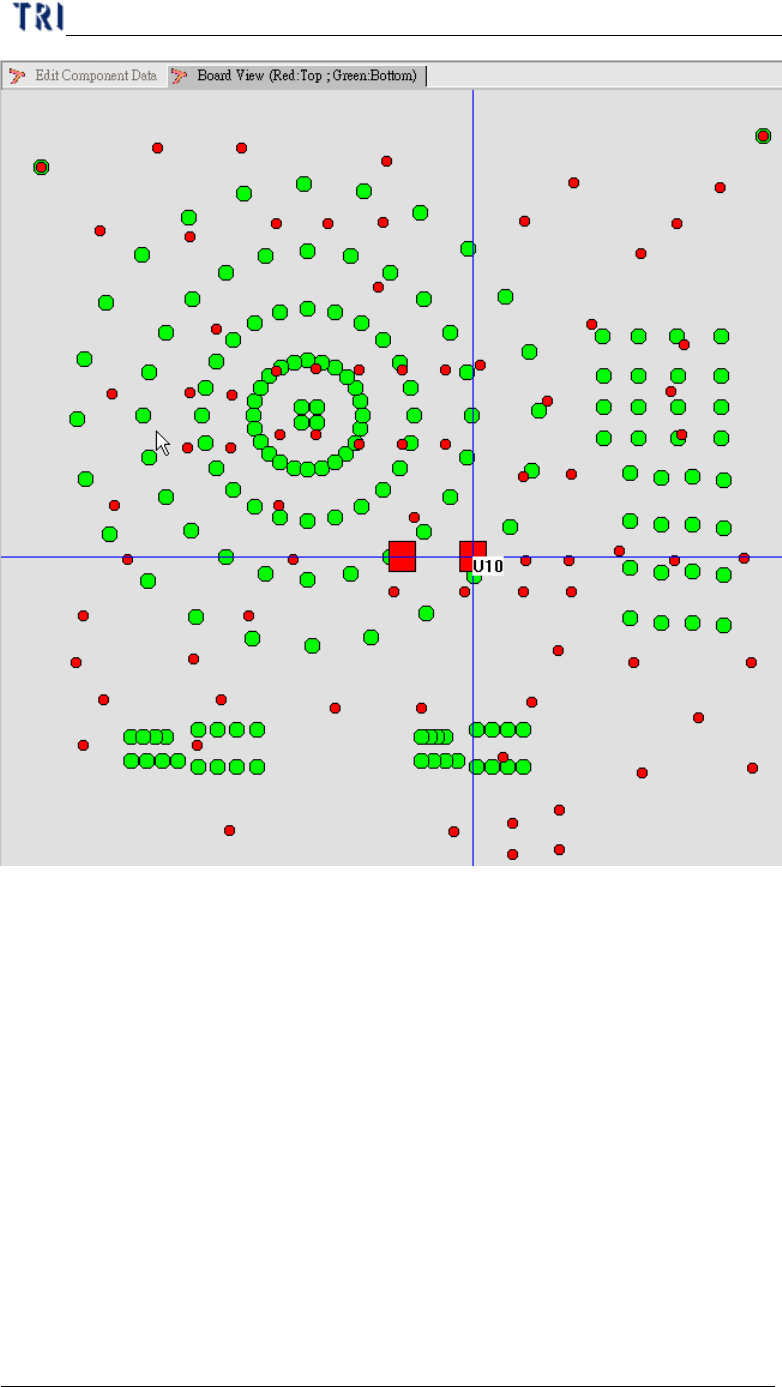
l Display the component position on the board from AOI file loading.
Chapter 3 AOI ATPG Function instruction
TR7500 USER MANUAL
129
l Display the component position data on the board.
Choosing the parts and clicking
the right button of mouse to
open the function menu.
Chapter 3 AOI ATPG Function instruction
TR7500 USER MANUAL
130
n The red points display components on top side and the green points display
components on bottom side. The square one means that it has existed its
library in packagelibrary folder.
n Clicking right button of mouse on this window you can select specified side
or find specific component to review.