TR7500E_Manual_en_v28.pdf - 第161页
C h a p t e r 3 A O I A T P G F u n c t i o n i n s t r u c t i on T R 7500 U S E R M A N U AL 1 54 e x a mp l e y o u c a n p r e ss t o m o v e t h e ca m e r a t o l e f t - f r o n t s i d e w i t h s p e c i f i c p…
Chapter 3 AOI ATPG Function instruction
TR7500 USER MANUAL
153
l Press to capture FOV images according to the calculation.
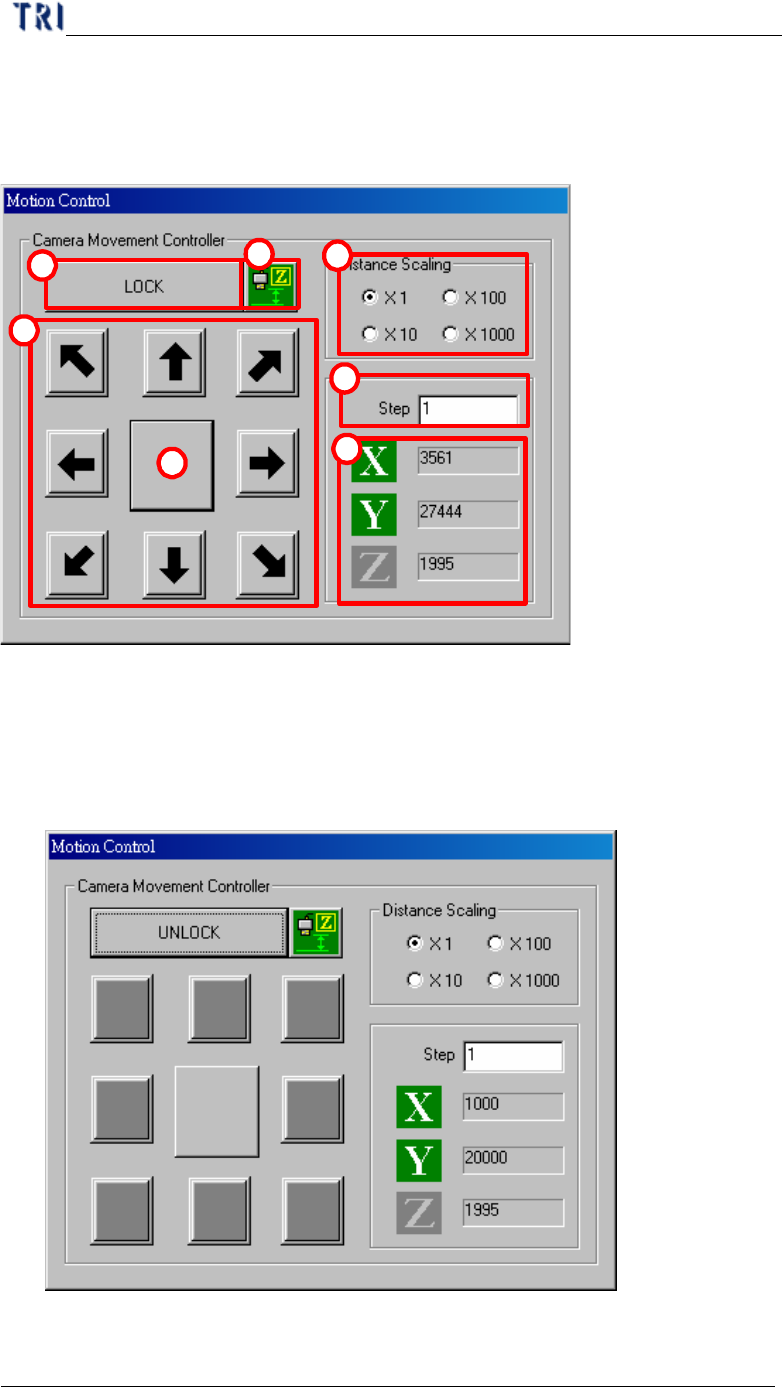
8. Motion Controller
1
2
3
4
5
6
7
(1) Distance Scaling–Choose the moving magnification of step.
(2) Step–Input the moving scale (pulse) of X-Y Table.
(3) X, Y– Means the coordinate of camera on X-axis and Y-axis.
(4) Lock/Unlock button– Press to lock the moving of X-Y Table.
(5) Arrowheaded button– Press to move Table to the corresponding direction. For
Chapter 3 AOI ATPG Function instruction
TR7500 USER MANUAL
154
example you can press
to move the camera to left-front side with specific
pulse (“Step” multiplied by “Scaling”).
(6) Central block– Press to minimize the motion control box. You can double click
it to represent the box.
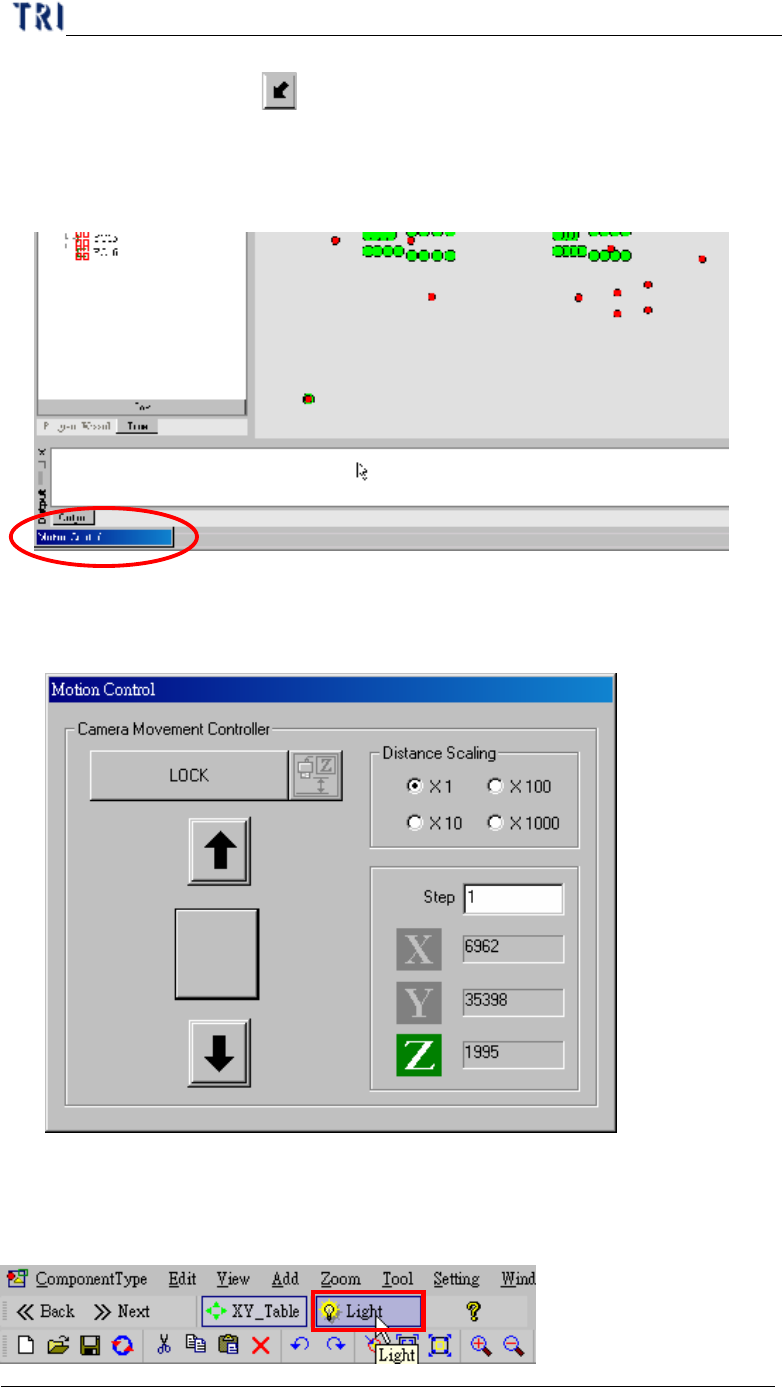
(7) Z adjusting button–After pressing this button, the motion control dialog is
changed as the following. Do not propose using this function at present.
9. Light adjustment
Chapter 3 AOI ATPG Function instruction
TR7500 USER MANUAL
155
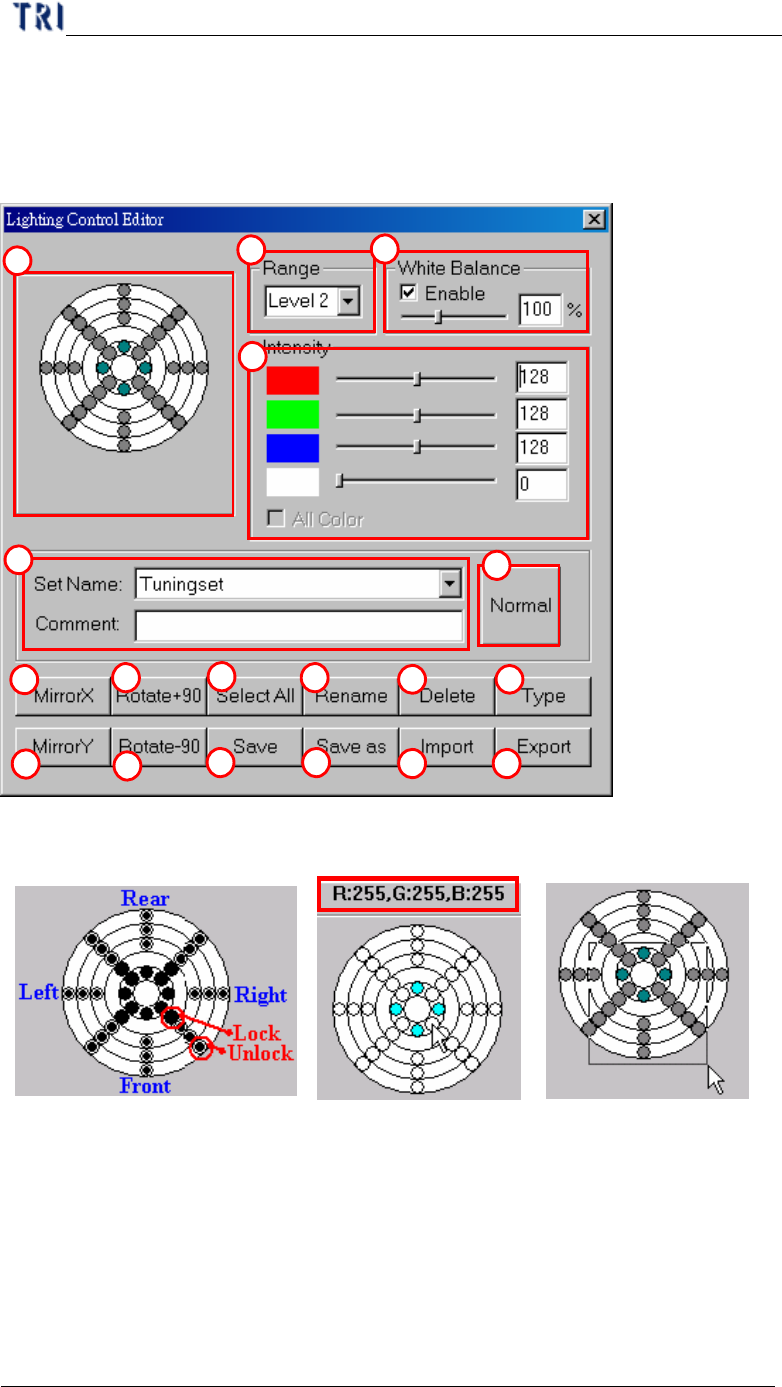
l Push Setting button to lighting control edit
9.1. Lighting control editor
(1) LED control –
l This controller expresses with figure every regional position of LED board,
below of the graphic presentation means the light source of the front, as drawn. It
is adjusted that the lighting can divide into 36 zones; every circle figure means
an adjusted zone.
l Every district of 28 zones except top lighting area of the center can adjust the
power of red, green, and blue three kinds of lighting separately. Because that
LED disposes in at the central area, you can only adjust the white light in the
1
2
4
5
6
7
8
9
11
12
13 14
15 16
17 18
10
3