TR7500E_Manual_en_v28.pdf - 第28页
C h a p t e r 1 AO I S t a nd a r d P r o j ec t Cr ea t i on T R 7500 U S E R M A N U AL 21 ( 5) D i s p l a y t h e C A D & X Y t a b l e c o o r d i n a t e . ( 6) D i s p l a y b o a r d 1 r e s u l t . G e tti n…
Chapter 1 AOI Standard Project Creation
TR7500 USER MANUAL
20
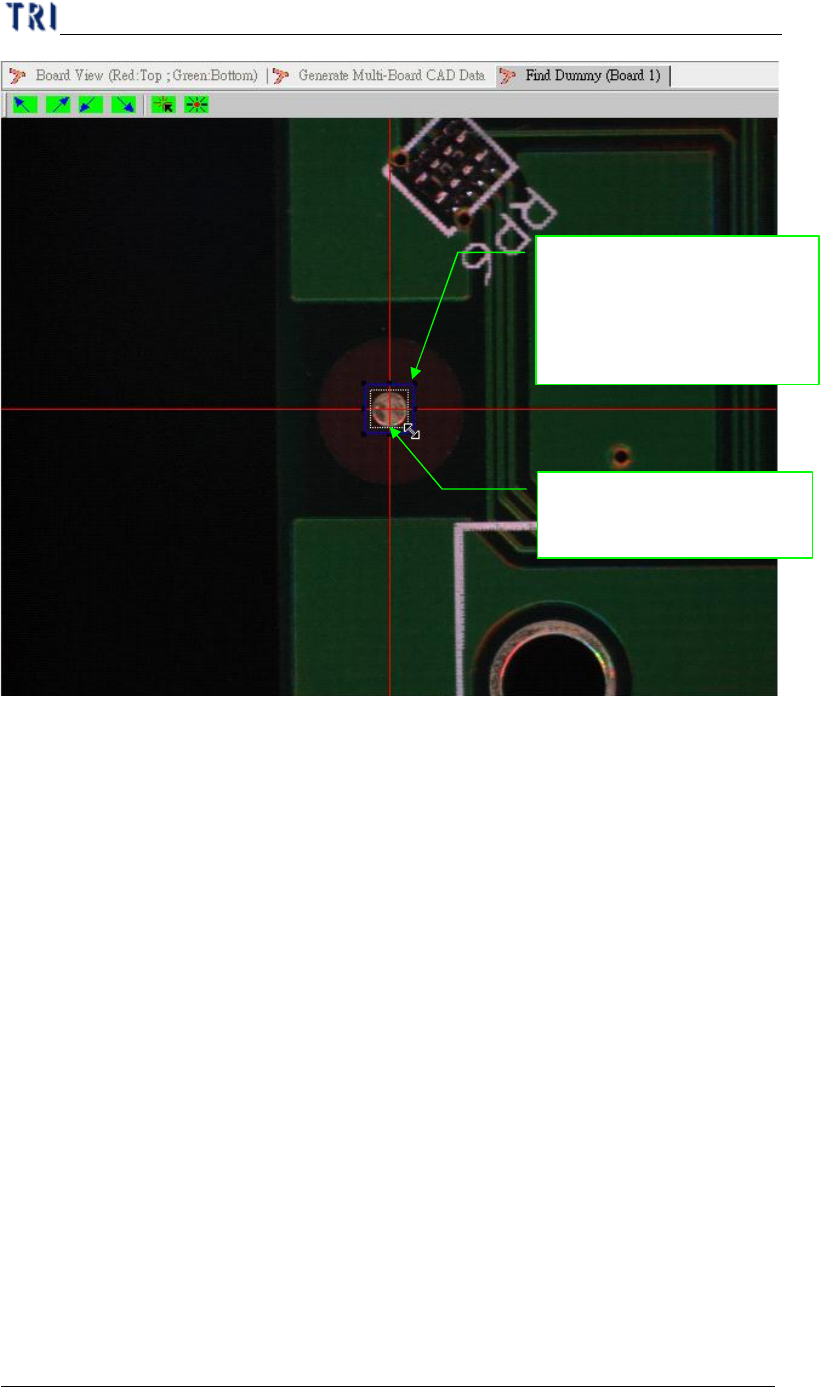
(4) Getting the component coordinate in XY table.
1. Adjust the blue frame for
assistant user’s adjustment;
pad can near the center
closely
2. Moving camera to
center of the component
Chapter 1 AOI Standard Project Creation
TR7500 USER MANUAL
21
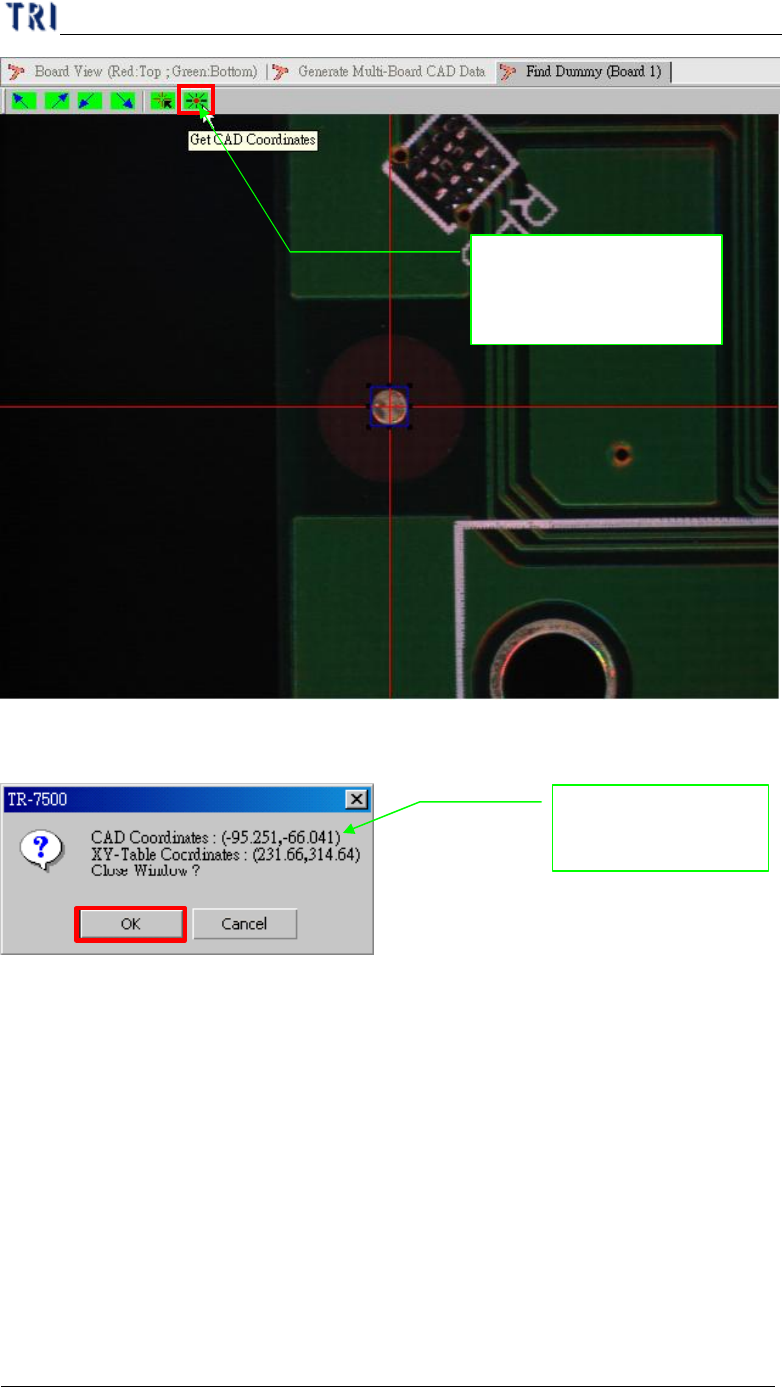
(5) Display the CAD & XY table coordinate.
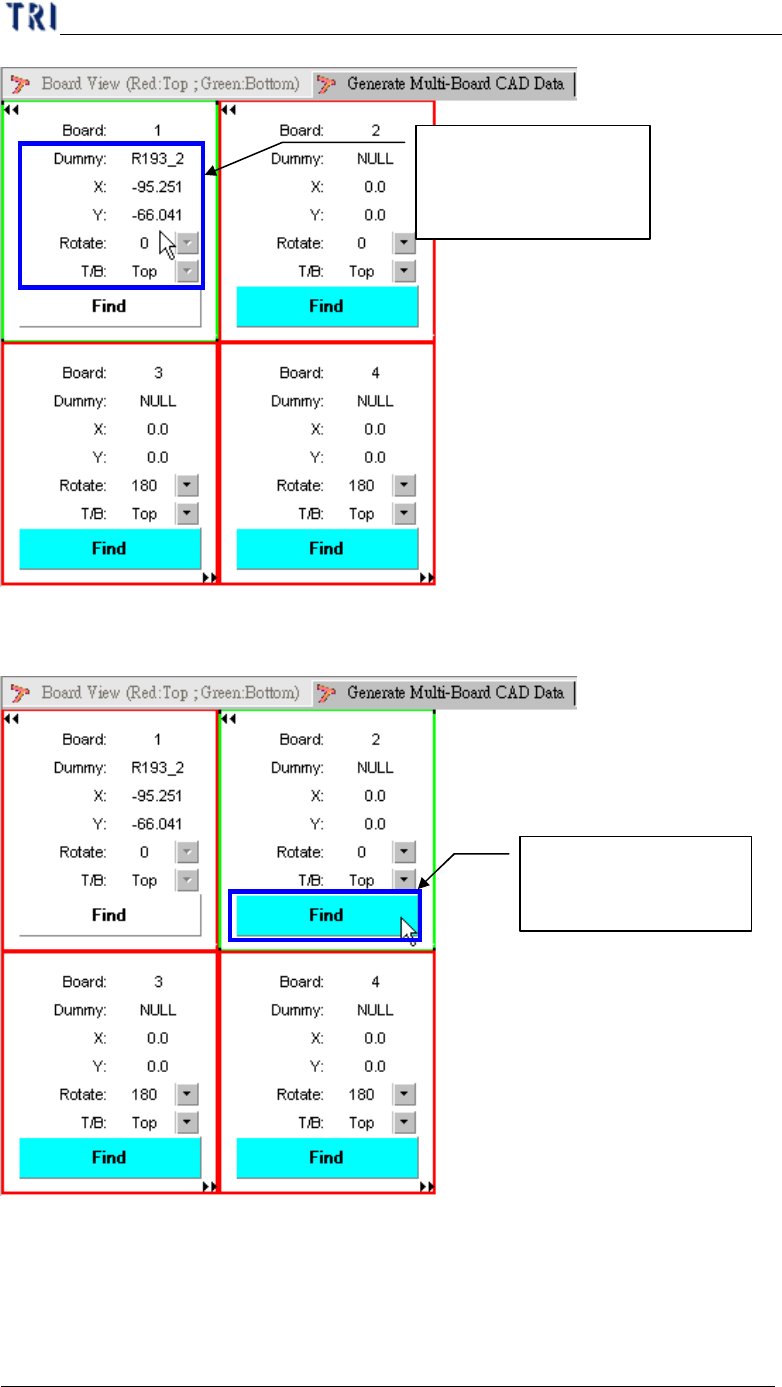
(6) Display board 1 result.
Getting the CAD with
the XY table
relationship for position
System shows the
position relationship
Chapter 1 AOI Standard Project Creation
TR7500 USER MANUAL
22
(7) Enter board 2 for setting reference component position.
(8) Setting board 2 the reference component position.
Getting component of
CAD file with board 1
relationship
Setting board 2 with
CAD relationship