TR7500E_Manual_en_v28.pdf - 第158页
C h a p t e r 3 A O I A T P G F u n c t i o n i n s t r u c t i on T R 7500 U S E R M A N U AL 1 51 5.1.2. G e t R o t a t e A ng le l Y ou ca n u s e t h e f u n c t i o n t o ca l c u l a t e r o t a t e a ng l e a g a…
Chapter 3 AOI ATPG Function instruction
TR7500 USER MANUAL
150
5. Fiducial Mark Setting
5.1. Set
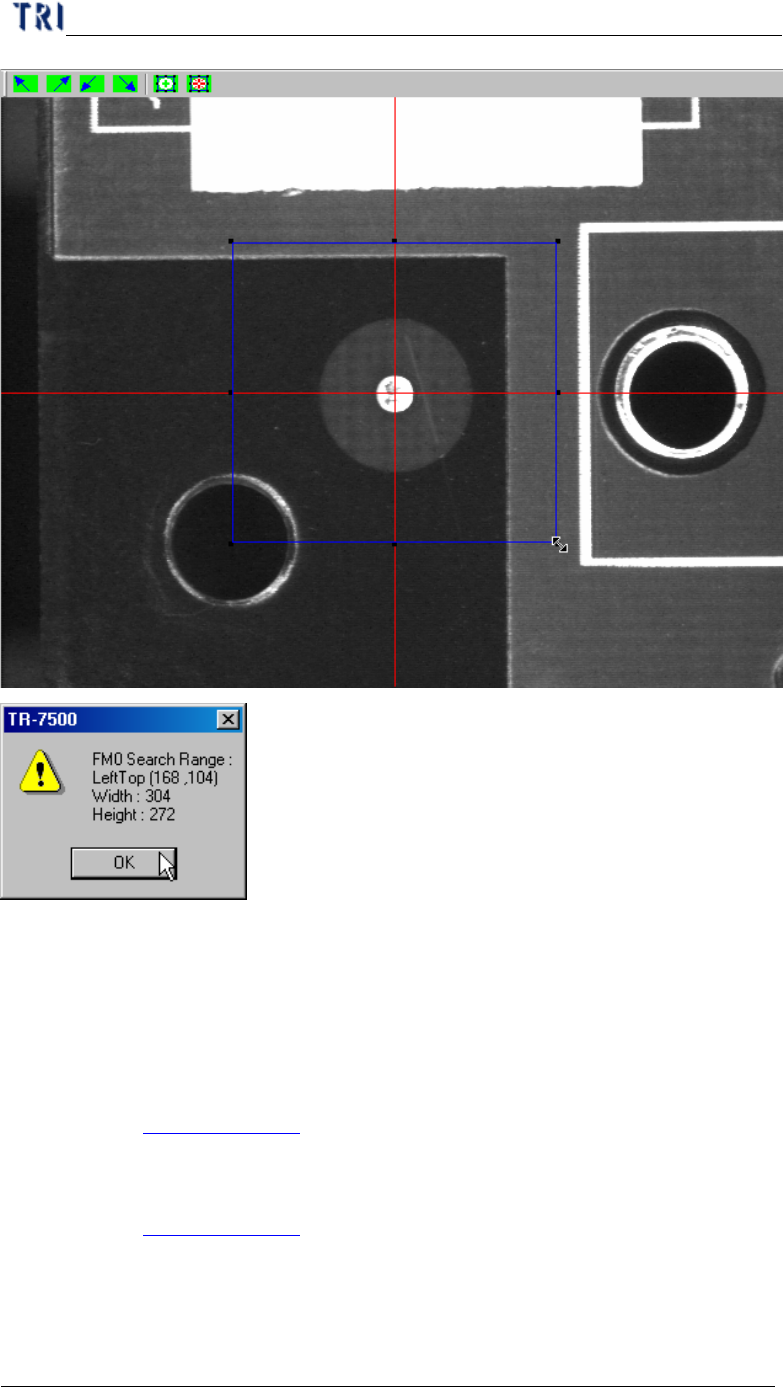
5.1.1. FM0 Search Range
l You can set search range for the first fiducial mark manually. You also can use
the system default and don’t have to set the range. Adjust the position and size of
the blue box and press [OK] to set the range.
Chapter 3 AOI ATPG Function instruction
TR7500 USER MANUAL
151
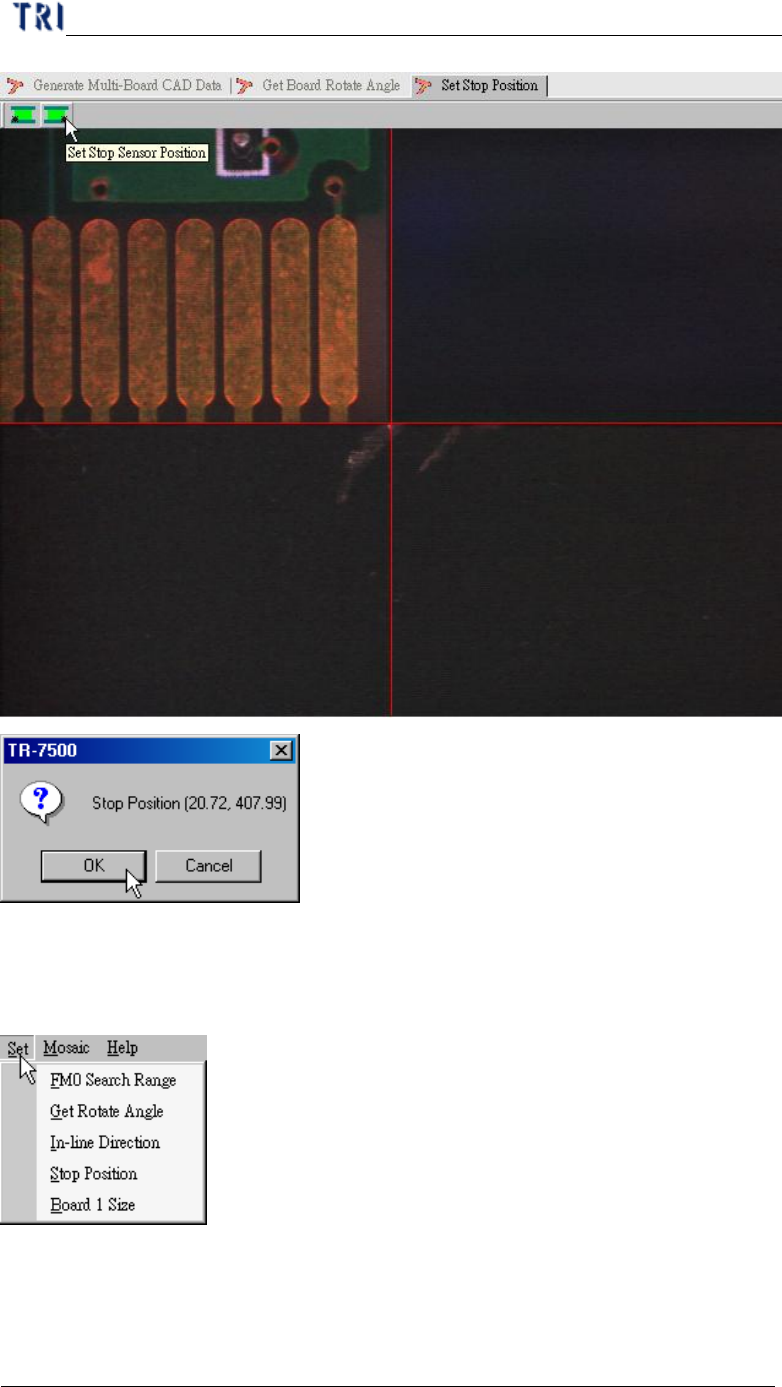
5.1.2. Get Rotate Angle
l You can use the function to calculate rotate angle again if the board has been
reload.
5.1.3. In-Line Direction
l Please see Chapter 3 4.1.1.
5.1.4. Stop Position
l Please see Chapter 3 4.1.2.
5.1.5. Board 1 Size
l You can set board 1 size here.
Chapter 3 AOI ATPG Function instruction
TR7500 USER MANUAL
152
5.2. Mosaic
l You can press the function to get panel map here.
6. Library
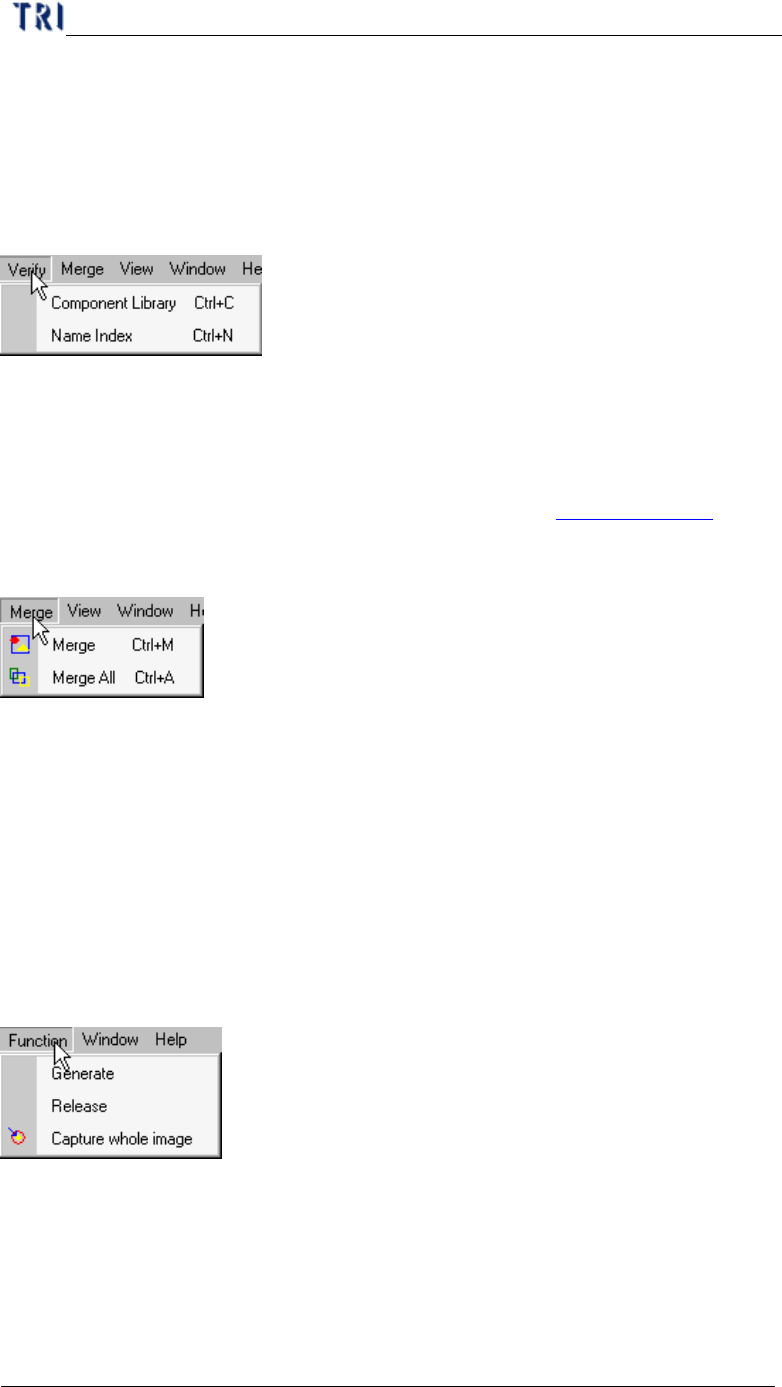
6.1. Verify
6.1.1. Component Library
l Select to enter the [tune] field.
6.1.2. Name Index
l You can select to open [Name Index] window. Pleas see Chapter 3 6.1.2. .
6.2. Merge
l Merge means for all components on PCB the system copy all inspection boxes to
every component according the type.
6.2.1. Merge
l Merge the selected type.
6.2.2. Merge All
l Merge all types.
7. FOV Generate
7.1. Function
7.1.1. Generate
l Press then system will recalculate the deploy of FOVs.
7.1.2. Release
l Clear the data calculated before.
7.1.3. Capture whole image