TR7500E_Manual_en_v28.pdf - 第48页
C h a p t e r 1 AO I S t a nd a r d P r o j ec t Cr ea t i on T R 7500 U S E R M A N U AL 41 5 . 2 . B o a r d S i z e S e tt i n g l B o a r d s i z e s e tt i ng i s d e t ec t i o n f o r g o l d e n p i n i n p a n e…
Chapter 1 AOI Standard Project Creation
TR7500 USER MANUAL
40
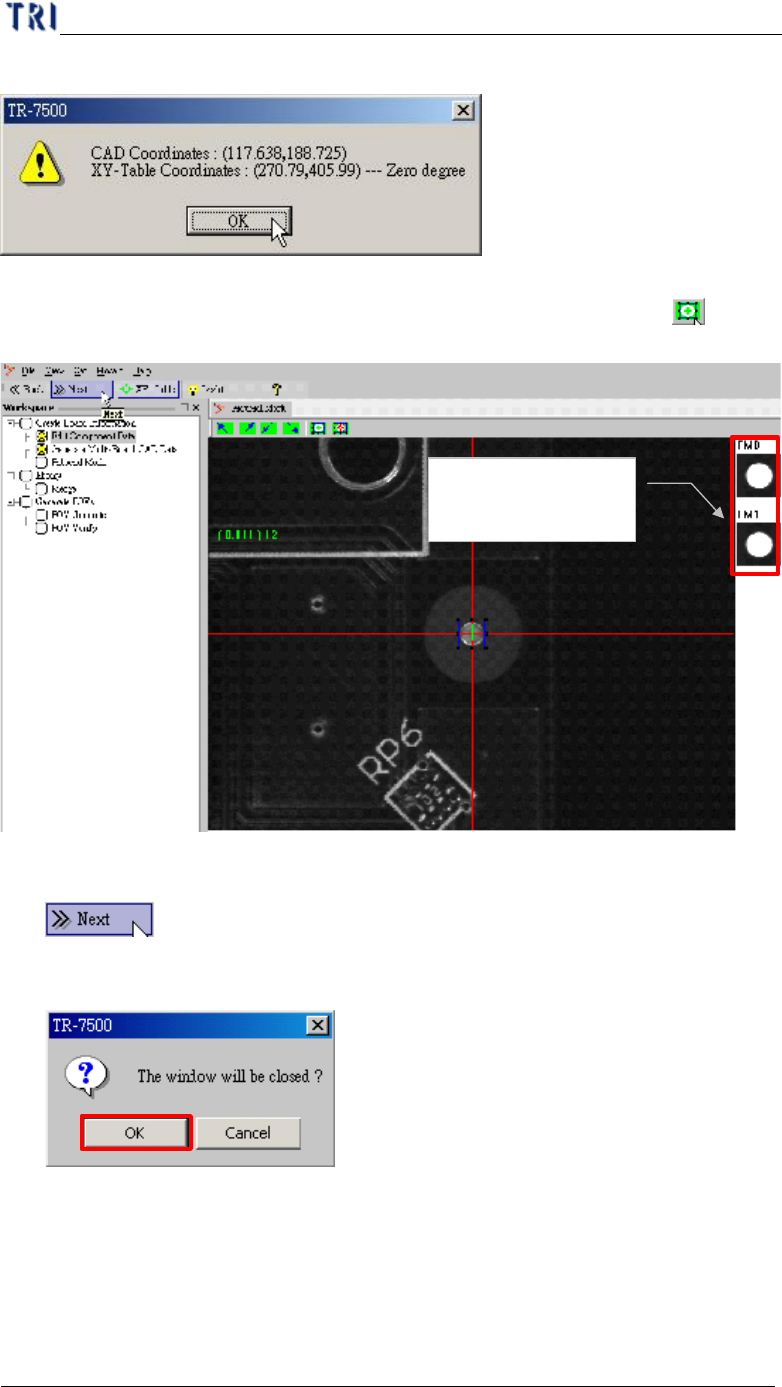
(11) Display fiducial mark 1 coordinates.
(12) The finished images of two fiducial marks are shown at the right side of the
active window. If you are not satisfied with the images, pressing the [ Set
Fiducial Mark] to train the images again.
(13) Press [Next]
(14) Displays the message below. Press [OK].
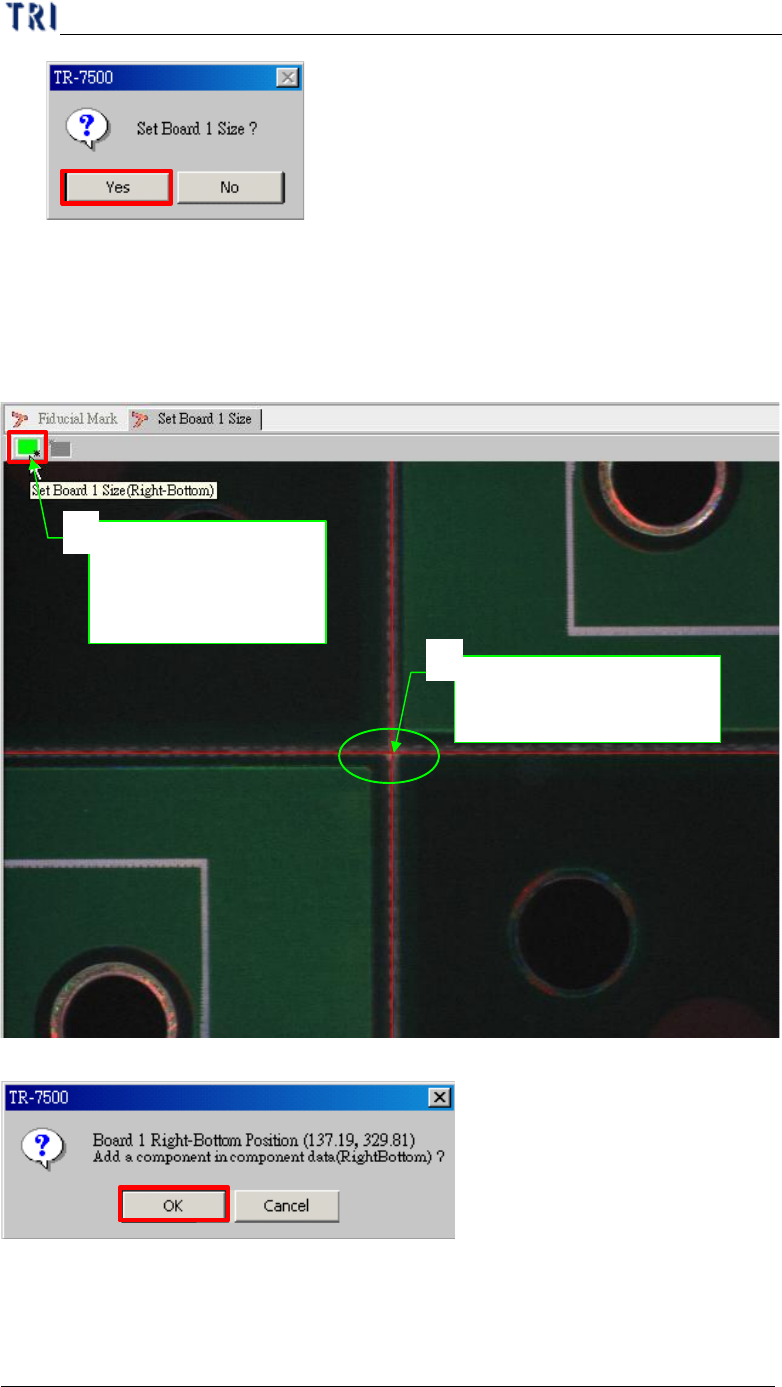
(15) Select [Yes] to starting to set board 1 size.
Fiducial marks are
displayed here.
Chapter 1 AOI Standard Project Creation
TR7500 USER MANUAL
41
5.2. Board Size Setting
l Board size setting is detection for golden pin in panel outside edge.
(1) Moving the screen center to right-bottom side corner of board 1 and press setting
button.
(2) Confirm the board 1 right-bottom position.
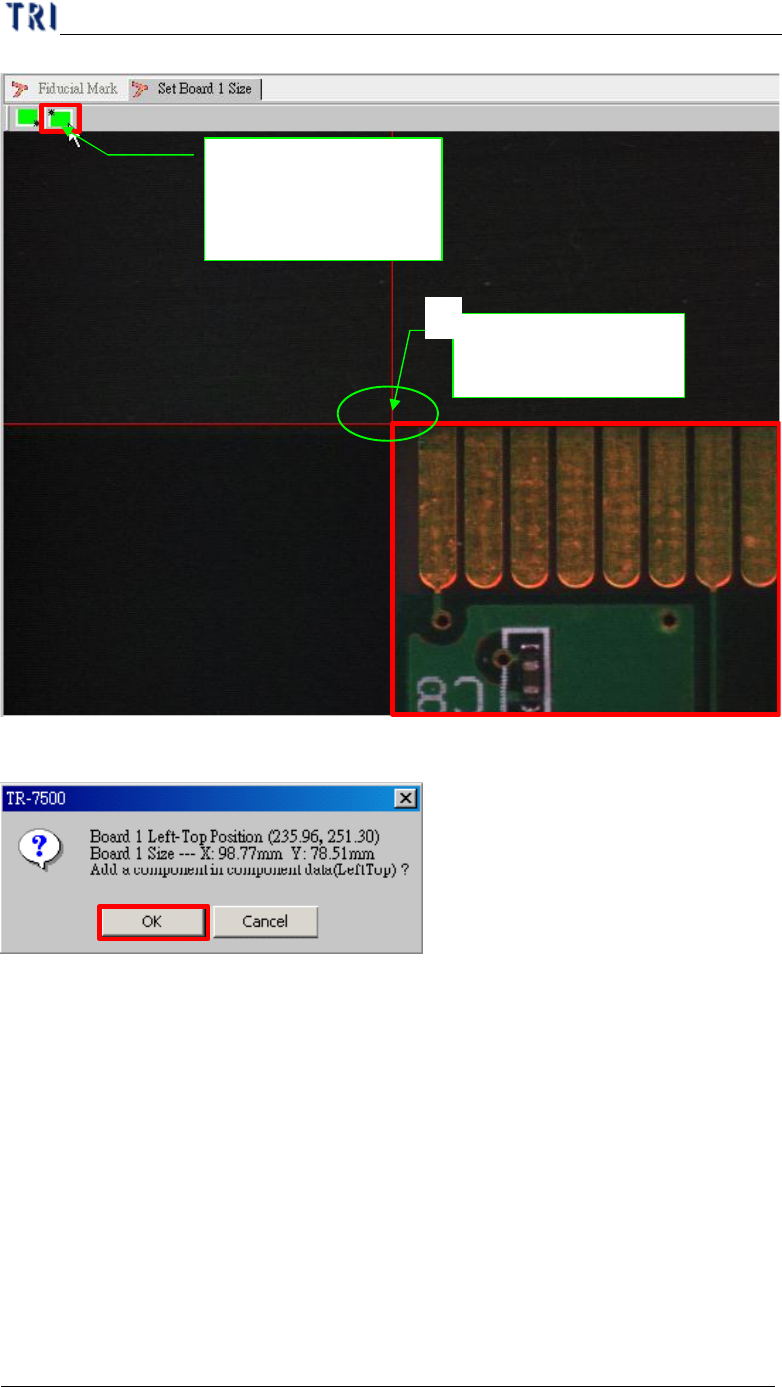
(3) Moving the screen center to left-top side corner of board 1 and press setting
button.
Move to right-
bottom side
corner
1
Push the button set
board 1 right-bottom
side limitation
2
Chapter 1 AOI Standard Project Creation
TR7500 USER MANUAL
42
(4) Confirm the board 1 right-bottom position.
(5) Board size setting finishes and goes to next.
Push the button set
board 1 left-top side
limitation
Move to left-top side
corner
1