TR7500E_Manual_en_v28.pdf - 第103页
C h a p t e r 2 M a nu a l B a r i n t r o d u ce T R 7500 U S E R M A N U AL 96 S t e p 1 0. P r e ss [ C l o s e ] t o c l o s e t h e N o n - C a d d i a l o g . 4.7.5. E d i t a n exis t i ng A O I F i l e S t e p 1.…
Chapter 2 Manual Bar introduce
TR7500 USER MANUAL
95
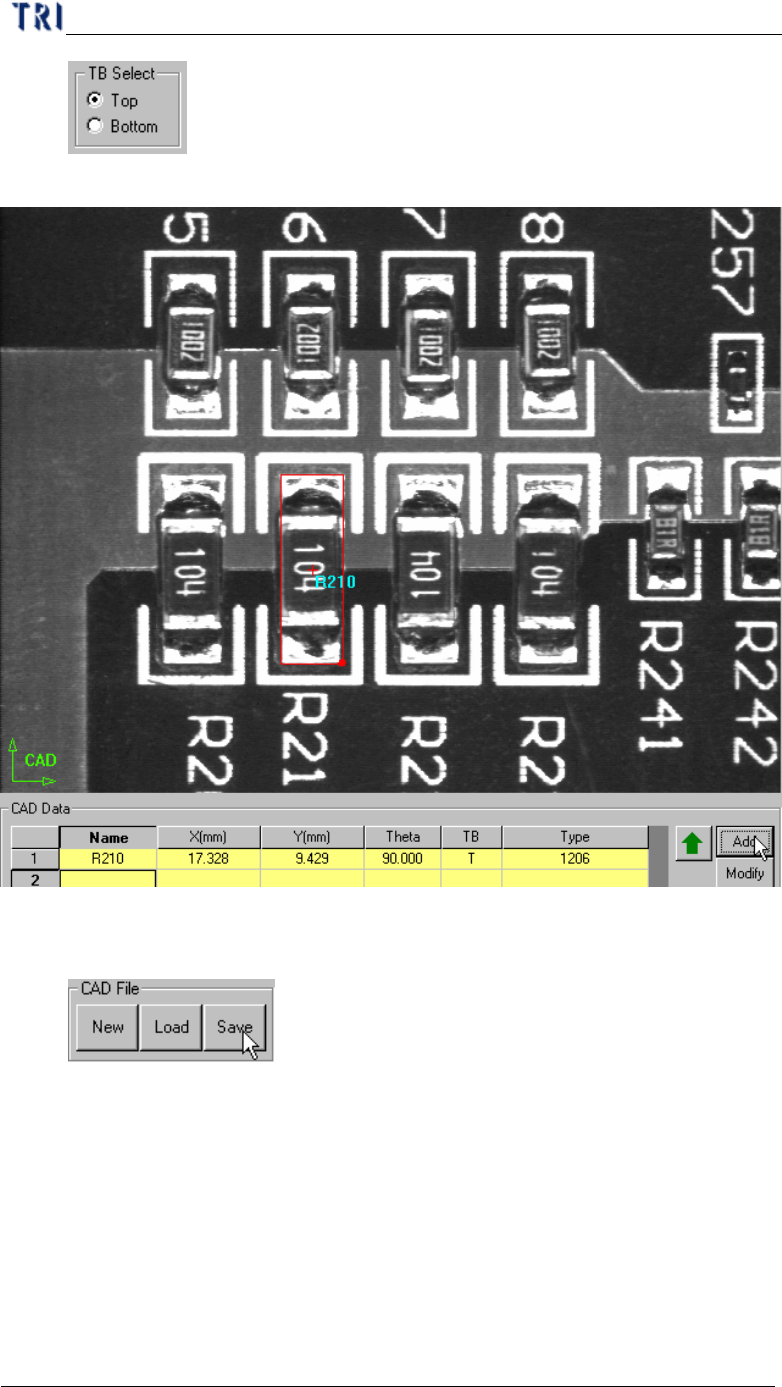
Step7. Press [CAD Data/Add] to create the component data.
Step8. Add other components.
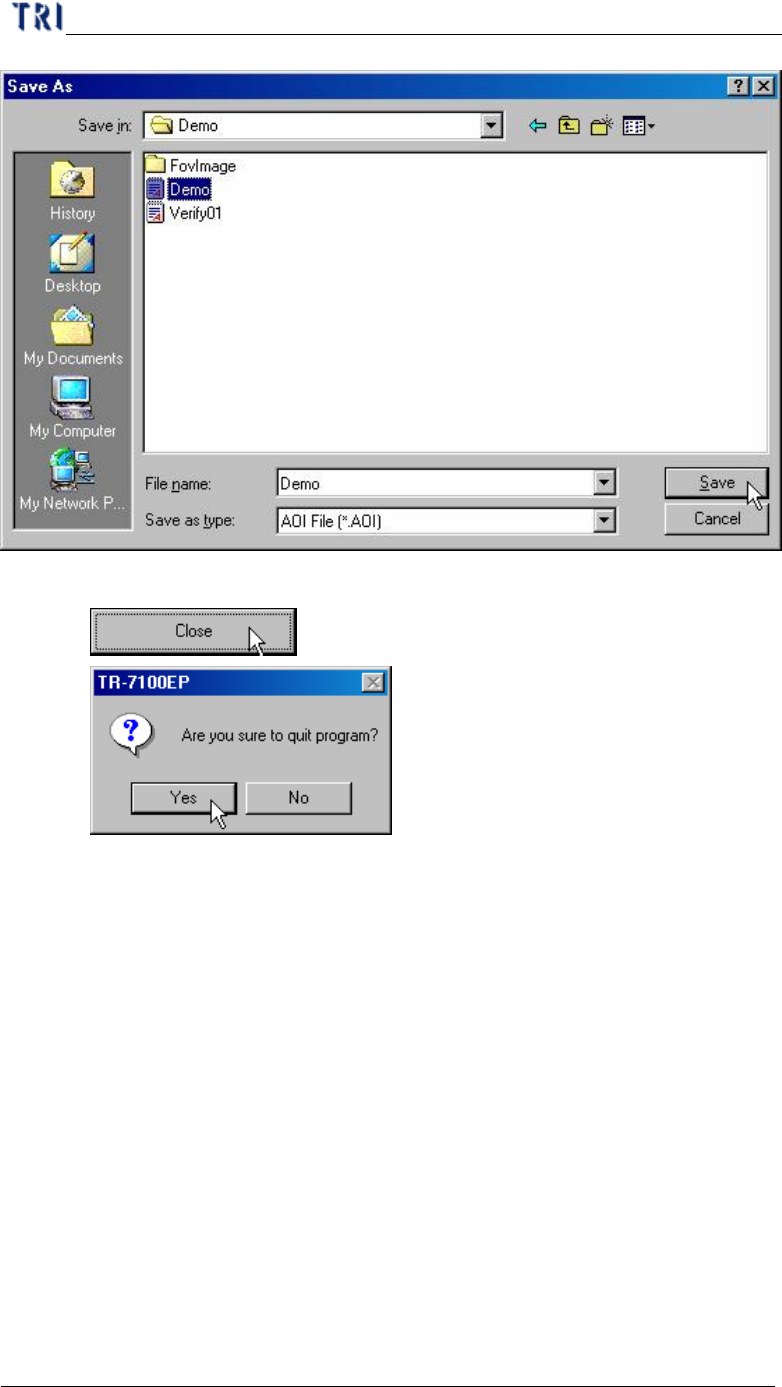
Step9. Press [CAD File/Save] to save AOI file.
Chapter 2 Manual Bar introduce
TR7500 USER MANUAL
96
Step10. Press [Close] to close the Non-Cad dialog.
4.7.5. Edit an existing AOI File
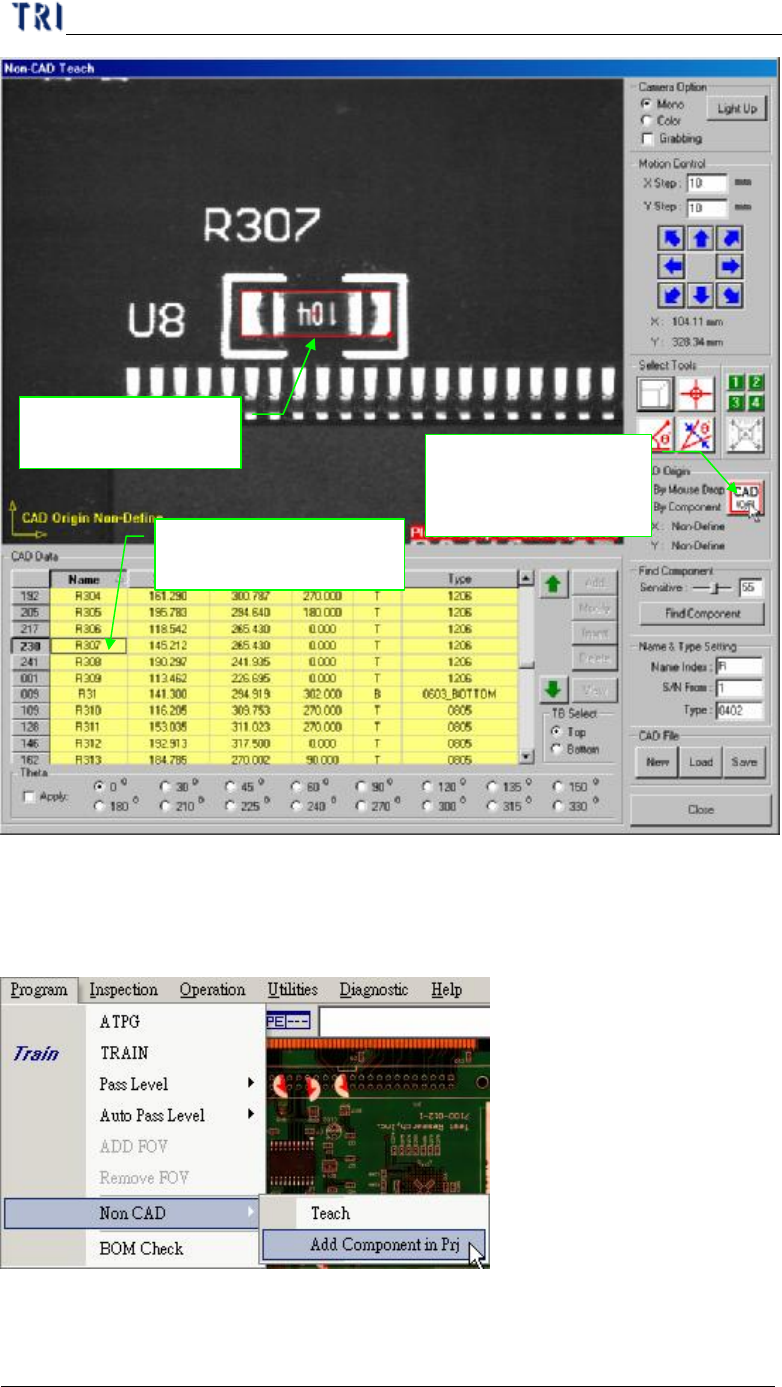
Step1. Press [CAD File/Load] to open a file.
Step2. Use [By Component] to set origin.
Chapter 2 Manual Bar introduce
TR7500 USER MANUAL
97
Step3. Add the other component data and save the file.
4.7.6. Add Component in Pre.
l This is to add a new component to an existing project with non-cad function.
l Procedure
Step1. Press [Program/Non CAD/Add Component in Pre.] and enter the dialog as the
1. Use box tool to set
the component
3. Select [By
Component] then
press [CAD(0,0)]
2. Select the component
in the table