TR7500E_Manual_en_v28.pdf - 第259页
C h a p t e r 4 T r a i n d i a l og f u n c t i on T R 7500 U S E R M A N U AL 2 52 [ W A R P M OD E L] c o m po n e n t i n c ompo n e n t li s t . 6.4.2. W a r p s c o r e l S e t t h e s i m i l a r i t y s c o r e .…
Chapter 4 Train dialog function
TR7500 USER MANUAL
251
When you select the check box the [Warp] will be inspected with method 1;
when you don’t select the check box the [Warp] will be inspected with method 2.
l You can select only one [Warp] for a FOV. When the [Warp] has set the character
on the button will be changed as [Delwarp]. You can select [Delwarp] to delete
the [Warp].
l Setting Steps
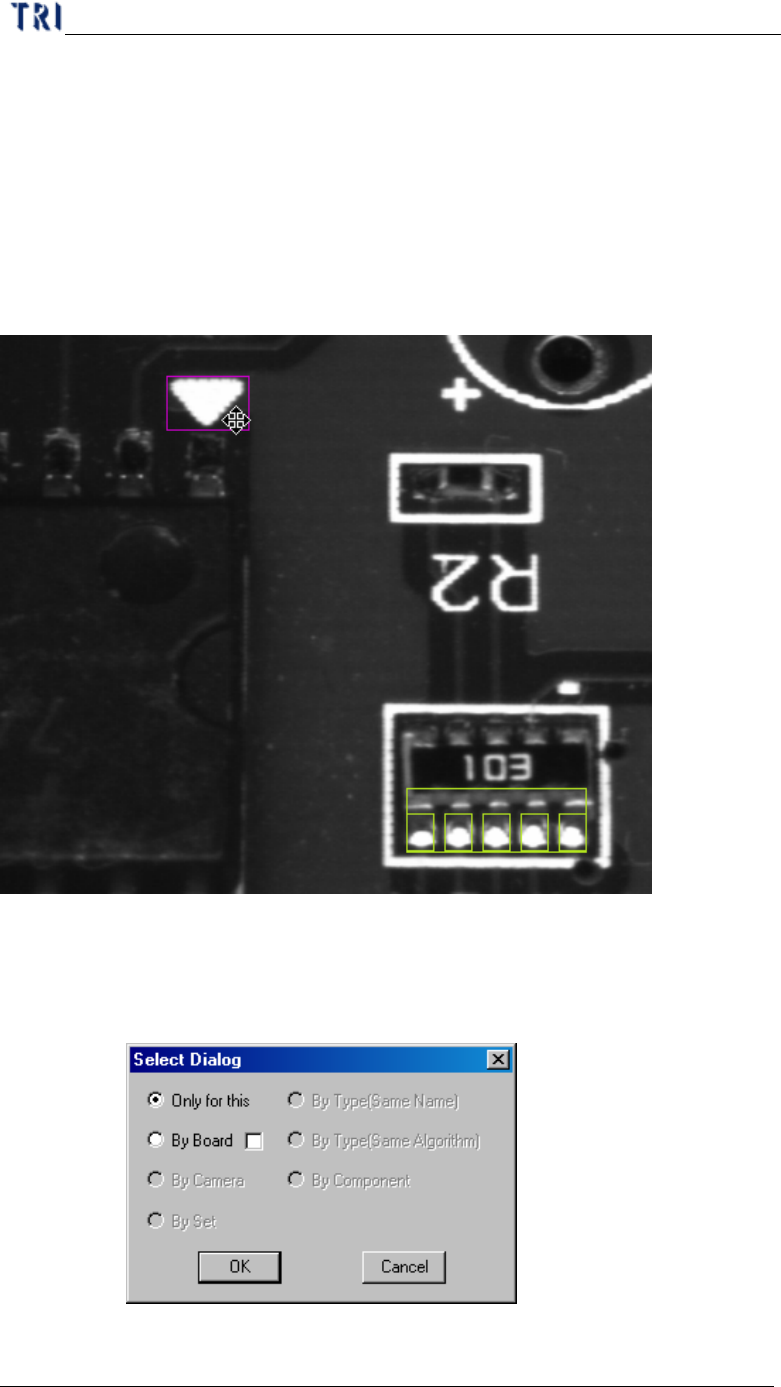
Step1. Adjust the position and size for multi-function window to suit the
objective.
Step2. Select the copy rules. [By Board] means copy the setting to relative
multi-board FOVs. Selecting the check box means the inspection boxes
will be moved a relative distance according the [Warp] position when
copy the [Warp] to other multi-boards.
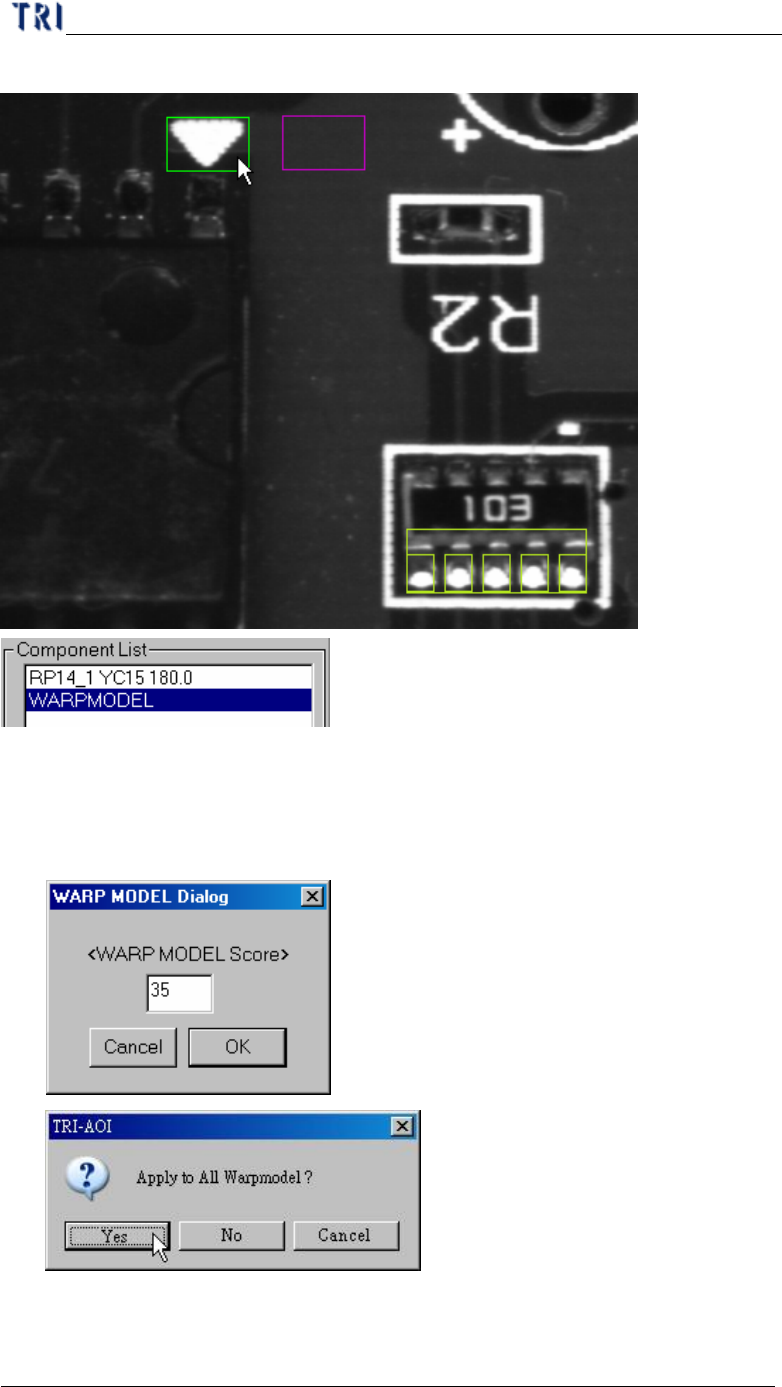
Step3. When finishing setting there is a warp on FOV image and a
Chapter 4 Train dialog function
TR7500 USER MANUAL
252
[WARPMODEL] component in component list.
6.4.2. Warp score
l Set the similarity score. When the similarity is higher than the score the
inspection window in the FOV will be relocated according the [Warp].
6.4.3. Warp Algorithm Modification
Chapter 4 Train dialog function
TR7500 USER MANUAL
253
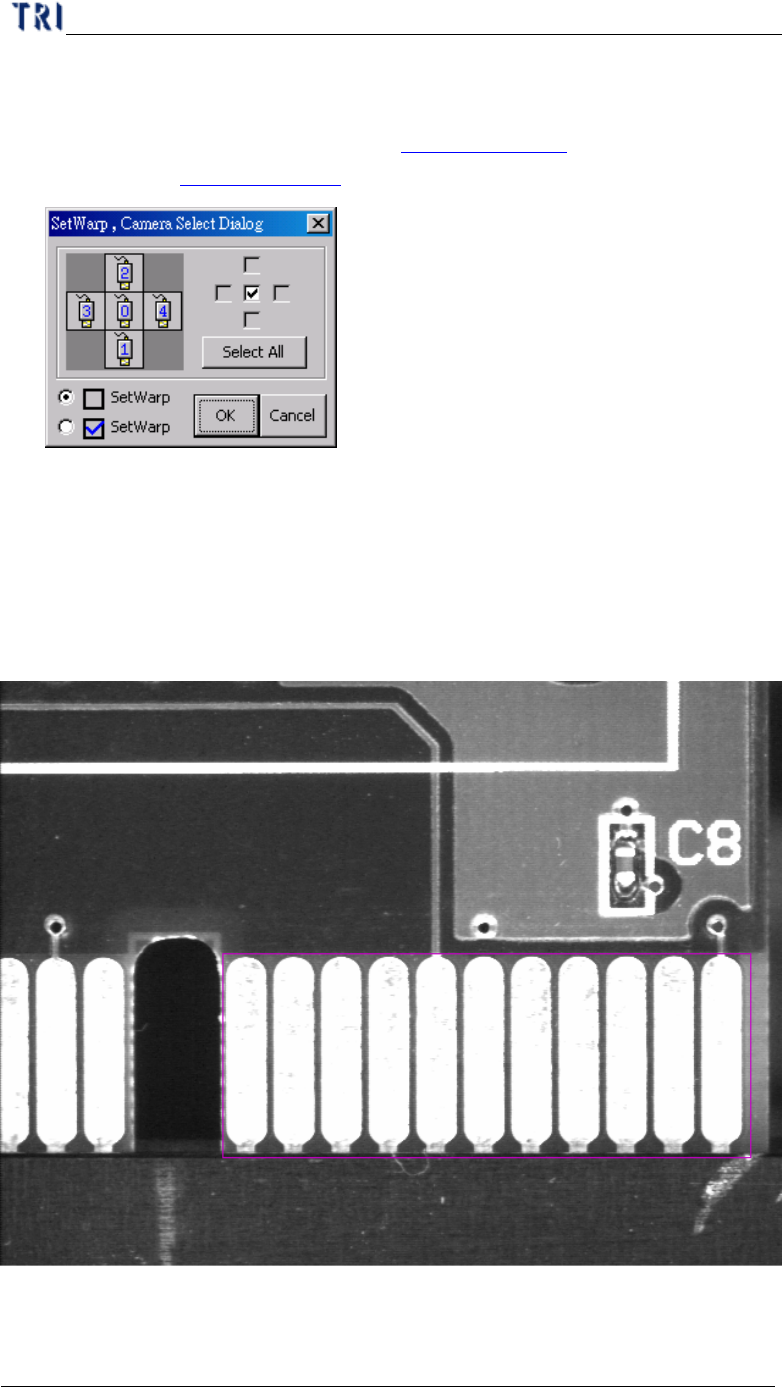
l The function is to change the algorithm for specified [Warp]. Press [Ctrl] and [W]
key under the FOV with [Warp] window, then the following window is appeared.
[Correlation] represents the Method 2 (Chapter 3 11.1.2. and [Feature] means
the Method 2 (Chapter 3 11.1.1. ).
6.5. ROI Setting
l ROI is an inspection box to inspect the scrape of surface.
6.5.1. Set ROI
l Setting Steps
Step1. Use multi-function window to cover the area you want to inspect.
Step2. Input the name of ROI and press [Set ROI] to add an inspection box.