TR7500E_Manual_en_v28.pdf - 第267页
C h a p t e r 4 T r a i n d i a l og f u n c t i on T R 7500 U S E R M A N U AL 2 60 n T h e w a y t o s e t l i g h ti ng i s i n C h a p t e r 3 9. . [ F o r M u l t i F OV ] m e a n s t o s e t t h e li g h t t o r e …
Chapter 4 Train dialog function
TR7500 USER MANUAL
259
6.10. Change Lighting
6.10.1. Move to FOV Position
l Selecting the check box means move the camera to the position of FOV that we
review now. You can change and save the lighting.
l Not selecting the check box means capture the image at current position. You can
change the lighting for test, but not save it.
6.10.2. Set Lighting
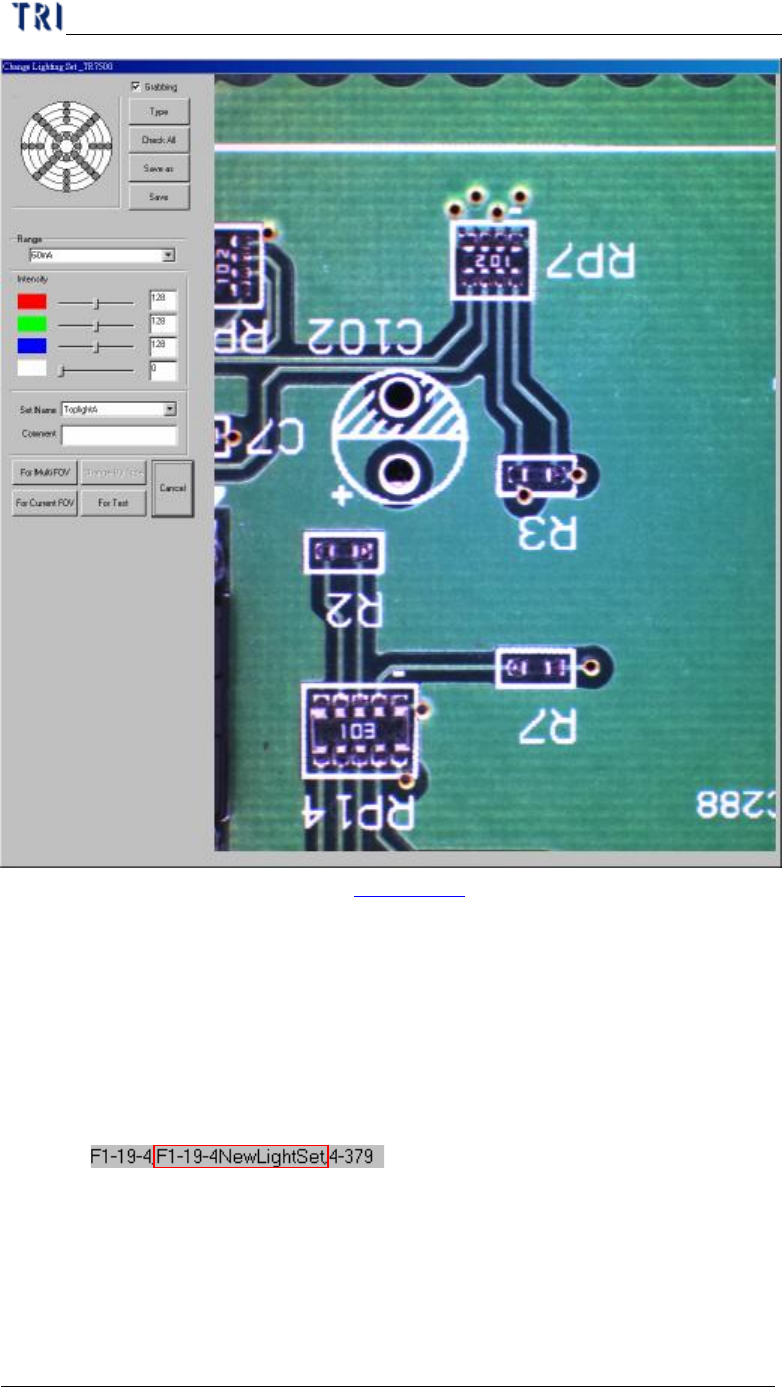
l You can set the lighting for the FOV
Chapter 4 Train dialog function
TR7500 USER MANUAL
260
n The way to set lighting is in Chapter 3 9. . [For Multi FOV] means to set
the light to relative FOVs in other multi-board; [For Current FOV] means
only set the light to the current FOV; [Change By Type] means set the light
to FOVs that contain the component with specified type; [For Test] means
the light just display for test and the FOV will be inspected by original
lighting. You should press above selection to set lighting or press [Cancel]
not to change and close the window.
n The changed lighting will be named according to the FOV name.
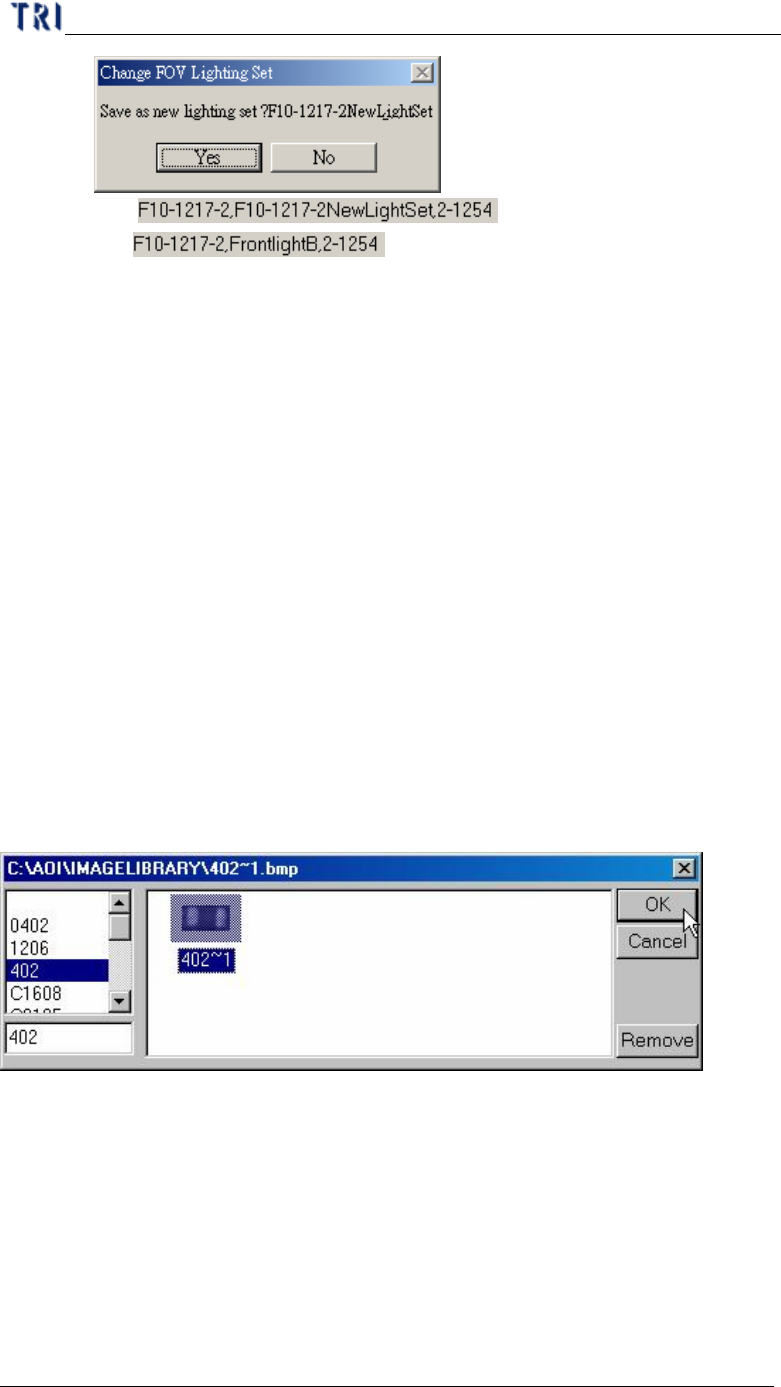
n If you change the lighting with the other default lighting, the system will
ask whether you want to set the lighting with a new name according to the
FOV name or set the lighting with original lighting name.
Chapter 4 Train dialog function
TR7500 USER MANUAL
261
Yes
No
6.11. Train/ Untrain/ Test/ Untest
6.11.1. Train
l Train the selected inspection box.
n For all FOV – Train all inspection boxes.
n For untrained – Train all untrained inspection boxes.
6.11.2. UnTrain
l Untrain the selected inspection box
n For all FOV – Untrain all inspection boxes.
6.11.3. Test
l Set the selected inspection box as test.
6.11.4. Untest
l Set the selected box as untest.
6.12. Image Library
6.12.1. Load
l You can load the saved image to use. You can see the image after loading.