TR7500E_Manual_en_v28.pdf - 第51页
C h a p t e r 1 AO I S t a nd a r d P r o j ec t Cr ea t i on T R 7500 U S E R M A N U AL 44 6 . Ed it ( c r ea t e o r m od ify a n e w ) f o r C om ponen t Li b r a ry l S ee C h a p t e r 3 1 0 . 7 . Me r ge w it h C …
Chapter 1 AOI Standard Project Creation
TR7500 USER MANUAL
43
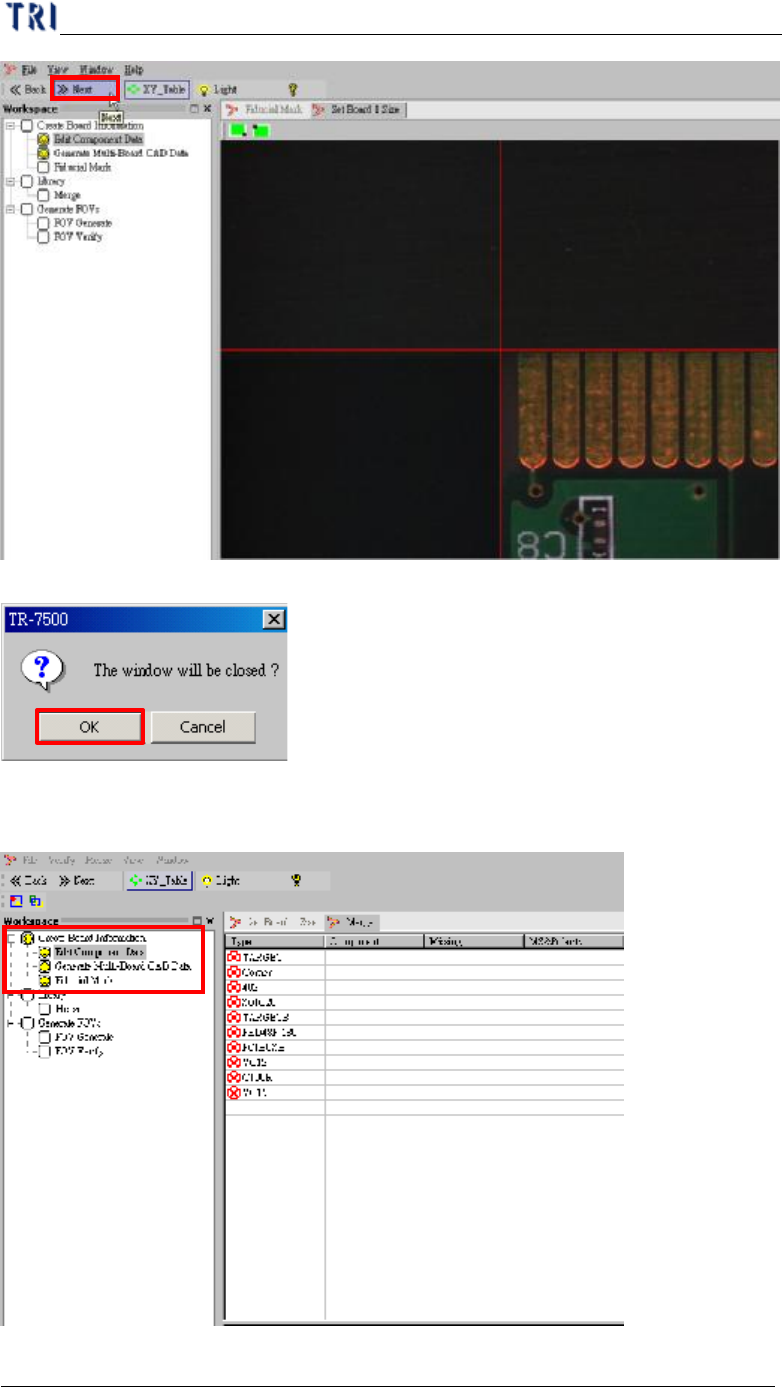
(6) Display finish in Fiducial Mark setting procedure.
Chapter 1 AOI Standard Project Creation
TR7500 USER MANUAL
44
6. Edit (create or modify a new) for Component Library
l See Chapter 3 10.
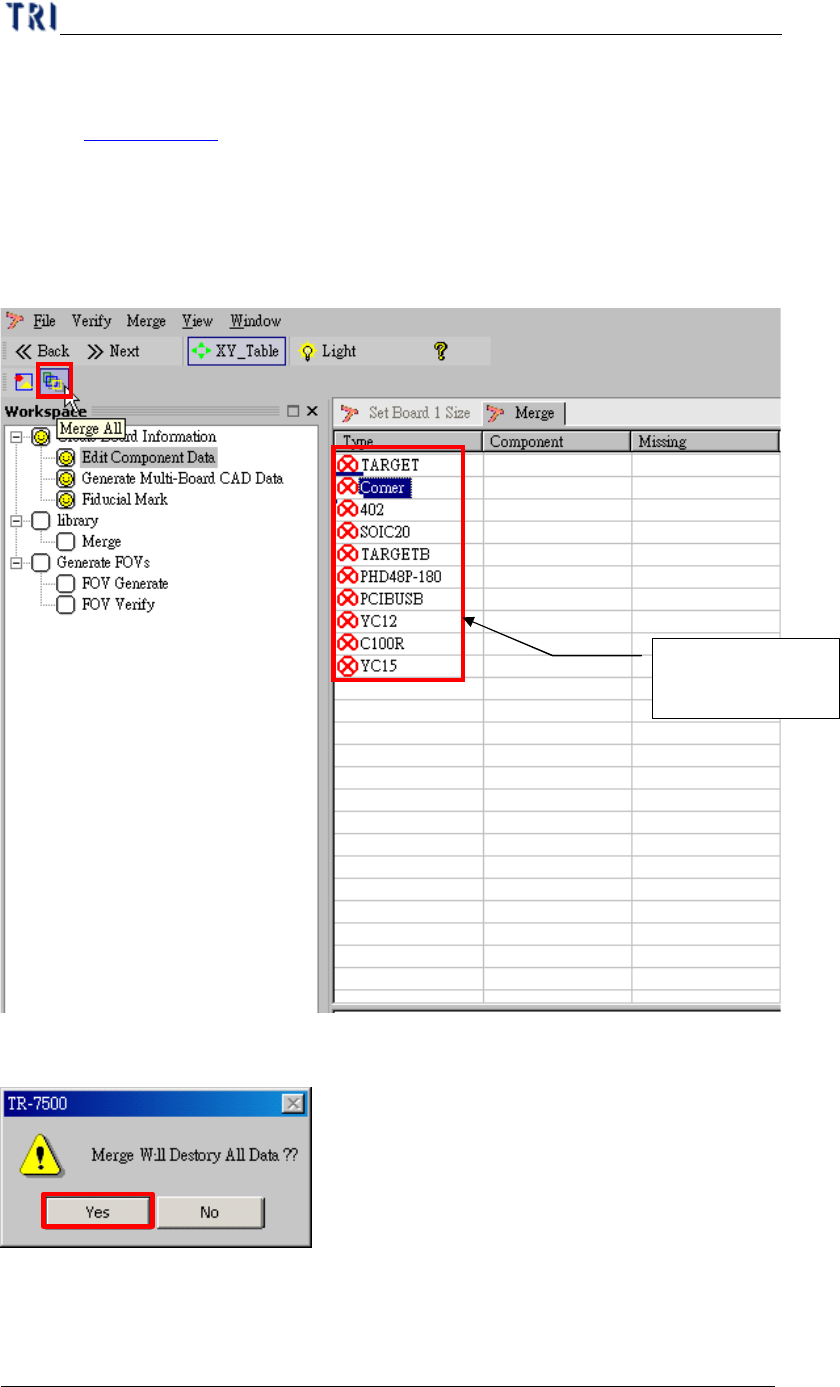
7. Merge with Component Library
l Merge CAD file with component library (component has been editing finish).
(1) Selection merge button.
(2) Warning message before merge component library.
CAD component
name
Chapter 1 AOI Standard Project Creation
TR7500 USER MANUAL
45
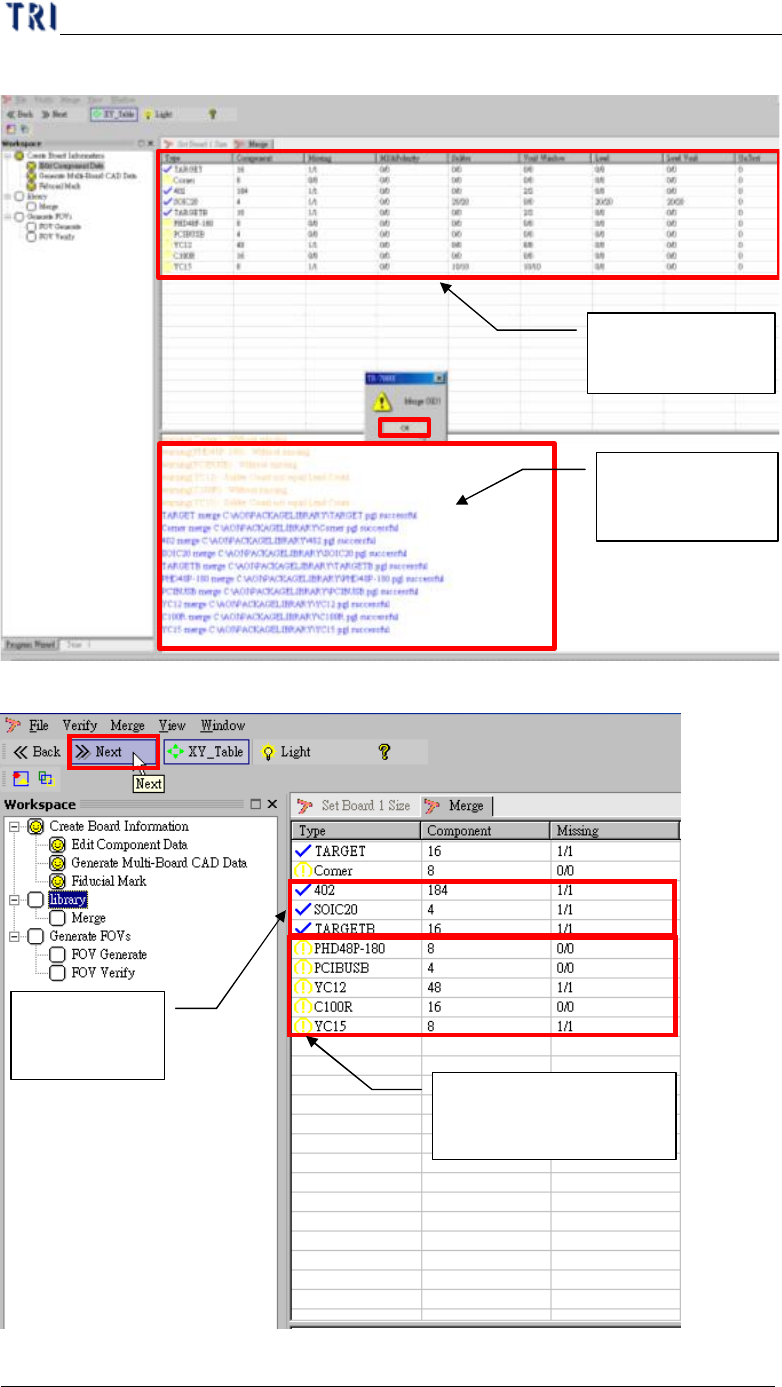
(3) Merging finish, CAD device link with component library.
(4) Go to next step.
Component
Merge status list
History list in
merging process
Component
merges OK
Warning component
after merging