TR7500E_Manual_en_v28.pdf - 第187页
C h a p t e r 3 A O I A T P G F u n c t i o n i n s t r u c t i on T R 7500 U S E R M A N U AL 1 80 l G r o up / I t e m – S e l ec t i o n t h e l og i ca l o p e r a ti o n w i t h G r o u p ( l o g i c a l f o r m u l…
Chapter 3 AOI ATPG Function instruction
TR7500 USER MANUAL
179
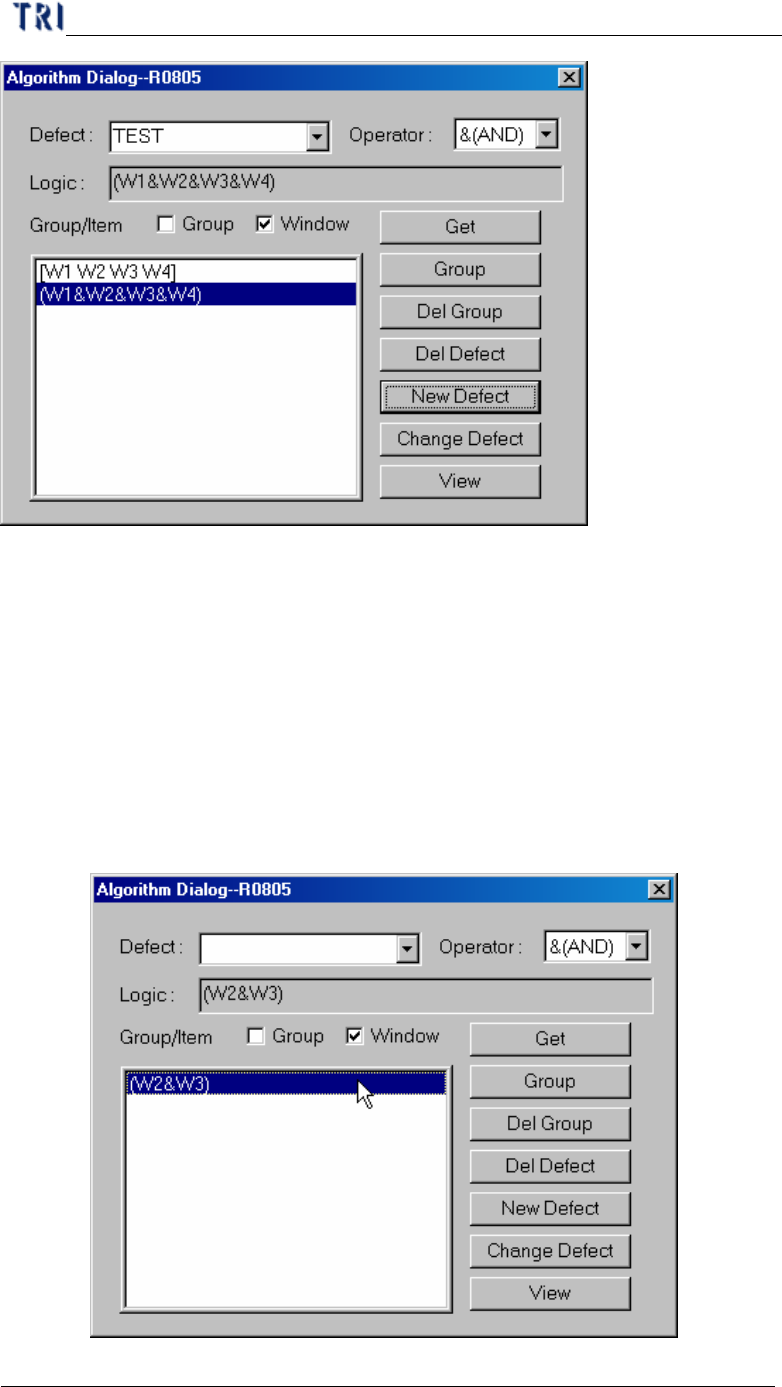
l Defect – The output inspection defect name.
l Operator – The defect logic operation operator. There are three options in
this field, [&(AND)], [|(OR)] and [^(XOR)].
n &(AND)– Show pass if all of the selected windows are passed.
n |(OR)– Show pass if one of the selected window is passed.
n ^(XOR)– Show pass if the pair of selected windows are not with the
same result.
l Logic – Setting the logic operation formula. Double click on the list window
and the formula will be moved to [Logic] field.
Chapter 3 AOI ATPG Function instruction
TR7500 USER MANUAL
180
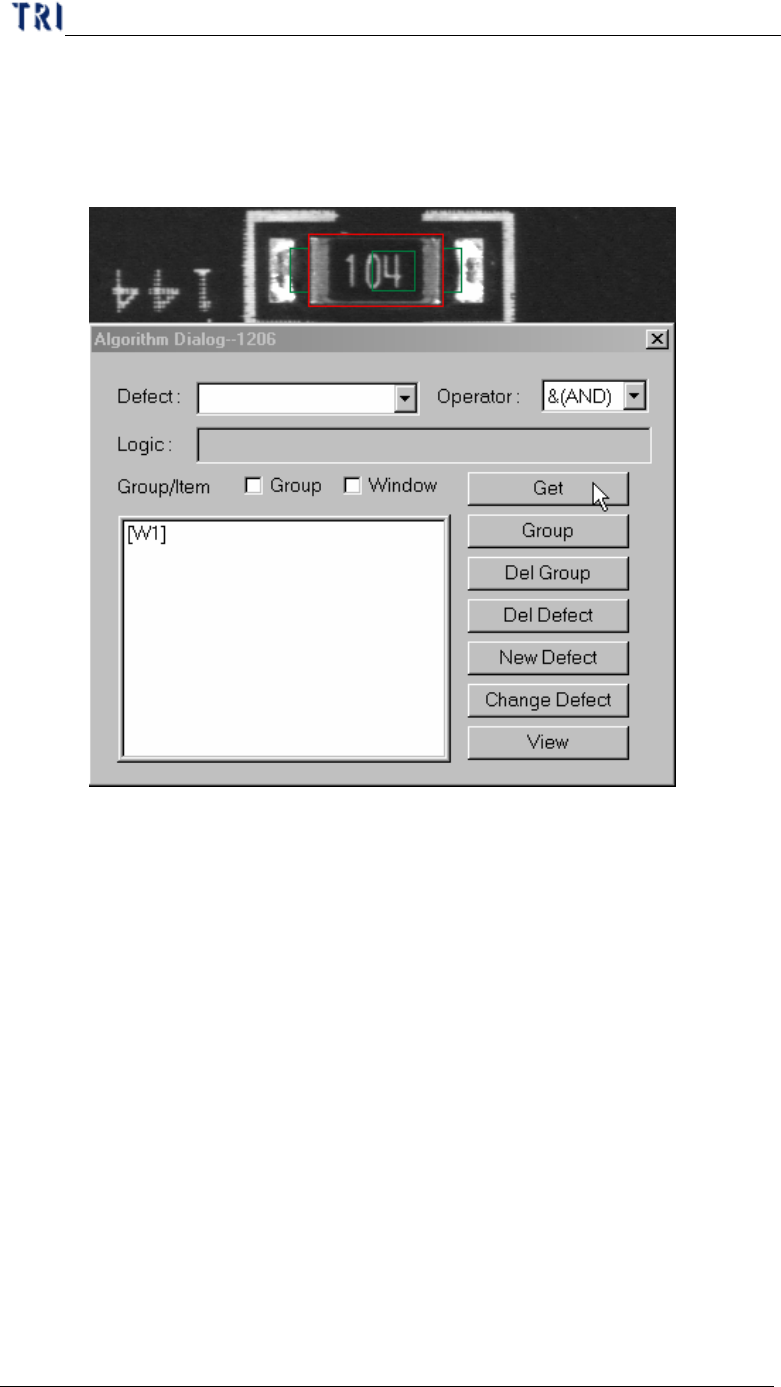
l Group/Item – Selection the logical operation with Group (logical formula)
or current FOV inspection box.
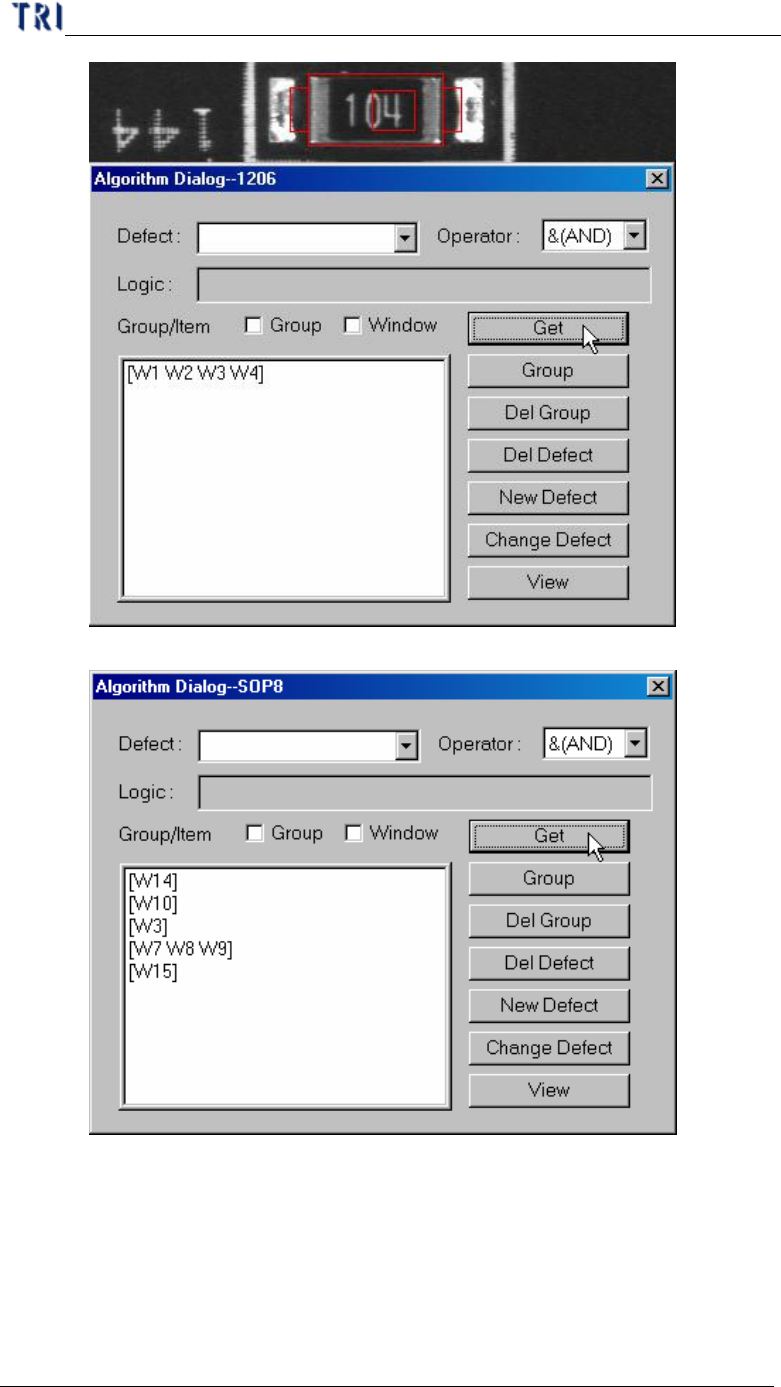
l Get – Getting the inspection boxes name for logic operation.
n Get one inspection window.
n Get several inspection windows at the same time.
Chapter 3 AOI ATPG Function instruction
TR7500 USER MANUAL
181
n Get several inspection windows separately.
l Group – System will compose the selected windows with assigned
[Operator] after press [Group].
n Check Group in [Group/Item]