TR7500E_Manual_en_v28.pdf - 第214页
C h a p t e r 3 A O I A T P G F u n c t i o n i n s t r u c t i on T R 7500 U S E R M A N U AL 2 07 M i rr or R o t a t e C o py
Chapter 3 AOI ATPG Function instruction
TR7500 USER MANUAL
206
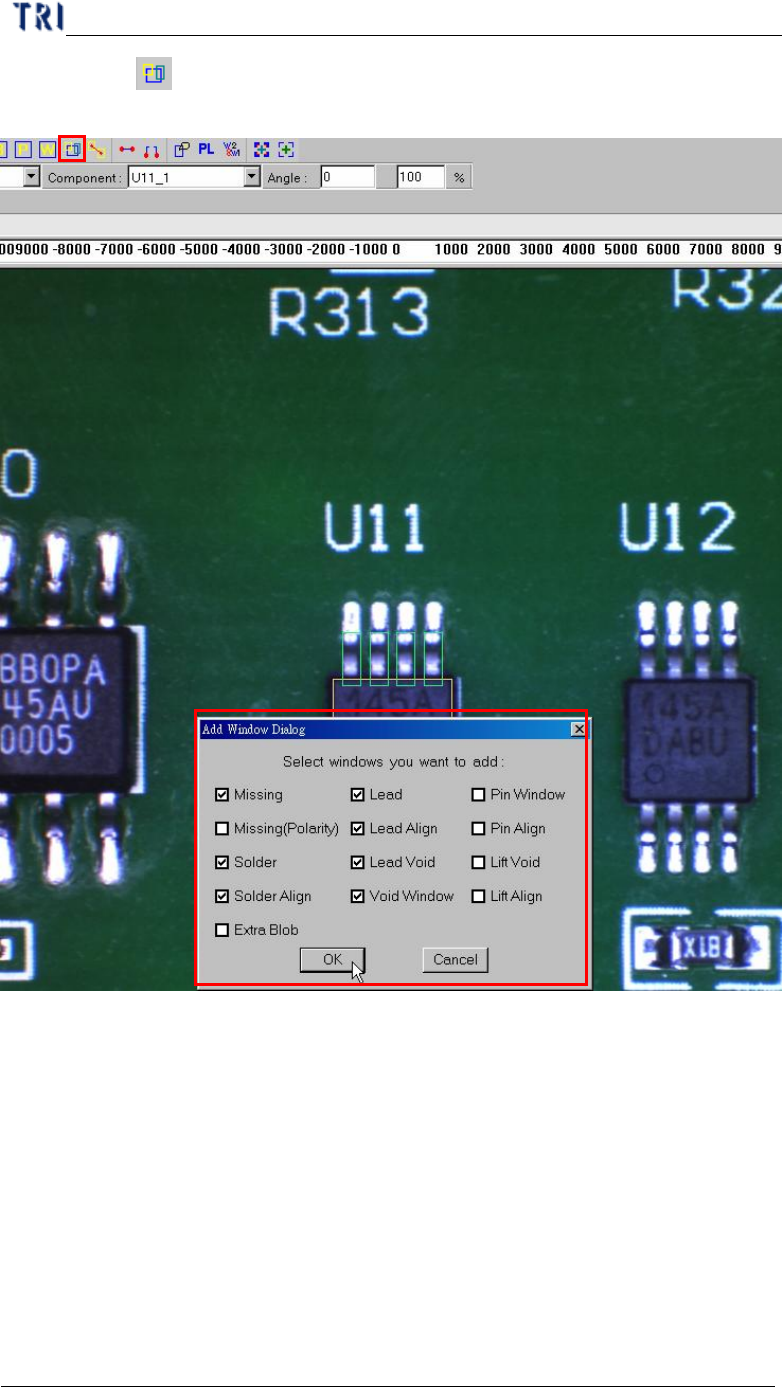
(5) Click on [ Add all] to add inspection windows, including missing (Polarity),
Solder, Solder Align, Lead, Lead Align, and Lead Void.
(6) Resize and set parameters for every kind of inspection windows.
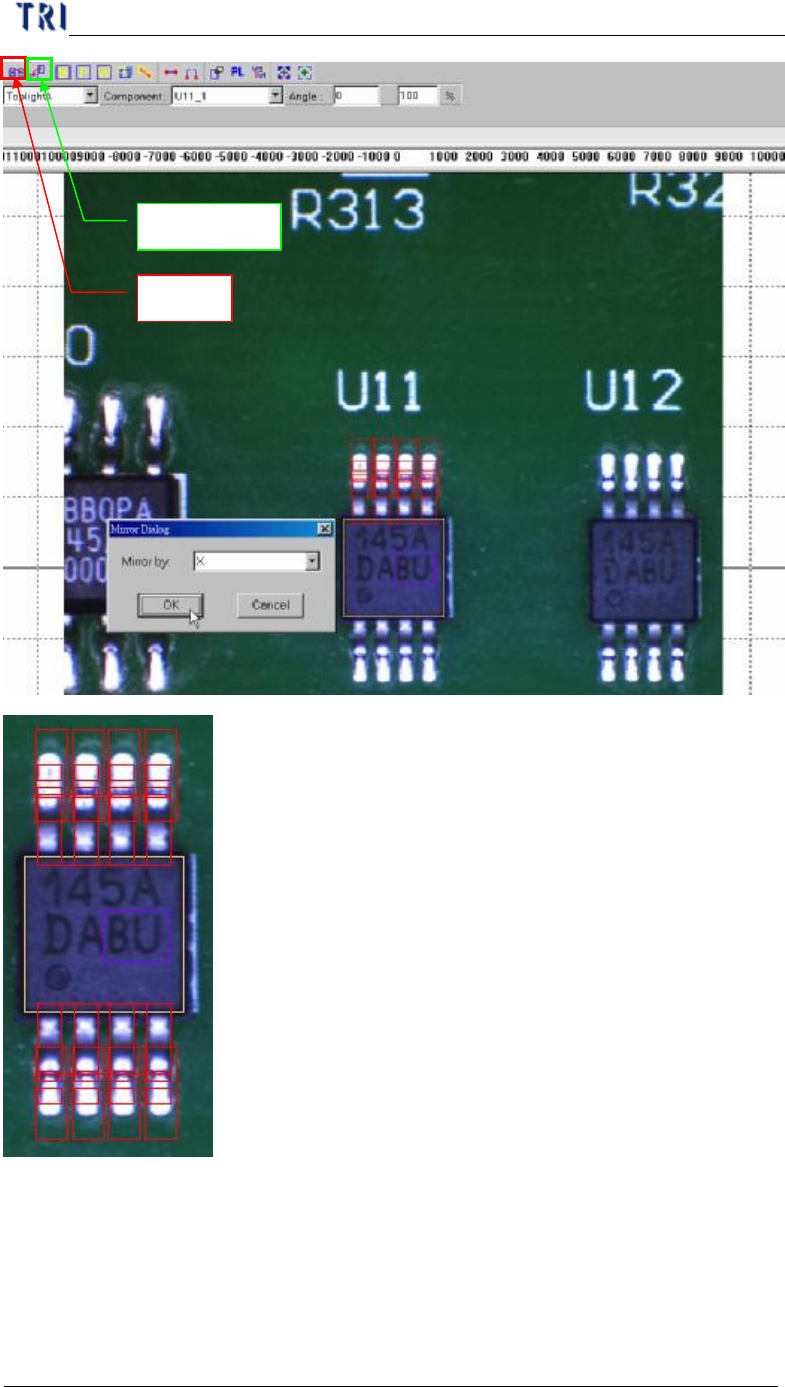
(7) Mirror or rotate copy to other side.
l Select all windows that you want to mirror then click on mirror button.
l Select direction.
1
2
Chapter 3 AOI ATPG Function instruction
TR7500 USER MANUAL
207
Mirror
Rotate Copy
Chapter 3 AOI ATPG Function instruction
TR7500 USER MANUAL
208
(8) Add image of lead and solder inspection window. All inspection windows with
the same method will use the image.
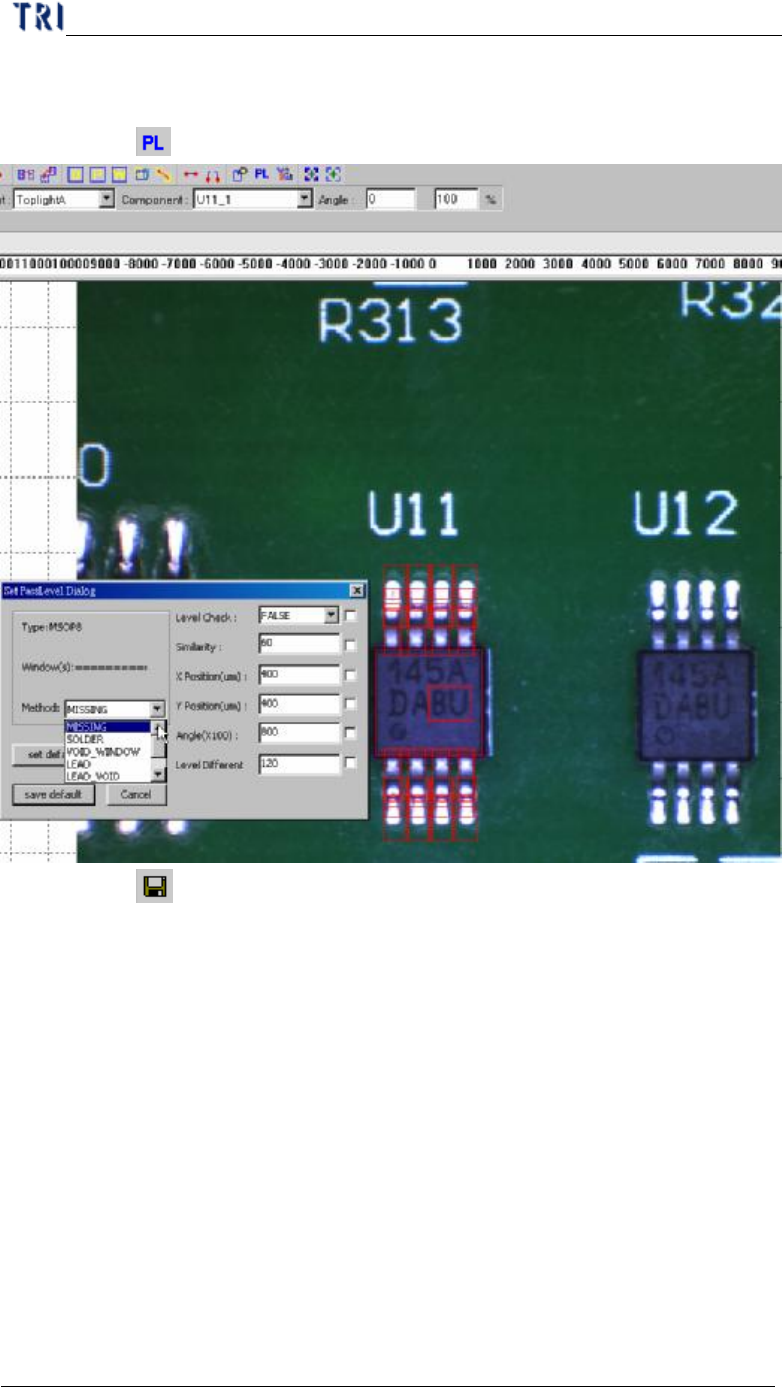
(9) Click on [ Pass Level] to set pass level for all types.
(10) Click on [ Save] to save this type. The system will store the saved file in
[C:\AOI\packagelibrary] folder
11. Principle and pass level setting
11.1. Method of Image Matching
11.1.1. Method 1– Geometric Feature Matching
l System saves the pattern and features of the image and inspects the image
according to the features. [Missing] is inspecting with this algorithm and you can
select this algorithm to do image matching for [Warp].
11.1.2. Method 2– Normalize Correlation Matching
l System learns gray level and feature of the image then finds the best matching
object in the search range when inspecting. [Lead] is inspecting with this
algorithm and you can select this algorithm to do image matching for [Warp].