TR7500E_Manual_en_v28.pdf - 第129页
C h a p t e r 2 M a nu a l B a r i n t r o d u ce T R 7500 U S E R M A N U AL 1 22 l L i g h t i ng d i a g n o s i s - p r e ss [ L i g h t T e s t ] t o t e s t t h e li gh t i n g s y s t e m o r p r e ss [ C o m T e …
Chapter 2 Manual Bar introduce
TR7500 USER MANUAL
121
l Cancel – Close the dialog.
8. Diagnostic
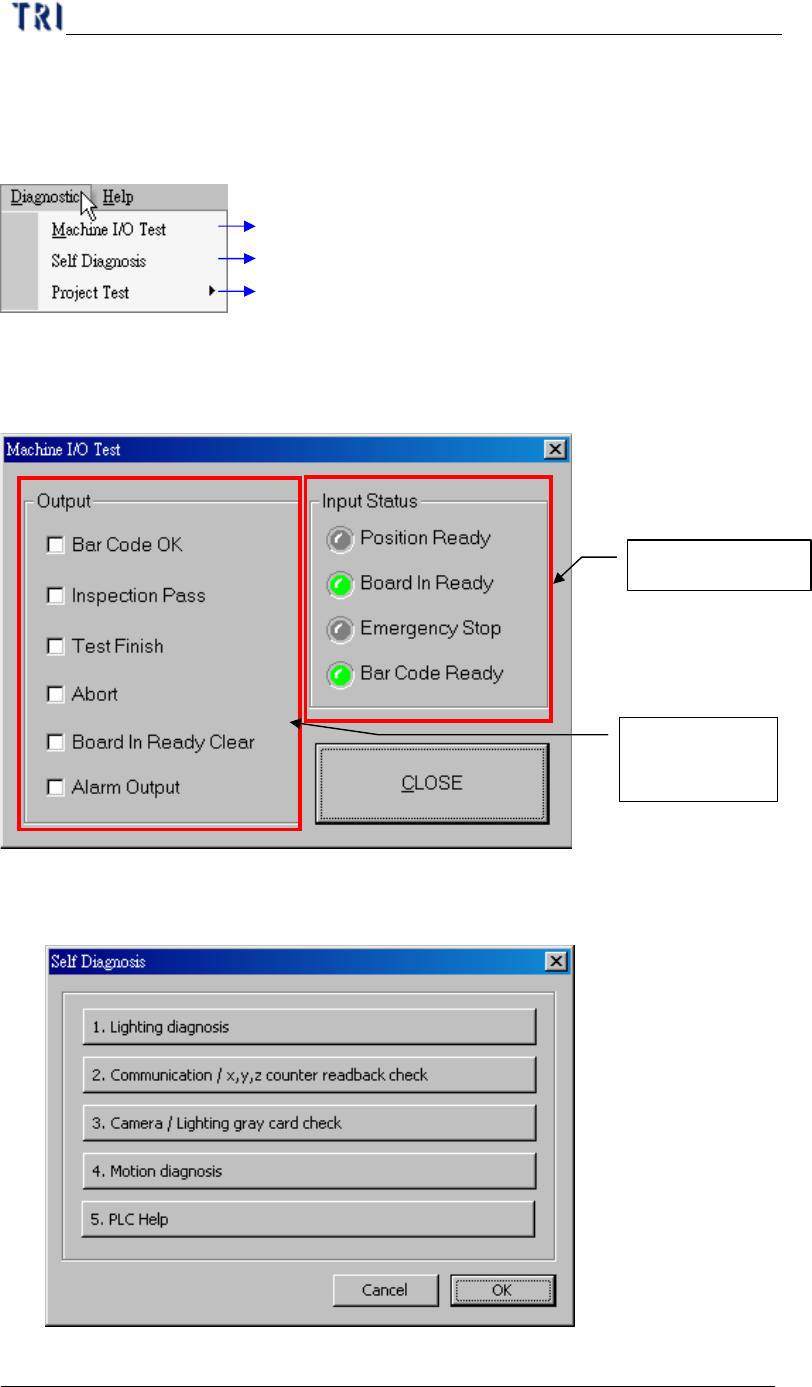
Testing I/O interface with PLC
Self Diagnosis
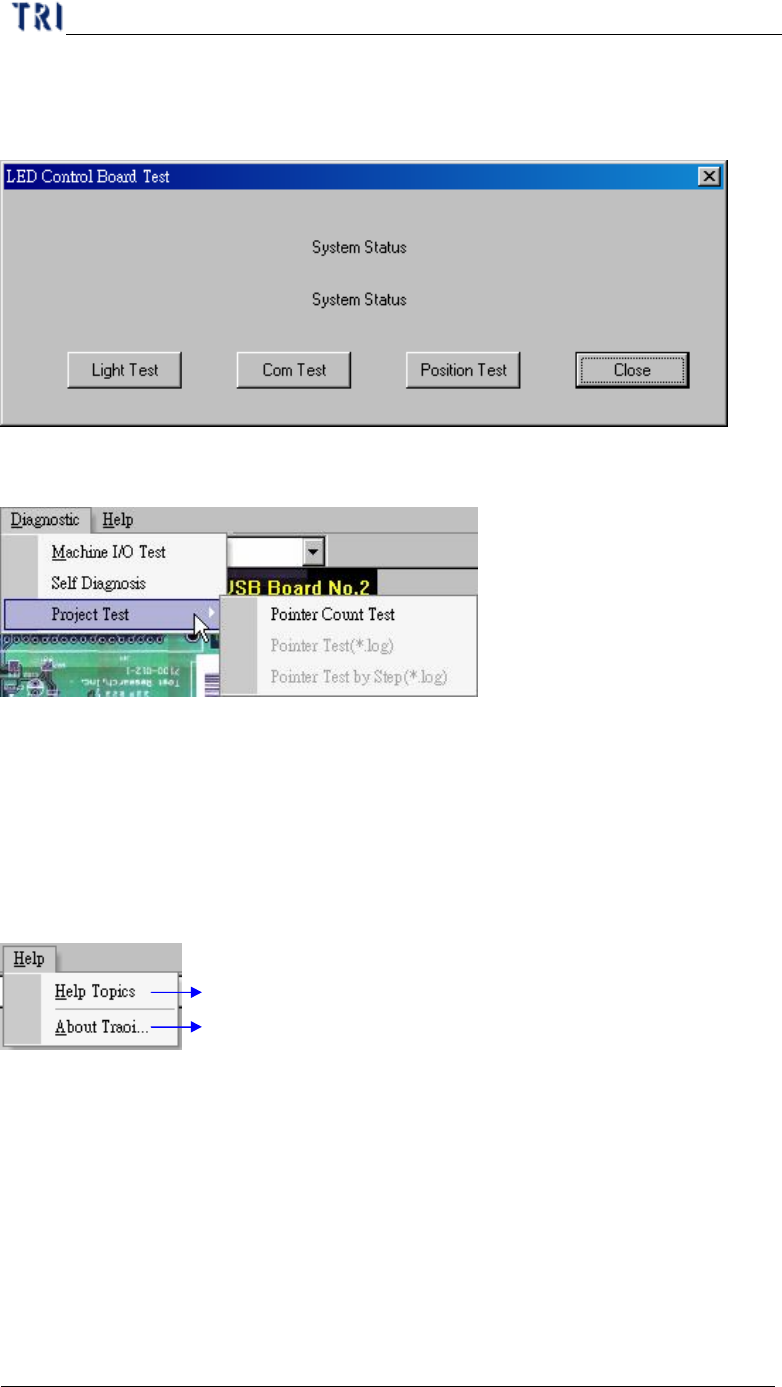
Testing project file data structure is fail or not
8.1. Machine I/O Test
l PC with PLC I/O testing directly.
8.2. Self Diagnosis
l Can do several self-test for system.
PLC input signal
PC output to
PLC signal
Chapter 2 Manual Bar introduce
TR7500 USER MANUAL
122
l Lighting diagnosis - press [Light Test] to test the lighting system or press
[Com Test] to test the communication between hardware.
8.3. Project Test
l You can press [Pointer Count Test] to test the structure and link of inspection
boxes in this project. If the result of testing is fail, you can choose whether you
want to repair the project.
9. Help
TRI program help file
Version display for the program
9.1. Help Topics
l To show the help manual.
9.2. About Traoi
l To show the version of TR7500E
Chapter 3 AOI ATPG Function instruction
TR7500 USER MANUAL
123
Chapter 3 AOI ATPG Function instruction
1. CAD file Translator for AOI file
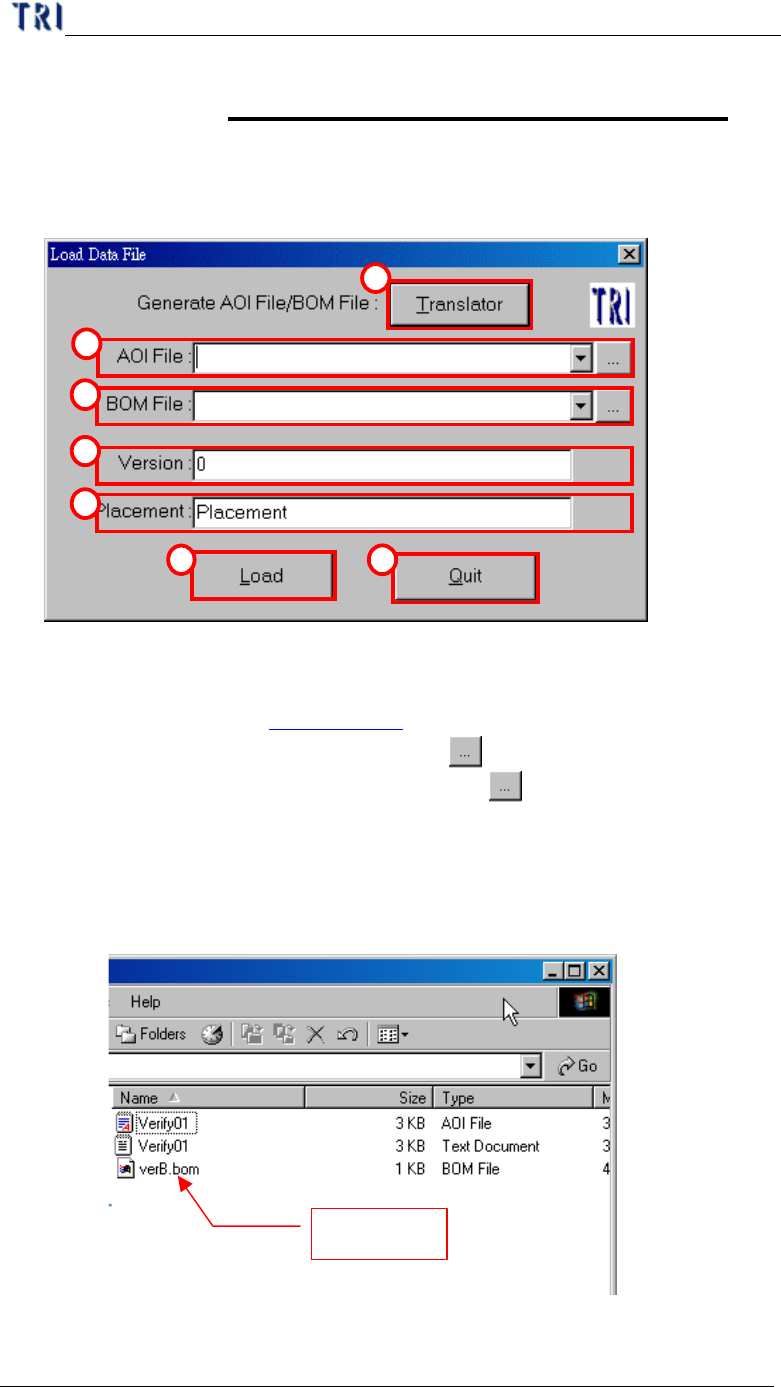
1.1. Load Data file (AOI)
1
2
3
4
5
6 7
(1) Translator – CAD file translator. You can use this function to translate CAD file
to AOI file. (See section Chapter 3 1.2. ).
(2) AOI File – Input the path of AOI file or use
button to browse.
(3) BOM File – Input the path of BOM file or press
button to browse if need. If
the BOM file is loaded, the system will set the component which is not included
in the BOM file as “UNTEST”. You can edit BOM file by “Translator” or us.
a. Create BOM file by ourselves.
i. Format of BOM file.
BOM file